PCB Mods Silence Voltage Warnings On The Pi 4

If you’ve ever pushed the needle a bit on your Raspberry Pi, there’s a good chance you’ve been visited by the dreaded lightning bolt icon. When it pops up on the corner of the screen, it’s a warning that the input voltage is dipping into the danger zone. If you see this symbol often, the usual recommendation is to get a higher capacity power supply. But experienced Pi wranglers will know that the board can still be skittish.

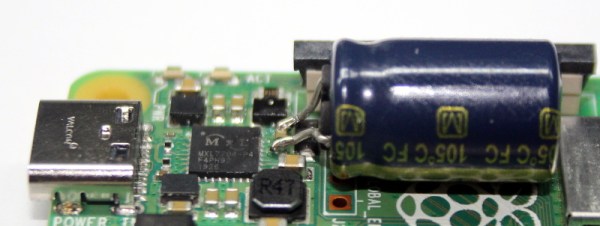
Sick of seeing this icon during his MAME sessions, [Majenko] decided to attack the problem directly by taking a close look at the power supply circuitry of the Pi 4. While the official schematics for everyone’s favorite single-board computer are unfortunately incomplete, he was still able to identify a few components that struck him as a bit odd. While we wouldn’t necessarily recommend you rush out and make these same modifications to your own board, the early results are certainly promising.

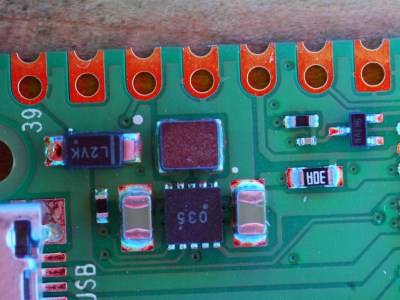
The first potential culprit [Majenko] found was a 10 ohm resistor on the 5 V line. He figured this part alone would have a greater impact on the system voltage than a dodgy USB cable would. The components aren’t labeled on the Pi’s PCB, but with a little poking of the multimeter he was able to track down the 0402 component and replace it with a tiny piece of wire. He powered up the Pi and ran a few games to test the fix, and while he definitely got fewer low-voltage warnings, there was still the occasional brownout.
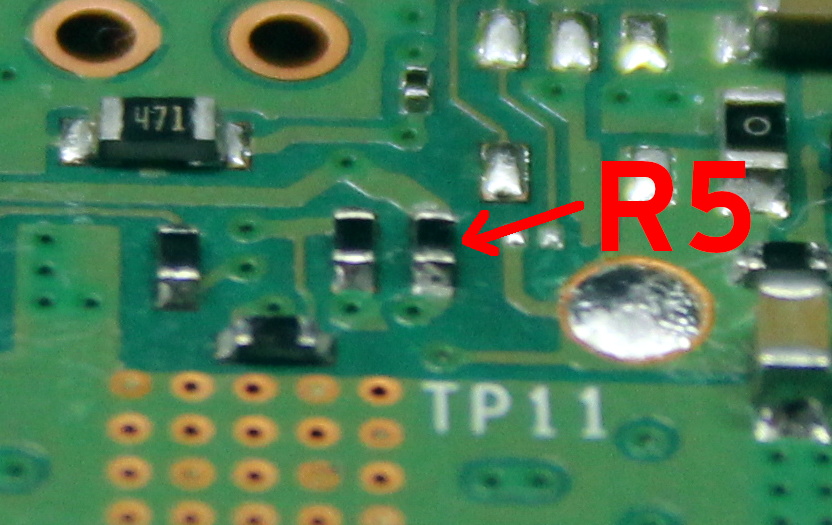
Do we really need this part?

Going back to the schematic, he noticed there was a 10 uF capacitor on the same line as the resistor. What if he bumped that up a bit? The USB specifications say that’s the maximum capacitive load for a downstream device, but he reasoned that’s really only a problem for people trying to power the Pi from their computer’s USB port.

Tacking a 470 uF electrolytic capacitor to the existing SMD part might look a little funny, but after the installation, [Majenko] reports there hasn’t been a single low-voltage warning. He wonders if the addition of the larger capacitor might make removing the resistor unnecessary, but since he doesn’t want to mess with a good thing, that determination will be left as an exercise for the reader.

It’s no secret that the Raspberry Pi 4 has been plagued with power issues since release, but a newer board revision released last year helped smooth things out a bit. While most people wouldn’t go this far just to address the occasional edge case, it’s good to know folks are out there experimenting with potential fixes and improvements.
GME-Tracking Rocketship For The Diamond-Handed Traders

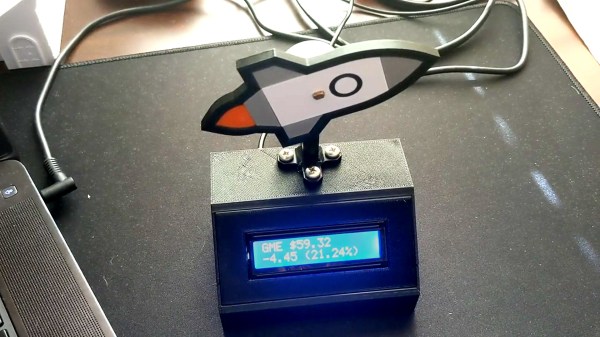
If you’ve been on the internet lately, you’ve been bombarded by stories about retail traders attempting to beat Wall Street at their own game by trying to force a short squeeze on GameStop stock. It’s inspired memes, songs, and all manner of political discourse, along with this cute stock-tracking device built by [dickdemodickmarcinko].

The device is based on the typical exhortation that a given stock or cryptocurrency is going “to the moon”, i.e. skyrocketing upwards to great heights. IT consists of an ESP8266 in a 3D printed housing, with a HD44780 alphanumeric LCD displaying the GME stock price and percentage change over time. The microcontroller also controls a stepper motor, which rotates a 3D-printed rocketship up or down relative to the stock’s price changes. If it’s pointing straight up, prospects are good for those holding the stock!

Whether or not the GME squeeze happens, the build is a fun way to learn about electronics and the stock market at the same time, and could be readily repurposed to track other markets in future. We’ve featured other price trackers before, like this traffic light keeping an eye on Bitcoin. Video after the break.

Nanotube Yarn Makes Strong Bionic Muscles

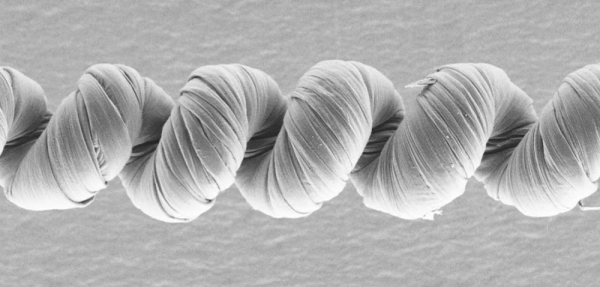
What’s just a bit thicker than a human hair and has ten times the capability of a human muscle? Polymer-coated carbon nanotube yarn. Researchers at the University of Texas at Dallas created this yarn using carbon nanotubes coated with a polymer and coiled with a diameter of about 140 microns.

Passing a voltage through the fiber causes the muscle yarn to expand or contract. Previous similar fibers have to do both actions. That is, they expand and then contract in a bipolar movement. The polymer coating allows for unipolar fibers, critical to using the fibers as artificial muscles.

Continue reading “Nanotube Yarn Makes Strong Bionic Muscles”

PC Overclocking With An Air Conditioner

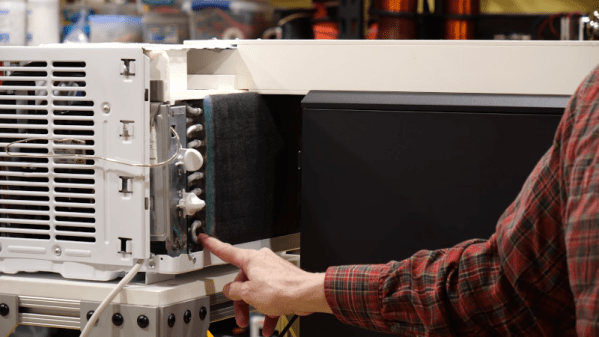
We never insist that a hack be practical. [Tech Ingredients] is living proof as they modded a computer case to use a window air conditioner for overclocking a computer. They think they haven’t hit the ceiling yet, and got their AMD Ryzen 8-core processor up to 4.58 GHz.

An advantage of forcing air from an air conditioner is that the air forced into the system is quite dry and clean. The trick is to create a simple duct to attach to a 5,000 BTU air conditioner. It doesn’t actually interface with the CPU cooling block, instead it just forces cool air into the case and this tends to cool everything inside. Admittedly, it isn’t any worse than plunging your computer in liquid nitrogen, and we’ll admit that air conditioning units are made to keep large areas cold and work at high duty cycles. With the air conditioning running, they disconnected at least some of the stock fans. The temperatures stayed cool even at high speeds.

Continue reading “PC Overclocking With An Air Conditioner”

Vacuum Forming Key Cap Covers Doesn’t Quite Work Out

Retrocomputing is as much about physical preservation as it is about electronics and computer science. Plastic is an awful material when it comes to decade-long timescales, and the forces of sun, air and water are unrelenting on these materials. [Drygol] has long experimented with techniques to preserve and refresh keycaps, and decided to try some fun vacuum forming techniques for something new. It sadly didn’t go to plan, however.

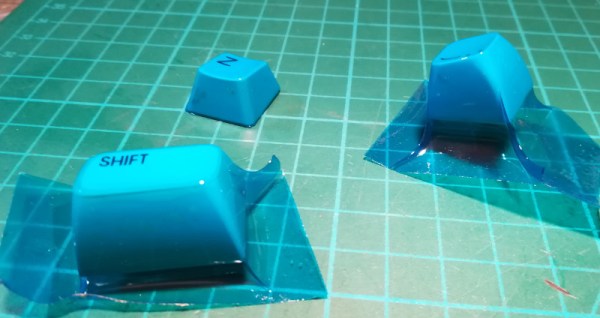
The basic idea was to use a vacuum-forming machine to coat keycaps in a thin layer of translucent plastic, for both aesthetic benefit and to preserve them from falling apart. Initial small-scale tests were promising, creating a key with a tight, form-fitting blue plastic wrap through which the original labels were still visible.

However, scaling up the process proved fraught. Uneven heating of the plastic film and a lack of rigidity in the carriage used to stretch it over the keycaps led to poor results. The final product showed many wrinkles and was distinctly unappealing.

[Drygol] isn’t giving up however, and plans to build a new vacuum table with greater performance. We can imagine this technique being an accessible way to colorize keycaps for a vintage cyberdeck or chiptune rig, without permanently modifying the keys. If you’ve got the inside knowledge on how to make this work, sound off in the comments.

We’ve seen [Drygol]’s work in this space before, too, like this extreme modded Amiga. If you’re executing your own retro repairs, be sure to drop us a line!

AOI By DIY

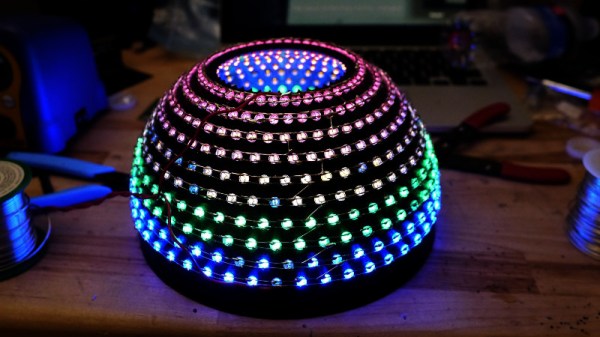
As anyone who has ever assembled a run of PCBs will tell you, quality inspection of solder joints can be a difficult process. Even under a microscope their appearances can be deceptive, and one silver blob can be perfect while its neighbour conceals a problem. The electronics industry have developed inspection tools to help, including optical inspection devices. It’s one of these that [Sina Roughani] has built, in the form of a hemispherical 3D printed dome with concentric rings of coloured LEDs mounted within it.

The principle behind this tool is as unexpected and simple as it is clever; by having different colours of light from different elevations of the dome it ensures that each different angle of the solder joint surface reflects a different colour. Thus a colour photograph shot from directly above the board allows visual inspection of the quality of the solder joints by the rainbow of colours that appears around their edges. This process can even be automated with OpenCV or similar, hence the process is referred to as Automated Optical Inspection, or AOI.



The technique is demonstrated with some pictures of a Raspberry Pi Pico, on which it shows really well the rainbow-edged solder joints and the red colour reflected from flat pads. What at first might seem like a novelty lighting effect becomes a very useful inspection tool.

PCB inspection is a subject we’ve covered before, though perhaps we don’t all have access to X-rays.

Linux Fu: Serial Untethered

Serial ports used to be everywhere. In a way, they still are since many things that appear to plug in as a USB device actually look like a serial port. The problem is that today, the world runs on the network. Sure, you can buy a terminal server that converts a serial port to an Ethernet port, but what fun is that? In this article, I’m going to show you how to stream serial ports over the network using some available Linux tools. It isn’t perfect, and it won’t work for every case, but when it works it works well.

Everything is a File, Until it Isn’t

At some point in the past, Unix — the progenitor of Linux — treated virtually everything as a file, and all files were created more or less equal. Programs didn’t care if a file was local, on the network, from a tape drive, or arriving over a named pipe.

But things started to change. Even though a serial port is just a file under Linux, it has some special attributes that let you set, for example, baud rates. Worse, some programs “know” too much about files and insist on certain naming conventions. So, in theory, you should be able to create a network socket, connect one end to a serial port and the other end to a program, and be done with it. In theory.

Continue reading “Linux Fu: Serial Untethered”