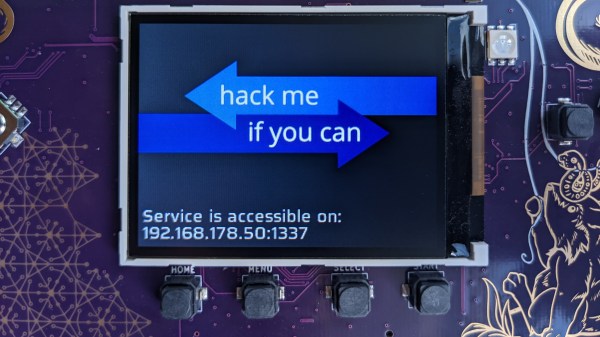
Photo of the MCH2022 badge's screen, showing the "Hack me if you can" app's start splashscreen, saying "Service is accessible on IP ADDRESS : 1337"

MCH2022 Badge CTF Solved, With Plenty To Learn From

Among all the things you could find at MCH2022, there were a few CTFs (Capture The Flag exercises) – in particular, every badge contained an application that you could  try and break into – only two teams have cracked this one! [dojoe] was part of one of them, and he has composed an extensive reverse-engineering story for us – complete with Ghidra disassembly of Xtensa code, remote code execution attempts, ROP gadget creation, and no detail left aside.

There was a catch: badges handed out to the participants didn’t contain the actual flag. You had to develop an exploit using your personal badge that only contained a placeholder flag, then go to the badge tent and apply your exploit over the network to one of the few badges with the real flag on them. The app in question turned out to be an echo server – sending back everything it received; notably, certain messages made it crash. One man’s crashes are another man’s exploit possibilities, and after a few hacking sessions, [dojoe]’s team got their well-deserved place on the scoreboard.

If you always thought that firmware reverse-engineering sounds cool, and you also happen to own a MCH2022 badge, you should try and follow the intricately documented steps of [dojoe]’s writeup. Even for people with little low-level programming experience, repeating this hack is realistic thanks to his extensive explanations, and you will leave with way more reverse-engineering experience than you had before.

The MCH2022 badge is a featureful creation of intricate engineering, with the ESP32 portion only being part of the badge – we’re eager to hear about what you’ve accomplished or are about to accomplish given everything it has to offer!
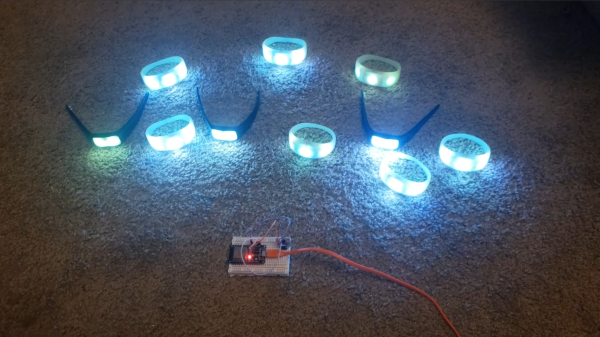
A family of PixMob bracelets being coltrolled by an ESP32 with an IR transmitter attached to it. All the bracelets are shining a blue-ish color

PixMob Wristband Protocol Reverse-Engineering Groundwork

The idea behind the PixMob wristband is simple — at a concert, organizers hand these out to the concertgoers, and during the show, infrared projectors are used to transmit commands so they all light up in sync. Sometimes, attendees would be allowed to take these bracelets home after the event, and a few hackers have taken a shot at reusing them.

The protocol is proprietary, however, and we haven’t yet seen anyone reuse these wristbands without tearing them apart or reflashing the microcontroller. [Dani Weidman] tells us, how with [Zach Resmer], they have laid the groundwork for reverse-engineering the protocol of these wristbands.

Our pair of hackers started by obtaining a number of recordings from a helpful stranger online, and went onto replaying these IR recordings to their wristbands. Most of them caused no reaction – presumably, being configuration packets, but three of them caused the wristbands to flash in different colors. They translated these recordings into binary packets, and Dani went through different possible combinations, tweaking bits here and there, transmitting the packets and seeing which ones got accepted as valid. In the end, they had about 100 valid packets, and even figured out some protocol peculiarities like color animation bytes and motion sensitivity mode enable packets.

The GitHub repository provides some decent documentation and even a video, example code you can run on an Arduino with an IR transmitter, and even some packets you can send out with a  Flipper Zero. If you’re interested in learning more about the internals of this device, check out the teardown we featured back in 2019.

Here’s How The Precursor Protects Your Privacy

At some point, you will find yourself asking – is my device actually running the code I expect it to? [bunnie] aka [Andrew Huang] is passionate about making devices you can fundamentally, deeply trust, and his latest passion project is the Precursor communicator.

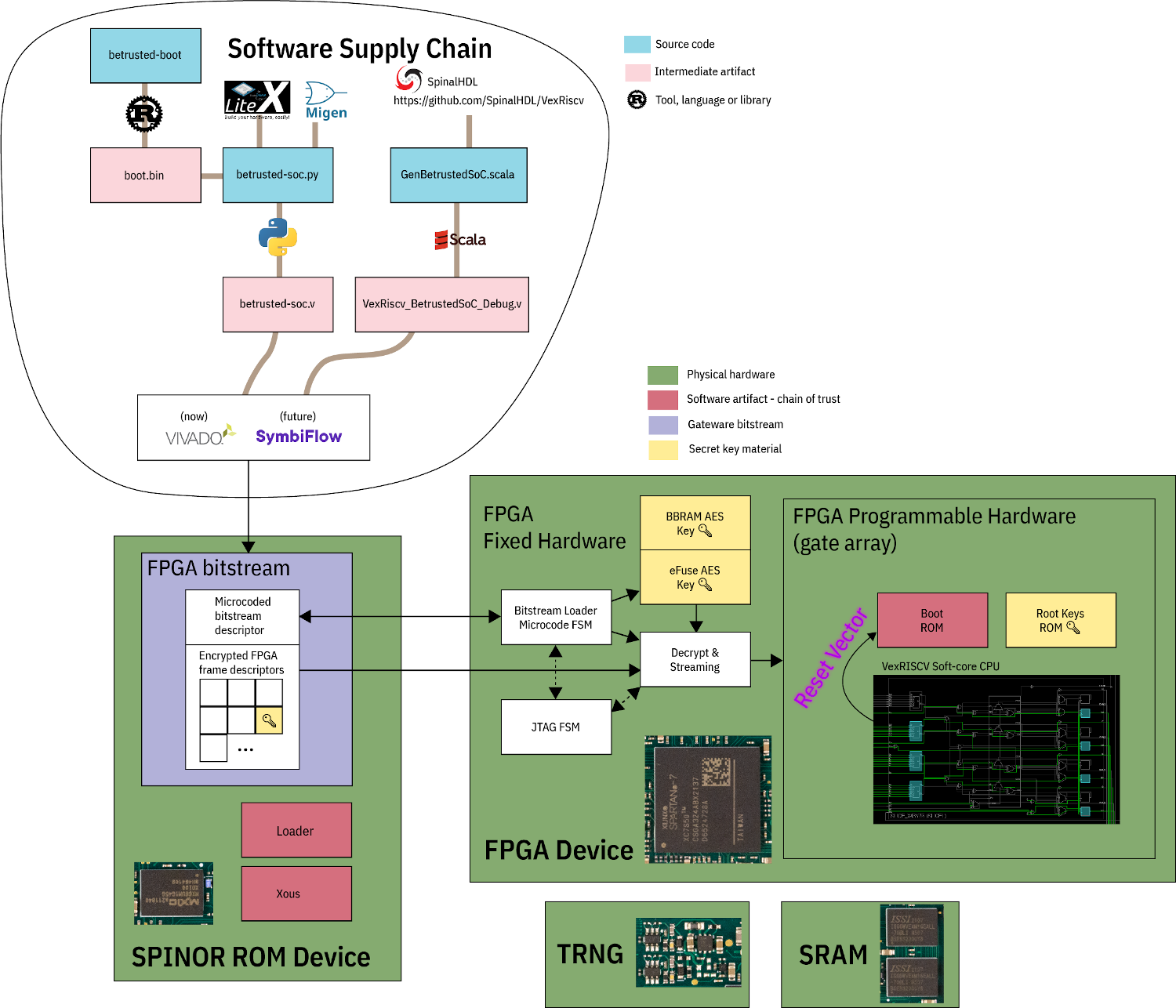
At the heart of it is an FPGA, and Precursor’s CPU is created out of the gates of that FPGA. This and a myriad of other design decisions make the Precursor fundamentally hard to backdoor, and you don’t have to take [bunnie]’s word for it — he’s made an entire video going through the architecture, boot protections and guarantees of the Precursor, teaching us what goes into a secure device that’s also practical to use.

Screenshot from the video, showing a diagram of how precursor's software and hardware components relate to each other If you can’t understand how your device works, your trust in it might be misplaced. In the hour long video, [bunnie] explains the entire stack, from the lower levels of hardware to root keys used to sign and verify the integrity of your OS, along the way demonstrating how you can verify that things haven’t gone wrong.

He makes sure to point out aspects you’d want to be cautious of, from physical security limitations to toolchain nuances. If you’re not up for a video, you can always check out the Precursor wiki, which has a treasure trove of information on the device’s security model.

As you might’ve already learned, it’s not enough for hardware to be open-source in order to be trustworthy. While open-source silicon designs are undoubtedly the future, their security guarantees only go so far.

Whether it’s esoteric hard drive firmware backdoors, weekend projects turning your WiFi card into a keylogger, or rootkits you can get on store-bought Lenovo laptops, hell, even our latest This Week In Security installment has two fun malware examples – there’s never a shortage of parties interested in collecting as much data as possible.

Books You Should Read: The Hardware Hacker’s Handbook

Here on Hackaday, we routinely cover wonderful informative writeups on different areas of hardware hacking, and we even have our own university with courses that delve into topics one by one. I’ve had my own fair share of materials I’ve learned theory and practical aspects from over the years I’ve been hacking – as it stands, for over thirteen years. When such materials weren’t available on any particular topic, I’d go through hundreds of forum pages trawling for details on a specific topic, or spend hours fighting with an intricacy that everyone else considered obvious.

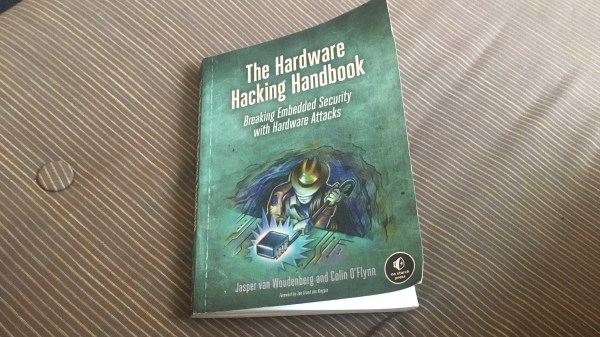
Today, I’d like to highlight one of the most complete introductions to hardware hacking I’ve seen so far – from overall principles to technical details, spanning all levels of complexity, uniting theory and practice. This is The Hardware Hacking Handbook, by Jasper van Woudenberg and Colin O’Flynn. Across four hundred pages, you will find as complete of an introduction to subverting hardware as there is. None of the nuances are considered to be self-evident; instead, this book works to fill any gaps you might have, finding words to explain every relevant concept on levels from high to low.

Apart from the overall hardware hacking principles and examples, this book focuses on the areas of fault injection and power analysis – underappreciated areas of hardware security that you’d stand to learn, given that these two practices give you superpowers when it comes to taking control of hardware. It makes sense, since these areas are the focus of [Colin]’s and [Jasper]’s research, and they’re able to provide you something you wouldn’t learn elsewhere. You’d do well with a ChipWhisperer in hand if you wanted to repeat some of the things this book shows, but it’s not a requirement. For a start, the book’s theory of hardware hacking is something you would benefit from either way. Continue reading “Books You Should Read: The Hardware Hacker’s Handbook” →

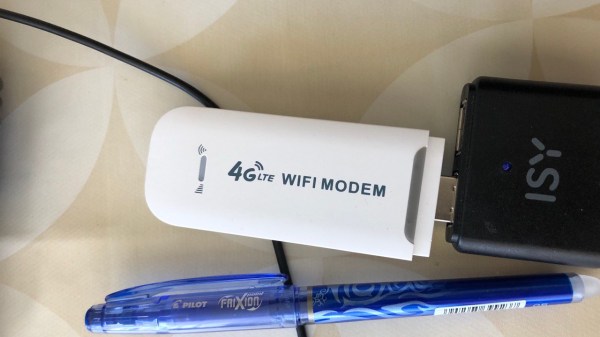
The modem in question plugged into a black powerbank.

Hackable $20 Modem Combines LTE And Pi Zero W2 Power

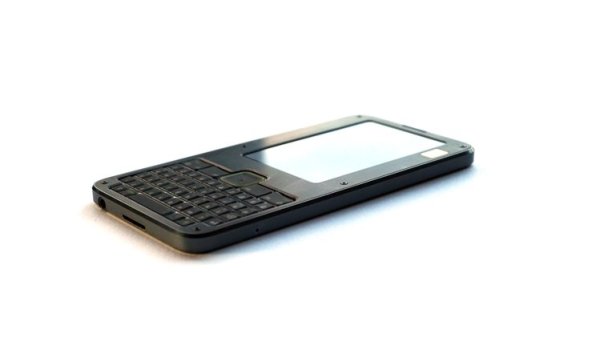
[extrowerk] tells us about a new hacker-friendly device – a $20 LTE modem stick with a quadcore CPU and WiFi, capable of running fully-featured Linux distributions. This discovery hinges on a mountain of work by a Chinese hacker [HandsomeYingYan], who’s figured out this stick runs Android, hacked its bootloader, tweaked a Linux kernel for it and created a Debian distribution for the stick – calling this the OpenStick project. [extrowerk]’s writeup translates the [HandsomeYingYan]’s tutorial for us and makes a few more useful notes. With this writeup in hand, we have unlocked a whole new SBC to use in our projects – at a surprisingly low price!

At times when even the simplest Pi Zero is unobtainium (yet again!), this is a wonderful find. For a bit over the price of a Zero 2W, you get a computer with a similar CPU (4-core 1GHz A53-based Qualcomm MSM8916), same amount of RAM, 4GB storage, WiFi – and an LTE modem. You can stick this one into a powerbank or a wallwart and run it at a remote location, make it into a home automation hub, or perhaps, process some CPU-intensive tasks in a small footprint. You can even get them with a microSD slot for extra storage – or perhaps, even extra GPIOs? You’re not getting a soldering-friendly GPIO header, but it has a few LEDs and, apparently, a UART header, so it’s not all bad. As [extrowerk] points out, this is basically a mobile phone in a stick form factor, but without the display and the battery.

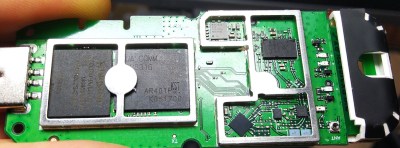
The modem with its cover taken off, showing the chips on its board.Now, there’s caveats. [extrowerk] points out that you should buy the modem with the appropriate LTE bands for your country – and that’s not the only thing to watch out for. A friend of ours recently obtained a visually identical modem; when we got news of this hack, she disassembled it for us – finding out that it was equipped with a far more limited CPU, the MDM9600. That is an LTE modem chip, and its functions are limited to performing USB 4G stick duty with some basic WiFi features. Judging by a popular mobile device reverse-engineering forum’s investigations (Russian, translated), looks like the earlier versions of this modem came with the way more limited MDM9600 SoC, not able to run Linux like the stick we’re interested in does. If you like this modem and understandably want to procure a few, see if you can make sure you’ll get MSM8916 and not the MDM9600.
Days of using WiFi routers to power our robots are long gone since the advent of Raspberry Pi, but we still remember them fondly, and we’re glad to see a router stick with the Pi Zero 2W oomph. We’ve been hacking at such sticks for over half a decade now, most of them OpenWRT-based, some as small as an SD card reader. Now, when SBCs are hard to procure, this could be a perfect fit for one of your next projects.

Update: in the comments below, people have found a few links where you should be able to get one of these modems with the right CPU. Also, [Joe] has started investigating the onboard components!

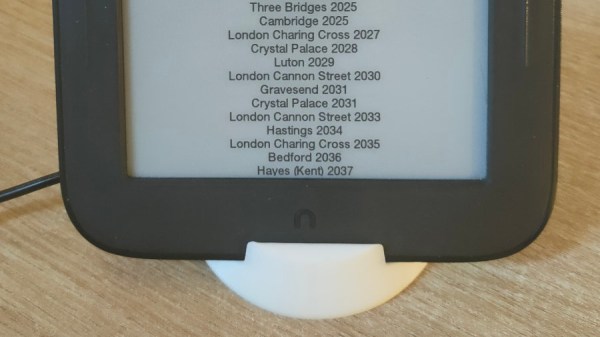
Tablet ina 3D printed stand, showing timetables on its screen

Revive Your Old E-Ink Tablet For Timetable Helper Duty

In our drawers, there’s gonna be quite a few old devices that we’ve forgotten about, and perhaps we ought to make them work for us instead. [Jonatron] found a Nook Simple Touch in his drawer – with its E-ink screen, wireless connectivity and a workable Android version, this e-reader from 2011 has the guts for always-on display duty. Sadly, the soft touch covering on the back disintegrated into a sticky mess, as soft touch does, the LiIon battery has gone flat, and the software support’s lackluster. Both of these are likely to happen for a lot of tablets, which is why we’re happy [Jonatron] has shared his story about this e-reader’s revival.

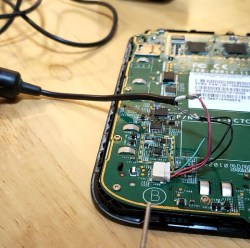
The tablet in question with back cover removed, battery wires connected to a USB cable for powerThe soft touch layer on the back didn’t go away with help of alcohol, but by sheer luck, an acetone bottle was nearby, and an acetone scrub helped get rid of the unpleasant stickiness. The tablet’s charging circuitry turned out to be unsophisticated – the tablet wouldn’t boot from MicroUSB input, and [Jonathan] wired up 5 volts from a USB cable straight into the battery input. Mind you, this might not be advised, as Lithium-Ion battery range is from 3 volts to 4.2 volts and a regulator would be called for, but [Jonatron] says it’s been working just fine.



Usually, you could just put a webserver on your local network and serve a page with useful information, adding code to refresh the page periodically – but the Nook’s browser didn’t support automatic refreshes. Not to be stopped, [Jonatron] wrote an app for the Nook’s Android install instead; rooting was required but went seamlessly. The Android install is old, and Android Studio for it is no longer downloadable, so he used an older development toolkit somehow still available online. There’s still a small Python-written webserver running on a spare Pi, conditioning the data for the app to fetch. Following best hacker traditions, both the app and the server are open-sourced! With help of a 3D printed stand, this tablet now displays train departure schedules – perfect application for an old e-reader like this.

Got a Nook Simple Touch in a drawer? Now you know you can easily convert it into a hackable E-ink display! We’ve seen numerous tablet restorations before, replacing charger ICs and eMMC drives, turning them into videophones to chat with our relatives and smart home controllers, and there’s even repair databases to help you in your revival efforts. We’ve been getting quite a few projects like these in our last Hackaday Prize installment, Hack It Back, and we hope to see more such rebuilds for our Wildcard round!

An illuminated MCH2022 sign composed of large LED letters

Mutually Crafted Happiness: How MCH2022 Happened

Just a few days ago, MCH2022, a six day long hacker camp in Netherlands, has concluded – bringing about three thousand hackers together to hang out. It was my first trip to a large hacker camp like this, as I’ve only been to smaller ones, and this story is coming from someone who’s only now encountering the complexity and intricacy of one. This is the story of how it’s run on the inside.

MCH2022 is the successor of a hacker camp series in the Netherlands – you might’ve heard of the the previous one, SHA, organized in 2017. The “MCH” part officially stands for May Contain Hackers – and those, it absolutely did contain. An event for hackers of all kinds to rest, meet each other, and hang out – long overdue, and in fact, delayed for a year due to the everpresent pandemic. This wasn’t a conference-like event where you’d expect a schedule, catering and entertainment – a lot of what made MCH cool was each hacker’s unique input.

Just like many other camps similar to this, it was a volunteer-organized event – there’s no company standing behind it, save for a few sponsors with no influence on decisionmaking; it’s an event by hackers, for hackers. The Netherlands has a healthy culture of hackerspaces, with plenty of cooperation between them, and forming a self-organized network of volunteers, that cooperation works magic. Continue reading “Mutually Crafted Happiness: How MCH2022 Happened” →