Hacker Turns Thermal Clacker Into USB Keyboard

Back before there were laptops and subsequently, netbooks, there were these adorable thermal typewriter/word processors that are lovingly referred to by their fans as baby wedges or wedgies. These fascinating little machines can put words on paper two different ways: you can either use a prohibitively expensive little ribbon cartridge and regular copy paper, or you can go the easy route and get yourself a 96′ roll of thermal fax paper and type until you feel like tearing off the page.

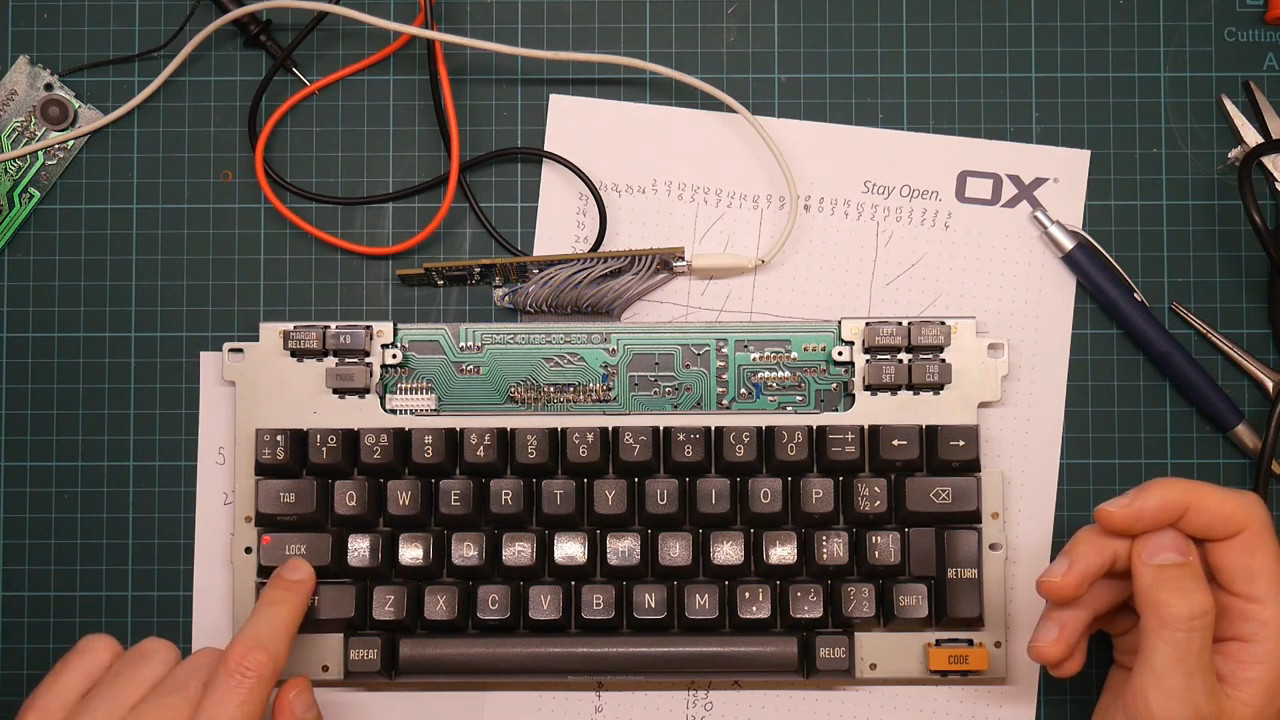
[David] was lucky enough to pick up a Canon S-70 in working condition for next to nothing, thinking it would make an awesome USB keyboard, and we agree. The PSoC 5 that now controls it may be overkill, but it’s pretty affordable, and it was right there on the desk just waiting for a purpose. And bonus — it has enough I/O for all of those loud and lovely keyswitches.
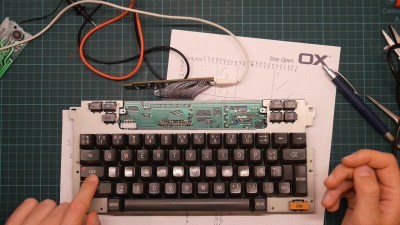
One thing that keeps these baby wedges within the typewriter camp is the Shift Lock function, which can only be disengaged by pressing Shift and had its own discrete logic circuitry on the board before he was forced to remove it.

That little screen is pure word processor and was used to show the typing buffer — all the characters you have a chance to correct before the print head commits them to paper. In a win for word processors everywhere, the screen was repurposed to show the current word count.

He was kind enough to post his firmware as well as real-time footage of the build. Watch him demo it in the wild after the break, and then stick around for part one of the build saga.

Portable word processors were still being made ten years ago, though they were mostly aimed at the primary school market as keyboarding trainers. Our own [Tom Nardi] recently did a teardown of a model called The Writer that relies on IR to send files.

Continue reading “Hacker Turns Thermal Clacker Into USB Keyboard”

Macros For A Mazda

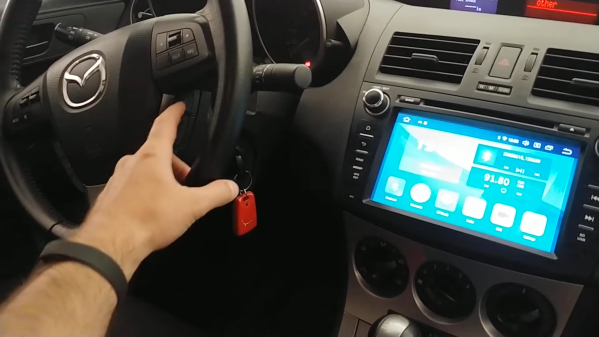
[Arik Yavilevich] recently upgraded his second-gen Mazda’s control console, going from the stock busy box to an Android head unit that does it all on a nice big touchscreen. It can also take input from the handy steering wheel buttons — these are a great option for keeping your eyes on the road and occasionally startling your unsuspecting passengers when the radio station suddenly changes.

The only problem is that [Arik]’s stock steering wheel doesn’t have any media-specific buttons on it. After a short trip to the junkyard, [Arik] had a fancier wheel to go along with the new head unit.

[Arik] doesn’t use cruise control, and those particular buttons can’t be hooked up with reprogramming the car’s computer, so he made them into macro buttons that control the head unit over Bluetooth, using an STM32 black pill board stashed in the glove box.

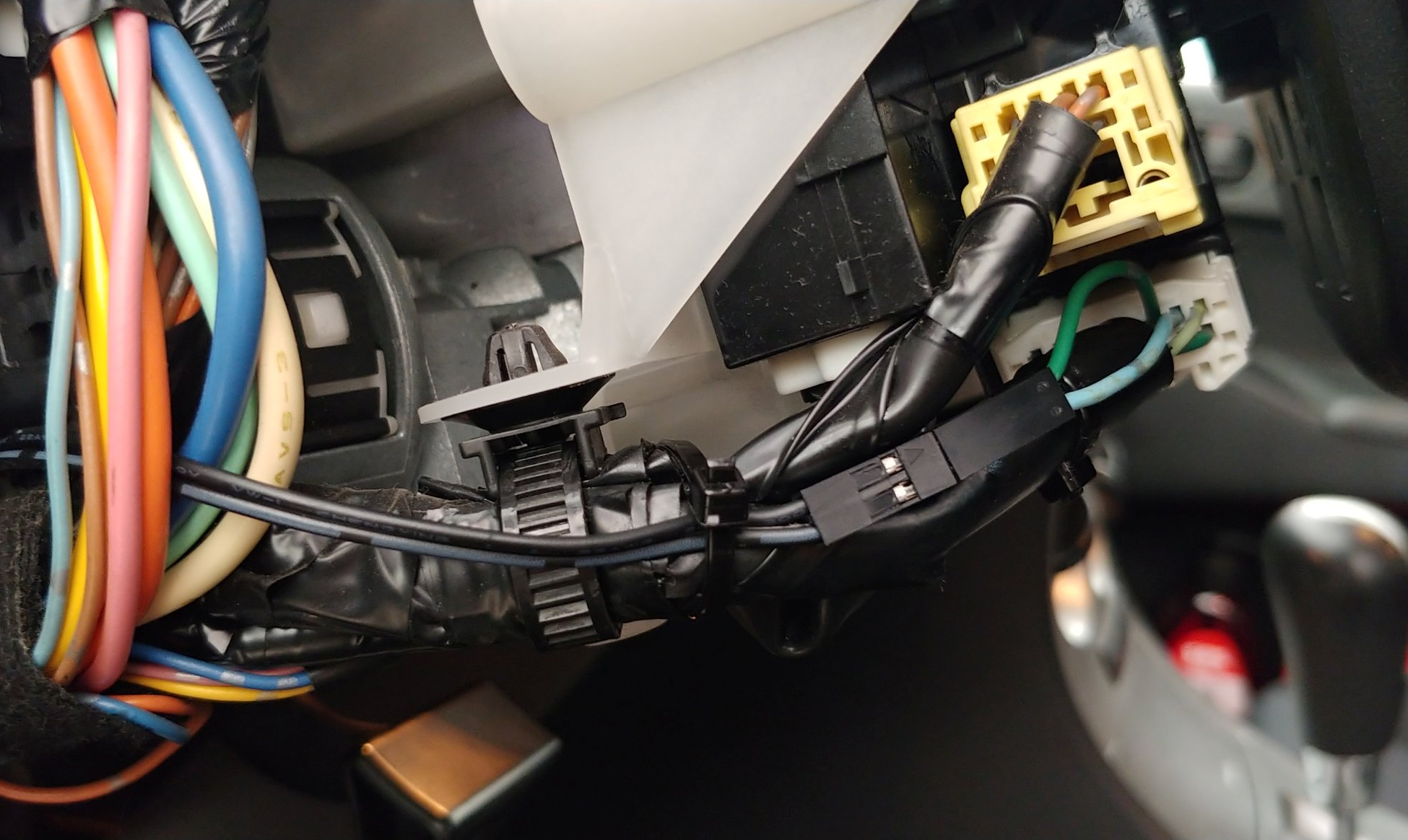
[Arik] found out that the cruise control buttons don’t ride the CAN bus — they use a resistor ladder/voltage divider and go directly into the ECU. After that it was mostly a matter of finding the right wires and then cutting and re-routing them to make the buttons work on the ACC setting as well as ON. A brief demo video is idling after the break.

Have an old smart phone lying around? Of course you do. Why not make your own head unit?

Continue reading “Macros For A Mazda”

Switch Tester Servo-Slaps Them ’til They Fail

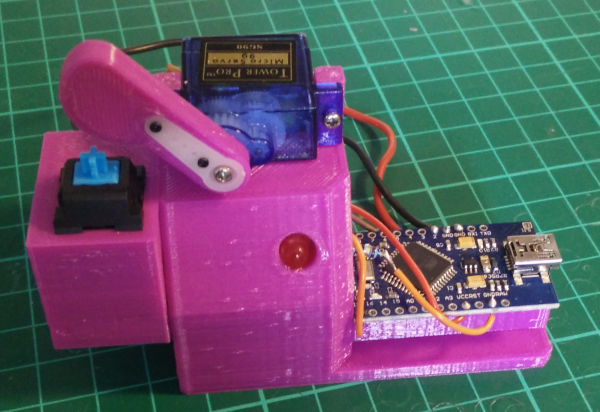
[James] is designing an open-source 3D printed keyboard switch, with the end goal of building a keyboard with as many printed parts as possible. Since keyswitches are meant to be pressed quite often, the DIY switches ought to be tested just as rigorously as their commercial counterparts are at the factory. Maybe even more so.

The broken spring after 13,000+ automated boings.

Rather than wear out his fingers with millions of actuations, [James] built a robot to test switches until they fail. All he has to do is plug a switch in, and the servo-driven finger slowly presses the slider down until the contacts close, which lights the LED.

The system waits 100ms for the contacts to stop any tiny vibrations before releasing the slider. That Arduino on the side tracks the contact and release points and sends them to the PC to be graphed. If the switch fails to actuate or release, the tester stops altogether.

We love that this auto-tester works just fine for commercial switches, too — the bit that holds the switch is separate and attaches with screws, so you could have one for every footprint variant. [James] recently did his first test of a printed switch and it survived an astonishing 13,907 presses before the printed coil spring snapped.

One could argue that this doubles as a servo tester. If you want a dedicated device for that, this one can test up to sixteen at a time.

Continue reading “Switch Tester Servo-Slaps Them ’til They Fail”

Score Big Against Boredom With Tabletop Bowling

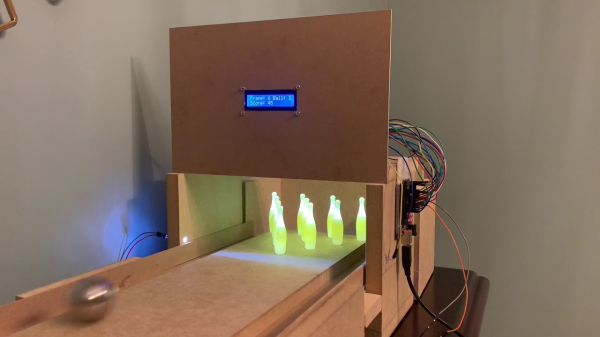
Bowling has been around since ancient Egypt and continues to entertain people of all ages, especially once they roll out the fog machine and hit the blacklights. But why pay all that money to don used shoes and drink watered-down beer? Just build a tabletop bowling alley in your spare time and you can bowl barefoot if you want.

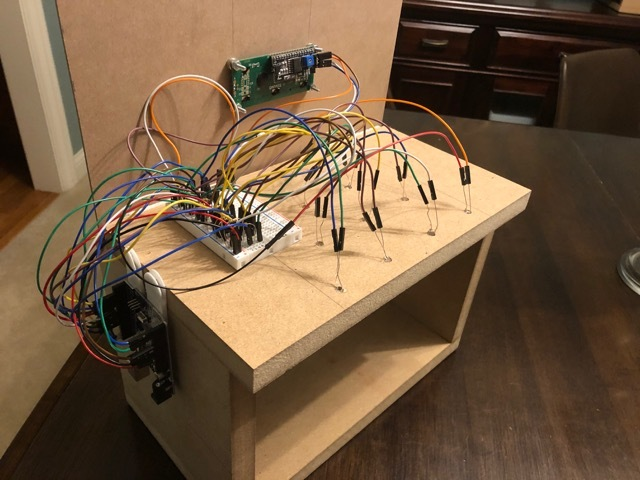
Those glowing pins aren’t just for looks — the LEDs underneath them are part of the scoring system. Whenever a pin is knocked out of its countersunk hole, the LED underneath is exposed and shines its light on a corresponding light-dependent resistor positioned overhead. An Arduino Uno keeps track of of the frame, ball number, and score, and displays it on an LCD.

The lane is nearly six feet long, so this is more like medium-format bowling or maybe even skee-bowling. There are probably a number of things one could use for balls, but [lainealison] is using large ball bearings. Roll past the break to see it in action, but don’t go over the line!

Can’t keep your balls out of the gutter? Build a magic ball and make all wishful leaning more meaningful as you steer it down the lane with your body.

Continue reading “Score Big Against Boredom With Tabletop Bowling”

Plant’m If You Got’m And Keep’m Alive

Having a few plants around is a great way to liven up your living and/or working space. They look nice, you get to watch them grow and change, and some types of plants can actively improve the room’s air quality. But let’s face it — even the easy ones require a baseline level of care that can easily fall by the wayside. After all, the poor things can’t scream out for water or get up and find a sunnier spot for themselves.

[Ine Hocedez] was tired of watching her plants die and not knowing why. The two main culprits involve water and light, though there can be other issues like soil pH and bugs. It’s easy to get the balance wrong, so why not automate everything?

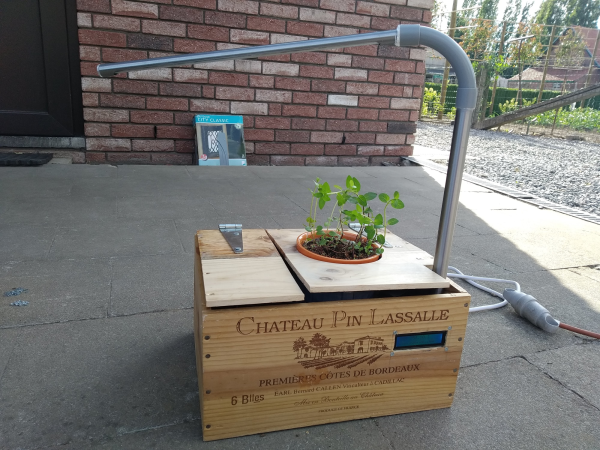
Plant’m is a complete, portable package that [Ine] designed for a school project. A soil moisture sensor dictates the watering schedule via Raspberry Pi, and water is automatically pumped from an elevated tank.

The lamp is meant to supplement the sunlight, not replace it. But that’s the real beauty of this botanical box — [Ine] can just pick it up and try a different spot if the plant droops or shows burnt spots.

Got the sunlight part down for your plant, but can’t remember to water it? Re-purpose an old Keurig and give it an automatic drip.

Capture The Flag, Along With The Game Data

With events of all sizes on hold and live sports mostly up in the air, it’s a great time to think of new ways to entertain ourselves within our local circles. Bonus points if the activity involves running around outside, and/or secretly doubles as a team-building exercise, like [KarelBousson]’s modernized version of Capture the Flag.

Much like the original, the point of this game is to capture the case and keep it for as long as possible before the other team steals it away. Here, the approach is much more scientific: the box knows exactly who has it and for how long, and the teams get points based on the time the case spends in any player’s possession.

Each player carries an RFID tag to distinguish them from each other. Inside the case is an Arduino Mega with a LoRa shield and a GPS unit. Whenever the game is afoot, the case communicates its position to an external Raspi running the game server.

If you haven’t met LoRa yet, check out this seven-part introductory tutorial.

Inputs Of Interest: Curves Are The Key To My Type

While I may have fallen in love aesthetically with the ErgoDox I built, beauty is only skin deep. And that’s funny, because you can see right through it. But the thing is, it’s just too big and knife-edged to be my daily driver. I keep missing the space bar and thumb-thumping the acrylic wasteland between the thumb cluster and the mainland.

The point was to make a nice portable keeb, even though all my trips for he foreseeable future are going to be limited to the bed or the couch. But it has to be comfortable, and the ErgoDox in its present state simply is not long-term comfortable. I’d take it over a rectangle any day, but it would probably end up being a half day.

Ergo isn’t so much a preference for me as it is a necessity at this point. I feel like I can honestly say that I might not be typing these words to you now if it weren’t for the Kinesis. I don’t want my fingers to do unnecessary legwork, or downgrade from the quality of typing life that concave keys have afforded me. So let me just say that using the ErgoDox made me want to build a dactyl even more than before.

Continue reading “Inputs Of Interest: Curves Are The Key To My Type”