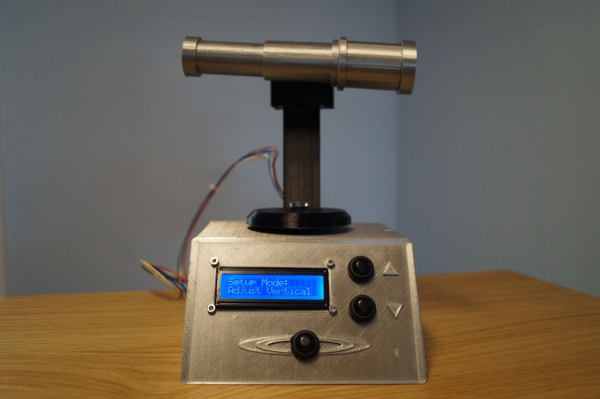
Tic Tac Arduintoe Moves The Game To 4×4

We know you’re out there spending a lot more time with your loved ones, and appreciate that you may be running out of ways to keep everyone entertained. [Mukesh] dropped us a tip because he has the antidote to boredom — a new twist on that old chestnut, Tic Tac Toe.

Instead of the usual 3×3 configuration, [Mukesh] made the grid 4×4 so the game would be more engaging. Game play is otherwise the same — this Tic Tac Toe still results in a lot of draws, but they take longer and you can’t see them coming a mile away. What’s even more engaging is that you get to push clicky buttons that light up, and don’t have to draw a grid before every game.

Under the hood is an Arduino Uno that controls 16 push buttons and their corresponding RGB LEDs. Whoever goes first is blue, and player two gets pink. If you win, your color floods the board for a brief victory animation. If the game is a tie, the board turns red. We really like the printed two-piece buttons that house the LEDs and actuate the push buttons while keeping the two separate. Toe your way past the break to check out the build video.

Intrigued by the 4×4 version, but need a build that takes more time? Try building your TTT in TTL.

Continue reading “Tic Tac Arduintoe Moves The Game To 4×4”

Ironclad Tips For Copper-Clad Prototyping

The idea of trying to prototype with SMD parts on the fly sounds like insanity, right? But then we watched [Leo Fernekes] walk calmly and carefully through his process (video, embedded below). Suddenly, SMD prototyping jumped onto our list of things to try soon.

[Leo] speaks from a lot of experience and tight client timelines, so this video is a fourteen-minute masterclass in using copper-clad board as a Manhattan-style scratch pad. He starts by making a renewable tool for scraping away copper by grinding down and shaping an old X-Acto blade into a kind of sharpened Swiss Army knife bottle opener shape. That alone is mind-blowing, but [Leo] keeps on going.

In these prototypes, he uses the through-hole version of whatever microcontroller is in the design. For everything else, he uses the exact SMT part that will end up on the PCB that someone else is busy designing in the meantime.

After laying the board out on paper, [Leo] carves out the islands of conductivity, beep-checks them for shorts, shines the whole thing with steel wool, and goes to town.

The tips and tricks keep coming as he makes jumps and joins ground planes with bare copper wire insulated with heat-proof Teflon tubing, and lays out the benefits of building up a stash of connectors and shelling out the money for a good crimp tool.

And why do you need a good crimp tool? Because when they’re done properly, crimped connections are stronger and more reliable than solder. There’s a lot more to them than you might think.

Continue reading “Ironclad Tips For Copper-Clad Prototyping”

Arduband Gives Your Eyes A Hand

Let’s face it, we probably all sit at our computers for way too long without getting up. Yes, there’s work to be done, games to be played, and the internet abounds with people who are wrong and must be down-voted and/or corrected. We totally get and respect all that. However, if you want to maintain your middle- and long-range vision, you should really get up regularly and gaze out the window for a bit.

In fact, the Arduband does you one better. Its Arduino Nano and accelerometer check your position every ten minutes. If you haven’t changed your Z by the third check, then it’s time for a break. The combination of an RGB LED, buzzer, and vibrating disc motor working together should be enough to pull you out of any computerized stupor, and they won’t give up and go back to sleep until you have stood up and remained upright for one minute.

We like that [ardutronics123] spun up a board and made it small enough to be wrist-mounted using a watch strap. It would work just as well worn around your neck, and would probably even fit in your pocket. Blink a few times before you check out the build video after the break.

Arduband would be great on the go, but who does that anymore? If you spend every day at the same desk, you could point a time-of-flight sensor at your chair and start a timer.

Continue reading “Arduband Gives Your Eyes A Hand”

A Foam Core Stand Against Tablet Design

We hadn’t considered how challenging it might be to try drawing long-term on a tablet, and it sounds as though Apple didn’t, either. According to [Eric Strebel], who normally designs products for other people, there are many problems to solve. The camera area creates a bump on an otherwise flat backside, so it wobbles on the table. It’s thick. It’s too easy to run your stylus off the side.

Yes there are tablet holders out there, even a few with cup holders, but almost none of them have a kickstand for holding the thing vertically. If you want something done right, you have to do it yourself. And so [Eric] designed his ideal stand to solve all of these problems (video, embedded below). It’s mostly made of laser-cut foam core board, with some layers of poster board added to make the bezel totally flush with the tablet.

[Eric] can snap the tablet in place and use it flat, or fold back the upper half into a stand. It even works well over on the couch, or sitting up in bed. We particularly like the window gasket feet and all the versions of his hinges, which start with strips of cheesecloth and end in grosgrain ribbon. [Eric]’s approach to design always reminds us to keep an open mind about materials and methods. If you try using what you already have, the results may surprise you. Check out the build video after the break.

Maybe you don’t need or want a tablet stand. How about a foam core spray booth?

Continue reading “A Foam Core Stand Against Tablet Design”

A Sweet Little Insulin Reminder Light

So much of what we do relies on a certain societal structure that has been absent for a few months now. When the days run together, it’s hard to remember to do the things that must happen daily. You think you did something, and maybe you’re right, but it’s quite possible you’re thinking of yesterday.

[Flameeyes] has diabetes and must use an insulin pen every morning without fail, no matter what’s happening outside his door. This was pretty much a non-issue in the before-time, but quickly became a serious problem as the routine-free weeks wore on. With no room for false positives, he needed a solution that doesn’t trigger until the deed is done.

Now when [Flameeyes] puts the pen away, he also triggers a Flic smart button mounted nearby. The Flic shares its status with a Feather M4 Express through a web app, and the Feather in turn changes the RGB LED inside of Pikachu’s base from red to yellow for the day. Pikachu sits in plain sight by the kettle, so there’s no guessing whether [Flameeyes] took his insulin.

Insulin is a critical commodity with a lot of DIY interest, which is probably starting to spike about now. Our own [Dan Maloney] wrote a great piece on the subject that brings up an insulin hack from around 80 years ago.

Pinball Machine Needs No Wizard

Ever since he was a young boy, [Tyler] has played the silver ball. And like us, he’s had a lifelong fascination with the intricate electromechanical beasts that surround them. In his recently-completed senior year of college, [Tyler] assembled a mechatronics dream team of [Kevin, Cody, and Omar] to help turn those visions into self-playing pinball reality.

You can indeed play the machine manually, and the Arduino Mega will keep track of your score just like a regular cabinet. If you need to scratch an itch, ignore a phone call, or just plain want to watch a pinball machine play itself, it can switch back and forth on the fly. The USB camera mounted over the playfield tracks the ball as it speeds around. Whenever it enters the flipper vectors, the appropriate flipper will engage automatically to bat the ball away.

Our favorite part of this build (aside from the fact that it can play itself) is the pachinko multi-ball feature that manages to squeeze in a second game and a second level. This project is wide open, and even if you’re not interested in replicating it, [Tyler] sprinkled a ton of good info and links to more throughout the build logs. Take a tour after the break while we have it set on free play.

[Tyler]’s machine uses actual pinball machine parts, which could quickly ramp up the cost. If you roll your own targets and get creative with solenoid sourcing, building a pinball machine doesn’t have to be a drain on your wallet.

Continue reading “Pinball Machine Needs No Wizard”

Laundry Monitor Won’t Generate Static With Roommates

Laundry. It’s one of life’s inescapable cycles, but at least we have machines now. The downside of this innovation is that since we no longer monitor every step — the rock-beating, the river-rinsing, the line-hanging and -retrieving — the pain of laundry has evolved into the monotony of monitoring the robots’ work.

[Adam] shares his wash-bots with roommates, and they aren’t close enough to combine their lights and darks and turn it into a group activity. They needed an easy way to tell when the machines are done running, and whose stuff is even in there in the first place, so [Adam] built a laundry machine monitor that uses current sensing to detect when the machines are done running and sends a text to the appropriate person.

Each machine has a little Hall effect-sensing module that’s carefully zip-tied around its power cable. The signal from these three-wire boards goes high when the machine is running and low when it’s not. At the beginning of the load, the launderer simply presses their assigned button on the control box, and the ESP32 inside takes care of the rest.

Getting a text when your drawers are clean is about as private as it gets. Clean underwear, don’t care? Put it on a scrolling marquee.