1D LED PONG, Arduino-Style

Maybe it’s just us, but isn’t it kind of amazing that in a world of pretty darn realistic games, PONG is still thrilling to play? This 1D implementation by [newsonator] is about as exciting as it gets.

It works like you’d probably expect — the light moves back and forth between the two players. Keep it in the green and you have a nice, gentle volley going. Let it hit your red LED and you’ve lost a point. But if you can push your button while your yellow LED is lit, the light speeds up tremendously until the next button press in the green.

Our only wish is that subsequent yellow-light button presses would make it speed up even more. But there are really just the two speeds with the current programming.

Inside the cool laser-cut box is an Arduino Uno and a 9V battery, plus a current-limiting resistor and the all-important buzzer. We like how [newsonator] wired up the LEDs to the Arduino by soldering them to a row of header pins and sticking that into the Arduino so it can be used in other projects down the line. We also like how [newsonator] shoved a couple of dowels through the box to ultimately support the two buttons.

Check out the intro video after the break for the overall details. The build is done over a few different short videos which follow.

Although this is pretty small, it isn’t quite the minimum viable.

Continue reading “1D LED PONG, Arduino-Style”

When Is A Typewriter A Printer? When It Has A Parallel Port

If you want to talk to a typewriter using something other than your fingers on the keys, you could do a lot worse than to pick up a specimen featuring a Centronics parallel port. That’s what happened to [mlupo], who came across an old Swintec 1146 CMP and decided to hack it into an art installation.

At the push of a giant, clicky button, the typewriter now spits out family stories. This is all thanks to an Adafruit KB2040 keyboard driver being used in a new, exciting way — as a printer driver.

More specifically, the CircuitPython program running on the KB2040 takes in a text file and then sends the data one character at a time until a newline is reached. At that point, the typewriter sends a busy signal and the characters are typed.

As soon as the typewriter is no longer occupied, the data stream picks back up until the next newline or until the file is completely typed out.

Once [mlupo] figured out enough of the parallel port protocol, they were able to build a custom breakout board with the KB2040, a female parallel port, and a row of LEDs for debugging that [mlupo] kept because they look cool.

The KB2040 sets the values high on a series of the parallel port’s data pins, along with the port’s STROBE pin, which pulls low when data is ready. During each STROBE cycle, the high and low pins are read by the Swintec as a binary character.

Of course, you can always use the power of Pi to build your own modern typewriter.

Thanks to [foamyguy] for the tip!

Nyan Keys: Because Your Keyboard Is Painfully Slow

You probably don’t notice keyboard latency when typing or doing mundane tasks, but if you start gaming, that’s also when you might start complaining. Every millisecond counts in that arena. Think your keyboard is fast? Think again. Because unfortunately, no matter what you’ve got in there, that key matrix is slowing you down. What you need is an FPGA-based keyboard with an overkill MCU. You need Nyan Keys.

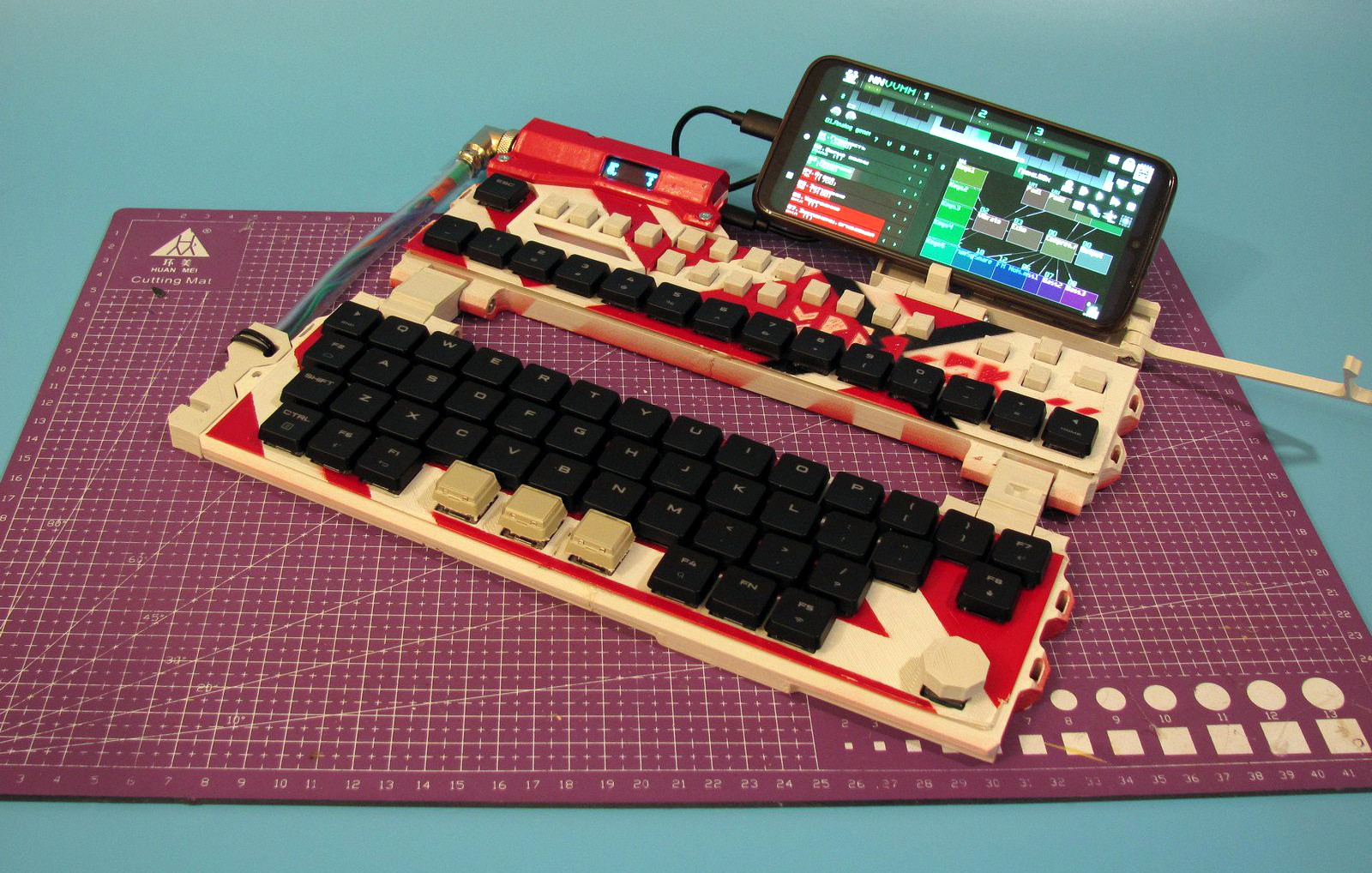
[Portland.HODL] set out to make the lowest-latency mechanical keyboard possible that would accept any Cherry-compatible switches, and boy howdy, is this thing fast.

Coupled with the STM32F723VET6 MCU is USB 2.0 HS, which has an 8000Hz polling rate. At worst, key latency measures 30μS, which blows the 1mS average out of the water.

Because it uses a Lattice Semi iCE40HX 4k FPGA, each key switch can connect to its own I/O pin, which also eliminates the need for diodes.

It also means that each key switch can have its own “core” — an 8-bit timer that is always counting up to 255. The key can only change its state when the timer reads 255. This acts as a rather clever debounce mechanism.

If all that’s not enough, [Portland.HODL] built an operating system called NyanOS written in C to avoid any performance-reducing overhead. Oh, and it has an opt-in Bitcoin miner.

We’ve seen a lot of keyboards, the fast ones are fast because of the input side — they are chording keyboards that take combinations to type, rather than using one key (or so) per character. The Characorder is so fast that it was banned from competition.

Pico Makes A So-So Keyboard Neat-O

When someone gives you a crappy little toy keyboard, what can you do? Sadly plunk on the thing one note at a time? Well yes, but that’s not going to get you on Hackaday. Do what [Turi] did and give that thing a complete overhaul.

[Turi] threw away the original controller board, keeping only the keys, buttons, case, speaker, and a little bit of the original powder yellow enclosure. The Picophonica’s new brain is, you guessed it, a Raspberry Pi Pico. This enables [Turi] to use [Ryo Ishigaki]’s pico_synth_ex synthesizer and introduce MIDI out via USB-C.

The new engine does things that little keyboard could never have dreamed of originally, especially considering it wasn’t even polyphonic. Those fourteen white buttons now control things like sustain, cutoff, LFO rate, decay, and so on. Now it sounds great!

Be sure to check out the brief build video after the break. Excluding drums, the soundtrack was made entirely on the Picophonica.

Of course, Picos aren’t just good for musical keyboards. Use one to convert an old proprietary keyboard to PS/2, or create your own.

Continue reading “Pico Makes A So-So Keyboard Neat-O”

Metronome Flashes And Vibrates To The Beat

Annoying though they can be, if you play any kind of instrument, you will definitely benefit from using a metronome. While many of them thock or otherwise tock, the VRRVRR metronome from [Turi] works a little differently.

In addition to flashing LEDs, the VRRVRR contains a small vibrating motor. If you’re wondering about the name, it comes from the fact that it vibrates and makes a sort of vrr vrr sound. Need to be quiet? A small switch on the side shuts off the vibrations.

The 4×4 keypad really allowed [Turi] to cram in a bunch of features using both short and long press to do different things. On short press, the digits set the tempo. When not typing in a tempo, zero can be used to enter a tempo by tapping. The letters load preset tempos, and the +/- keys increase and decrease it.

Inside the basswood enclosure is a Raspberry Pi Pico, the vibration motor, and various other bits and bobs that make it go. There’s even an LED to indicate that it’s time to charge the lithium battery. If you want to build your own, head on over to GitHub, but be sure to take the brief VRRVRR tour after the break.

We don’t see too many metronomes around here, but we do have this nice teardown to offer you.

Continue reading “Metronome Flashes And Vibrates To The Beat”

Hackaday Podcast Ep 247: Cameras From Gingerbread Or Hardboard, And The Insecurity Of Bluetooth

This week, Editor-in-Chief Elliot Williams and Kristina Panos met up to discuss the best hacks of the previous week. We have no nerdy news this week, but is that necessarily a bad thing?

Speaking of nothingness, we have no winner for What’s That Sound because all six people who responded were wrong. Was the sound of Clippy too obscure?

But then it’s on to the hacks, beginning with an awesome autonomous excavator that, among other things, lays boulders algorithmically to build load-bearing walls without any mortar or cement. From there, it’s old school meets new school in the form of a laser-cut fox-wedged mortise and tenon joint. We take a look at a couple of simple cameras, making dry ice from seashells, and a really tiny POV display where everything spins. Finally, we talk about how small that proposed Italian lunar outpost is, and discuss whether rating airlines would help stop the spread of diseases.

Check out the links below if you want to follow along, and as always, tell us what you think about this episode in the comments!

Download and savor at your leisure.

Continue reading “Hackaday Podcast Ep 247: Cameras From Gingerbread Or Hardboard, And The Insecurity Of Bluetooth”

Festive PCB Gives The Gift Of Hacking

‘Tis the season for gift giving, and what better to give than a newfound love for hacking, soldering, and blinkenlights? In order to spread cheer and education at the local hackerspace, [Tom Goff] created this festive tree circuit board that can either sit in a stand to be admired, or worn as jewelry. The resistors are even designed to look like candy canes hanging from the boughs.

The brains of this festive little tree is an ATmega328P, which you probably recognize as the microcontroller that powers the Arduino Uno. Although this circuit has none of the extra bits you’d find on an Uno, not even a crystal oscillator, it can still be programmed with Arduino and use the 8 MHz internal clock.

[Tom] has provided good, thorough instructions, especially for the sticky bit of setting up the IDE to program using the 8 MHz internal clock. So even if you’re nowhere near Norwich Hackerspace, you can join in the fun. Be sure to check out the video after the break, wherein [Tom] walks through designing the PCB using Inkscape and Fritzing.

Want to whip up a little something for the hackerspace wall? Check out this Sierpinski Christmas tree.

Continue reading “Festive PCB Gives The Gift Of Hacking”