Retrotechtacular: Piano Rolls, Made By Apple ][

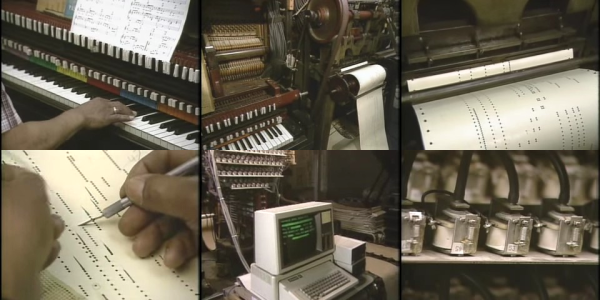
Piano rolls are the world’s longest-lasting recording medium, and its first digital one. They were mass-produced from 1896 to 2008, and you can still get some made today, although they’re a specialty item. The technology behind them, both on the player and the recorder side, is simply wonderful.

[lwalkera] sent us in this marvelous video (embedded below) that provides a late-80s peek inside the works of QRS Records, and the presenter seems to be loving every minute of it.

Player pianos are cool enough, with their “draw bar” pulling air through the holes in the paper roll as it goes by, and pneumatically activating the keys. But did you ever think of how the rolls are made?

Continue reading “Retrotechtacular: Piano Rolls, Made By Apple ][“

Weather Ticker Shows How Easy It Can Be

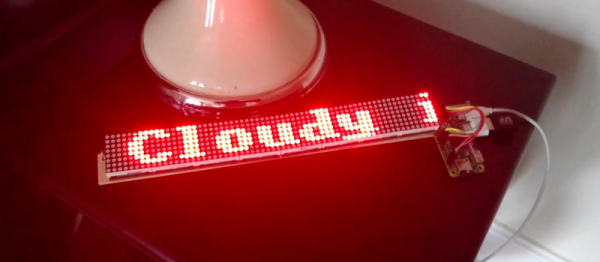
[Petru] seems to have designed his weather ticker project with beginners in mind. Leveraging the inexorable forces of both the Raspberry Pi and cheap online auction house modules, it’s nearly the Hackaday equivalent of painting by numbers. But not everyone is a Picasso, and encouraging beginners to get their feet wet by painting happy little trees is a good cause.

Behind the simplicity is actually a clever architecture. An installation script makes installing the right Raspbian distro simple, and installs a few scripts that automatically update the user code from a GitHub repository. To change the code running on the machine, you can upload a new version to GitHub and press the reset button. (We would also want a way to push up code changes locally, for speed reasons.) Something like this is a great idea for a permanent Pi-based IoT device.

But as a first project, the hope is that something like this will encourage folks who find code too abstract, but who are nonetheless drawn by the allure of blinking lights, to play around with code. And unsurprisingly, this has already been entered in our Enlightened Raspberry Pi Contest which focuses on the simple-yet-impressive stuff you can do with a tiny computer and some electronics.

Not Just Another Alarm Clock

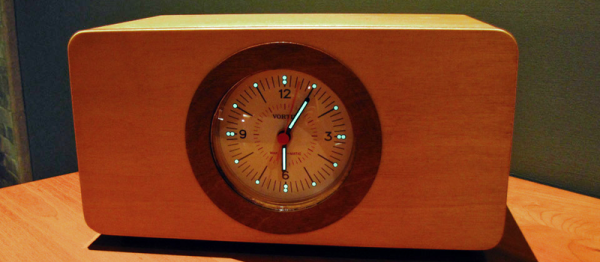
Even though [Stefan] sent in this link with the heading “Another Sunrise Alarm Clock“, it’s anything but plain. Sure, from the outside it looks like a simple and refined design, but the story of getting there is hardly straightforward.

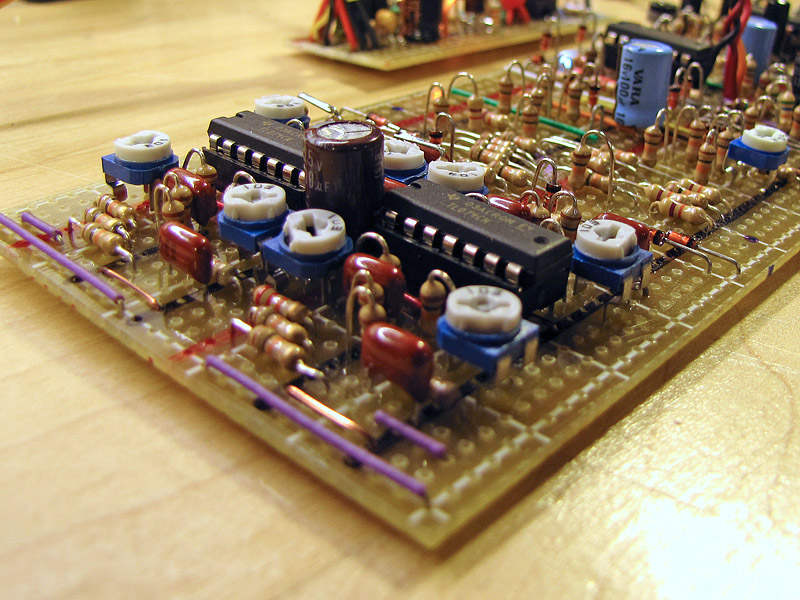
chordegg2015tonegenTake that nice-looking luminous dial. [Stefan] made it himself, using the same techniques that he’s used for making his own watch faces. (Amazingly, he prints them out on a color ink-jet.) This is a sunrise wake-up clock, but if the bright LEDs don’t wake him up, there’s also a vintage DIY synthesizer project stuffed in the box in place of a cheap piezo buzzer. Even the wooden case shows attention to detail — it has nice edging done on a router table.

So yeah, we’ve all seen clocks before. But this one is very personal, melding together a few of [Stefan]’s hobbies into one useful, and good-looking, device.

Pulley Lamp Stands Up With You

Standing desks are either the best thing since sliced bread, or the fastest way to make your legs tired and get you ridiculed by your coworkers in the bargain. This leads some folks to compromise and make standing desks that can be re-lowered to sitting height when you need to take a break. But now the distance from your desktop to the light source that illuminates it has changed. We can’t have that!

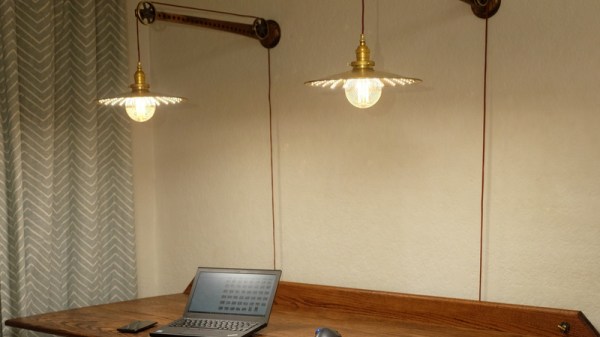
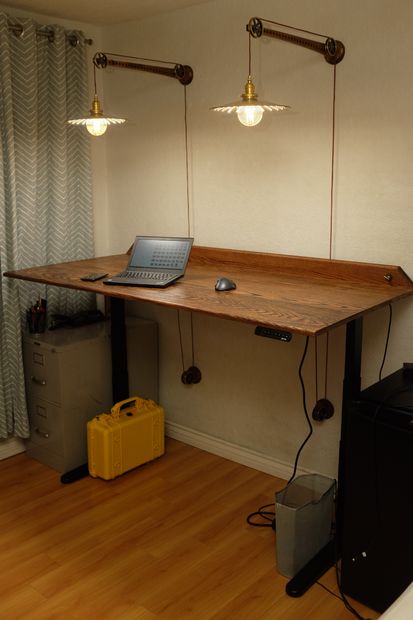
fo6i703itw44bt1-medium[John Culbertson] came up with a very elegant solution to the “problem”. He made lights that are suspended on pulleys that raise and lower with the desk itself. We’re not sure that you’re in the same situation he is, but we’re sure that you’ll agree that he did a nice job.

Besides the pulley mechanism, the light shades are a work of art. [John] clearly wanted a retro feel, so he used low-voltage lightbulbs, but augmented them with LED strips to pump out the lumens. All in all, there’s a tremendous attention to detail in the project, and it shows.

Disclaimer: your humble author is writing you this missive from a standing desk. Ours is just a regular desk put up on bricks — a temporary solution that’s become permanent. We’re always keeping our eyes out for mechanisms to make the desk convertible, but everything that we’ve seen is either overkill or ridiculously overpriced or both. It’s hard to beat 24 bricks at $0.35 apiece. Anyone have any suggestions?

Of course, with an adjustable desk come the problems of moving your lighting along with it, but [John] has solved that one for us.

Maslow Brings The Wall Plotter Into The Woodshop

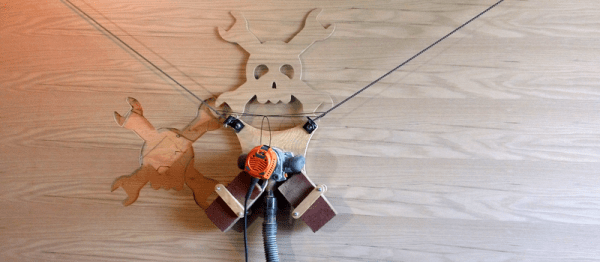
Hanging plotters, or two steppers controlling a dangling Sharpie marker on an XY plane, are nothing new to our community. But have you ever thought of trading out the Sharpie for a wood router bit and cutting through reasonably thick plywood sheets? That would give you a CNC machine capable of cutting out wood in essentially whatever dimensions you’d like, at reasonably low-cost. And that’s the idea behind [Bar]’s Maslow. It’s going to be a commercial product (we hope!), but it’s also entirely open source and indubitably DIYable.

[Bar] walks us through all of the design decisions in this video, which is a must-watch if you’re planning on building one of these yourself. Basically, [Bar] starts out like any of us would: waaaay over-engineering the thing. He starts out with a counterweight consisting of many bricks, heavy-duty roller chain, and the requisite ultra-beefy motors to haul that all around. At some point, he realized that there was actually very little sideways force placed on a sharp router bit turning very quickly. This freed up a lot of the design.

His current design only uses two bricks for counterweights, uses lighter chains, and seems to get the job done. There’s a bit of wobble in the pendulum, which he admits that he’s adjusted for in software. Motors with built-in encoders and gearing take care of positioning accurately. We haven’t dug deeply enough to see if there’s a mechanism to control the router’s plunge, which would be great to cut non-continuous lines, but first things first.

Taking the wall plotter into the woodshop is a brilliant idea, but we’re sure that there’s 99% perspiration in this design too. Thanks [Bar] for making it open! Best of luck with the Kickstarter. And thanks to [Darren] for the tip.

Running LISP On An ESP8266

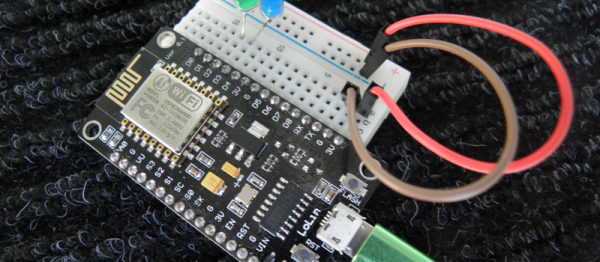
LISP is a polarizing language. Either you love it or you hate it. But we’ll put aside our personal preferences to bring you a good hack. In this case a LISP environment running on an ESP8266. [Dmitry] is on the “love it” side of the fence — he’s been waiting for an excuse to code up a LISP interpreter for a while, and he found one in the ESP8266.

there-is-always-a-way-2Actually, [Dmitry] is running LISP inside JavaScript, which is itself presumably coded up in C, before it’s assembled to run on an ESP8266. (It’s turtles all the way down!) This means that he can piggy-back on JavaScript’s garbage collection and console handling and so on. After picking a suitably small LISP implementation (actually a Scheme dialect for those of you who know the difference), he went to work.

One weekend bled into the next, but he got the system running, connected to the network, and had LEDs blinking! In the end, he even managed to squeeze in some optimization for memory’s sake. Pretty cool, and because it takes advantage of an already complete system, it can even be made pretty useful. Not bad for a few weekends’ work!

And finally, if Lots of Irritating Silly Parentheses is your idea of a good time, but the wealth of computing resources available on an ESP8266 seem overkill, have a look at Microlisp, running on an AVR. Or go to the opposite extreme, and run a LISP OS on a Raspberry Pi. Whatever you do, don’t forget to close your parentheses! (We’re told that’s a traditional LISPer farewell.)

Ask Hackaday: DIY Handwriting Recognition

Computer handwriting recognition is very cool by itself, and it’s something that we’d like to incorporate into a project. So we went digging for hacker solutions, and along the way came up with an interesting bit of history and some great algorithms. We feel like we’ve got a good start on that front, but we’re stuck on the hardware tablet sensor itself. So in this Ask Hackaday, we’re going to make the case for why you could be using a tablet-like device for capturing user input or doing handwriting recognition, and then we’re going to ask if you know of any good DIY tablet designs to make it work.

Continue reading “Ask Hackaday: DIY Handwriting Recognition”