Who Owns The Machine Anyway?

The story of the McDonalds’ frozen treat machine involves technology, trade secrets, inside business dealings, franchiser/franchisee friction, and an alleged NDA violation. In short: lots of money and lawyers. But it also involves something that matters to all of us hackers — what it means to own a machine.

Sad clown holding melted ice cream coneThe brief background is that McDonald’s requires its franchisees to buy a particular Taylor Soft Serve machine. The machine would enter pasteurizing mode and has opaque error codes that are triggered apparently without the owners or operators understanding, at which point Taylor service techs come in to fix them — and get paid for their service, naturally. A small hardware startup, Kytch, stepped into the mess with a device that man-in-the-middles the Taylor machine’s status codes, allowing the machine’s owners to diagnose and monitor it themselves. Heroes, right?

Taylor, naturally, wants to look at a Kytch device, but they’re locked up under NDAs that Kytch require users to sign in order to protect their trade secrets. So when Taylor gets their hands on one, Kytch takes them to court for, ironically, reverse engineering their device that they built to reverse Taylor’s protocols.

There are no good guys in this fight: it’s corporate secrecy fighting corporate secrets. None of which, by the way, is Hackaday particularly fond of. Why? Because these secrets rob the ostensible owners of the devices of their ability to inspect, fix, and operate their machines. This is akin to the “right to repair” idea, but it’s somehow even more fundamental — the right to know what your own devices are doing.

What this story needs is a Robin Hood. And as the devices we get sold become increasingly wrapped up in EULAs and NDAs, and full of secret sauce that’s out of our control, we’re going to need a lot more Robin Hoods. It’s McDonald’s frozen treat machines, but it’s also your smart thermostat and your inkjet printer and your — you name it. Have at it, Hackaday!

Robot Utopia

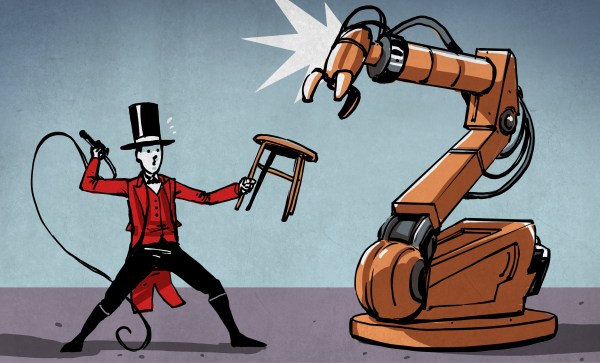
We see so many dystopian visions of automation, it’s time for us to do it right! The Redefine Robots round of the 2021 Hackaday Prize just started, and it’s your chance to build robots that respect the users. It doesn’t have to be the largest project in the world, but it does have to be automatic and helpful. Start your engines!

Keep Scraps Around

When I’m building something, I like to have a decent-sized scrap pile on hand. Because when I’ve got to test something out — does this glue adhere to this fabric, how much force will this hold if I tap it and put a screw in, will it snap if reinforced with carbon fiber and epoxy — it’s nice to have some of the material in question on hand just for experimentation. So I pull a chunk out of the scrap pile!

But scrap piles can’t expand forever, and we all know that “too much of a good thing” is a thing, right? Scrap piles require constant pruning. You don’t really need more than a few aluminum extrusion cutoffs, so when you start building up excess inventory, it’s time to scrap it. I mean, throw it away.

A corollary of this, that I’ve only recently started to appreciate, is that if I limit the number of materials that I’m working with, it’s a lot more manageable to keep the scrap pile(s) under control. It’s simple math. If I’m working with twenty different materials, that’s twenty different heaps of scrap. But if I can get by with one weight of fiberglass for everything, that one pile of scraps can do double or triple duty. There is also the added benefit that I already know how the material works, and maybe even have old test samples on hand.

Indeed, I’m such a scrapaholic that it’s almost painful to start working with a new material and not have a scrap pile built up yet. I’m always loathe to cut into a nice square piece of stock just to test something out. But this too is part of the Great Circle of Life. By not testing things out beforehand, I’m almost guaranteed to screw up and create scrap out of what I had hoped was going to be a finished piece. See? No problem! Next version.

What do you think? Are scrap, offcuts, and their close cousins — test pieces and samples — worth keeping around in your shop? Do you have a disciplined approach, or do you just throw them in the corner? Purge per project, or only when the mountain of XPS foam gets as high as your head?

Goals And Goalposts

In the winter, I hatched a vague plan to learn some of the modern unmanned aerial vehicle tech. Everybody needs an autonomous vehicle, and we’ve got some good flying fields within walking distance, so it seemed like it could work. Being me, that meant buying the cheapest gear that could possibly work, building up the plane by myself, and generally figuring out as much as possible along the way. I learn more by making my own mistakes anyway. Sounds like a good summer project.

Fast-forward to August, and the plane is built, controller installed, and I’ve spent most of the last month trying to make them work well together. (The firmware expects a plane with ailerons, and mine doesn’t have them, but apparently I’d rather tweak PID values than simply add a couple wing servos.) But it’s working well enough that it’s launching, flying autonomous waypoint missions, and coming home without any intervention. So, mission accomplished, right?

Destination: that furthest red roof

Nope. When I’m enjoying a project, I have a way of moving the goalposts on myself. I mean, I don’t really want to be done anyway. When a friend asked me a couple weeks ago what I was planning to do with the plane, I said “take nice aerial videos of that farm over there.” Now I see flight opportunities everywhere, and need to work on my skills. The plane needed an OLED display. It probably still needs Bluetooth for local configuration as well. Maybe a better long-range data link…

This is creeping featurism and moving-the-goalposts in the best of ways. And if this were a project with a deadline, or one that I weren’t simply enjoying, it would be a problem. Instead, having relatively low-key goals, meeting them, and letting them inspire me to set the next ones has been a blast. It makes me think of Donald Papp’s great article on creating hacking “win” projects. There he suggests creating simple goals to keep yourself inspired. I don’t think I could have planned out an “optimal” set of goals to begin with — I’ve learned too much along the way that the next goal isn’t obvious until I know what new capabilities I have. Creeping is the only way.

What about you? Do you plan your hobby projects completely in advance? Not at all? Or do you have some kind of hybrid, moving-the-goalposts sort of strategy?

Hearing The Unhearable

My wife was watching a crime drama, and one of the plot twists involved a witness’ hearing aid malfunctioning so that he could hear electromagnetic waves around him. It’s not so implausible, if you think about it. Many hearing aids have a t-coil, which is essentially an inductor that’s designed to couple with the speaker in a telephone. If that went haywire, maybe you could hear all the changing magnetic fields around you, and if you could escape the constant hum of the mains power line, it might even be interesting.

So of course, she turns to me and says “we need to make one!” It shouldn’t be hard at all — a big inductor and an amplifier should do the trick. In fact, it’ll probably be easy enough that it’ll make a good introduction-to-electronics project for my son. But there are also enough unknowns here that it’ll be interesting. How big a coil? How close? How sensitive? What about that mains frequency bit? Ferrite core or not?

None of this is rocket science, for sure, but it will probably be full of kludges, discoveries, and straight-up exploration. In short, the perfect weekend project. And in the end, it’ll expose something that’s normally invisible, and that’s where the fun lies.

This must be the same urge that drove Faraday and Marconi, Volta and Maxwell. There’s something amazing about directly sensing, seeing, hearing, and understanding some of the stuff that’s outside of our limited hearing and eyesight, and yet is all around us. I can write down the equations that describe it — I learned them in school after all — but there’s no substitute for poking around in your own home. Who knows, maybe in a few more weekends we’ll build ourselves an all-band receiver.

What’s your favorite super power?

The Man-Machine

This week we saw a couple DIY tools for small-run manufacturing at home that help make your life easier if you’re climbing out of the happy bucket and into the pit of despair — when you’re making enough of the item that it’s not fun any more, but you still don’t have the volume to leave the manufacturing to someone else.

The first was an automatic through-hole soldering machine made from a 3D printer. This actually makes sense even if you’re getting boards assembled for you, because through-hole pads are a lot more expensive than SMT parts, and they usually charge per pin. Put a 2×20 pin header on your project, and it can end up costing a lot. Or you can robotificate the solution.

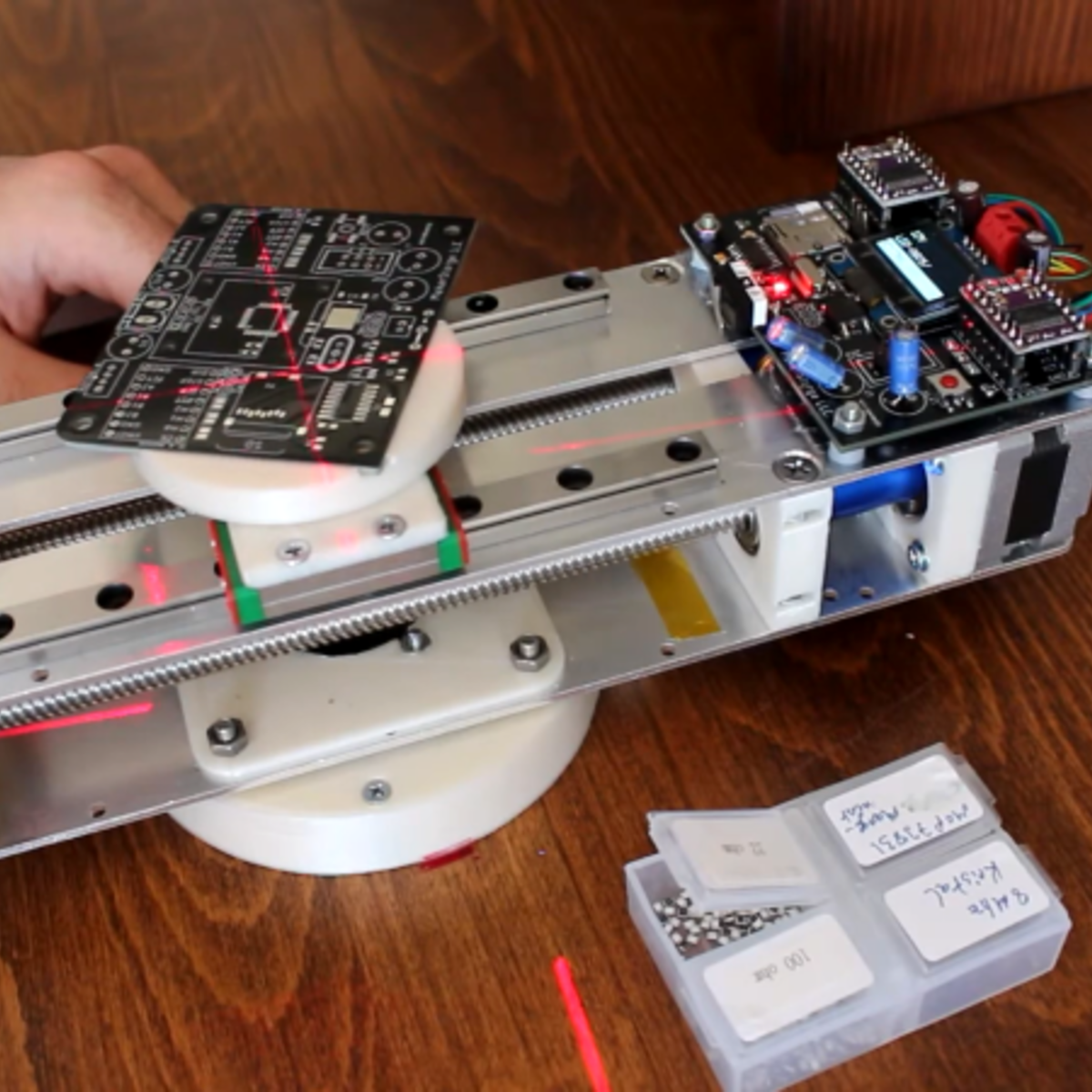
This week’s second solution really caught my eye. PnPassist is machine that turns your PCB around, locates a laser crosshair over the next SMT piece that you need to place, and even has an OLED screen that tells you what to put there. There are many great mechanical design choices here, but what really drew my attention is how well this machine fills a gap between manual and fully automatic pick-and-place.

I know you hate looking back and forth between the board and the schematic or parts list, trying to find just where Q23 is on the darn board, or looking up resistor values. With PnPassist, you still have to do the placing, but with machine guidance. If you don’t have the money or the space for a fully automatic PnP, this is an obvious win, but also for short runs when loading up the reels takes more time than populating the board, this could be a huge win.

I love this kind of human-capability-enhancing machine, and I’m always happy to see a design like this. It reminds me of the very clever Shaper Origin, or even just this handy automatic XY table for drilling many precise holes. In all these cases, there’s some part of the problem that would be hard to solve, require extremely bulky or expensive machinery, or can just be more simply accomplished by a meatbag. But combining machine precision with the human element produces something more than the sum of the parts.

What’s your favorite human-enhancing tool?

FTC Rules On Right To Repair

A few days ago, the US Federal Trade Commission (FTC) came out with a 5-0 unanimous vote on its position on right to repair. (PDF) It’s great news, in that they basically agree with us all:

Restricting consumers and businesses from choosing how they repair products can substantially increase the total cost of repairs, generate harmful electronic waste, and unnecessarily increase wait times for repairs. In contrast, providing more choice in repairs can lead to lower costs, reduce e-waste by extending the useful lifespan of products, enable more timely repairs, and provide economic opportunities for entrepreneurs and local businesses.

The long version of the “Nixing the Fix” report goes on to list ways that the FTC found firms were impeding repair: ranging from poor initial design, through restrictive firmware and digital rights management (DRM), all the way down to “disparagement of non-OEM parts and independent repair services”.

While the FTC isn’t making any new laws here, they’re conveying a willingness to use the consumer-protection laws that are already on the books: the Magnuson-Moss Warranty Act and Section 5 of the FTC Act, which prohibits unfair competitive practices.

Only time will tell if this dog really has teeth, but it’s a good sign that it’s barking. And given that the European Union is heading in a similar direction, we’d be betting that repairability increases in the future.

Thanks [deshipu] for tipping us off on this one!

Learning To Desolder Gracefully

When you’re just learning to sketch, you use graphite. Why? It’s cheap, great at training you to recognize different shades, and most of all, it’s erasable. When you’re learning, you’re going to make mistakes, and un-making them is an important part of the game. Same goes for electronics, of course, so when you’re teaching someone to solder, don’t neglect teaching them to desolder.

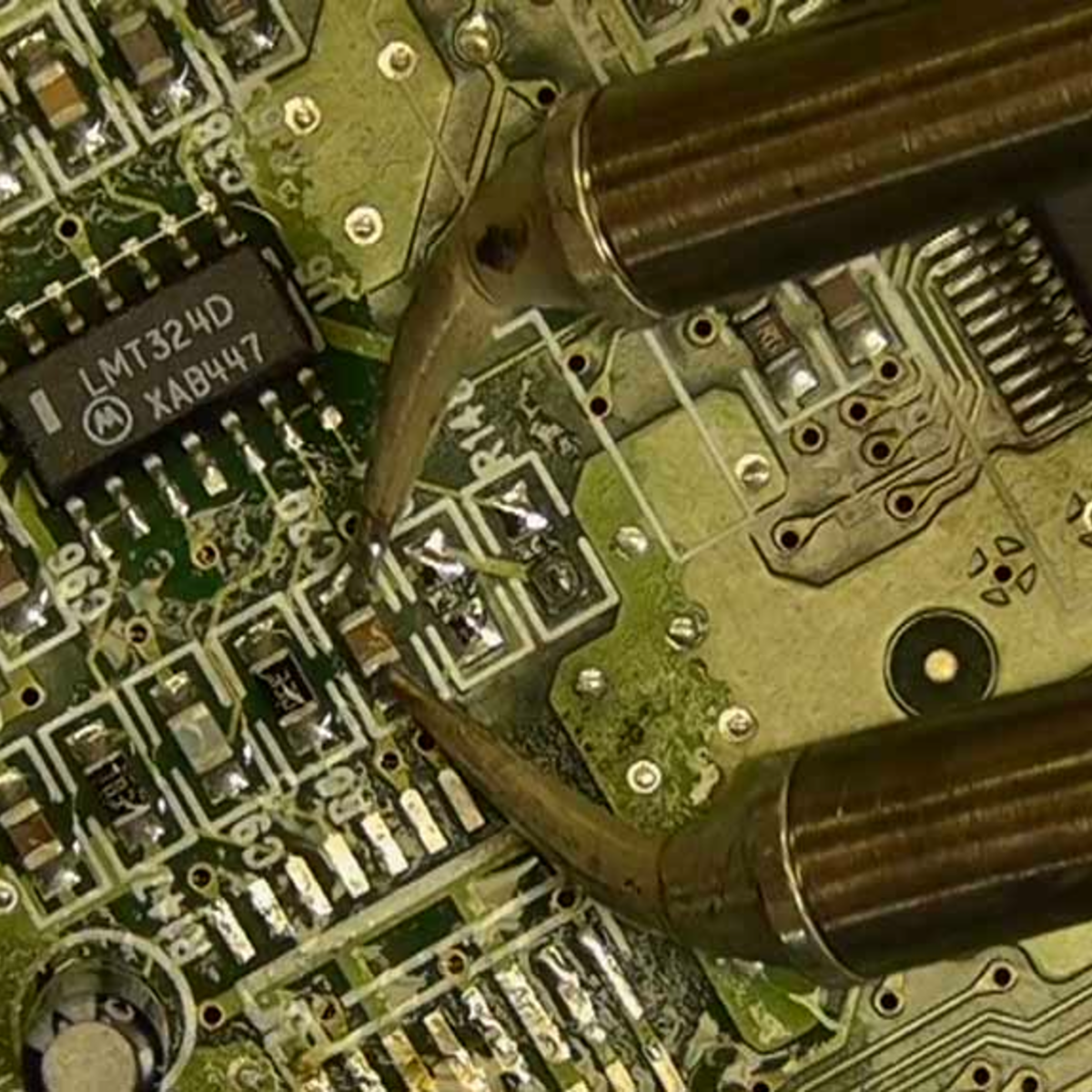
I want these!

We could argue all day about the best ways of pressing the molten-metal undo button, but the truth is that it’s horses for courses. I’ve had really good luck with solder braid and maybe a little heat gun to pull up reluctant SOIC surface-mount chips, but nothing beats a solder sucker for clearing out a few through-holes. (I haven’t tried the questionable, but time-tested practice of blasting the joint with compressed air.)

For bulk part removal, all you really have to do is heat the board up, and there’s plenty of ways to do that, ranging from fancy to foolish. Low-temperature alloys help out in really tough cases. And for removing rows of pinheaders, it can help to add more solder along the row until it’s one molten blob, and then tap the PCB and watch the part — and hot liquid metal! — just drop out.

But the bigger point is that an important step in learning a new technique is learning to undo your mistakes. It makes it all a lot less intimidating when you know that you can just pull out the solder braid and call “do-over”. And don’t forget the flux.