The State Of The SBC Interface Ecosystem, Is It Time To Design A Standard?

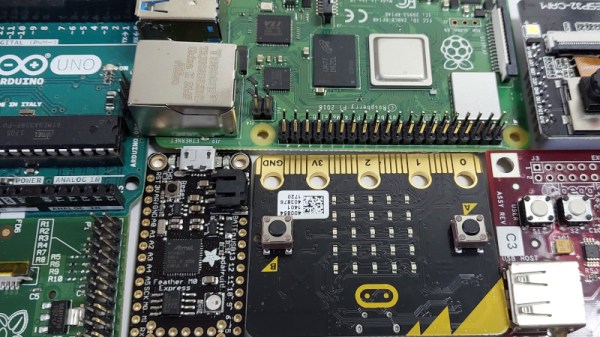
We are spoiled for choice when it comes to single board computers, whether they be based around a microcontroller or a more capable SoC capable of running an operating system such as GNU/Linux. They can be had from well-established brands such as Arduino, Adafruit, or Raspberry Pi, or from a Wild West of cheaper Far Eastern modules carrying a plethora of different architectures.

Everyone has their own favourite among them, and along with that comes an ecosystem of operating systems and software development environments. There’s another aspect to these boards which has evolved; certain among them have become de facto interface connector standards for hardware peripherals. Do these standards make any sense? Let’s talk about that.

Continue reading “The State Of The SBC Interface Ecosystem, Is It Time To Design A Standard?”

A Compressor Of Compressors Breaks The Noise Barrier

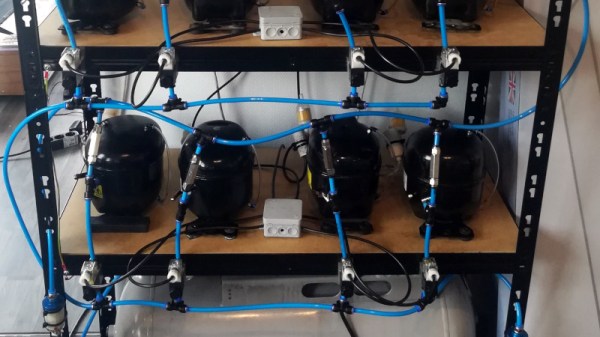
Having compressed air available in a workshop can be extremely useful. Having a compressor isn’t such a pleasure though, because unless it’s a very expensive model, it will be one of the noisier devices you own. Other than putting your compressor outside, is there a solution to the noisy side of having an air line? [Dominik Meffert] may have found one for his CNC plasma cutter in the shape of a rack of much quieter fridge compressors arranged in parallel with an air tank.

Of course, there’s nothing new about using a fridge compressor in the workshop. Indeed, such units are even commercially available as compressors for low-capacity tasks such as airbrushing. But we’ve never seen so many at once. It’s not entirely apparent how he’s handling the replacement of any lubricating oil that’s being caught in his filters, and we hope the refrigerant was disposed of safely, but we can see he’s on to something.

Fridge compressors have appeared here many times over the years, for more than compressing, we’ve even seen one as an engine. They aren’t always as strongly built as they should be though.

This Computer Is Definitely Not A Toy

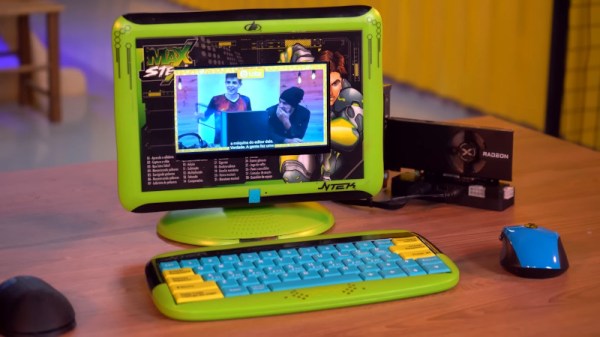
If you’ve ever eyed up a kids laptop and wondered whether it could take an upgrade with a single board computer, you’re not alone. [Labz] have taken a couple of Brazilian Max Steel toy computers from a decade or more ago, and made them into usable if unconventional portable computers (Brazilian Portuguese, but YouTube’s subtitle translation is your friend).

The computers are similar to the ones you may be familiar with from the likes of VTech, a QWERTY keyboard and fairly conventional form factor but with a tiny monochrome LCD and a few built-in games. In the video below the break we see both the laptop and desktop variants butchered with a rotary tool to receive new larger screens, with the laptop getting a Raspberry Pi and the desktop getting a small form factor PC. The laptop needed a 3D printed extension to make extra space, while the desktop received a PCI Express extension cable for a video card. Finally, an Arduino took care of the keyboard.

The cherry on the cake for this video comes at the end, when they find the now-grown-up kid from the original advert. Meanwhile, kids computers have featured here before a few times.

Continue reading “This Computer Is Definitely Not A Toy”

Hackaday Prize 2022: An Old (and Distinguished) Camera Learns New Tricks

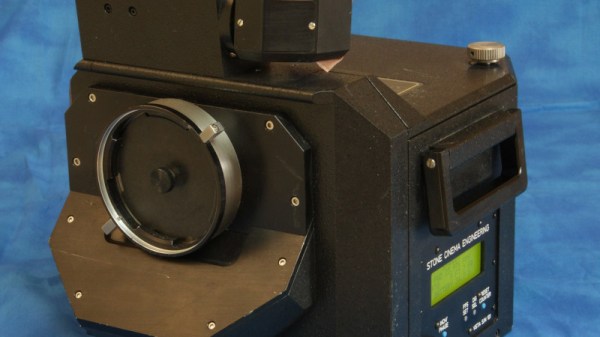
In the 1950s the major Hollywood studios needed impressive cinematic technologies for their epic movies, to both see off the threat from television, and to differentiate themselves from their competitors. For most of them this meant larger screens and thus larger frame film, and for Paramount, this meant VistaVision. [Steve Switaj] is working on one of the original VistaVision cameras made for the studio in the 1950s, and shares with us some of the history and the work required to update its electronics for the 2020s.

VistaVision itself had a relatively short life, but the cameras were retrieved from storage in the 1980s because their properties made them suitable for special effects work. This mostly analog upgrade hardware on this one had died, so he set to and designed a PIC based replacement. Unexpectedly it uses through-hole components for ease of replacement using sockets, and it replaces a mechanical brake fitted to the 1980s upgrade with an electronic pull back on the appropriate reel motor.

The whole thing makes for an interesting delve into some movie history, and also a chance to see some tech most of us will never encounter even if we have a thing for movie cameras.

IBM Made A MIPS Laptop. Will It Make You WinCE?

We’re used to our laptop computers here in 2022 being ultra-portable, super-powerful, and with impressively long battery lives. It’s easy to forget then that there was a time when from those three features the laptop user could usually expect only one of them in their device. Powerful laptops were the size of paving slabs and had battery lives measured in minutes, while anything small usually had disappointing performance or yet again a minuscule power budget.

In the late 1990s manufacturers saw a way out of this in Microsoft’s Windows CE, which would run on modest hardware without drinking power. Several devices made it to market, among them one from IBM which [OldVCR] has taken a look at. It makes for an interesting trip down one of those dead-end side roads in computing history.
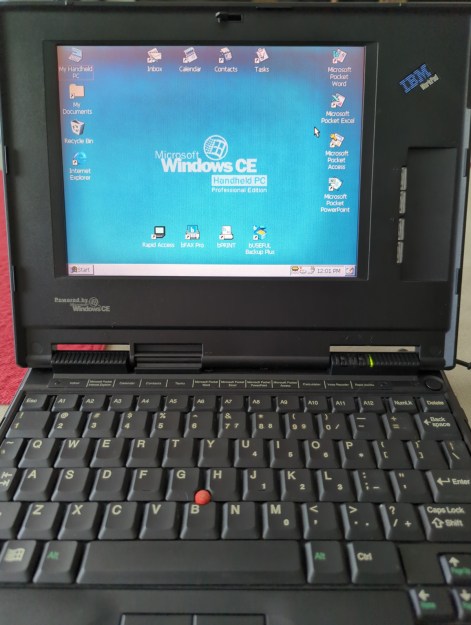
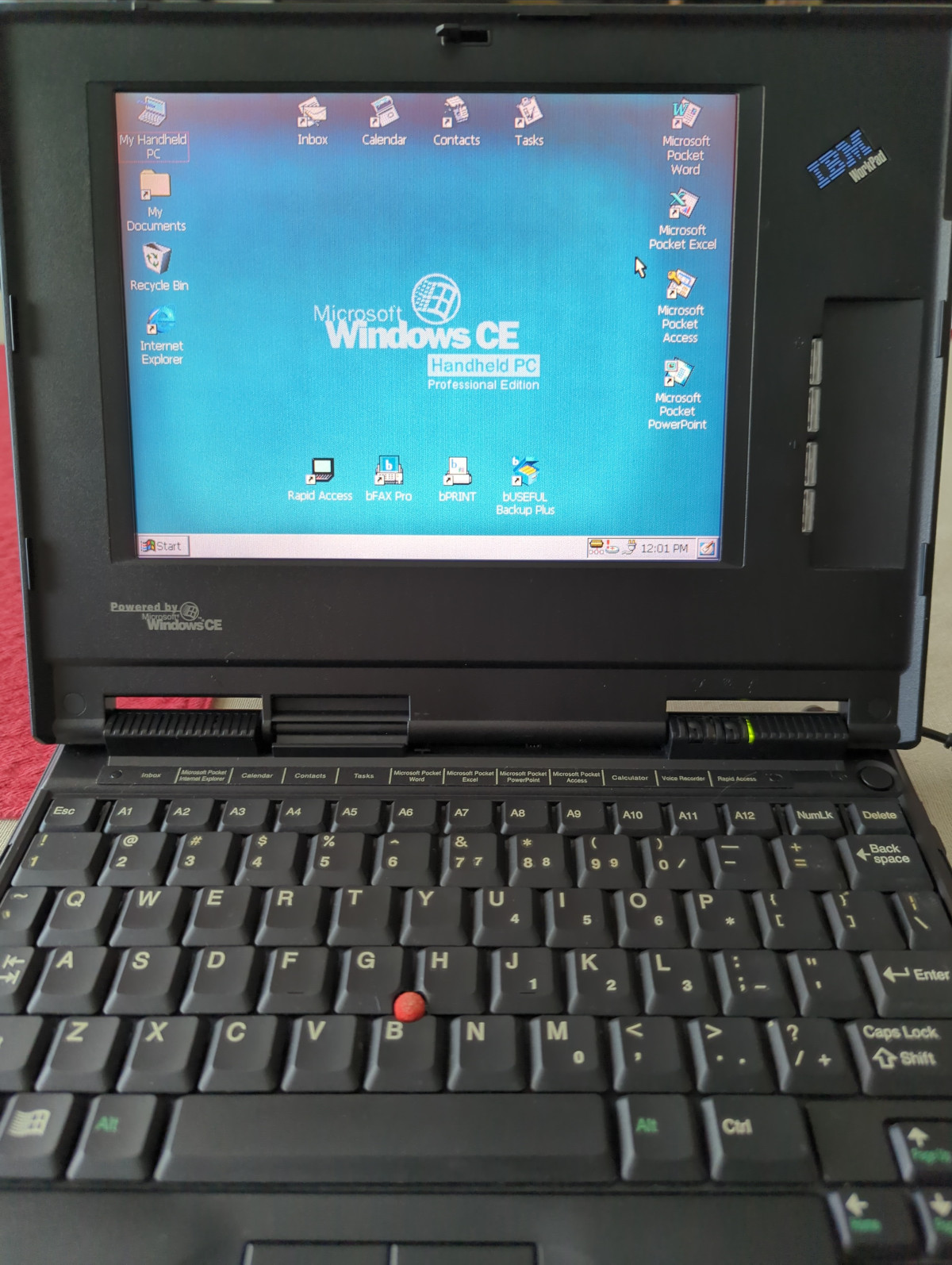
In the box bought through an online auction is a tiny laptop that screams IBM, we’d identify it as a ThinkPad immediately if it wasn’t for that brand being absent. This is an IBM WorkPad, a baby sibling of the ThinkPad line intended as a companion device. This one has a reduced spec screen and an NEC MIPS processor, with Windows CE on a ROM SODIMM accessible through a cover on the underside. For us in 2022 MIPS processors based on the open-sourced MIPS ISA are found in low-end webcams and routers, but back then it was a real contender. The article goes into some detail on the various families of chips from that time, which is worth a read in itself.

We remember these laptops, and while the IBM one was unaffordable there was a COMPAQ competitor which did seem tempting for on-the-road work. They failed to make an impact due to being marketed as a high-end executive’s toy rather than a mass-market computer, and they were seen off as “real” laptops became more affordable. A second-hand HP Omnibook 800 did the ultra-portable job on this bench instead.

The industry had various attempts at cracking this market, most notably with the netbooks which appeared a few years after the WorkPad was produced. It was left to Google to reinvent the ultra-portable non-Intel laptop as an internet appliance with their Chromebooks before they would become a mass-market device, but the WorkPad remains a tantalizing glimpse of what might have been.

Windows CE occasionally makes an appearance here, and yes, it runs DOOM.

Current Loop Extends Wired Microphones Past 1 Km

A problem which beset early telephone engineers was that as the length of their lines increased, so did the distortion of whatever signal they wanted to transmit. This was corrected once they had gained an understanding of the capacitance and inductance of a long cable. The same effects hamper attempts to place microphones on long lines, and [Leo’s Bag of Tricks] has a solution for doing that using Cat5 cable. The application is audio surveillance, but we think the technique is useful enough to have application elsewhere.

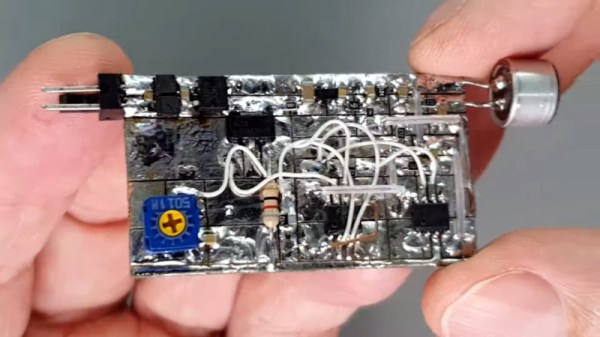
The solution which you can see in the video below the break will be familiar to teletype aficionados who have encountered current loops, in that it creates an analogue current loop. There is a standing DC current in the tens of miliamperes, and this has the audio imposed upon it by an amplifier and  shunt transistor. The audio can be easily retrieved using a pair of small transformers, leading to efficient transfer over as much of a kilometer of Cat5 cable. We’re guessing it’s not quite audiophile quality, but it’s useful to know that a current loop can be just as useful in the analogue domain as in the digital. If the subject interests you, we did a feature on them a few years ago.

Continue reading “Current Loop Extends Wired Microphones Past 1 Km”

Probably The Simplest Radiation Detector You Already Own

Over the years we’ve featured quite a few radiatioactivity detectors, which usually include a Geiger-Muller tube, or perhaps a large-area photodiode. But in the event of radiation exposure from a nuclear attack, how does the man in the street gauge the exposure without owning a dedicated instrument? This was a question of note at the height of the Cold War, and it’s one that [Dr. Marshall Brucer] answered in a 1962 paper entitled “When Do You Leave A Fallout Shelter“. The full paper is behind a paywall but the part we’re interested in is on the freely available first page.

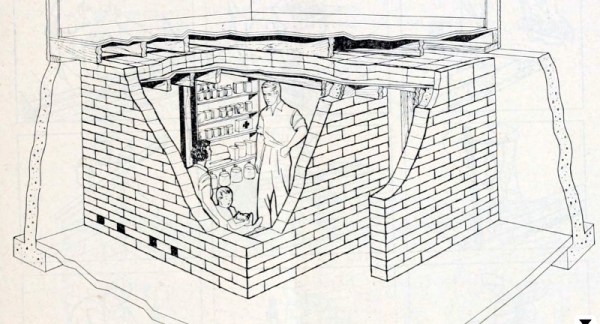
Dr. Brucer‘s detector is simplicity itself, and it relies on the erosion of a static electric charge by radiation. Should you rub a plastic comb in your hair it will accumulate enough charge to pick up a small piece of paper, and under normal background radiation the charge will ebb away such that it will drop the piece of paper after about 15 seconds. His calculation is that once the field reaches around 10 roentgens per hour it will be enough to erase the charge and drop the paper immediately. There’s a comtemporary newspaper report (Page 7, just to the left of the large advertisment) which tells the reader that since the exposure limit is 100 roentgens (one sievert), this test failing indicates that they have nine hours to create a better shelter. For obvious reasons we can’t test this at the Hackaday bench, but those of us who remember the days when such topics were a real concern will be searching for a handy comb anyway.

Thanks [Victor Matthew] for the tip.