An HDMI Monitor From Your Phone

Digital video has proceeded to the point at which we have near-broadcast-quality HD production capabilities in the palm of our hand, and often for a surprisingly affordable price. One area in which the benefits haven’t quite made it to our wallets though is in the field of small HD monitors of the type you might place on top of a camera for filming. It’s a problem noted by [Neon Airship], who has come up with a solution allowing the use of an Android mobile phone as an HDMI monitor. Since many of us will now have a perfectly capable older phone gathering dust, it’s an attractive proposition with the potential to cost very little.

The secret isn’t the most elite of hacks in that it uses all off-the-shelf hardware, but sometimes that isn’t the only reason to be interested in a project such as this one. [Neon] is using an HDMI-to-USB capture card of the type that has recently become available from the usual sources for an astoundingly small sum. When paired with a suitable USB OTG cable, the adapter can be seen by the phone as just another webcam.

We see him try a few webcam viewer apps including one that rather worryingly demands a direct APK download, and the result is a very good quality HDMI monitor atop his camera that really didn’t break the bank. Sometimes the simplest of solutions deliver the most useful of results.

This is something of special interest to those of us who experiment with our own camera form factors.
Continue reading “An HDMI Monitor From Your Phone”

Tool Changing 3D Printers Shouldn’t Break The Bank

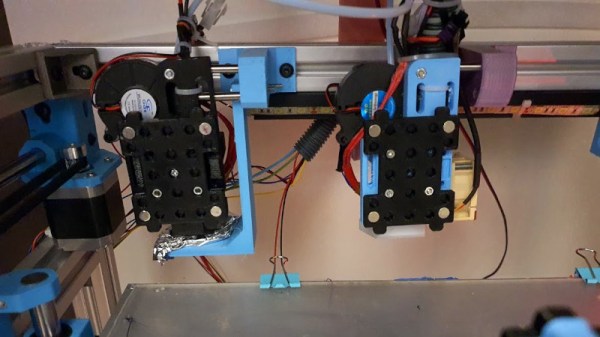
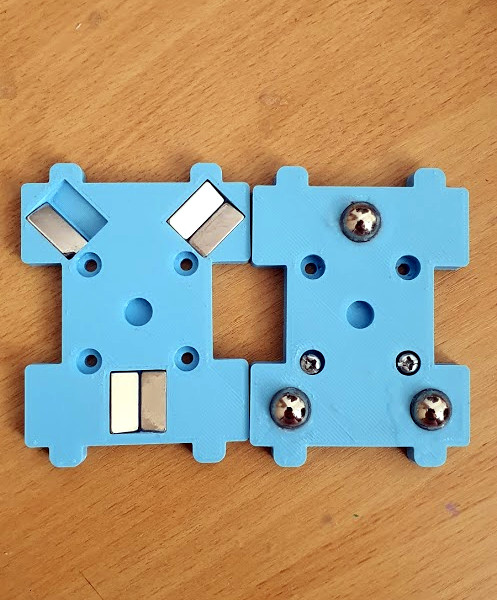
Close-up on the magnetic coupling

One of the Holy Grails of desktop 3D printing is the ability to print in multiple materials, for prints that mix colours or textures. There are printers with multi-way hot ends, add-ons that change your filament, or printers with tool changers, that swap hot ends as needed. [Amy] has taken the final route with her Hypercube, and her Doot Changer allows her to print in two materials with ease. Best of all, she tells us it only cost her $20 to make.

For those not familiar with Hypercube-style printers, they have a roughly cubic frame made using aluminium extrusion. On the rear upper rail are a couple of receptacles with metal locating pins onto which a hot-end unit can be slotted. The printer carriage has a magnetic coupling that can pick up or disengage a hot end from its receptacle at will, as can be seen in action in a short video clip.

All the parts can be found on Thingiverse, and there is a photo album with plenty of eye-candy should you wish to see more. Meanwhile as far as tool changers go, we’ve been there before in great depth.

Forget LED Matrices, How About Neon!

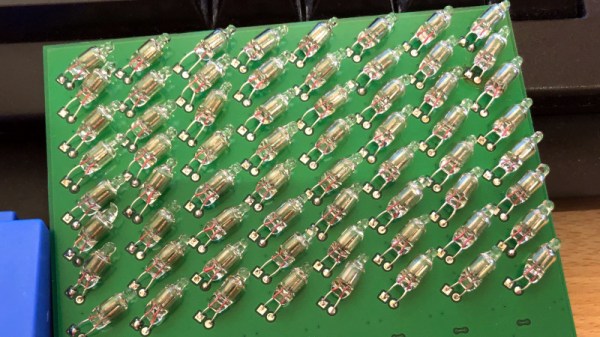
The low-cost LED has changed the way we approach lighting in all its forms, allowing complex addressable displays and all sorts of lighting goodness. But what did we do before we had cheap LED arrays? Use neon bulbs, perhaps? That’s exactly what [Manawyrm] has done with her chainable 8×8 neon matrix boards, taking 64 neon indicator bulbs and driving each from mains potential with an individual triac. A line of 74HC595s handle the data transfer, floating at mains voltage while their ESP32 driver is kept safe by a set of isolators.

A Twitter post shows it in action, but perhaps the most hackworthy praise should be reserved for the test rig. Unable to source a variable 230 V mains supply for testing the array, she applied a 50 Hz sine wave to an audio power amplifier, and replaced the speaker with the low voltage side of a mains transformer. It’s the sort of hack we can’t help liking.

Neons have generally featured here as novelties rather than as significant displays in their own right. They’re interesting components that everyone should have a play with, not least because the possess negative resistance, and can be made to oscillate.

A Lowly 8-Bit Micro Busts Copy Protection From The 16-Bit Era

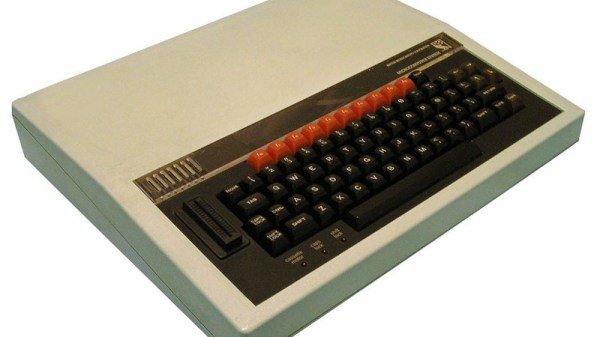
When floppy disks were the data storage medium of choice, software companies and in particular game developers came up with ever more inventive ways to make them difficult to copy. Tinkering at the edges of the disc format standards didn’t come cheap though, and for example the Dungeon Master game for the Atari ST was reported as using $40,000 worth of custom hardware to achieve its so-called “fuzzy bit” technique. [Chris Evans] set out to recreate it, not by building a modern version of the custom hardware, but by doing it the hard way, with an early-1980s 8-bit BBC Micro home computer.

One could be forgiven for thinking that a computer sporting a 2 MHz 6502 would be unable to manage this task without extra hardware, and were it simply the 6502 itself you would of course be right. So to get anywhere he had to get creative with the Beeb’s built-in peripherals. Eschewing the floppy controller it was hooked up directly to the parallel port, and after a voltage problem courtesy of the drive’s termination resistors we’re taken through some of the 6522 VIA’s different modes in order to achieve a higher speed data burst than would normally be possible. All of these approaches hit the buffers though, until he looks at the 6845 video chip and uses its video output as a very fast shift register. With a custom cable and some work on special video modes, a home computer that would have cost several hundred dollars in the early 1980s can do the work of $40,000 custom hardware from later in the decade. Colour us impressed!

If you’d like to know more about the Dungeon Master copy protection, we’ve been there in the past.

BBC Micro header image: StuartBrady / Public domain.

Jerry Lawson biography

Jerry Lawson And The Fairchild Channel F; Father Of The Video Game Cartridge

The video game console is now a home entertainment hub that pulls in all forms of entertainment via an internet connection, but probably for most readers it was first experienced as an offline device that hooked up to the TV and for which new game software had to be bought as cartridges or for later models, discs. Stepping back through the history of gaming is an unbroken line to the 1970s, but which manufacturer had the first machine whose games could be purchased separately from the console? The answer is not that which first comes to mind, and the story behind its creation doesn’t contain the names you are familiar with today.

The Fairchild Channel F never managed to beat its rival, the Atari 2600, in the hearts of American youngsters so its creator Jerry Lawson isn’t a well-known figure mentioned in the same breath as Atari’s Nolan Bushnell or Apple’s two Steves, but without this now-forgotten console the history of gaming would have been considerably different.

Continue reading “Jerry Lawson And The Fairchild Channel F; Father Of The Video Game Cartridge”

A Desk Calendar With A Difference

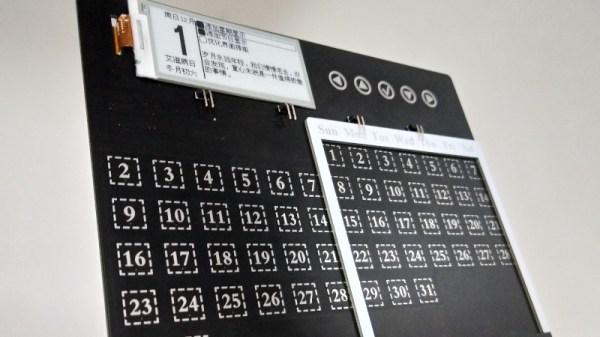
With the office computer revolution now many decades old, many of the items that once stood on a typical desk are now part of history. The typewriter, the Rolodex, and the desk calendar have all been subsumed by computers and mobile phones. This electronic desk calendar is perhaps an exception, created as a promotional device for the RT-Thread IoT OS. It features an interesting take on a perpetual calendar, with an array of days spanned by a sliding frame such that any month’s days of the week can be depicted. The days are touch buttons, and can be used to bring up the information on an e-ink display.

Behind it all is a WinnerMicro W600 WiFi-enabled system-on-chip, that runs the aforementioned RT-Thread IoT OS. This OS is a bit of a mystery, according to its Wikipedia page it’s an open-source project from China with ten years of development behind it, but this appears to be the first time we’ve seen it here at Hackaday. Anyone using it?

We like this project though, for its perpetual calendar, and for its re-imagining of a bygone desk accoutrement with an e-ink display to conserve battery. It’s not the first e-ink calendar we’ve seen, this previous one used a Raspberry Pi.

A ZX80 With A Proper Case

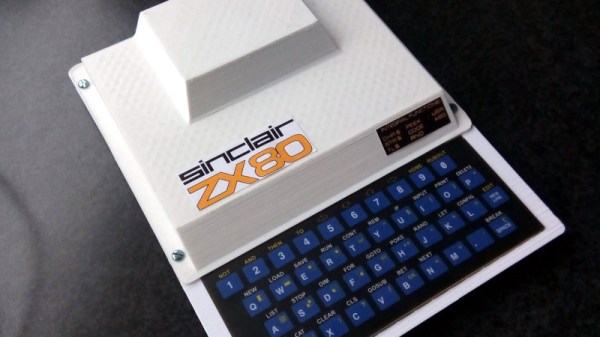
A popular project among Hackaday readers is to recreate a piece of home computing or gaming hardware from the past, and in that endeavour we’ve seen some truly amazing projects. Usually they take the form of bare PCBs or custom cases that look nothing like the original, but not [Cees Meijer]’s Sinclair ZX80 clone. It sports a 3D printed replica of the original computer’s vacuum-formed case, which from a distance you could be mistake for the real thing.

Internally it’s not a ZX80 at all, but a Raspberry Pi Zero running an emulator. But  with a case like this one that’s not the point. It doesn’t have the full-length PCB of the original but a modern ZX80 membrane keyboard, and the Pi appears to be hiding somewhere in the “hump” used by the Astec UHF modulator on the original. There is more information in a blog post, and the model can be downloaded via Thingiverse. Handily, the files also include the original CAD file from RS DesignSpark, should you wish to modify it to your own tastes. If somebody could mate it with Tynemouth Software’s ZX80 kit then our cup would run over.

Of course, this isn’t the only retrocomputer for which a replacement case can be found.