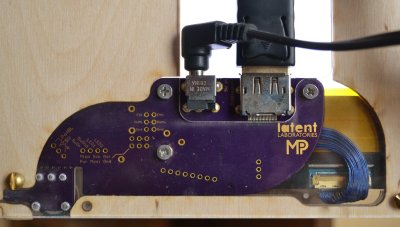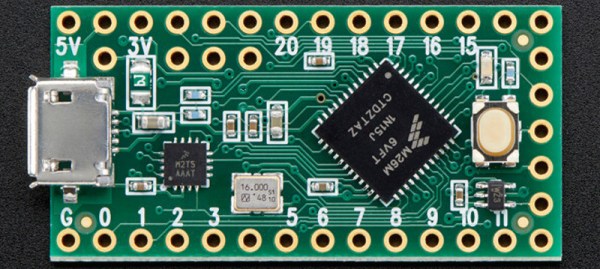
We’re Giving Out 125 Teensy-LC Boards This Week

This week we’re giving away 125 Teensy-LC Boards. You’ve sat on the sidelines long enough. Time to write down your Hackaday Prize idea and get it entered!

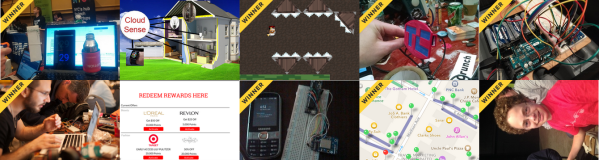
It isn’t just the big prize (a trip into space) on the line. Each week we’re giving away things to help your build. Below you can see the 50 projects which won a LightBlue Bean from last week’s giveaway. This week it’s a huge number of Teensy-LC boards going out to those who need them. These little wonders pack a real punch, with a 48 MHz ARM Cortex-M0+ that has 62K of flash, 8k of RAM, plenty of IO and a 12-bit analog module for both input and output! You’ll also be eligible for each of the future weekly giveaways… we’re distributing $50,000 in prizes to hundreds of projects over 17-weeks!

Entering is easy. Write down your idea to help solve a problem faced by a wide range of people. Start fleshing out your build plan. Pictures are a huge help, even if they’re just a hand-drawn sketch on some paper! Your best bet at getting recognized for a giveaway is to post a new project log which mentions how you would add this Teensy board to your creation.

Last Week’s 50 Winners of a LightBlue Bean
50k-in-play-lightblue-bean

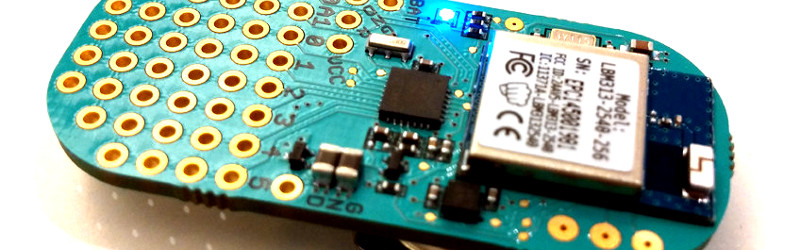
Congratulations to these 50 projects who were selected as winners from last week. You will receive a LightBlue Bean which combines Bluetooth LE with an ATmega328 in a nice little package ready for prototyping. Don’t forget to post pictures and information about what you build with these little wonders!

Each project creator will find info on redeeming their prize as a message on Hackaday.io.


The 2015 Hackaday Prize is sponsored by:

Safety Belt Holds Up Pants And Passwords

[Dan Williams] built a belt that holds up your pants while remembering your passwords. This was his project while camped out at the Hackaday Hardware Villiage at the 2015 TC Disrupt Hackathon last weekend.

safety-belt-pcb-sandwichThe idea started with the concept of a dedicated device to carry a complicated password; something that you couldn’t remember yourself and would be difficult to type. [Dan] also decided it would be much better if the device didn’t need its own power source, and if the user interface was dead simple. The answer was a wrist-band made up of a USB cable and a microcontroller with just one button.
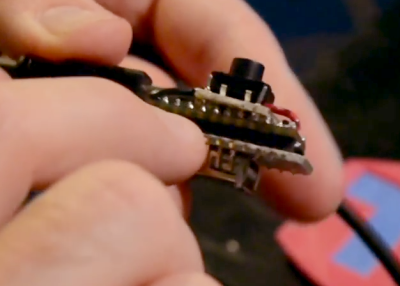
To the right you can see the guts of the prototype. He is using a Teensy 2.0 board, which is capable of enumerating as an HID keyboard. The only user input is the button seen at the top. Press it once and it fires off the stored password. Yes, very simple to implement, but programming is just one part of a competition. The rest of his time was spent refining it into what could reasonably be considered a product. He did such a good job of it that he received an Honorable Mention from Hackaday to recognize his execution on the build.

Fabrication

IMG_20150502_183207[Dan] came up with the idea to have a pair of mating boards for the Teensy 2.0. One on top hosts the button, the other on the bottom has a USB port which is used as the “clasp” of the belt buckle. One side of the USB cable plugs into the Teensy, the other into this dummy-port. Early testing showed that this was too bulky to work as a bracelet. But [Dan] simply pivoted and turned it into a belt.
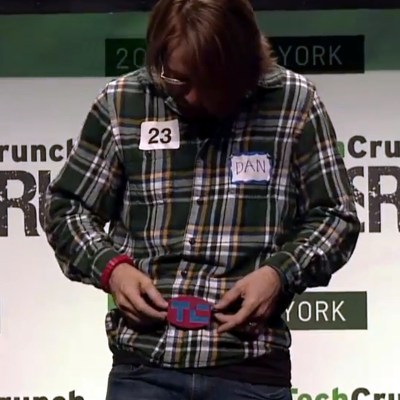
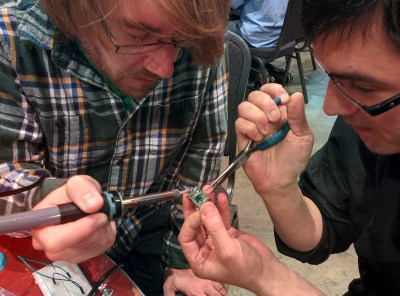
safety-belt-built-at-hackathon-thumb[Kenji Larsen] helped [Dan] with the PCB-sandwich. Instead of mounting pin sockets on the extra boards, they heated up the solder joints on a few of the Teensy pins and pushed them through with some pliers. This left a few pins sticking up above the board to which the button add-on board could be soldered.

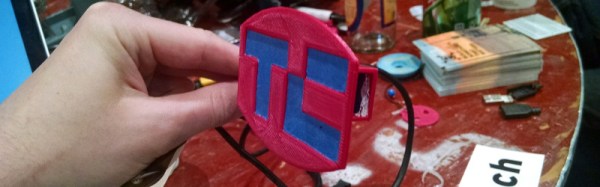
To finish out the build, [Dan] worked with [Chris Gammell] to model a 2-part case for the electronics. He also came up with a pandering belt buckle which is also a button-cap. It’s 3D printed with the TechCrunch logo slightly recessed. He then filled this recess with blue painter’s tape for a nice contrast.

[Dan] on-stage presentation shows off the high-level of refinement. There’s not a single wire (excluding the USB belt cable) or unfinished part showing! Since he didn’t get much into the guts of the build during the live presentation we made sure to seek him out afterward and record a hardware walk through which is embedded below.


The 2015 Hackaday Prize is sponsored by:

[Kenji Larsen] Shows Off The Ultimate Hacking Kit

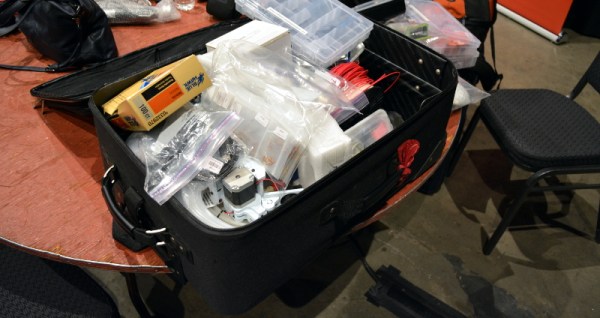
If you roll into a hardware hackathon empty-handed, you’re going to be at a disadvantage compared to those who bring equipment with which they’re already familiar. Pray that you never roll into one where [Kenji Larsen] is your competitor. Luckily, this weekend he came out to mentor for Hackaday’s hardware hacking village at the TechCrunch Disrupt hackathon and not as a competitor. In this video he shows off the huge rollerbag which he calls his “Hack Pack”. I’d say there’s a 50/50 chance his travel setup is better than your home lab.

Where do I begin (seriously, watch the video)? Perhaps best to note is how organized he is. For instance, the large plastic bag containing his battery-operated and plug-in Dremels also has conveniently sized stock like acrylic and metal. There are compartment boxes full of sensors, others contain things like passives, batteries, battery chargers, hundreds of Moteino modules, handfuls of BeagleBones Black, breakout and dev boards of every flavor. He has all the necessary tools like hemostat, x-acto blade, steel ruler, and magnifying glasses. There’s even a 3D printer in the bag — a Printrbot Simple which [Chris Gammell] played with all weekend err… learned to use as part of his role as a mentor.

We had a ton of hardware along with us, but time and again [Kenji] was there for the save on some of the less-common needs. He’s a expert when it comes to fabrication techniques and it showed. We also give him mad points for staying up overnight for all 20-hours of the build session. Thank you so much [Kenji], I think I speak for every one of the hardware hackers when I say you helped bring the event to the next level of exhilarating and exhausting fun. Please direct your own thanks, stories, and well-wishes, and follows to [Kenji’s] hacker profile.

If you weren’t able to make it to NYC this weekend, you definitely missed out. We’ll be telling the story of that all week. Those on the West Coast will have a chance next weekend at Hackaday Prize Worldwide: LA. The workshop is sold out but socializing on Saturday, and a Sunday free-build are both still available for RSVPs.

Printing Puppy Prosthetics

When [aimzzz] met this puppy born without arms, the need for some assistive hardware was obvious. We love it that rapid prototyping techniques have become so accessible that something like building a wheelchair for a puppy is not just affordable, but a lot of fun too!

The main part of the projects is a cradle which will be comfortable for the dog. 3D printing is a great choice here because it can be customized to suit the needs of a particular dog. We remember seeing another dog named Derby who has 3D printed legs that make room for the biological legs that aren’t functioning correctly. In the case of this wheelchair, the cradle could be altered make room for legs.

The rest of the build is purely mechanical. Aluminum tubing, tubing connectors, and wheels combine with the printed cradle (and some padding material) to make for one sweet ride. It takes a bit of training to get used to, but as you can see after the break this makes mobility quite easy and intuitive for the pup.

Continue reading “Printing Puppy Prosthetics”

Weekend Proves Hardware Wins Hackathons

Teams hacking on hardware won big this weekend in New York. There were ten teams that answered Hackaday’s call as we hosted the first ever hardware hackathon at the Tech Crunch Disrupt NYC. These teams were thrown into the mix with all of the software hackers TC was hosting and rose to the top. Eight out of our ten teams won!

As we suspected, having something physical to show off is a huge bonus compared to those showing apps and webpages alone. Recipe for awesome: Mix in the huge talent pool brought by the hardware hackers participating, then season with a dash of experience from mentors like [Kenji Larson], [Johngineer], [Bil Herd], [Chris Gammell], and many more.

Out of over 100 teams, first runner-up went to PicoRico, which built a data collection system for the suspension of a mountain bike. The Twillio prize went to Stove Top Sensor for Paranoid, Stubburn Older Parents which adds cellphone and web connectivity to the stove, letting you check if you remembered to turn off the burns. The charismatic duo of fifteen-year-olds [Kristopher] and [Ilan] stole the show with their demonstration of Follow Plants which gives your produce a social media presence which you can then follow.

We recorded video and got the gritty details from everyone building hardware during the 20-hour frenzy. We’ll be sharing those stories throughout the week so make sure to check back!

Decoding And Replicating Xantrex Solar Charge Data

This is a story mostly of decoding data, but there is a happy ending that includes turning that decoding work into an open source receiver. Xantrex solar charge controllers monitor a lot of data about what is happening with your solar panels, and they stream it over RJ25 but you need their add-on hardware to receive it. [Eric Herbers] figured if the data is being transmitted, a resourceful hackers should be able to decode it. And he did just that with a little help from his friends in the Hackaday community.

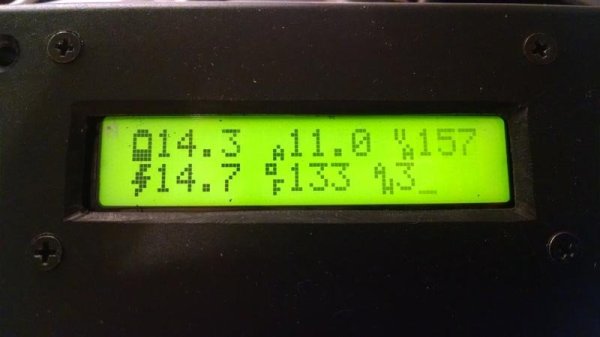
We asked on Twitter what people were working on and [Eric] posted his scope screenshot. The conversation that followed helped point him in the right direction and others knowing about the project surely drove him to finish it. The decoding isn’t perfect, but achieve enough to decode and display voltage, amperage, and temperature. [Eric] built the display unit using an Arduino Pro Mini and a character LCD housed in you most common of black project boxes.

Excruciating Quest Turns Chromebook Pixel IPS Into Exquisite Extra Monitor

[Shen] wanted an extra monitor at his desk, but not just any monitor. He wanted something particularly special and unquestionably refined. Like any super-power-possessing engineer he set out to scratch his hacking itch and was sucked into a multi-year extravaganza. For the love of everything hardware we’re glad this one came in on the weekend. If we had spent all that time drooling during a weekday we’d be so far behind.

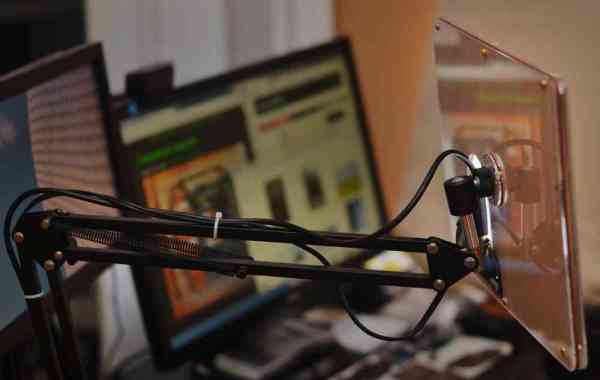
The final product is a desktop monitor on an articulated arm. It features a Chromebook Pixel’s IPS display in a custom-crafted case everything. The journey started out with two different LCD units, the first from a Dell L502x replacement display using a generic LVDS board. The results were meh; washed out colors and obvious pixellation, with display adjustments that left [Shen] with a grimace on his mug. Installment two was an iPad Retina display. This iteration required spinning his own boards (resulting in [Shen’s] discovery of OSH Park). Alas, 9.7″ was too small coupled with short-cable-requirements making this version a no-go.

chromebook-pixel-ips-driver-boardAnd so we arrive at the meat and potatoes of this one. [Shen] identified the IPS LCD display on Google’s first Chromebook Pixel laptop as the object of his desire. The hack takes him through sourcing custom display cables, spinning rev after rev of his own board, and following Alice down the rabbit hole of mechanical design. Nothing marginal is good enough for [Shen], we discovered this with his project to get real audio out of a computer. He grinds away at the driver board, the case design, the control presentation, and everything else in the project until perfection was reached. This work of art will stand the test of time as a life fixture and not just an unappreciated workhorse.

This one is not to me missed. Head over to [Shen’s] project entry on Hackaday.io (don’t forget to give him a skull for this) and his blog linked at the top. We need to celebrate not only the people who can pull off such amazing work. But also the ones who do such a great job of sharing the story both for our enjoyment, and to inspire us.