It’s easy to dismiss radio as little more than background noise while we drive. At worst you might even think it’s just another method for advertisers to peddle their wares. But in reality it’s a snapshot of the culture of a particular time and place; a record of what was in the news, what music was popular, what the weather was like, basically what life was like. If it was important enough to be worth the expense and complexity of broadcasting it on the radio, it’s probably worth keeping for future reference.
But radio is fleeting, a 24/7 stream of content that’s never exactly the same twice. Yet while we obsessively document music and video, nobody’s bothering to record radio. You can easily hop online and watch a TV show that originally aired 50 years ago, but good luck finding a recording of what your local radio station was broadcasting last week. All that information, that rich tapestry of life, is gone and there’s nothing we can do about it.
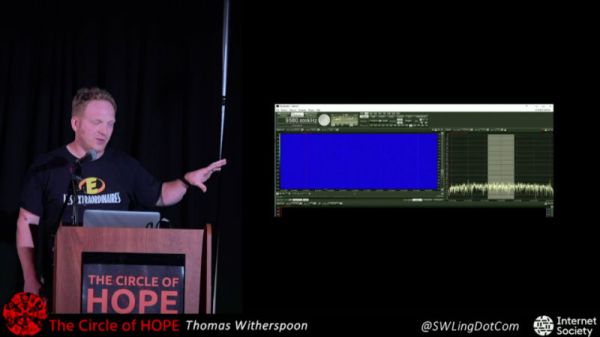
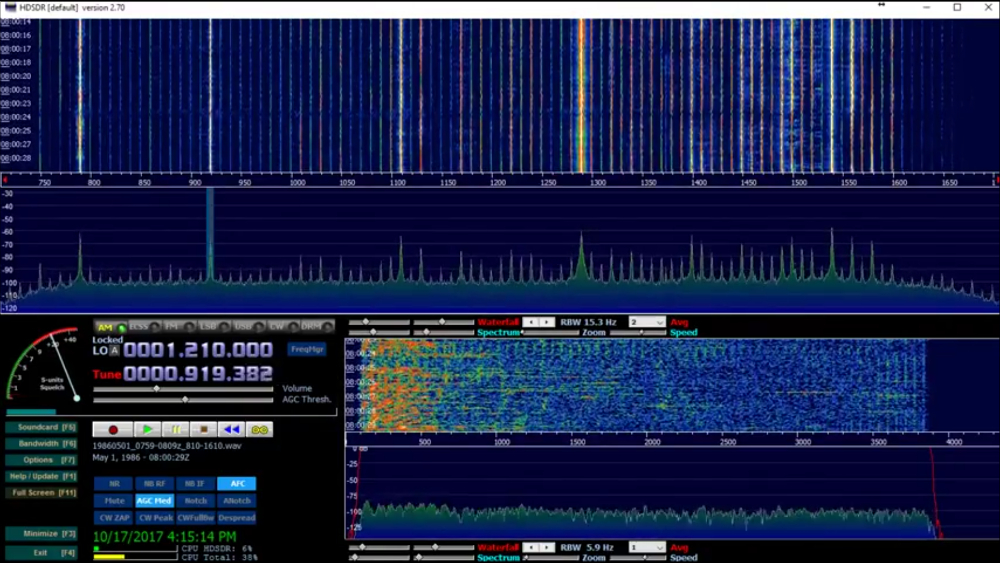
Or can we? At HOPE XII, Thomas Witherspoon gave a talk called “Creating a Radio Time Machine: Software-Defined Radios and Time-Shifted Recordings”, an overview of the work he’s been doing recording and cataloging the broadcast radio spectrum. He demonstrated how anyone can use low cost SDR hardware to record, and later play back, whole chunks of the AM and shortwave bands. Rather than an audio file containing a single radio station, the method he describes allows you to interactively tune in to different stations and explore the airwaves as if it were live.
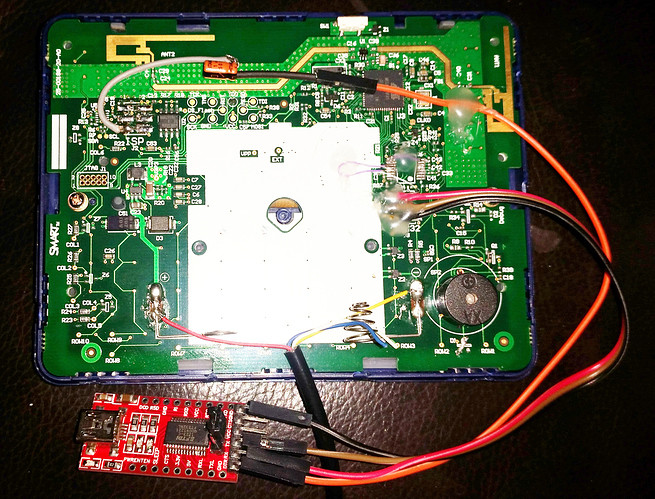
Cheap second-hand hardware is usually a fertile ground for hacking, and by looks of this project, the digital classroom aids that were all the rage a few years back are no exception. [is0-mick] writes in to tell us how he managed to hack one of these devices, a SMART Reponse XE, into an Arduboy compatible game system. As it turns out, this particular gadget is powered by an ATmega128RFA, which is essentially an Arduino-compatible AVR microcontroller with a 2.4GHz RF transceiver tacked on. This makes it an extremely interesting platform for hacking, especially since they are going for as little as $3 USD on eBay.
There’s no USB-Serial converter built into the SMART Response XE, so you’ll need to provide your own external programmer to flash the device. But luckily there’s a labeled ISP connector right on the board which makes it pretty straightforward to get everything wired up.
Of course, getting the hardware working was slightly more complicated than just flashing an Arduino Sketch onto the thing. [is0-mick] has provided his bootloader and modified libraries to get the device’s QWERTY keyboard and ST7586S controlled 384×160 LCD working.
Playing games is fun, but when his friend [en4rab] sent him the SMART Response XE to fiddle with, the goal was actually to turn them into cheap 2.4 GHz analyzers similar to what was done with the IM-ME. It seems they’re well on their way, and [is0-mick] invites anyone who might be interested in filling in some of the blanks on the RF side to get involved.
We’ll go out on a limb and assume that anyone reading these words is probably familiar with the classic ping command. Depending on which operating system you worship the options might be slightly different, but every variation of this simple tool does the same thing: send an ICMP echo request and wait for a response. How long it takes to get a response from the target, if it gets one at all, is shown to the user. This if often the very first step to diagnosing network connectivity issues; if this doesn’t work, there’s an excellent chance the line is dead.
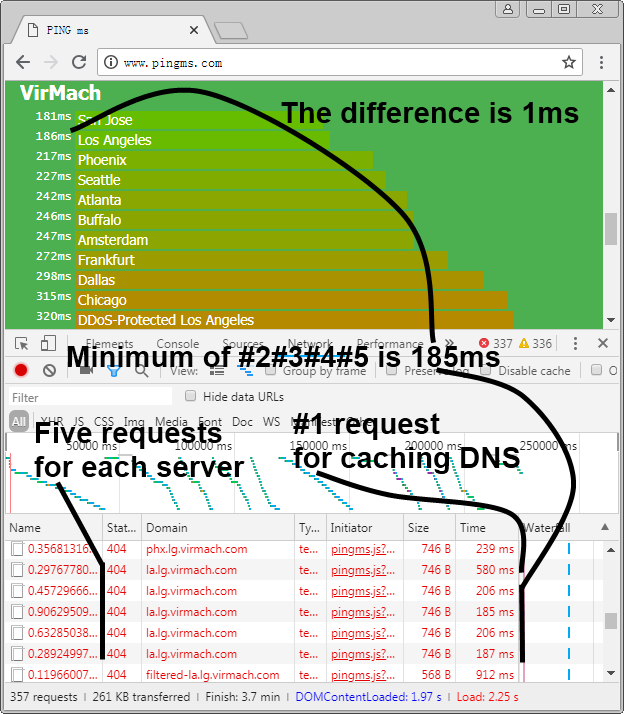
But in the modern web-centric view of networking, ping might not give us the whole picture. But nature it doesn’t take into account things like DNS lookups, and it certainly doesn’t help you determine what (if any) services the target has available to you. Accordingly, [Liu Zhiyong] has come up with a tool he calls “pingms”, which allows you to check web server latency right from your browser.
Rather than relying on ICMP, pingms performs a more realistic test. It takes the list of targets from the file “targets.js” and connects to each one over HTTP. How does it work? The code [Liu] has come up with will take each target domain name, append a random number to create a gibberish filename, and then calculate how long it takes to get a response when trying to download the file. Obviously it’s going to be getting a 404 response from the web server, but the important thing is simply that it gets the response.
With this data, [Liu] has come up with a simplistic but very slick interface which shows the user the collected data with easy to understand color-coded graphs. As interesting as it is to see how long it takes your favorite web sites or service providers to wake up and start talking, watching the colored bars hop up and down the list to sort themselves is easily our favorite part of pingms.
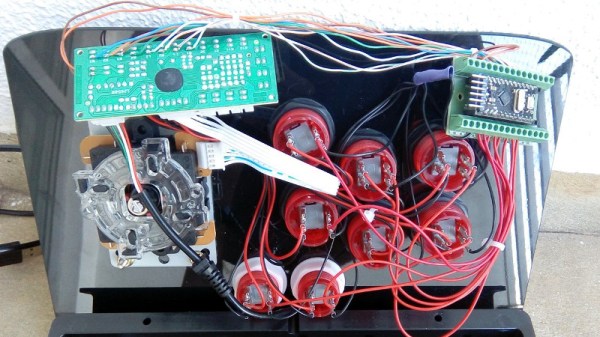
As if you already weren’t agonizing over whether or not you should build your own arcade cabinet, add this one to the list of compelling reasons why you should dedicate an unreasonable amount of physical space to playing games you’ve probably already got emulated on your phone. [Rodrigo] writes in to show off his project to add some flair to the lighted buttons on his arcade controller. (Google Translate)
The wiring for this project is about as easy as you’d expect: the buttons connect to the digital inputs on the Arduino, and the LEDs on the digital outputs. When the Arduino code sees the button getting pressed, it brings the corresponding LED pin high and starts a fade out timer using the SoftPWM library by [Brett Hagman].
It’s worth noting that the actual USB interface is being done with a stand-alone controller, so the Arduino here is being used purely to drive the lighting effects. The more critical reader might argue that you could do both with a single microcontroller, but [Rodrigo] was in a classic “Use what you’ve got” situation, and already had a USB controller on hand.
It’s really hard to overstate how awesome ESP8266 development boards like the Wemos D1 Mini really are. For literally a couple of dollars you can get a decently powerful Wi-Fi enabled microcontroller that has enough free digital pins to do some useful work. Like the Arduino and Raspberry Pi before it, the ESP8266 is a device that’s opening up whole new areas of hacking and development that simply weren’t as practical or cost-effective as previously.
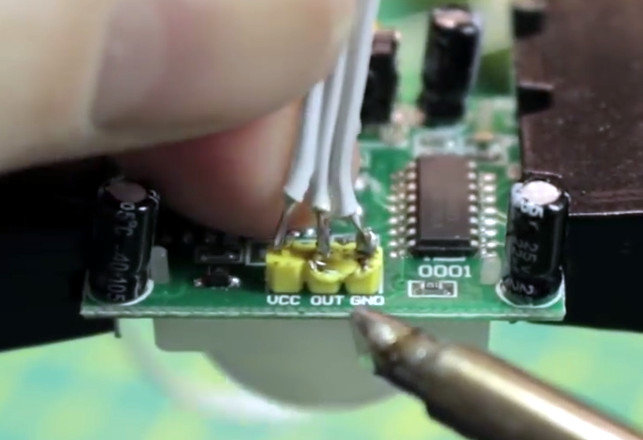
As a perfect example, take a look at this stupendously simple Internet-connected motion detector that [Eric William] has come up with. With just a Wemos D1 Mini, a standard PIR sensor, and some open source code, you can create a practical self-contained motion sensor module that can be placed anywhere you want to keep an eye on. When the sensor picks up something moving, it will trigger an IFTTT event.
It only takes three wires to get the electronics connected, but [Eric] has still gone ahead and provided a wiring diagram so there’s no confusion for young players. Add a 3D printed enclosure from Thingiverse and the hardware component of this project is done.
Using the Arduino Sketch [Eric] has written, you can easily plug in your Wi-Fi information and IFTTT key and trigger. All that’s left to do is put this IoT motion sensor to work by mounting it in the area to be monitored. Once the PIR sensor sees something moving, the ESP8266 will trigger IFTTT; what happens after that is up to you and your imagination. In the video after the break, you can see an example usage that pops up a notification on your mobile device to let you know something is afoot.
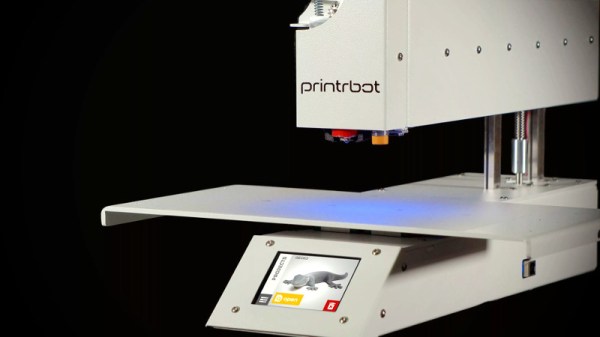
It’s with a heavy heart that we must report Printrbot has announced they are ceasing operations. Founded in 2011 after a wildly successful Kickstarter campaign, the company set out to make 3D printing cheaper and easier. Their first printer was an amalgamation of printed parts and wood that at the time offered an incredible deal; when the Makerbot CupCake was selling for $750 and took 20+ hours to assemble, the Printrbot kit would only run you $500 and could be built in under an hour.
Brook Drumm, Founder of Printrbot
Printrbot got their foot in the door early, but the competition wasn’t far behind. The dream of Star Trek style replicators fueled massive investment, and for a while it seemed like everyone was getting into the 3D printing game. Kit built machines gave way to turn-key printers, and the prices starting coming down. Printrbot’s products evolved as well, dropping wood in favor of folded steel and pioneering impressive features like automatic bed leveling. In 2014 they released the Printbot Simple Metal, which ultimately became their flagship product and in many ways represents the high water mark for the company.
Eventually, overseas manufacturers saw an opportunity and started flooding the market with 3D printers that were cheaper than what many would have believed possible only a few years earlier. Today you can go online and buy a perfectly serviceable starter printer for under $200, even less if you’re still willing to build it yourself. For an American company like Printrbot, competing at this price point was simply an impossibility.
Rather than give up, Brook decided to take things in a different direction. If he couldn’t compete with imported machines on price, he would start building high end printers. A new version of the Simple Metal was introduced in 2016 with premium features such as linear rails and cloud-based slicing, complete with a premium price. From that point on, most new Printrbot products would release at over $1,000; putting them more in line with “prosumer” machines from companies like Ultimaker. For hacker types who got their first taste of 3D printing thanks to a cheap wooden Printrbot kit, this was something of a bittersweet moment.
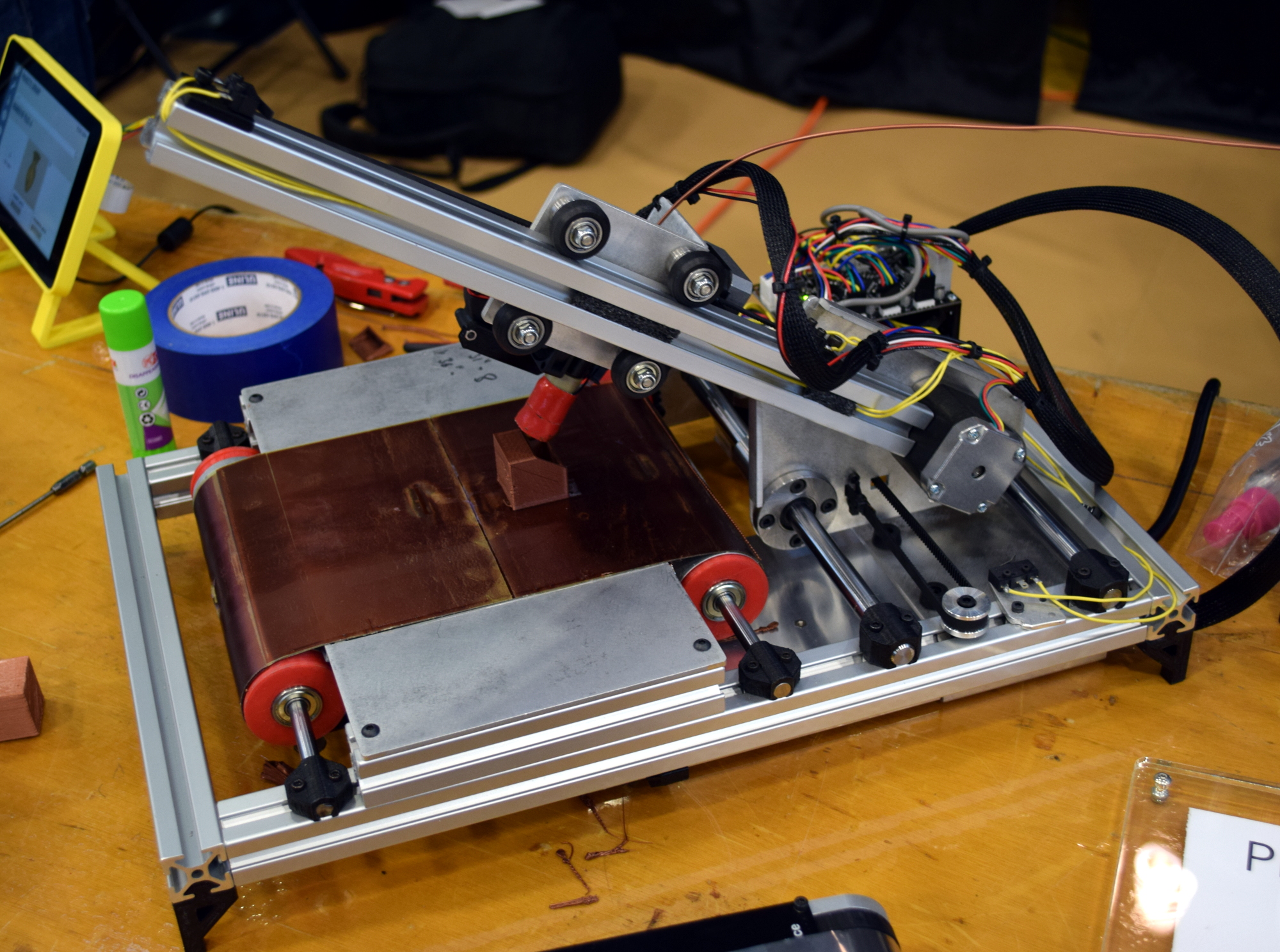
At the same time, Brook’s natural hacker spirit and love of the open source community lead to a number of interesting side projects that never quite got off the ground. Most recently, he’d been putting the finishing touches on the Printrbelt, a 3D printer with a conveyor belt in place of a traditional bed. Such a machine could finally bridge the gap between desktop 3D printing and true small scale production capability.
When we saw Brook at the East Coast RepRap Festival, he brought along a new machine that the more cynical observer might have taken as foreshadowing. The Printrbot Easy was going to be a modified and rebranded FlashForge Finder, a final acknowledgement that the only way to compete with the Chinese manufactured 3D printers was to sell one of your own.
It’s always sad to see a tech company go under, but seeing the end of Printrbot is especially hard. Built in America with locally sourced components and with a commitment to keeping their machines open source, there was a lot to love about the plucky little 3D printer company from Lincoln, California. Printrbot was the quintessential hacker success story, and we’re proud to say we’ve been in their corner from the start. Here’s to wishing Brook Drumm and the entire Printrbot team success in their future endeavors; we’ll be keeping an eye out.
Most Hackaday readers are likely to be familiar with the infinity mirror, a piece of home decor so awesome that Spock still has one up on the wall in 2285. The idea is simple: two parallel mirrors bounce and image back and forth, which creates a duplicate reflection that seems to recede away into infinity. A digital version of this effect can be observed if you point a webcam at the screen that’s displaying the camera’s output. The image will appear to go on forever, and the trick provided untold minutes of fun during that period in the late 1990’s where it seemed everyone had a softball-shaped camera perched on their CRT monitors.
Making use of that webcam in 2018.
While you might think you’ve already seen every possible variation of this classic visual trick, [Matt Nishi-Broach] recently wrote in to tell us about an infinity mirror effect he’s created using the popular streaming platform Twitch. The public is even invited to fiddle with the visuals through a set of commands that can be used in the chat window.
It works about how you’d expect: the stream is captured, manipulated through various filters, and then rebroadcast through Twitch. This leads to all sorts of weird visual effects, but in general gives the impression that everything is radiating from a central point in the distance.
While [Matt] acknowledges that there are probably not a lot of other people looking to setup their own Twitch feedback loops, he’s still made his Python code available for anyone who might be interested. There’s a special place in Hacker Valhalla for those who release niche software like this as open source. They’re the real MVPs.

 But radio is fleeting, a 24/7 stream of content that’s never exactly the same twice. Yet while we obsessively document music and video, nobody’s bothering to record radio. You can easily hop online and watch a TV show that originally aired 50 years ago, but good luck finding a recording of what your local radio station was broadcasting last week. All that information, that rich tapestry of life, is gone and there’s nothing we can do about it.