This week Hackaday Editors Elliot Williams and Tom Nardi start things off with a traffic report from the Moon, which has suddenly become a popular destination for wayward robots.
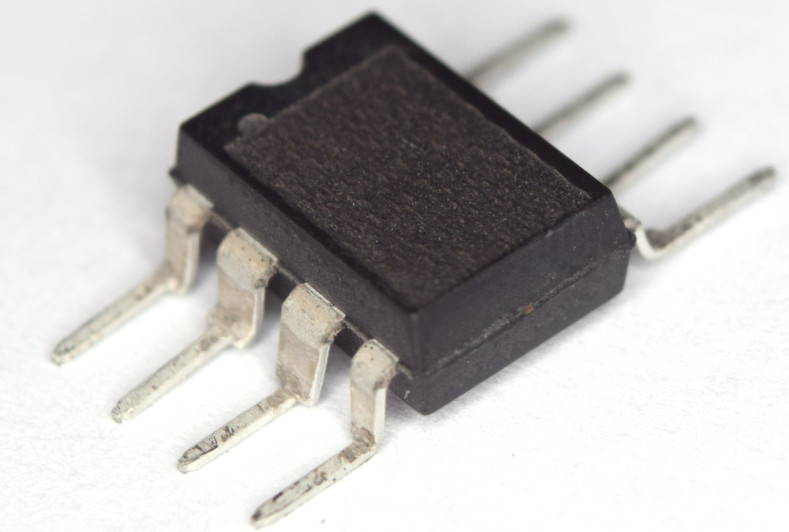
Anonymizing an ATtiny85 via laser
From there, they’ll go over a fire-tending contraption that’s equal parts madness and brilliance, two decades of routers being liberated by OpenWRT, impressive feats of chip decapping, and USB-C’s glorious rise to power.
You’ll also hear about the latest developments in laptop RAM, exploits against the flash encryption used on the ESP32, and Android powered oscilloscopes. The duo will wrap things up with horror stories from the self-checkout aisle, and a look at the fantastical rolling power station that Dan Maloney has been building in his driveway.
Check out the links below if you want to follow along, and as always, tell us what you think about this episode in the comments!
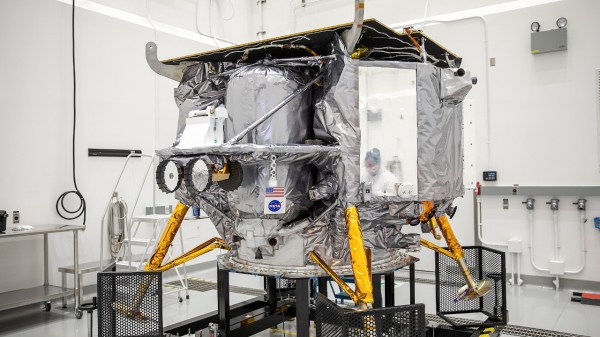
Within a few hours of this post going live, Astrobotic’s Peregrine spacecraft is expected to burn up in the Earth’s atmosphere — a disappointing end to a mission that was supposed to put the first US lander on the Moon since the Apollo program ended in 1972.
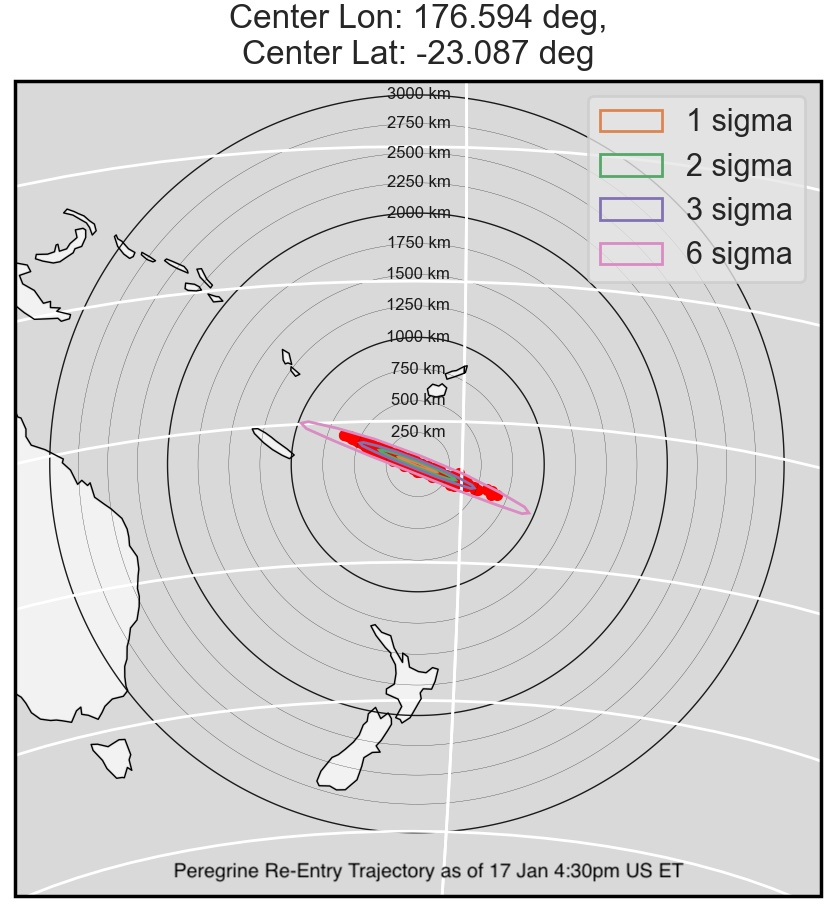
In their twentieth mission update since Peregrine was carried into space on the inaugural flight of the United Launch Alliance Vulcan Centaur rocket, Astrobotic explains that the craft has been put on a trajectory designed to ensure it breaks up over a remote area of the South Pacific.
Predicted re-renty point for the Peregrine lander.
It was previously hoped the lander, which suffered a severe system malfunction just hours after liftoff, could have at least made a close pass of the Moon in lieu of touching down. But mission controllers felt the more responsible approach was to have Peregrine make a controlled re-entry while they still had the ability to maneuver it. The alternative, allowing the craft to remain in an uncontrolled orbit between the Earth and Moon, could potentially have caused problems for future Artemis missions.
Over the last ten days, ground controllers at Astrobotic have been working to piece together what happened to the doomed lander, while at the same time demonstrating a remarkable level of transparency by keeping the public informed along the way. It’s now believed that the stream of gas being expelled from a rupture in one of the craft’s propellant tanks was acting as a sort of impromptu thruster. This not only made the craft difficult to keep oriented, but also wasted the propellants that were necessary to perform a soft landing on the lunar surface.
Although the craft was eventually brought under control, the damage to the mission had already been done. While this obviously isn’t the ending that Astrobotic was hoping for, we have no doubt that the company collected valuable data during the craft’s flight through space, which took it approximately 390,000 kilometers (242,000 miles) from Earth.
As for us space nerds, we won’t have to wait long before another lunar lander makes its attempt. Japan’s Smart Lander for Investigating Moon (SLIM) should be touching down at around 10 AM Eastern on Friday (YouTube Live Stream), and the Nova-C lander from Intuitive Machines is scheduled to be launched aboard a Falcon 9 rocket sometime next month.
It’s already been more than fifty years since a human last stepped foot on another celestial body, and now that NASA has officially pushed back key elements of their Artemis program, we’re going to be waiting a bit longer before it happens again. What’s a few years compared to half a century?
The January 9th press conference was billed as a way for NASA Administrator Bill Nelson and other high-ranking officials within the space agency to give the public an update on Artemis. But those who’ve been following the program had already guessed it would end up being the official concession that NASA simply wasn’t ready to send astronauts out for a lunar flyby this year as initially planned. Pushing back this second phase of the Artemis program naturally means delaying the subsequent missions as well, though during the conference it was noted that the Artemis III mission was already dealing with its own technical challenges.
More than just an acknowledgement of the Artemis delays, the press conference did include details on the specific issues that were holding up the program. In addition several team members were able to share information about the systems and components they’re responsible for, including insight into the hardware that’s already complete and what still needs more development time. Finally, the public was given an update on what NASA’s plans look like after landing on the Moon during the Artemis III mission, including their plans for constructing and utilizing the Lunar Gateway station.
With the understanding that even these latest plans are subject to potential changes or delays over the coming years, let’s take a look at the revised Artemis timeline.
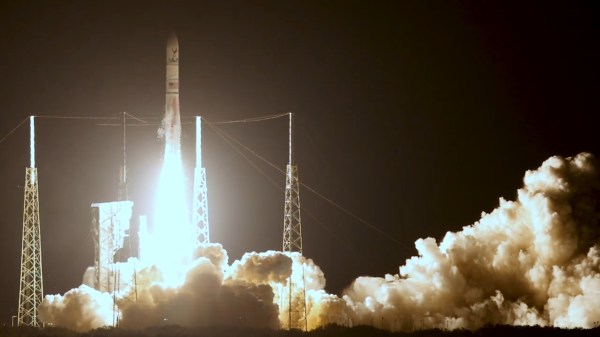
For those with an interest in the history of spaceflight, January 8th promised to be a pretty exciting day. Those who tuned into the early morning live stream were looking forward to seeing the first flight of the Vulcan Centaur, a completely new heavy-lift booster developed by United Launch Alliance. But as noteworthy as the inaugural mission of a rocket might be under normal circumstances, this one was particularly special as it was carrying Peregrine — set to be the first American spacecraft to set down on the lunar surface since the end of the Apollo program in 1972.
Experience has taught us that spaceflight is hard, and first attempts at it doubly so. The likelihood of both vehicles performing as expected and accomplishing all of their mission goals was fairly remote to begin with, but you’ve got to start somewhere. Even in the event of a complete failure, valuable data is collected and real-world experience is gained.
Now, more than 24 hours later, we’re starting to get that data back and finding out what did and didn’t work. There’s been some disappointment for sure, but when everything is said and done, the needle definitely moved in the right direction.
These days, affordable software defined radios (SDRs) have made huge swaths of the spectrum available to hobbyists. Whether you’re looking to sniff the data from that 433 MHz thermometer you’ve got in the backyard or pick up transmissions from satellites, the same little USB-connected box can make it happen.
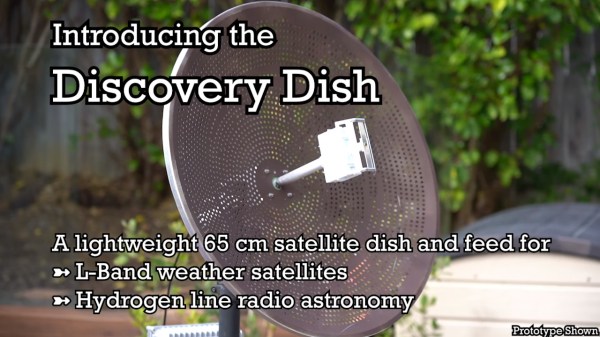
But even the best SDR is constrained by the antenna it’s connected to, and that’s where it can still get a little tricky for new players. Luckily, there’s a new option for those who want to pick up signals from space without breaking the bank: the Discovery Dish by KrakenRF. After reaching 105% of its funding goal on December 20th, the handy little 65-cm aluminum reflector looks like it’s on track to ship out this summer.
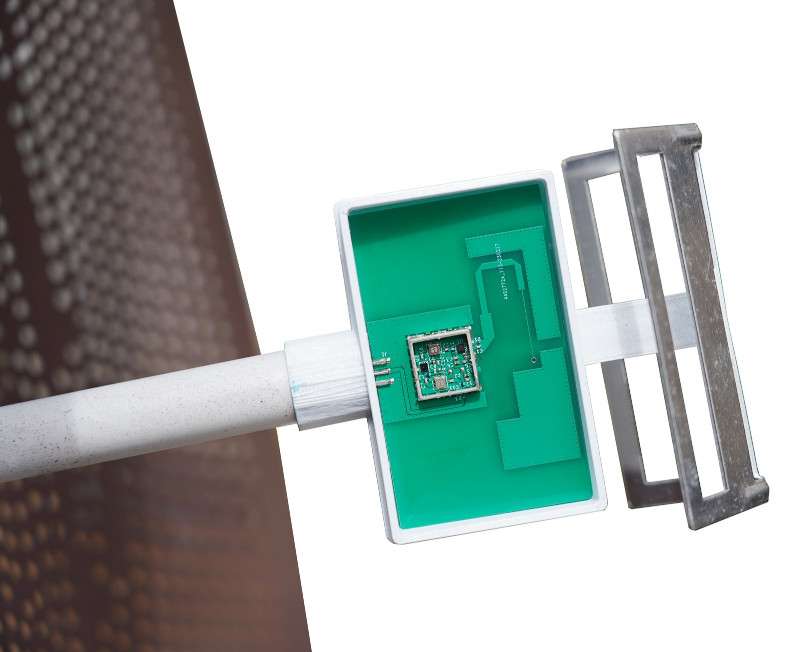
The Discovery Dish was designed from the ground up to enable hobbyists to receive real-time weather data from satellites transmitting in the L band (GOES, NOAA, Meteor, etc.) and experiment with hydrogen line radio astronomy. Neither of which are anything new, of course. But having a pre-built dish and feed takes a lot of the hassle out of picking up these distant signals.
Although the current prototype has a one-piece reflector, the final Discovery Dish will break down into three “petals” to make storage and transport easier. If you don’t want to take it all the way apart, you can simply remove the feed to make it a bit more compact. Speaking of which, KrakenRF is also offering three different feeds depending on what signals you’re after: L band, Inmarsat, or hydrogen line.
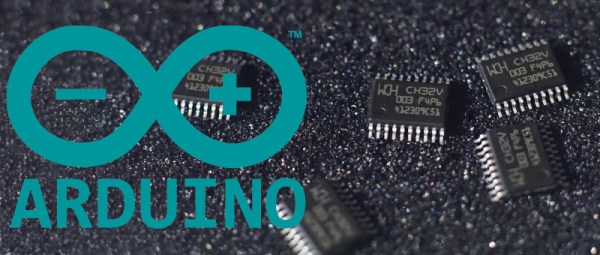
Like many of you, we’ve been keeping a close eye on the CH32 family of RISC-V microcontrollers from WCH Electronics. You can get the CH32V003, featuring 2 kB RAM and 16 kB of flash for under fifteen cents, and the higher-end models include impressive features like onboard Ethernet. But while the hardware is definitely interesting, the software side of things has been a little rocky compared to what we’ve come to expect from modern MCUs.
Things should start looking up a bit though with the release of an Arduino core for the CH32 direct from WCH themselves. It’s been tested on Windows, Linux, and Mac, and supports the CH32V00x, CH32V10x, CH32V20x, CH32V30x, and CH32X035 chips. Getting it installed is as easy as adding the URL to the Arduino IDE’s Boards Manager interface, though as the video below shows, running it on Linux does require an extra step or two.
So far, we’ve seen several projects, like this temperature sensor or this holiday gizmo that use [cnlohr]’s open-source toolchain. But there’s no question that plenty of hobbyists out there feel more comfortable in the Arduino environment, and if those folks are now able to pick up a CH32 and do something cool, that means more people jumping on board, more libraries developed, more demo code written…you get the idea.
Just like the ESP8266’s popularity exploded when it was added to the Arduino IDE, we’ve got high hopes for the CH32 family in the coming months.
We’ve made it through another trip around the sun, and for the first time in what feels like far too long, it seems like things went pretty well for the hackers and makers of the world. Like so many, our community suffered through a rough couple of years: from the part shortages that made building even the simplest of devices more expensive and difficult than it should have been, to the COVID-mandated social distancing that robbed us of our favorite meetups. But when looking back on the last twelve months, most of the news was refreshingly positive.
Pepperoni costs ten bucks, but they can’t activate Windows on their registers…
Oh sure, a trip to to the grocery store can lead to a minor existential crisis at the register, but there’s not much we at Hackaday can do about that other than recommend you some good hydroponics projects to help get your own home farm up and running.
As has become our New Year tradition, we like to take this time to go over some of the biggest stories and trends that we picked up on from our unique vantage point. Some will be obvious, but there’s always a few that sneak up on us. These posts tend to make for interesting reading in the future, and if you’ve got the time, we’d recommend going back and reading the previous entries in this series and reminiscing a bit.
It’s also a good time to reflect on Hackaday itself — how we’ve grown, the things that have changed, and perhaps what we can do better going forward. Believe it or not we do read all of the feedback from the community, whether it’s in the comments of individual posts or sent into us directly. We couldn’t do this without readers like you, so please drop us a line and let us know what you’re thinking.
So before we get any farther into 2024, let’s wind back the clock and revisit some of the highlights from the previous year.