Tamagotchi Torture Chamber Is Equal Parts Nostalgia And Sadism

Coming in hot from Cornell University, students [Amanda Huang], [Caroline Hohner], and [Rhea Goswami] bring a project that is guaranteed to tickle the funny bone of anyone in the under-40 set, and sadists of all ages: The Tamagochi Torture Chamber.

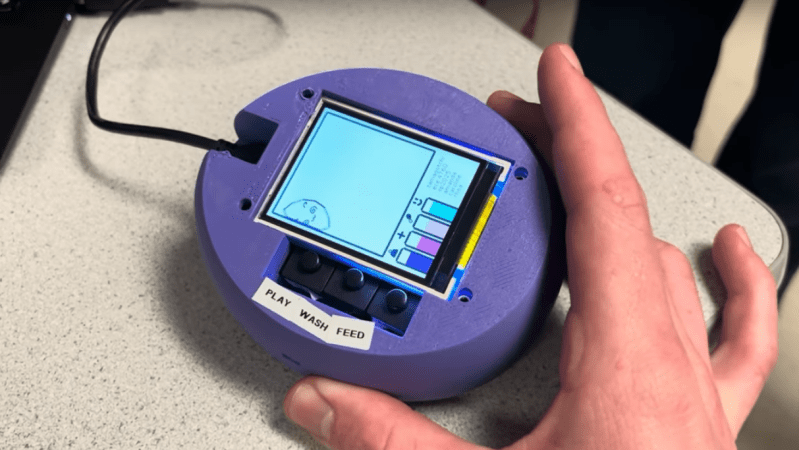
Tamagotchi Torture Chamber displaying Tombstone
He’s dead, Jim.

In case you somehow missed it, Bandai’s Tamagochi is a genre-defining digital pet that was the fad toy at the turn of the millennium, and has had periodic revivals since. Like the original digital pet, there are three pushbuttons to allow you to feed, play with, and clean your digital pet. These affect the basic stats of happiness, health, food and weight in ways that will be familiar to anyone who played with the original Tamagochi. Just as with the original, mistreatment or neglect causes the Tamagochi to “die” and display a tombstone on the TFT display.

Where the “Torture Chamber” part comes in is the presence of an accelerometer and soft physics simulation– the soft physics gets an entire core of the Pi Pico at the heart of this build dedicated to it, while the other core handles all inputs, display and game logic. What this enables is the ability to bounce the digital pet off the walls of its digital home with an adorable squish (and drop in health stat) by tilting the unit. You can check that out in the demo video blow.

Is it overkill for a kids toy to have a full soft body simulation, rather than just a squish-bounce animation? Probably, but for an ECE project, it lets the students show off their chops… and possibly work out some frustrations.

We won’t judge. We will point you to other Tamagotchi-inspired projects, though: like this adorable fitness buddy, or this depressingly realistic human version.

If you’ve got an innovative way to torture video game characters, or a project less likely to get you on Skynet’s hitlist, don’t forget to send in a tip!

Continue reading “Tamagotchi Torture Chamber Is Equal Parts Nostalgia And Sadism” →

Tiny Tellurium Orbits Atop A Pencil

We like scale models here, but how small can you shrink the very large? If you’re [Frans], it’s pretty small indeed: his Micro Tellurium fits the orbit of the Earth on top of an ordinary pencil. While you’ll often see models of Earth, Moon and Sun’s orbital relationship called “Orrery”, that’s word should technically be reserved for models of the solar system, inclusive of at least the classical planets, like [Frans]’s Gentleman’s Orrery that recently graced these pages. When it’s just the Earth, Moon and Sun, it’s a Tellurium.

The whole thing is made out of brass, save for the ball-bearings for the Earth and Moon. Construction was done by a combination of manual milling and CNC machining, as you can see in the video below. It is a very elegant device, and almost functional: the Earth-Moon system rotates, simulating the orbit of the moon when you turn the ring to make the Earth orbit the sun. This is accomplished by carefully-constructed rods and a rubber O-ring.

Unfortunately, it seems [Franz] had to switch to a thicker axle than originally planned, so the tiny moon does not orbit Earth at the correct speed compared to the solar orbit: it’s about half what it ought to be. That’s unfortunate, but perhaps that’s the cost one pays when chasing smallness. It might be possible to fix in a future iteration, but right now [Franz] is happy with how the project turned out, and we can’t blame him; it’s a beautiful piece of machining.

It should be noted that there is likely no tellurium in this tellurium — the metal and the model share the same root, but are otherwise unrelated. We have featured hacks with that element, though.

Thanks to [Franz] for submitting this hack. Don’t forget: the tips line is always open, and we’re more than happy to hear you toot your own horn, or sing the praises of someone else’s work. Continue reading “Tiny Tellurium Orbits Atop A Pencil” →

The Most Satisfying Way To Commit

Have you ever finished up a bit of code and thought that typing “git push” in a terminal is just not a satisfying finish? So did [penumbriel], so he built a big red button he could smash instead.

This is a very simple hack: an Arduino sits inside a 3D-printed case that holds a big, red button. The case itself is very sturdily made to withstand a good satisfying smack: it has thick walls, brass insets, and rubber feet to protect the de The code for the Arduino is very, very simple: it spoofs a USB HID using the standard keyboard library, and automatically types out “git push” whenever the button is pressed. Or smashed, because you know you’re going to want to slam that thing. So far, so good– very innovative for 2006, right?

The detail that made this project stand out in 2025 was the technique [penumbriel] used for lettering– we’re always looking

With a simple soap-and-water mask, the cured silicone peels right off, leaving a clean label.

for new ways to make a good front panel. In this case, the letters were printed as a valley and filled with silicone adhesive. To protect the top surface of the print, soapy water was used as a mask. The silicone would not adhere to the wet plastic, so all [penumbriel] had to do was peel it off after it had cured, leaving solid white inside. It’s a neat trick, and a great way to use up an old tube of silicone before it goes hard. You could also use it for injection molding, but this is a great use for the dregs.

This might go well next to the programmer’s macro pad we featured a while back, but it really needs to stay as a big red button for maximum satisfaction.


Pi Pico Powers Parts-Bin Audio Interface

USB audio is great, but what if you needed to use it and had no budget? Well, depending on the contents of your parts bin, you might be able to use [Veyniac]’s Pico-Audio-Interface as a free (and libre! It’s GPL3.0) sound capture device.

In the project’s Reddit thread, [Veyniac] describes needing audio input for his homemade synth, but having no budget. Necessity being the mother of invention, rather than beg borrow or steal a device with a working sound card, he hacked together this lovely device. It shows up as a USB Audio Class 2.0 device so should work with just about anything, and offers 12-bit resolution and 4x oversampling to try and deal with USB noise with its 2-channel, 44.1 kHz sample rate.

Aside from the Pico, all you need is an LM324 op-amp IC and a handful of resistors and capacitors — [Veyniac] estimates about $10 to purchase the whole BOM. He claims that the captured audio sounds okay in his use, but can’t guarantee it will  be for anyone else, noise being the fickle beast that it is. We figure that sounding “Okay” has got to be pretty good, given that you usually get what you pay for — and again, [Veyniac] did build this in a cave with a box of scraps. Well, except for the cave part. Probably.

While the goal here was not to rival a commercial USB sound card, we have seen projects to do that. We’re quite grateful to [Omadeira] for the tip, because this really is a hack. If you, too, want a share of our undying gratitude (which is still worth its weight in gold, despite fluctuations in the spot price of precious metals), send in a tip of your own.

Mac SE Restomod Has A Floppy Surprise

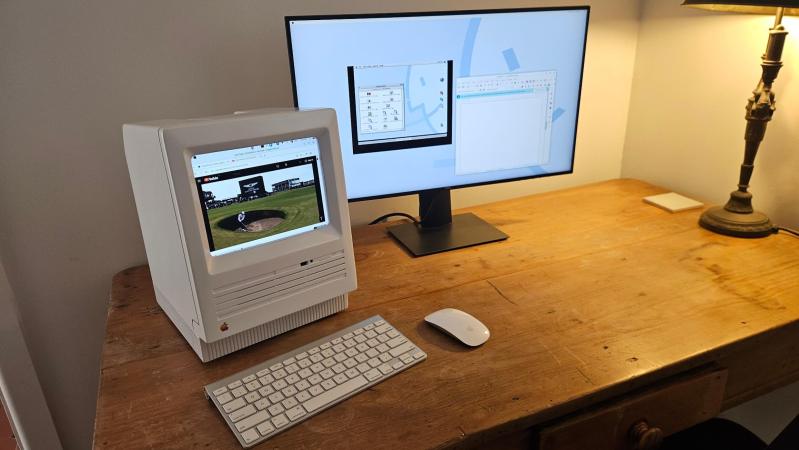
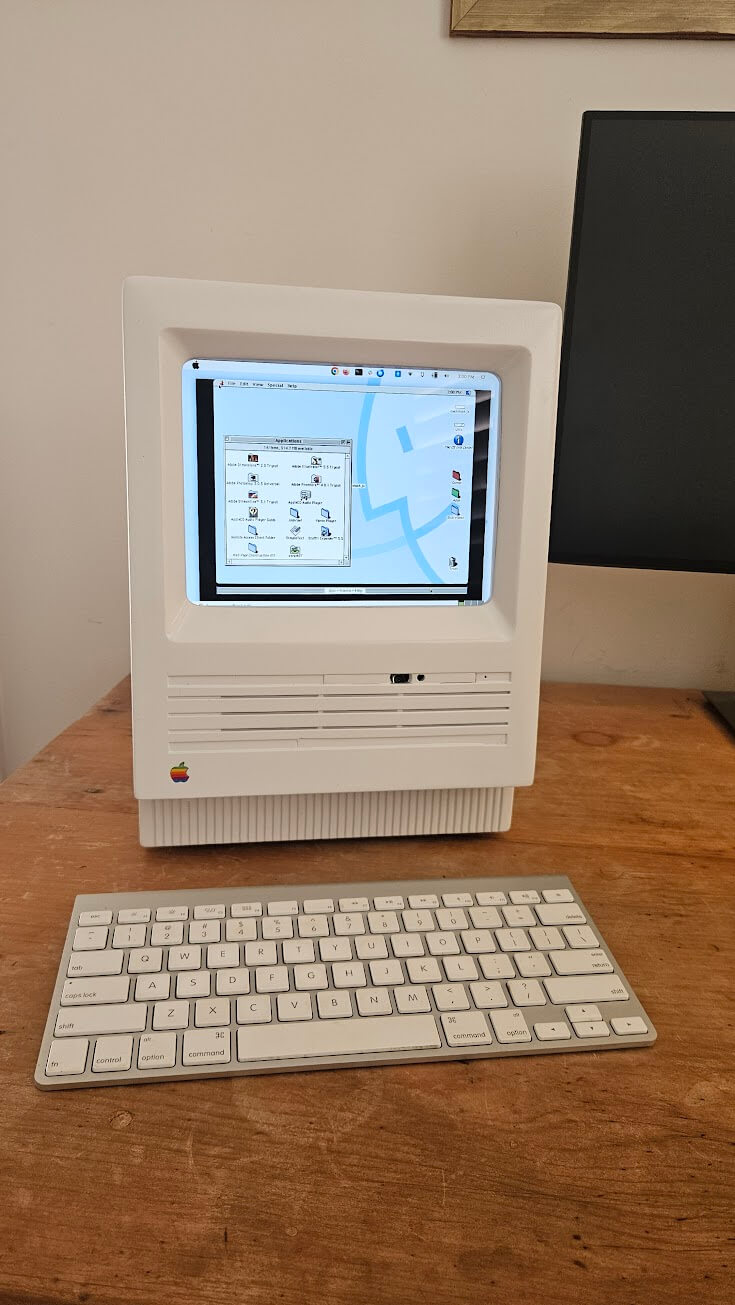
If he’s anything like us [Duncan Hall] was probably equal parts excited and disgusted when he found a 1987 Macintosh SE case at a garage sale. Excited, because not every day do vintage computers show up at these things. Disgusted, because it had been gutted and coated in house paint; the previous owner apparently wanted to make an aquarium. [Duncan] wanted to make a computer, and after 15 years, he finally did, calling it the PhoeNIX SE.

Note the small hole in the top floppy bay for the laptop webcam.

The NIX part of the name might make you suspect he’s running Linux on it, which yes, he absolutely is. The guts of this restomod were donated from a Dell XPS laptop, whose Core i7 CPU and motherboard power the project. A 9.7″ LCD serves in place of the original monochrome CRT, held in place by 3D printed hardware. While a purist might complain, it’s not like anyone makes replacement CRTs anymore, and once that’s gone? You might as well go full modern. (The analog board, on the other hand, is available. So is the logic board, if you were wondering. Lacking a CRT, some might have chosen e-ink instead, but the LCD looks good here.)

All ports are on the rear, as Steve would have wanted. That original sticker survived under latex paint is a spot of luck.

Having gone full modern, well, there’s no need for the M5011’s dual floppies, so one of them holds a webcam and monitor for a modern experience. A zoom call from that case would be a bit surreal, but we really appreciate the use of the empty floppy bay to keep the clean lines of the Macintosh SE unaltered. The other floppy bay (this is a dual-floppy unit) appears empty; we might have put an SD-card reader or something in there, but we absolutely agree with [Duncan]’s choice to 3D Print a new back panel and keep all I/O on the rear of the case, as God and Steve Jobs intended.

However you feel about restomodding retrocomputers (and we’re aware it’s a controversial practice), I think we can all agree this is a much better fate for the old Mac than becoming an aquarium. Thanks to [Loddington] for the tip.

If you’re on the side of the aisle that prefers to see restorations than restomods, the tips line is waiting for some quality restorations.

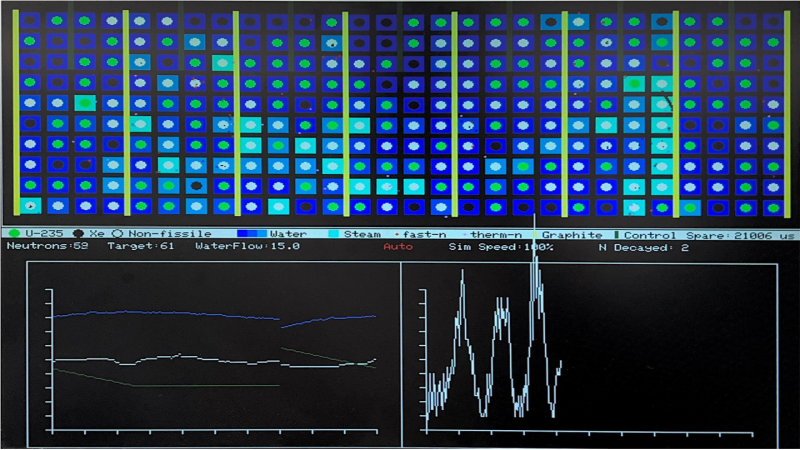
Screenshot of Pi Pico RMBK simulator

Fission Simulator Melts Down RP2040

We’ve seen a lot of projects based on the Pi Pico, but a nuclear reactor simulation is a new one. This project was created by [Andrew Shim], [Tyler Wisniewski] and another group member for Cornell’s ECE 4760 class on embedded design (which should silence naysayers who think the Pi Pico can’t be a “serious” microcontroller), and simulates the infamous soviet RMBK reactor of Chernobyl fame. 

The simulation uses a 4-bit color VGA model. The fission model includes uranium fuel, water, graphite moderator, control rods and neutrons. To simplify the math, all decayed materials are treated identically as non-fissile, so no xenon poisoning is going to show up, for example. You can, however, take manual control to both scram the reactor and set it up to melt down with the hardware controller.

The RP2040’s dual-core nature comes in handy here: one core runs the main simulation loop, and the main graphic on the top of the VGA output; the other core generates the plots on the bottom half of the screen, and the Geiger-counter sound effect, and polls the buttons and encoders for user input. This is an interesting spread compared to the more usual GPU/CPU split we see on projects that use the RP2040 with VGA output.

An interesting wrinkle that has been declared a feature, not a bug, by the students behind this project, is that the framebuffer cannot keep up with all the neutrons in a meltdown simulation. Apparently the flickering and stuttering of frame-rate issues is “befitting of the meltdown scenario”. The idea that ones microcontroller melts down along with the simulated reactor is rather fitting, we agree. Check it out in a full walkthrough in the video below, or enjoy the student’s full writeup at the link above.

This project comes to us via Cornell University’s ECE 4760 course, which we’ve mentioned before. Thanks to [Hunter Adams] for the tipoff. You may see more student projects in the coming weeks.


Space-Based Datacenters Take The Cloud Into Orbit

Where’s the best place for a datacenter? It’s an increasing problem as the AI buildup continues seemingly without pause. It’s not just a problem of NIMBYism; earthly power grids are having trouble coping, to say nothing of the demand for cooling water. Regulators and environmental groups alike are raising alarms about the impact that powering and cooling these massive AI datacenters will have on our planet.

While Sam Altman fantasizes about fusion power, one obvious response to those who say “think about the planet!” is to ask, “Well, what if we don’t put them on the planet?” Just as Gerard O’Neill asked over 50 years ago when our technology was merely industrial, the question remains:

“Is the surface of a planet really the right place for expanding technological civilization?”

O’Neill’s answer was a resounding “No.” The answer has not changed, even though our technology has. Generative AI is the latest and greatest technology on offer, but it turns out it may be the first one to make the productive jump to Earth Orbit. Indeed, it already has, but more on that later, because you’re probably scoffing at such a pie-in-the-sky idea.

There are three things needed for a datacenter: power, cooling, and connectivity. The people at companies like Starcloud, Inc, formally Lumen Orbit, make a good, solid case that all of these can be more easily met in orbit– one that includes hard numbers.

Sure, there’s also more radiation on orbit than here on earth, but our electronics turn out to be a lot more resilient than was once thought, as all the cell-phone cubesats have proven. Starcloud budgets only 1 kg of sheilding per kW of compute power in their whitepaper, as an example. If we can provide power, cooling, and connectivity, the radiation environment won’t be a showstopper.

Continue reading “Space-Based Datacenters Take The Cloud Into Orbit” →