Caped Beagle Is FPGA Superhero

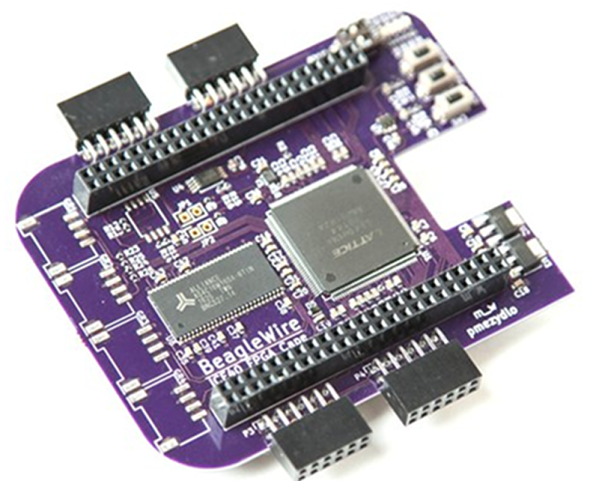
We miss the days when everything had daughterboards. Now, Arduinos have shields and Raspberry Pis have hats. The BeagleBone has capes. Whatever. However, regardless of the name, the open source BeagleWire cape/shield/hat/daughterboard connects to a BeagleBone and provides a Lattice iCE40HX FPGA, some support hardware, and common I/O connectors like Pmod and Grove. You can see a video about the board below.

In addition to the FPGA, the board contains a EEPROM, RAM, flash memory, an oscillator, and a few buttons, switches and LEDs. The buttons even feature hardware debouncing. The parts list and design files are all available and — depending on a successful crowdfunding campaign — you might be able to buy one for $75 in the future.

The board is configured to communicate over the 100 MHz 16-bit GPMC port. Linux software and example drivers are available so it should be fairly simple to get the FPGA and CPU talking to each other for your own purposes.

If you decide to build your own, there’s a one-click button that will populate a DigiKey cart for you with most of the components. Although the DigiKey site complained about an error, it did seem to order 24 of the 26 components and the total came to just over $50. Of course, you’d still need to source the missing parts and the board.

We’ve talked about the Lattice iCE FPGAs quite a bit in the past. Not only do you have our tutorial videos, but there are plenty of others, too.
Continue reading “Caped Beagle Is FPGA Superhero” →

Another Introduction To FPGAs

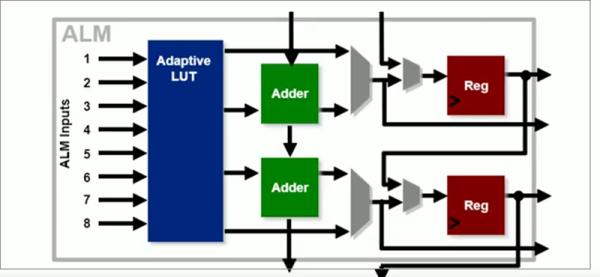
FPGAs can have a steep learning curve, so getting started tutorials are a popular topic. Intel recently published a video titled “Basics of Programmable Logic: FPGA Architecture” and you can see it below. Of course, Intel bought Altera, so the material has a bit of Altera/Intel flavor to it, but the course is generic enough that the concepts will apply to just about any FPGA.

Of course, if you do want to use Quartus, there are quite a few follow-on courses, including the wonderfully named “Become a [sic] FPGA Designer in 4 Hours.” We’d really like to see a sequel titled “Become a Proficient FPGA Designer in 9 Months” but Google didn’t turn that one up.

Continue reading “Another Introduction To FPGAs” →

Microsoft Quantum Simulator Goes To Linux And Mac

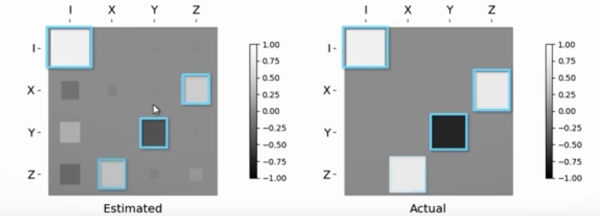
Everyone seems to be gearing up for the race to be the king of quantum computers. The latest salvo is Microsoft’s, they have announced that their quantum simulator will now run on macOS and Linux, with associated libraries and examples that are now fully open source. They have produced a video about the new release, which you can see below.

Microsoft also claims that their simulator is much faster than before, especially on large simulations. Of course, really large simulations suffer from memory problems, not speed problems. You can run their simulator locally or on their Azure cloud.

Continue reading “Microsoft Quantum Simulator Goes To Linux And Mac” →

FPGA Calculator Uses Joystick

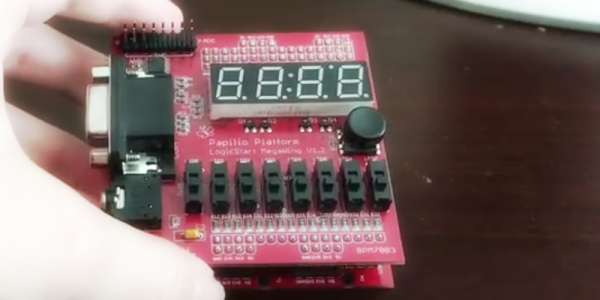
FPGAs are great fun, but sometimes you need a few starter projects under your belt. These projects might be something you could just as well do with a CPU, but you have to start somewhere. [LambdaPI] recently shared a 4-bit calculator created using an FPGA, and you can see it in the video below.

The calculator uses a Papilio FPGA board and a LogicStart accessory board for the display and switches. The Papilio normally uses schematic-based entry and Arduino code, but [LambdaPI] used VHDL. You enter the two 4-bit numbers on the 8 switches and then the joystick selects one of four operations (add, subtract, multiply, and divide).

Continue reading “FPGA Calculator Uses Joystick” →

Software Development In… Bash

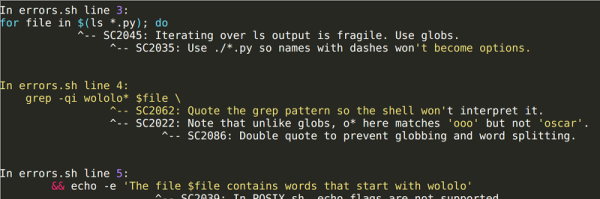
Truly good ideas tend to apply in all situations. The phrase is “never run with scissors”, not “don’t run with scissors unless you are just going into the next room.” Software development methodology is a good idea and most of us have our choice of tools. But what if you are developing a significant amount of bash or similar script? Should you just wing it because bash isn’t a “real” programming language? [Oscar] says no, and if you are writing more than two or three lines of script, we agree.

We’ve made the argument before (and many of you have disagreed) that bash is a programming language. Maybe not the greatest and certainly not the sexiest, but bash is near ubiquitous on certain kinds of systems and for many tasks is pretty productive. [Oscar] shows how he uses a source code formatter, a linter, and a unit test framework to bring bash scripting in line with modern software development. We are pretty sure he uses source control, too, but that seems so elementary that it doesn’t come up outside of a link to his repository in GitHub.

Continue reading “Software Development In… Bash” →

Crankshaft: Open Source Car Computer

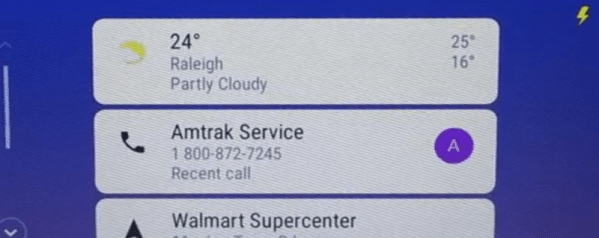
Modern cars and head units are pretty fancy gadget-wise. But what if your car still has an 8-track? No problem. Just pick up a Raspberry Pi 3 and a seven-inch touchscreen, and use Crankshaft to turn it into an Android Auto setup.

The open source project is based on OpenAuto which, in turn, leverages aasdk. The advantage to Crankshaft is it is a plug-and-play distribution. However, if you prefer, you can build it all yourself from GitHub.

Continue reading “Crankshaft: Open Source Car Computer” →

Review Of The Moai SLA 3D Printer

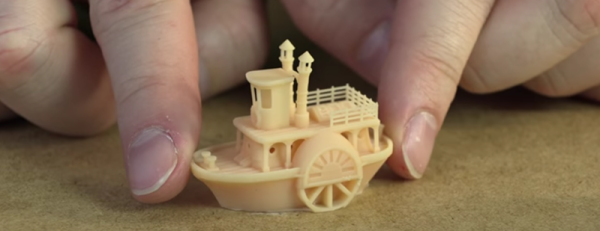
It is funny how we always seem to pay the same for a new computer. The price stays the same, but the power of the computer is better each time. It would appear 3D printers may be the same story. After all, it wasn’t long ago that sinking a thousand bucks or more on a 3D printer wouldn’t raise any eyebrows. Yet today you can better printers for a fraction of that and $1,300 will buy you an open source Moai SLA printer as a kit. [3D Printing Nerd] took a field trip to MatterHackers to check the machine out and you can see the results in the video below.

The printer uses a 150 mW laser to make parts up to 130 mm by 130 mm by 180 mm. The laser spot size is 70 micron (compare that to the typical 400 micron tip on a conventional printer). The prints require an alcohol bath after they are done followed by a UV curing step that takes a few hours.

Continue reading “Review Of The Moai SLA 3D Printer” →