Star Trek Pi

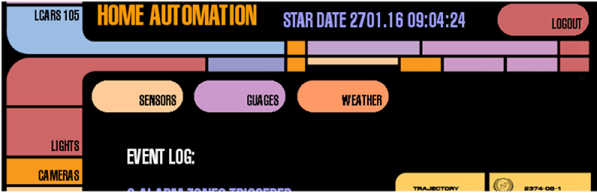
Every time we yell out, “OK Google… navigate to Velvet Melvin’s” we feel like a Star Trek character. After all, you’ve never seen Captain Kirk (or Picard) using a keyboard. If you get that same feeling, and you have a Raspberry Pi project in mind, you might enjoy the Raspberry Pi LCARS interface.

You can see the results in the video below. The interface uses PyGame, and you can customize it with different skins if you don’t want a Star Trek look.

Continue reading “Star Trek Pi”

Spice Power

Spice is a circuit simulator that you should have in your toolbox. While a simulator can’t tell you everything, it will often give you valuable insight into the way your circuit behaves, before you’ve even built it. In the first installment of this three-part series, I looked at LTSpice and did a quick video walkthrough of a DC circuit. This time, I want to examine two other parts of Spice: parameter sweeps and AC circuits. So let’s get to it.

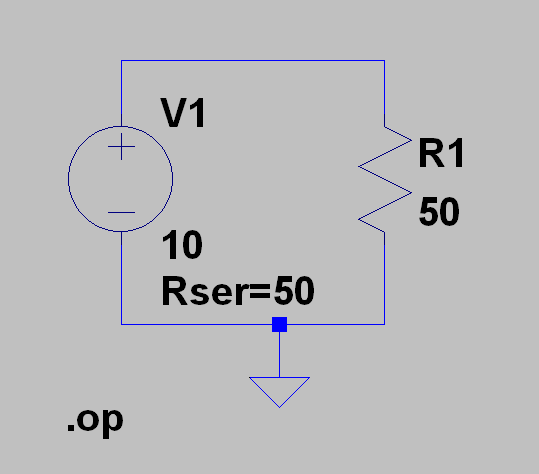
schem2In the first installment, I left you with a cliffhanger. Namely the question of maximum power transfer using this simple circuit. If you run the .op simulation you’ll get this result:

--- Operating Point ---
V(n001): 5 voltage
I(R1): 0.1 device_current
I(V1): -0.1 device_current

The power in R1 (voltage times current) is .5 W or 500 mW if you prefer. You probably know that the maximum power in a load occurs when the load resistor is the same as the source resistance. The Rser parameter sets the voltage source’s internal resistance. You could also have created a new resistor in series with V1 and set it explicitly.

Continue reading “Spice Power”

PCB Laminator Is Its Own Project

One of the easiest ways to make PC boards at home is to use the toner transfer method. The idea is simple: print the artwork using a laser printer and then use a clothes iron to transfer the toner from the paper to a clean copper clad board. The toner is essentially plastic, so it will melt and stick to the board, and it will also resist etchant.

There are several things you can do to make things easier. The first is the choice of paper. However, the other highly variable part of the process is the clothes iron. You have to arrange for the right amount of heat and pressure. If you don’t do a lot of boards, you’ll probably have to make several passes at getting this right, scrubbing the reject boards with acetone and scouring pads to clean them again.

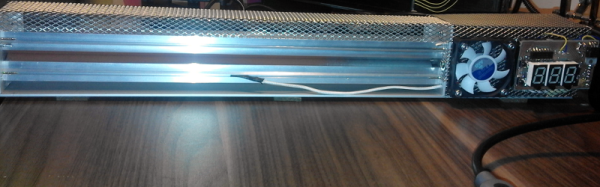
[Igor] had enough of the clothes iron and knew that other people have used lamination machines to get the toner off the paper and on the blank board. He started with a commercial laminator but hacked it for PID control of the temperature and made other improvements.

Continue reading “PCB Laminator Is Its Own Project”

$79 Smart Mirror Uses Raspberry Pi

[Nathan] wanted a smart mirror that cost less than the last one he built, which was about $500. He decided that you don’t see more smart mirrors because of the high cost. His latest build came in at only $79 (you’ll have to visit the blog’s home page to find the entire series).

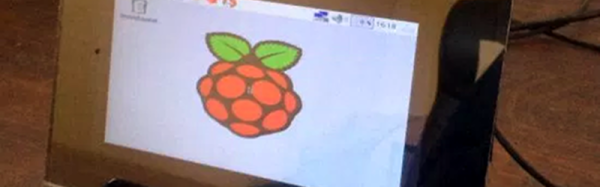
The most expensive piece of the build is a 7-inch monitor ($45). Any Raspberry Pi will work, although [Nathan] uses a Pi B+. Although he managed to score a free one-way mirror from a local glass shop, you can buy one for about $13.

This is the kind of project that isn’t a big technical challenge. After all, it is a one-way mirror with an LCD screen behind it. However, getting the screen blacked out and set to provide the best possible effect is the trick and [Nathan’s] techniques will give you a head start.

You can see the mirror in the video below. We’ve seen smart mirrors that sense your presence as well as wireless mirrors before.

Continue reading “$79 Smart Mirror Uses Raspberry Pi”

A Lucky Antenna

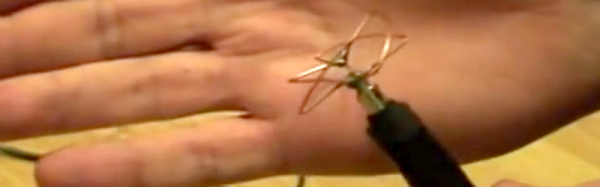
Antennas come in all shapes and sizes, and which one is best depends wholly on what you are doing with it. A very popular choice for sending video from drones is the cloverleaf antenna. It is circularly polarized which is an advantage when you have a moving vehicle. It also reduces multipath interference.

A cloverleaf contains three closed loops spaced at different angles. The antenna works well for transmitting but isn’t ideal for receiving. It is also difficult to tune after building it. However, for the right job, it is a good performer. [Vitalii Tereshchuk] shows how he made a cloverleaf antenna that fits a WiFi router.

Continue reading “A Lucky Antenna”

Adding Spice To Your Workbench

Most of us didn’t fight in World War II, drive a race car, or fly the Space Shuttle. But with simulation, you can experience at least some of what it would be like to do those things. Granted, playing Call of Duty isn’t really the same as going to war. No matter what you are simulating, it only goes so far. However, you can get a lot of value from a simulation. I’d bet the average kid who has played Call of Duty knows more about WWII locales and weapons than my high school history teacher.

When it comes to electronics, simulation is an excellent way to get insight into a circuit’s operation. After all, most circuits operate in the abstract–you can’t look at an audio amplifier and see how it works without a tool like a scope. So simulation, when done well, can be very satisfying. You just have to be careful to remember that it isn’t always as good as the real thing.

That’s Spicy

One of the best-known electronics simulators is Spice, which Berkeley created in 1973. In its original form, you had to punch cards that described your circuit and the analysis you wanted to perform. Modern PC versions sometimes replace the deck of cards with a text file. The best modern versions, though, give you a GUI that allows you to draw a schematic and then probe it to see the results.

There are several paid and free versions of Spice (and other simulators) that include a GUI. One of the best for a casual user is the free offering from Linear Technology called LTSpice.

Linear makes LTSpice available and populates it with models for their devices in the hopes you’ll buy components from them. However, the software is entirely usable for anything, and it has a powerful set of features. Linear produces the software for Windows, but I can attest that it runs just fine under Wine on Linux. The Web site will invite you to register, but you don’t have to if you don’t want to.

Continue reading “Adding Spice To Your Workbench”

Variable Stiffness Joints For Robots And More

The human body has many miraculous capabilities that we often take for granted. One of the more subtle ones is the variable stiffness of your joints. In technical terms, stiffness refers to the ability to resist a load. Delicately manipulating an artist’s paint brush, for example, doesn’t require much load resistance, but does require fine control. However, that same artist might pick up a bowling ball with a stiffer joint (and, usually, less fine control).

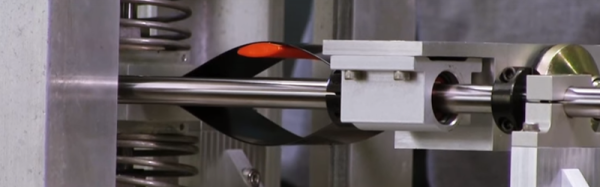
[Christopher Churchill] and some colleagues have a novel mechanical device that can rapidly change stiffness. The device could have applications in robotics and other devices. It can also transmit or attenuate vibration since non-stiff joints don’t pass vibrations as easily as stiff ones.

Continue reading “Variable Stiffness Joints For Robots And More”