A Keyboard For Anything, Without A Keyboard

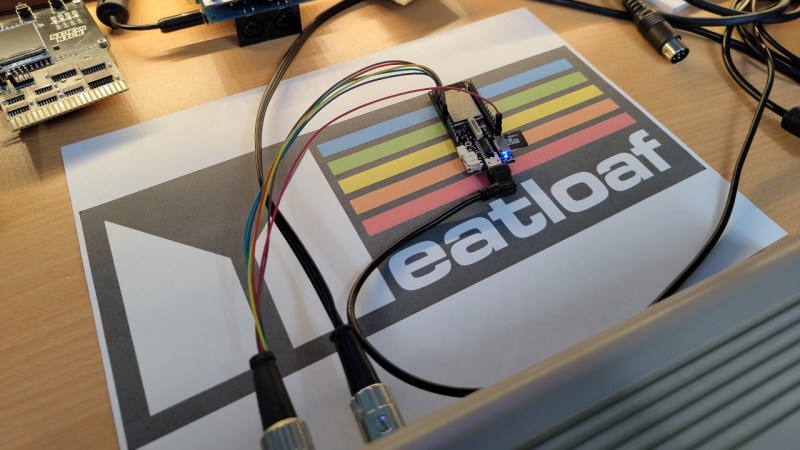
There are many solutions for remote control keyboards, be they Bluetooth, infrared, or whatever else. Often they leave much to be desired, and come with distinctly underwhelming physical buttons. [konkop] has a solution to these woes we’ve not seen before, turning an ESP32-S3 into a USB HID keyboard with a web interface for typing and some physical keyboard macro buttons. Instead of typing on the thing, you connect to it via WiFi using your phone, tablet, or computer, and type into a web browser. Your typing is then relayed to the USB HID interface.

The full hardware and software for the design is in the GitHub repository. The macro buttons use Cherry MX keys, and are mapped by default to the common control sequences that most of us would find useful. The software uses Visual Studio Code, and PlatformIO.

We like this project, because it solves something we’ve all encountered at one time or another, and it does so in a novel way. Yes, typing on a smartphone screen can be just as annoying as doing so with a fiddly rubber keyboard, but at least many of us already have our smartphones to hand. Previous plug-in keyboard dongles haven’t reached this ease of use.

I, Integrated Circuit

In 1958, the American free-market economist Leonard E Read published his famous essay I, Pencil, in which he made his point about the interconnected nature of free market economics by following everything, and we mean Everything, that went into the manufacture of the humble writing instrument.

I thought about the essay last week when I wrote a piece about a new Chinese microcontroller with an integrated driver for small motors, because a commenter asked me why I was featuring a non-American part. As a Brit I remarked that it would look a bit silly were I were to only feature parts made in dear old Blighty — yes, we do still make some semiconductors! — and it made more sense to feature cool parts wherever I found them. But it left me musing about the nature of semiconductors, and whether it’s possible for any of them to truly only come from one country. So here follows a much more functional I, Chip than Read’s original, trying to work out just where your integrated circuit really comes from. It almost certainly takes great liberties with the details of the processes involved, but the countries of manufacture and extraction are accurate. Continue reading “I, Integrated Circuit”

Comparing A Clone Raspberry Pi Pico 2 With An Original One

Although [Thomas] really likes the Raspberry Pi Pico 2 and the RP2350 MCU, he absolutely, totally, really doesn’t like the micro-USB connector on it. Hence he jumped on the opportunity to source a Pico 2 clone board with the same MCU but with a USB-C connector from AliExpress. After receiving the new board, he set about comparing the two to see whether the clone board was worth it after all. In the accompanying video you can get even more details on why you should avoid this particular clone board.

In the video the respective components of both boards are analyzed and compared to see how they stack up. The worst issues with the clone Pico 2 board are an improper USB trace impedance at 130 Ω with also a cut ground plane below it that won’t do signal integrity any favors.

There is also an issue with the buck converter routing for the RP2350 with an unconnected pin (VREG_FB) despite the recommended layout in the RP2350 datasheet. Power supply issues continue with the used LN3440 DC-DC converter which can source 800 mA instead of the 1A of the Pico 2 version and performed rather poorly during load tests, with one board dying at 800 mA load.

Continue reading “Comparing A Clone Raspberry Pi Pico 2 With An Original One”

Symbian On Nokia Lives Again, In 2026

Do you remember Nokia phones, with their Symbian OS? Dead and gone, you might think, but even they have dedicated enthusiasts here in 2026. Some of them have gone so far as to produce a new ROM for the daddy of Symbian phones, the Nokia N8, and [Janus Cycle] is giving it a spin.

For many people, the smartphone era began when the first Apple iPhones and Android devices reached the market, but the smartphone itself can be traced back almost two decades earlier to an IBM device. In the few years before the birth of today’s platforms many people even had smartphones without quite realizing what they had, because Nokia, the market leader in the 2000s, failed to make their Symbian platform user friendly in the way that Apple did. The N8 was their attempt to produce an iPhone competitor, but its lack of an on-device app store and that horrific Windows-based installation system meant it would be their last mass-market flagship before falling down the Microsoft Windows Phone rabbit hole.

In the video below the break he takes a pair of N8s and assembles one with that beautiful camera fully working, before installing the new ROM and giving it a spin. We get to see at last what the N8 could have been but wasn’t, as it gains the last Symbian release from Nokia, and the crucial missing app store. Even fifteen years later it’s a very slick device, enough to make us sorry that this ROM won’t be made for the earlier N-series sitting in a drawer where this is being written. We salute its developers for keeping the N8 alive.

Oddly, this isn’t the only Nokia from that era that’s received a little 2020s love.

Continue reading “Symbian On Nokia Lives Again, In 2026”

A VIC-20 Emulator In Your Browser

The Commodore VIC-20 was a solid microcomputer that paved the way for the legendary Commodore 64 to come. If you’re a fan of the machine and want to revisit its glory days, you could hunt one down on an auction site and hope that it’s in working order. Or you could just emulate the VIC-20 in your browser thanks to the work of [Lance Ewing].

The project is called JVic—because it’s a VIC-20 emulator written in Java. It’s primarily intended for playing old VIC-20 games, and is designed with mobile devices front of mind—so it works well on a phone screen. You can enjoy the built-in library of games, or you can even direct JVic to boot up a ROM from a ZIP file hosted on a given URL or attached to a forum post. You can also install it on your own device rather than running it online, if so desired. [Lance] provides a range of setup options for running it locally or putting it on your own web server if that’s how you like to do things. Files are on Github for those eager to dive in.

We get lots of VIC-20 hacks around these parts. Even if it’s not the most popular machine that Commodore ever built, it’s certainly up there in the rankings. If you want to learn Forth, or even build a VIC-20 from scratch, we’ve explored that before. If you’ve got your own retrocomputer hacks kicking around, don’t hesitate to let us know!

[Thanks to Stephen Walters for the tip!]

Optical Combs Help Radio Telescopes Work Together

Very-long baseline interferometry (VLBI) is a technique in radio astronomy whereby multiple radio telescopes cooperate to bundle their received data and in effect create a much larger singular radio telescope. For this to work it is however essential to have exact timing and other relevant information to accurately match the signals from each individual radio telescope. As VLBI is used for increasingly higher ranges and bandwidths this makes synchronizing the signals much harder, but an optical frequency comb technique may offer a solution here.

In the paper by [Minji Hyun] et al. it’s detailed how they built the system and used it with the Korean VLBI Network (VLB) Yonsei radio telescope in Seoul as a proof of concept. This still uses the same hydrogen maser atomic clock as timing source, but with the optical transmission of the pulses a higher accuracy can be achieved, limited only by the photodiode on the receiving end.

In the demonstration up to 50 GHz was possible, but commercial 100 GHz photodiodes are available. It’s also possible to send additional signals via the fiber on different wavelengths for further functionality, all with the ultimate goal of better timing and adjustment for e.g. atmospheric fluctuations that can affect radio observations.

Lego Typewriter Writes Plastic Letters

Some time ago, Lego released a beautiful (and somewhat pricey) typewriter set that was modeled after one used by company founder Ole Kirk Kristiansen. To the disappointment of some, it doesn’t actually work—you can’t really write a letter with it. [Koenkun Bricks] decided to rectify this with their own functional design.

Right away, we’ll state that this is not a traditional typewriter. There are no off-the-shelf Lego components with embossed letters on them, so it wasn’t possible to make Lego type bars that could leave an impression on paper with the use of an inked ribbon. Instead, [Koenkun Bricks] decided to build a design that was Lego all the way down, right to the letters themselves. The complicated keyboard-actuated mechanism picks out flat letter tiles and punches them on to a flat Lego plate, creating a plastic document instead of a paper one.

It’s not perfect in operation. It has some issues unique to its mode of operation. Namely, the round letter tiles sometimes rotate the wrong way as they’re feeding through the typewriter’s mechanisms, so you get sideways letters on your finished document. It looks kind of cool, though. Outside of that, sometimes the letter pusher doesn’t quite seat the letter tiles fully on the document plate.

Overall, though, it’s a highly functional and impressive build. We’ve seen some other great DIY typewriters before, too, like this 3D printed build. Video after the break.

Continue reading “Lego Typewriter Writes Plastic Letters”