Mini Linear Actuators From DVD Drive Parts

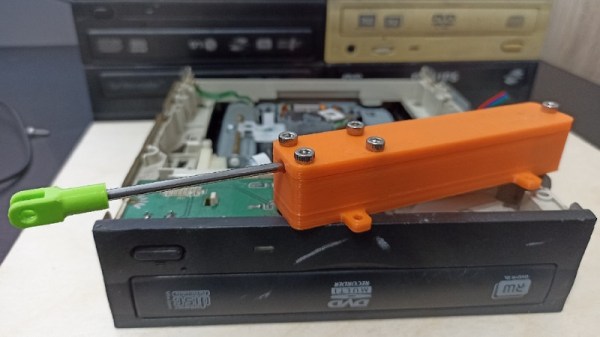
For many years now a source for some of the smallest and cheapest home made CNC mechanisms has been the seemingly never-ending supply of surplus CD and DVD-ROM drives. The linear actuator that moves the laser may not be the longest or the strongest, but it’s free, and we’ve seen plenty of little X-Y tables using CD drives. It’s these mechanisms that [Nemo404] has taken a little further, freeing the lead screw and motor from the drive chassis and placing them in a 3D-printed enclosure for a complete linear actuator that can be used in other projects. (Video, embedded below.)

There seems to be no positional feedback, not even the limit switch that would grace a typical CD drive, but aside from that it makes for a compact unit. There are two versions, one for a linear bearing and the other for the brass bushes found in CD drives. It’s unclear how strong the result is, but it appears to be strong enough to demonstrate lifting a small container of screws.

Should you need to make your own actuator then aside from the easy-to-obtain old CD drive the files can be found on Thingiverse. And introduce yourself to the world of CD drives for CNC machines by taking a look at this mill.

Thanks [BaldPower] for the tip!

Continue reading “Mini Linear Actuators From DVD Drive Parts”
XBox HD-DVD-ROM On Mac And PC


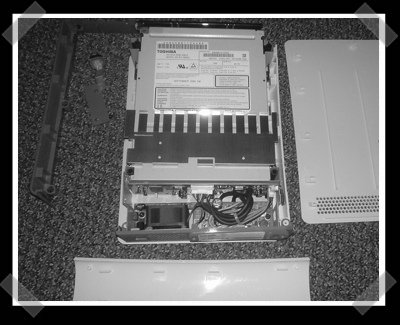
HD-DVD drives are getting closer, but aren’t terribly easy to come buy – yet. [Dan] over at uneasy silence let us know that he cracked open an XBox 360 HD DVD Drive and plugged it into a windows box and a mac. With a light application of some drivers, they got the drive working pretty easily – the snag? You’ll need a mini-ata adapter if you want to mount it internally. (And there’s apparently no HD-DVD software support for mac… yet.)

[you can just use it as a USB drive.]

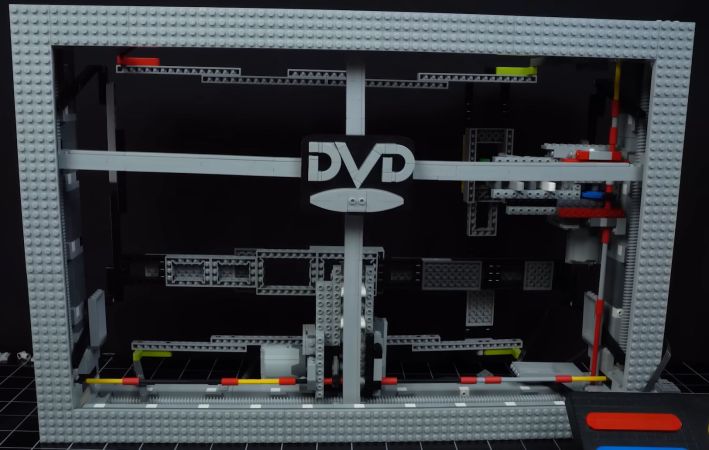
Just a simple Lego bouncy DVD logo screensaver mechanism. (Credit: Grant Davis, YouTube)

Building The DVD Logo Screensaver With LEGO

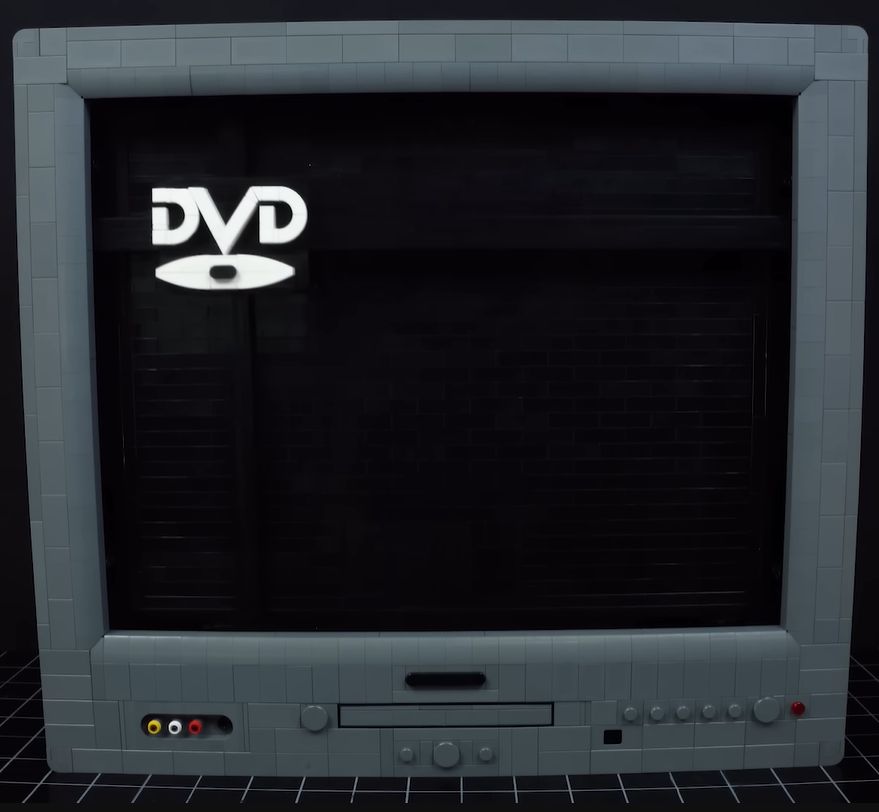
The completed Lego DVD screensaver. (Credit: Grant Davis, YouTube)

There’s something extremely calming and pleasing about watching a screensaver that merely bounces some kind of image around, with the DVD logo screensaver of a DVD player being a good example. The logical conclusion is thus that it would be great to replicate this screensaver in Lego, because it’d be fun and easy. That’s where [Grant Davis]’s life got flipped upside-down, as this turned out to be anything but an easy task in his chosen medium.

Things got off on a rocky start with figuring out how to make the logo bounce against the side of the ‘screen’, instead of having it merely approach before backing off. The right approach here seemed to be Lego treads as used on e.g. excavators, which give the motion that nice pause before ‘bouncing’ back in the other direction.

With that seemingly solved, most of the effort went into assembling a functional yet sturdy frame, all driven by a single Lego Technic electromotor. Along the way there were many cases of rapid self-disassembly, ultimately leading to a complete redesign using worm gears, thus requiring running the gears both ways with help from a gearbox.

Since the screensaver is supposed to run unattended, many end-stop and toggle mechanisms were tried and discarded before settling on the design that would be used for the full-sized build. Naturally, scaling up always goes smoothly, so everything got redesigned and beefed up once again, with more motors added and multiple gearbox design changes attempted after some unfortunate shredded gears.

Ultimately [Grant] got what he set out to do: the DVD logo bouncing around on a Lego ‘TV’ in a very realistic fashion, set to the noise of Lego Technic gears and motors whirring away in the background.

Thanks to [Carl Foxmarten] for the tip.

Continue reading “Building The DVD Logo Screensaver With LEGO”

Why Did Early CD-ROM Drives Rely On Awkward Plastic Caddies?

These days, very few of us use optical media on the regular. If we do, it’s generally with a slot-loading console or car stereo, or an old-school tray-loader in a desktop or laptop. This has been the dominant way of using consumer optical media for some time.

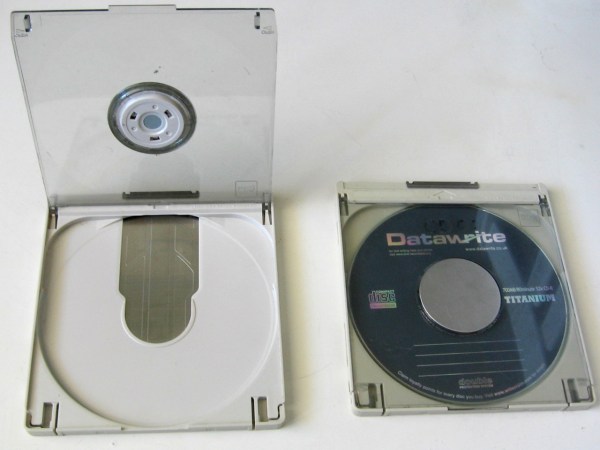
Step back to the early CD-ROM era, though, and things were a little kookier. Back in the late 1980s and early 1990s, drives hit the market that required the use of a bulky plastic caddy to load discs. The question is—why did we apparently need caddies then, and why don’t we use them any longer?

Caddyshack

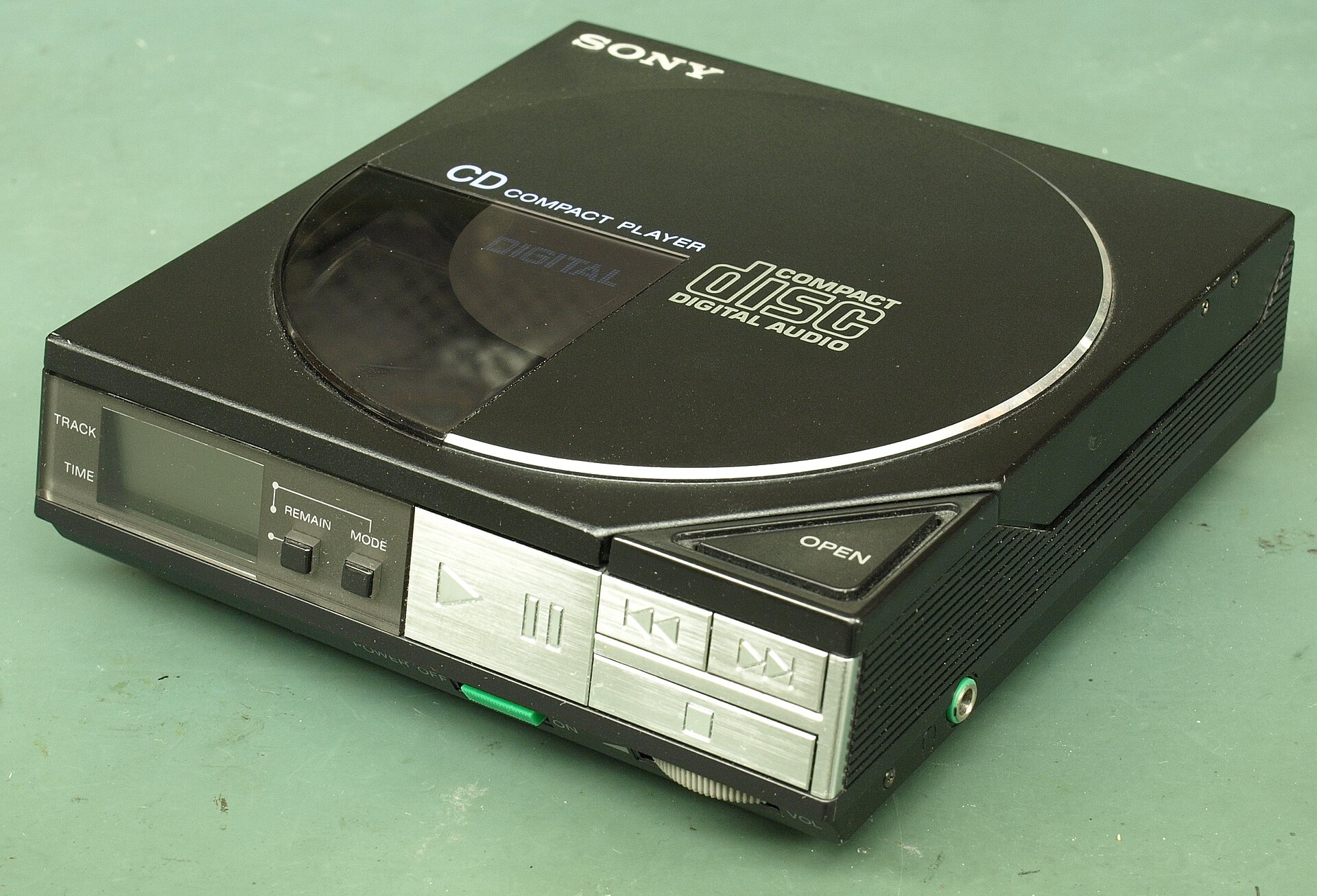
Early CD players, like this top-loading Sony D-50, didn’t use caddies. Credit: Binarysequence, CC BY-SA 4.0

The Compact Disc, as developed by Phillips and Sony, was first released in 1982. It quickly became a popular format for music, offering far higher fidelity than existing analog formats like vinyl and cassettes. The CD-ROM followed in 1985, offering hundreds of megabytes of storage in an era when most hard drives barely broke 30 MB. The discs used lasers to read patterns of pits and lands from a reflective aluminum surface, encased in tough polycarbonate plastic. Crucially, the discs featured robust error correction techniques so that small scratches, dust, or blemishes wouldn’t stop a disc from working.

Notably, the first audio CD player—the Sony CDP-101—was a simple tray-loading machine. Phillips’ first effort, the CD100, was a top-loader. Neither used a caddy. Nor did the first CD-ROM drives—the Phillips CM100 was not dissimilar from the CD100, and tray loaders were readily available too, like the Amdek Laserdrive-1. Continue reading “Why Did Early CD-ROM Drives Rely On Awkward Plastic Caddies?”

The Great Redbox Cleanup: One Company Is Hauling Away America’s Last DVD Kiosks

Remember Redbox? Those bright red DVD vending machines that dotted every strip mall and supermarket in America, offering cheap rentals when Netflix was still stuffing discs into paper envelopes? After streaming finally delivered the killing blow to physical rentals, Redbox threw in the towel in June 2024, leaving around 34,000 kiosks standing as silent monuments to yet another dead media format.

Last month, we reported that these machines were still out there, barely functional and clinging to life. Now, a company called The Junkluggers has been tasked with the massive undertaking of clearing these mechanical movie dispensers from the American retail landscape, and they’re doing it in a surprisingly thoughtful way. I chatted to them to find out how it’s going.

Continue reading “The Great Redbox Cleanup: One Company Is Hauling Away America’s Last DVD Kiosks”

The Long, Slow Demise Of DVD-RAM

While CDs were still fighting for market share against cassettes, and gaming consoles were just starting to switch over to CD from cartridge storage, optical media companies were already thinking ahead. Only two years after the introduction of the original PlayStation, the DVD Forum had introduced the DVD-RAM standard: 2.58 GB per side of a disc in a protective caddy. The killer feature? Essentially unlimited re-writeability. In a DVD drive that supports DVD-RAM, they act more like removable hard drive platters. You can even see hard sectors etched into the media at the time of manufacture, giving DVD-RAM its very recognizable pattern.

At the time, floppy drives were still popular, and CD-ROM drives were increasingly available pre-installed in new computers. Having what amounted to a hard drive platter with a total of 5 GB per disc should have been a killer feature for consumers. Magneto-optical drives were still very expensive, and by 1998 were only 1.3 GB in size. DVD-RAM had the same verify-after-write data integrity feature that magneto-optical drives were known for, but with larger capacity, and after the introduction of 4.7 GB size discs, no caddy was required.

Continue reading “The Long, Slow Demise Of DVD-RAM”

How The CD-ROM Lost The Multimedia Dream To The Internet

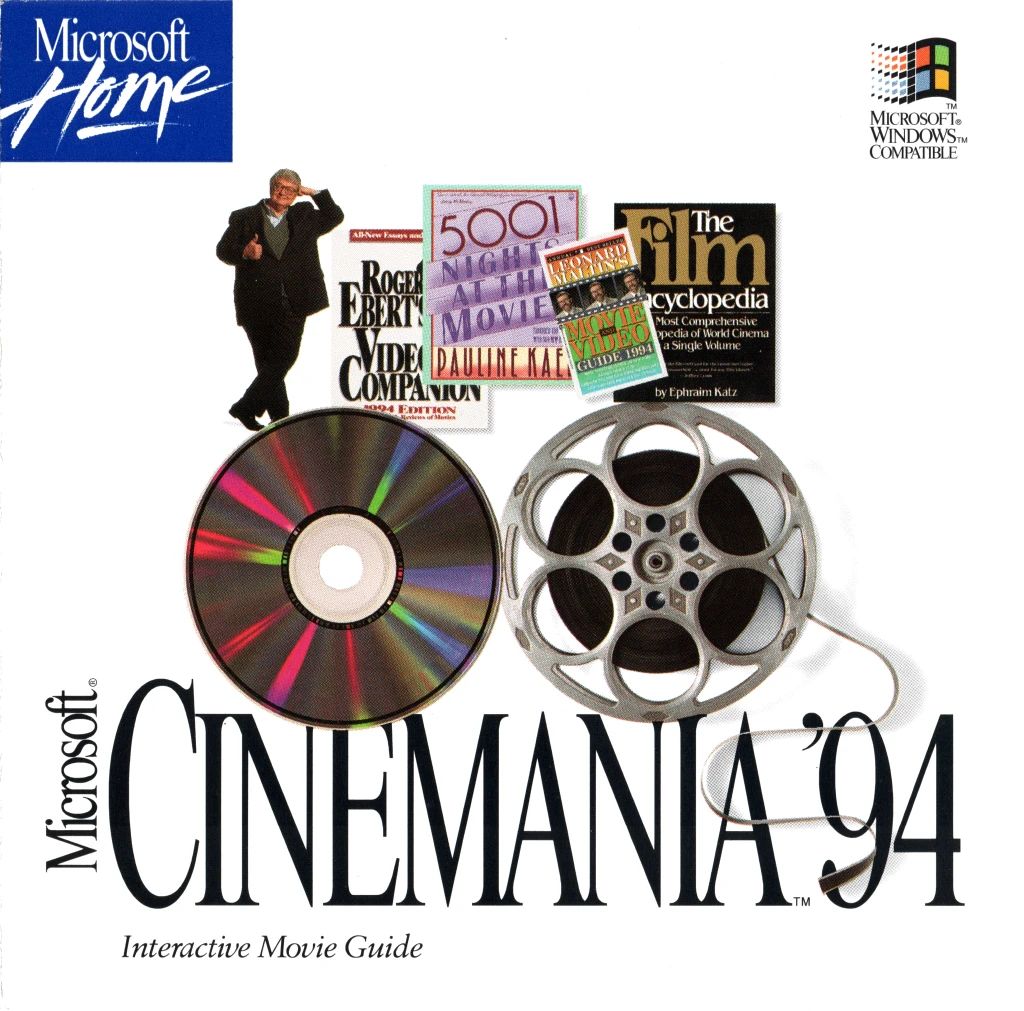
High-tech movie guides on CD-ROM; clearly the future had arrived in 1994.

In the innocent days of the early 90s the future of personal computing still seemed to be wide open, with pundits making various statements regarding tis potential trajectories. To many, the internet and especially the World Wide Web didn’t seem to be of any major significance, as it didn’t have the reach or bandwidth for the Hot New Thingtm in the world of PCs: multimedia. Enter the CD-ROM, which since its introduction in 1985 had brought the tantalizing feature of seemingly near-infinite storage within reach, and became cheap enough for many in the early 90s. In a recent article by [Harry McCracken] he reflects on this era, and how before long it became clear that it was merely a bubble.

Of course, there was a lot of good in CD-ROMs, especially when considering having access to something like Encarta before Wikipedia and broadband internet was a thing. It also enabled software titles to be distributed without the restrictions of floppy disks. We fondly remember installing Windows 95 (without Internet Explorer) off 13 1.44 MB floppies, followed by a few buckets of Microsoft Office floppies. All pray to the computer gods for no sudden unreadable floppy.

Inevitably, there was a lot of shovelware on CD-ROMs, and after the usefulness of getting free AOL floppies (which you could rewrite), the read-only CD-ROMs you got in every magazine and spam mailing were a big disappointment. Although CD-ROMs and DVDs still serve a purpose today, it’s clear that along with the collapse of the Internet Bubble of the late 90s, early 2000s, optical media has found a much happier place. It’s still hard to beat the sheer value of using CD-R(W)s and DVD-/+R(W)s (and BD-Rs) for offline backups, even if for games and multimedia they do not appear to be relevant any more.

If you’re interested in another depiction of this period, it’s somewhere we’ve been before.