Your Own Engineering Workstation, With Mame

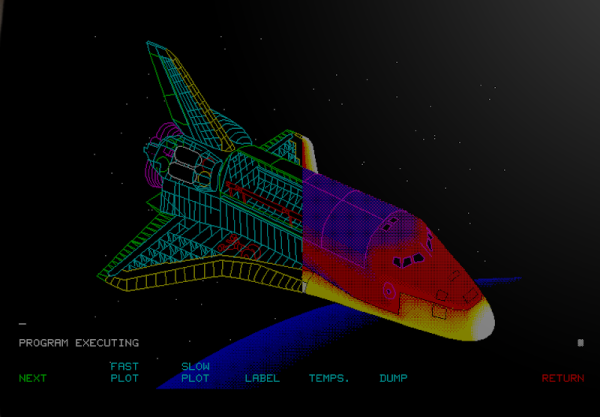
There are some things that leave indelible impressions in your memory. One of those things, for me, was a technical presentation in 1980 I attended — by calling in a lot of favors — a presentation by HP at what is now the Stennis Space Center. I was a student and it took a few phone calls to wrangle an invite but I wound up in a state-of-the-art conference room with a bunch of NASA engineers watching HP tell us about all their latest and greatest. Not that I could afford any of it, mind you. What really caught my imagination that day was the HP9845C, a color graphics computer with a roughly $40,000 price tag. That was twice the average US salary for 1980. Now, of course, you have a much better computer — or, rather, you probably have several much better computers including your phone. But if you want to relive those days, you can actually recreate the HP9845C’s 1980-vintage graphics glory using, of all things, a game emulator.

The Machine
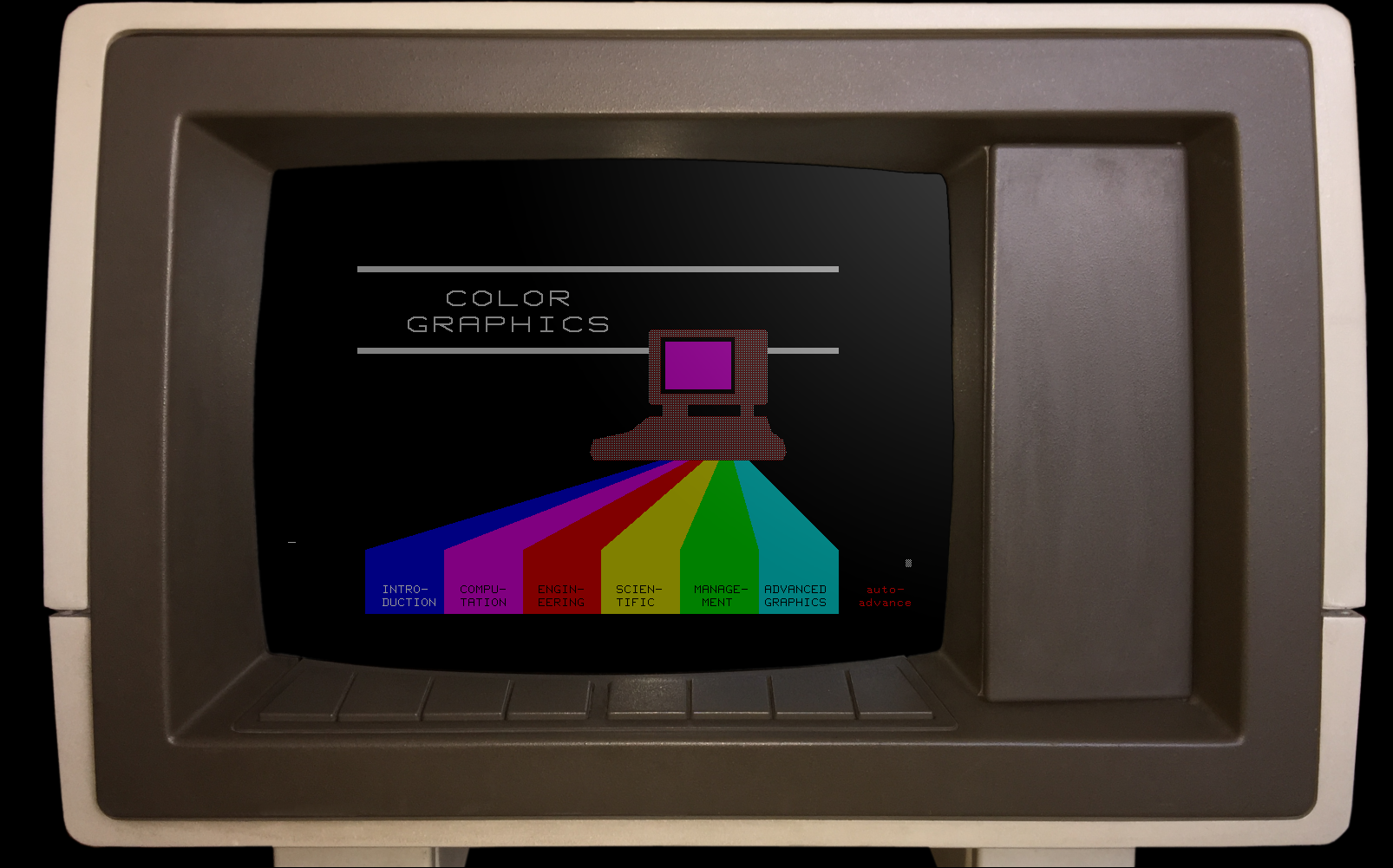
The HP9845C with a Colorful Soft Key Display

Keep in mind that the IBM PC was nearly two years away at this point and, even then, wouldn’t hold a candle to the HP9845C. Like many machines of its era, it ran BASIC natively — in fact, it used special microcode to run BASIC programs relatively quickly on its 16-bit 5.7 MHz CPU. The 560 x 455 pixel graphics system had its own CPU and you could max it out with a decadent 1.5 MB of RAM. (But not, alas, for $40,000 which got you — I think –128K or so.)

The widespread use of the computer mouse was still in the future, so the HP had that wonderful light pen. Mass storage was also no problem — there was a 217 kB tape drive and while earlier models had a second drive and a thermal printer optional, these were included in the color “C” model. Like HP calculators, you could slot in different ROMs for different purposes. There were other options such as a digitizer and even floppy discs.

Continue reading “Your Own Engineering Workstation, With Mame”
About As Cold As It Gets: The Webb Telescope’s Cryocooler

If you were asked to name the coldest spot in the solar system, chances are pretty good you’d think it would be somewhere as far as possible from the ultimate source of all the system’s energy — the Sun. It stands to reason that the further away you get from something hot, the more the heat spreads out. And so Pluto, planet or not, might be a good guess for the record low temperature.

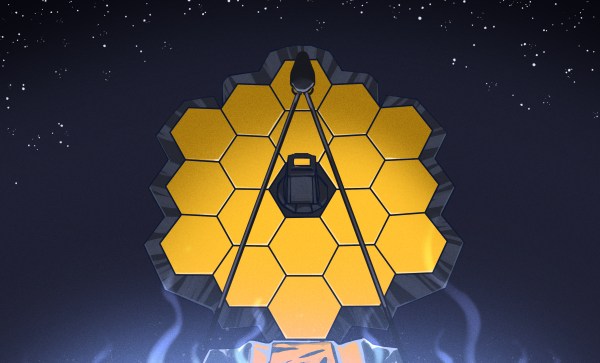
But, for as cold as Pluto gets — down to 40 Kelvin — there’s a place that much, much colder than that, and paradoxically, much closer to home. In fact, it’s only about a million miles away, and right now, sitting at a mere 6 Kelvin, the chunk of silicon at the focal plane of one of the main instruments aboard the James Webb Space telescope makes the surface of Pluto look downright balmy.

The depth of cold on Webb is all the more amazing given that mere meters away, the temperature is a sizzling 324 K (123 F, 51 C). The hows and whys of Webb’s cooling systems are chock full of interesting engineering tidbits and worth an in-depth look as the world’s newest space telescope gears up for observations.

Continue reading “About As Cold As It Gets: The Webb Telescope’s Cryocooler”

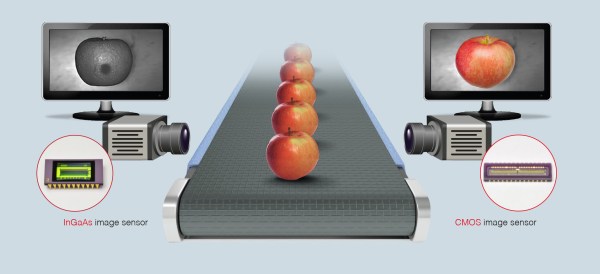
As apples travel down the conveyor belt, they are scanned using InGaAs and CMOS cameras. The InGaAs camera will show defects beginning to form under the skin that a human eye cannot see; the CMOS camera will show visible defects. (Credit: Hamamatsu)

Shining A Different Light On Reality With Short-Wave Infrared Radiation

As great as cameras that operate in the visual light spectrum are, they omit a lot of the information that can be gleaned from other wavelengths. There is also the minor issue that visibility is often impacted, such as when it’s raining, or foggy. When this happens, applications such as self-driving cars which rely on this, have a major issue. Through the use of sensors that are sensitive to other wavelengths, we can however avoid many of these issues.

Short-wave infrared radiation (SWIR) is roughly the part of the electromagnetic spectrum between 1.4 μm – 3 μm, or 100 THz – 214 THz. This places it between visible light and microwaves, and above long-wave IR at 20 THz – 37 THz. LWIR is what thermal cameras use, with LWIR also emitted by warm objects, such as the human body.

SWIR is largely unaffected by water in the atmosphere, while also passing through materials that are opaque to visible light. This allowing SWIR to be used for the analysis and inspection of everything from PCBs and fruit to works of art to capture details that are otherwise invisible or very hard to see.

Unfortunately, much like thermal camera sensors, SWIR sensors are rather expensive. Or they were, until quite recently, with the emergence of quantum-dot-based sensors that significantly decrease the costs of these sensors.

Continue reading “Shining A Different Light On Reality With Short-Wave Infrared Radiation”

Acoustic Switching Transistors: A New Kind Of Electronics?

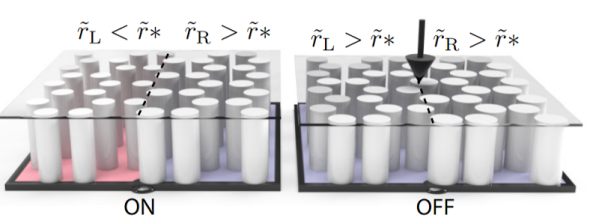
Have you ever heard of topological insulators? These are exotic materials where electricity flows only on the surface with very little loss. Now, according to IEEE Spectrum, scientists at Harvard have used the same concept to create a transistor for sound waves and it may be a new branch of electronics. The actual paper is available if you want some light reading.

Apparently, topological insulators protect electrons moving along their surfaces and edges, something that won the 2016 Nobel Prize in Physics. Photons can also be protected topologically so they move with very little loss across the materials. Making electrons flow in this manner is an attractive proposition, but there are challenges, especially when creating a device that can switch the flow of electrons on and off as you might with a transistor in and out of saturation. Sound waves, however, are much easier to work with.

Continue reading “Acoustic Switching Transistors: A New Kind Of Electronics?”

Pulling the Google logo off of a smartphone

Pining For A De-Googled Smartphone

Last summer in the first swings of the global pandemic, sitting at home finally able to tackle some of my electronics projects now that I wasn’t wasting three hours a day commuting to a cubicle farm, I found myself ordering a new smartphone. Not the latest Samsung or Apple offering with their boring, predictable UIs, though. This was the Linux-only PinePhone, which lacks the standard Android interface plastered over an otherwise deeply hidden Linux kernel.

As a bit of a digital privacy nut, the lack of Google software on this phone seemed intriguing as well, and although there were plenty of warnings that this was a phone still in its development stages it seemed like I might be able to overcome any obstacles and actually use the device for daily use. What followed, though, was a challenging year of poking, prodding, and tinkering before it got to the point where it can finally replace an average Android smartphone and its Google-based spyware with something that suits my privacy-centered requirements, even if I do admittedly have to sacrifice some functionality.

Continue reading “Pining For A De-Googled Smartphone”

Still Working After All These Years: The Voyager Plasma Wave Subsystem

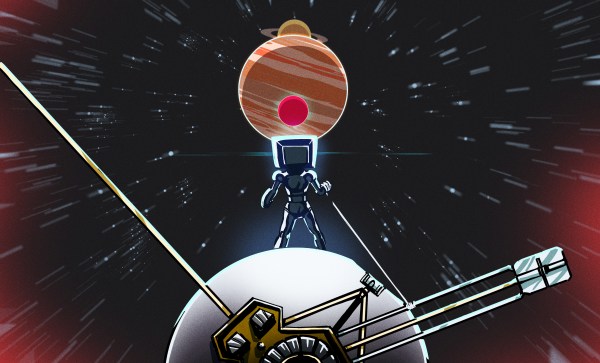
NASA is always keen to highlight the space agency’s many successes, and rightly so — those who pay for these expensive projects have a right to know what they’re getting for their money. And so the news was recently sprinkled with stories of the discovery of electron bursts beyond the edge of our solar system, caused by shock waves from coronal mass ejection (CME) from our Sun reflecting and accelerating electrons in interstellar plasmas. It’s a novel mechanism and an exciting discovery that changes a lot of assumptions about what happens out in the lonely space outside of the Sun’s influence.

The recent discovery is impressive in its own right, but it’s even more stunning when you dig into the details of how it was made: by the 43-year-old Voyager spacecraft, each now about 17 light-hours away from Earth, and each carrying an instrument so simple and efficient that they’re still working all after this time — and which very nearly were left out of the mission’s science payload.

Continue reading “Still Working After All These Years: The Voyager Plasma Wave Subsystem”

PinePhone Gets 3D Printed Mechanical Keyboard

Do you remember when smartphones had real physical keyboards? Working the command line on some remote machine over SSH was a breeze, and you could even knock out a few lines of code if you were so inclined. But these days you’ve either got to lug around an external keyboard, or suffer through pecking out a few words per minute on a piece of glass. Doesn’t sound much like progress to us.

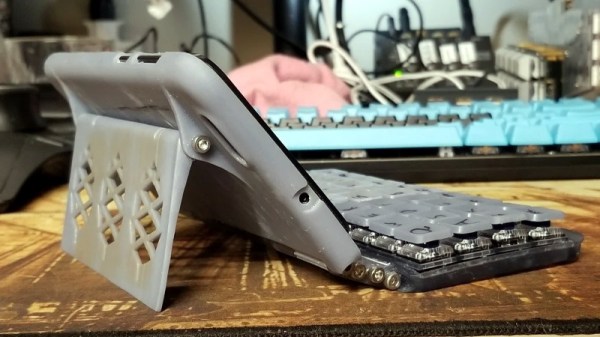
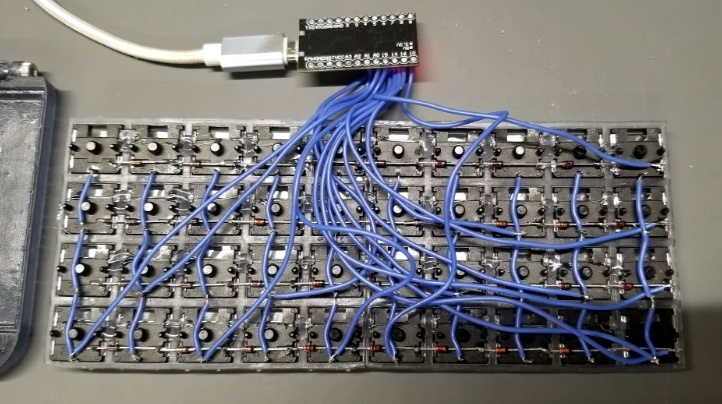
By the looks of it, [James Williams] doesn’t think so either. He’s designed a physical keyboard add-on that snaps onto the back of the PinePhone to deliver a proper, albeit condensed, typing experience. This is no repurposed BlackBerry board either; he’s created a custom mechanical keyboard that manages to fold into an incredibly small size thanks to resin printed keycaps and Kailh low profile switches. Other than the hand-drawn legends, it’s probably not a stretch to say this is a better keyboard than what many people have on their actual computers.

In addition to the 3D printed frame and Kailh switches, there’s also an Arduino Pro Micro onboard to communicate with the phone. Rather than use USB, the keyboard is wired to the I2C accessory port on the rear of the PinePhone. It sounds like [James] needs a little more time to polish his QMK build before its ready to release, so you might want to wait a bit before you start printing off your own copy of the parts.

Those following along with the development of the PinePhone know there’s supposedly an official keyboard accessory in the works, but who wants to wait when we’re so close to mobile Linux nirvana? Besides, we doubt it will be nearly as pleasant to type on as the board [James] has put together.