Open Source Is Choice

If you haven’t been following along with the licensing kerfuffle surrounding the open-source Audacity audio editing software, take a sec to read Tom Nardi’s piece and get up to speed. The short version is that a for-profit company has bought the trademark and the software, has announced plans to introduce telemetry where there was none, made ominous changes to the privacy policy that preclude people under the age of consent from using the software, and requested that all previous developers acquiesce to a change in the open-source license under which it is published. All the while, the company, Muse, says that it will keep the software open, and has walked back and forth on the telemetry issue.

What will happen to “Audacity”? Who knows. But also, who cares? At least one fork of the codebase has been made, with the telemetry removed and the old open licenses in place. The nicest thing about open source is that I don’t care one bit if my software is named Audacity or Tenacity, and this is software I use every week for production of our podcast. But because I haven’t paid any license fees, it costs me absolutely nothing to download the same software, minus some anti-features, under a different name. If the development community moves over to Tenacity, it’ll all be fine.

Tom thinks that the Audacity brand is too big to fail, and that Muse will have a hit on their hands. Especially if they start implementing new, must-have features, they could justify whatever plans they have in store, even if they’re only available as a “freemium” Audacity Pro, with telemetry, under a more restrictive license. When that does happen, I’ll have to make the choice between those features and the costs, but I won’t be left out in the cold as long as the Tenacity fork gets enough eyes on it. So that’s just more choice for the end-user, right? That’s cool.

Compare this with closed source software. There, when the owner makes an unpopular decision, you simply have to take it or make the leap to an entirely different software package. This can be costly if you’ve gotten good at using that software, and between licenses and learning, there’s a lot of disincentive to switching. Not so in this case. If I don’t want to be tracked while editing audio offline, I don’t have to be. Woot.

The elephant in the room is of course the development and debugging community, and it’s way too early to be making predictions there. However, the same rules apply for devs and users: switching between two virtually identical codebases is as easy as git remote add origin or apt get install tenacity. (Unpaid) developers are free to choose among forks because they like the terms and conditions, because one group of people is more pleasant to work with, or because they like the color of one logo more than the other. Users are just as free to choose.

Time will tell if Audacity ends up like the zombie OpenOffice, which is downloaded in spite of the much superior LibreOffice just because of the former’s name recognition. I know this split riles some people up, especially in the LibreOffice development community, and it does seem unfair that the better software somehow enjoys less reputation. But for those of us in the know, it’s just more choice. And that’s good, right?
Soviet Scientific Calculator Gives Up Its Cold War-Era Secrets

Say what you want about Soviet technology, but you’ve got to admit there was a certain style to Cold War-era electronics. Things were perhaps not as streamlined and sleek as their Western equivalents, but then again, just look at the Nixie tube craze to see where collectors and enthusiasts stand on that comparison.

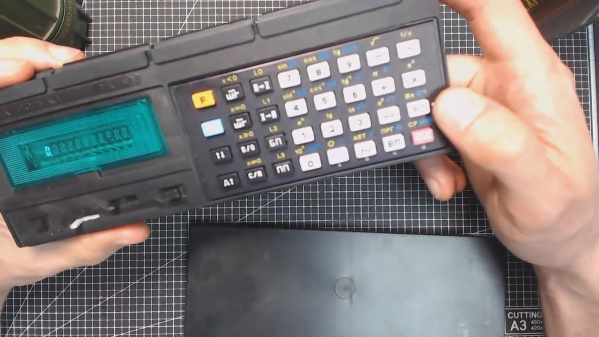
One particularly interesting artifact from the later part of that era was the lovely Elektronika MK-52 “microcalculator”. [Paul Hoets] has done a careful but thorough teardown of a fine example of this late-80s machine. The programmable calculator was obviously geared toward scientific and engineering users, but [Paul] relates how later versions of it were also used by the financial community to root out banking fraud and even had built-in cryptographic functions, which made encrypting text easy.

[Paul] has put together a video of the teardown, detailing the mostly through-hole construction and the interesting use of a daughter-board, which appears to hold the high-voltage section needed to drive the 11-character VFD tube. The calculator appears to be very well cared for, and once reassembled looks like it would be up for another ride on a Soyuz, where once it served as a backup for landing calculations.

We love the look of this machine and appreciate [Paul]’s teardown and analysis. But you say that the Cyrillic keyboard has you stumped and you need a bilingual version of the MK-52? That’s not a problem.

Finding Fractals In The 1930’s

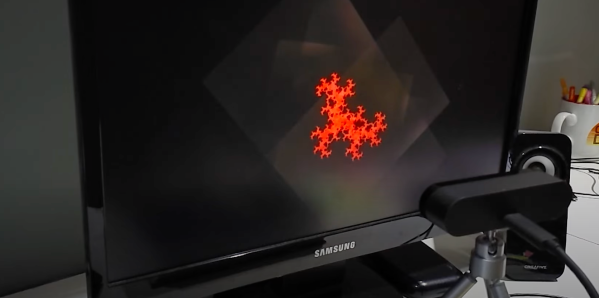
The mesmerizing properties of fractals are surprising as their visual complexity often arises from simple equations. [CodeParade] set out to show how simple a fractal is by creating them using technology from the 1930s. The basic idea is based on projectors and cameras, which were both readily available and widely used in television (CRT projectors were in theaters by 1938, though they weren’t in color until the 1950s).

By projecting two overlapping images on the wall, pointing a camera at the resulting image, and then feeding it back into the projectors, you get some beautiful fractals. [CodeParade] doesn’t have a projector, much less two. So he did what any hacker might do and came up with a clever workaround. He made a simple app that “projects” onto his monitor and all he has to do is point an external webcam at the screen. The resulting analog fractals are quite beautiful and tactile. Rather than tweaking a variable and recompiling, you simply just add a finger or move the camera to introduce new noise that quickly becomes signal.

Better yet, there’s a web version that you can play around with right now. For more fractals implemented in hardware rather than software, there’s this FPGA with a VHDL Mandelbrot set we covered.

Continue reading “Finding Fractals In The 1930’s”

Fixing Joy-Con Drift With Recycle Bin Parts

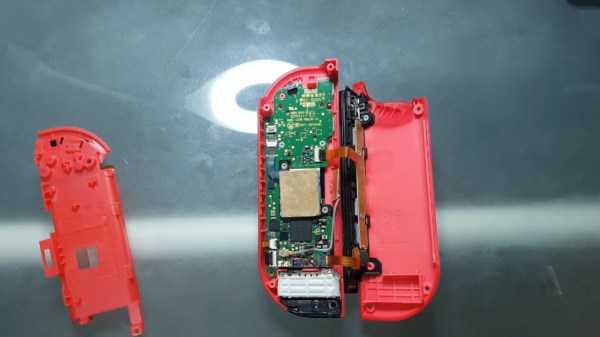
Have you seen this yet? YouTuber [VK’s Channel] claims to have a permanent fix for Joy-Con drift — the tendency for Nintendo Switch controllers to behave as though they’re being moved around when they’re not even being touched. Like everyone else, [VK’s Channel] tried all the usual suspects: compressed air, isopropyl alcohol, contact cleaner, and even WD-40. But these are only temporary fixes, and the drift always comes back. None of the other fixes so far are permanent, either, like shimming the flat cable that connects the stick to the mobo, adding graphite to the worn pads inside, or trying to fix a possible bad antenna connection.

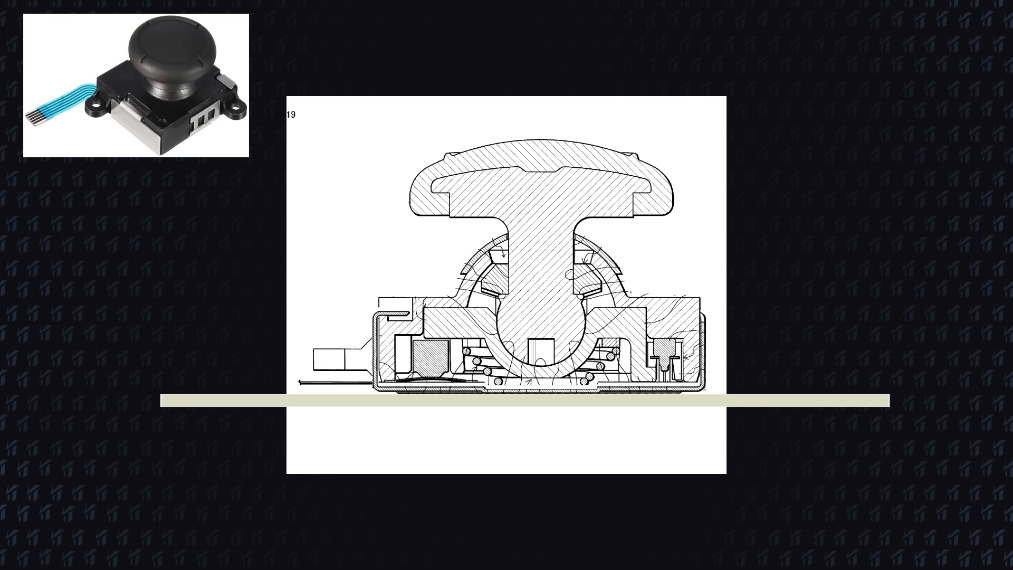
While calibrating a drifting Joy-Con, [VK’s Channel] noticed that applying pressure near the Y and B buttons corrected the issue immediately, so they got the idea to add a 1mm thick piece of card stock inside. [VK’s Channel] believes the issue is that there is no fastener connecting the plastic part of the joystick to the metal part on the bottom. Over time, using the joystick causes the bottom to sag, which makes the metal contacts inside lose their grip on the graphite pads. It’s been two months now and there is absolutely no drift in either of the Joy-Cons that [VK’s Channel] has shored up this way.

Nintendo is now fixing Joy-Cons for free. The problem is that they are replacing irreparable ones outright, so you have to agree that you will settle for a plain old gray, red, or blue instead of your special edition Zelda controllers or whatever you send them. Hopefully, this really is a permanent fix, and that Nintendo gives [VK’s Channel] a job.

You could forego the joysticks altogether and swap them out for touchpads. Suffering from XBOX drift instead? We have just the thing.

Continue reading “Fixing Joy-Con Drift With Recycle Bin Parts”

Interpreters In Scala

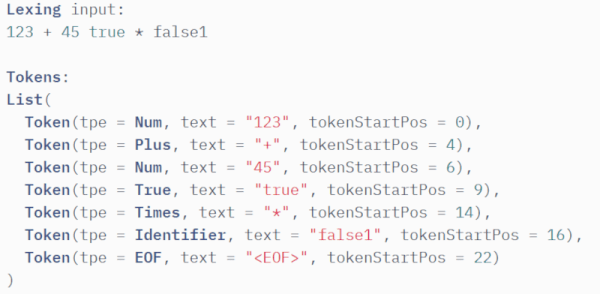
You might think of interpreters as only good for writing programs. Many people learned programming on some kind of interpreter — like BASIC — because you get immediate feedback and don’t have to deal with the complexities of a compiler. But interpreters can have other uses like parsing configuration files, for example. [Sakib] has a very complete tutorial about writing an interpreter in Scala, but even if you use another language, you might find the tutorial useful.

We were impressed because the tutorial uses formal parsing using a lexer and a parser. This is how you’d be taught to do it in a computer science class, but not how everyone does it.

Continue reading “Interpreters In Scala”

A Cheap Dipole Antenna From An Extension Cord

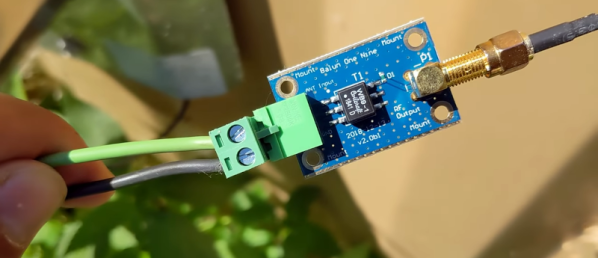
Dipoles are a classic builder’s antenna, after all they are usually little more than two pieces of wire and a feedline. But as [Rob] shows us in the video below, there are a few things to consider.

The first thing is where to get the wire. A damaged extension cord donated the wire. That’s actually an interesting idea because you get multiple wires the same length inside the extension cord.  Continue reading “A Cheap Dipole Antenna From An Extension Cord”

Final Weekend For Work-From-Home Challenge Of The Hackaday Prize

This is the final weekend to enter your work-from-home project in the 2021 Hackaday Prize. We know how much fun it is to be creative with home setups that keep let you work without disrupting your non-work life. Show off what you’ve done and you’ll be in the running for some big cash prizes.

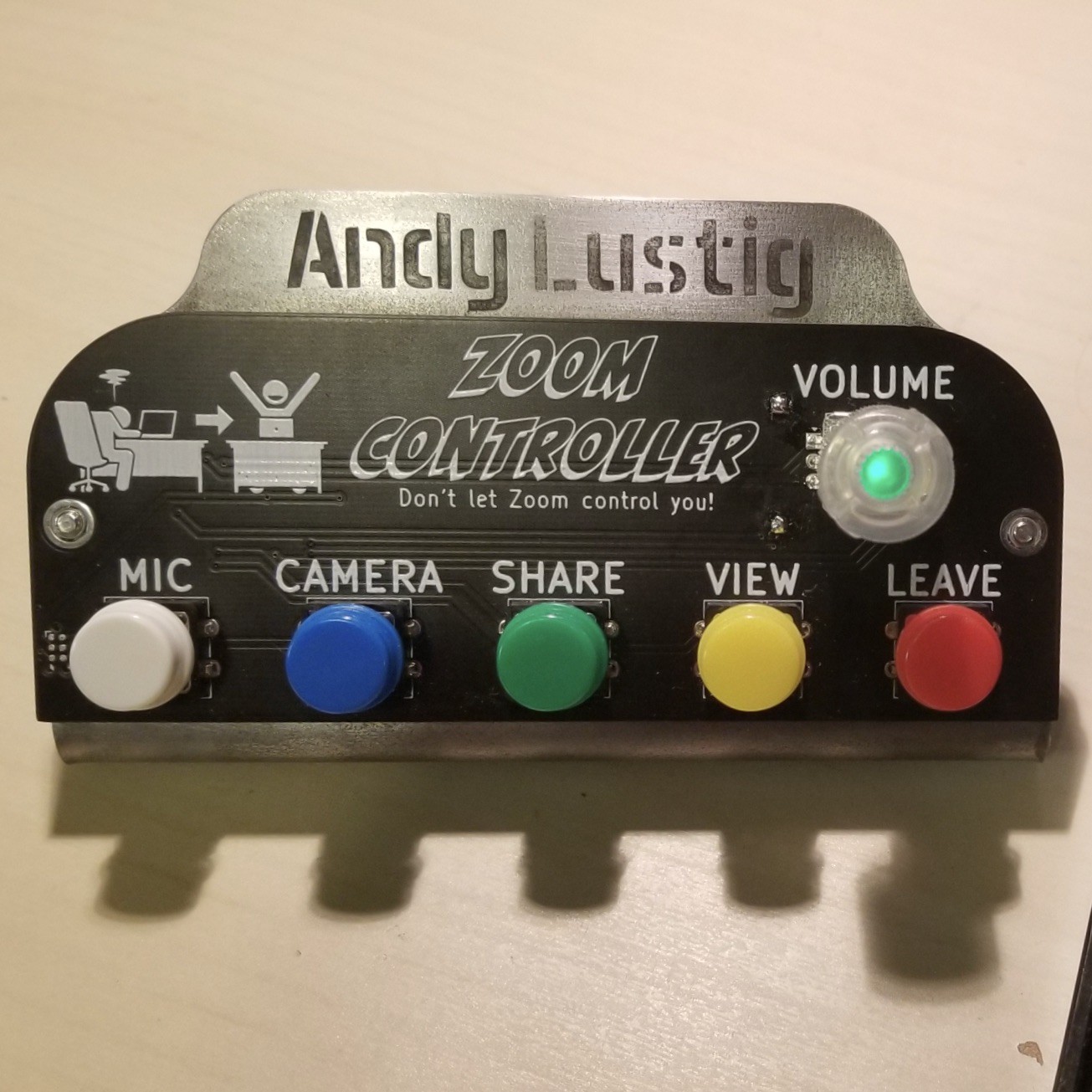
Among the lowest hanging fruit is improving your home’s window to the work world. Anything you can do to make your audio and video experience better on video calls is going to make you happier and make the virtual office feel more like a team. [Andy Lustig] built a dedicated video call control panel that can cut off mic and camera, share his screen, switch views, and leave the meeting. Having always-available physical controls for these is a huge power-up for your cubicle-away-from-the-office.

Long hours hunched over the computer are going to take a toll on your body. There are a number of projects entered in the contest that remind you to take breaks, but [ImageryEel] took at different approach. It’s a wearable posture pack that uses an IMU to measure the position of your spine. You’ll get push notifications when the posture pack notices your upper back is beginning to slump. Hopefully this makes it a self-correcting problem!

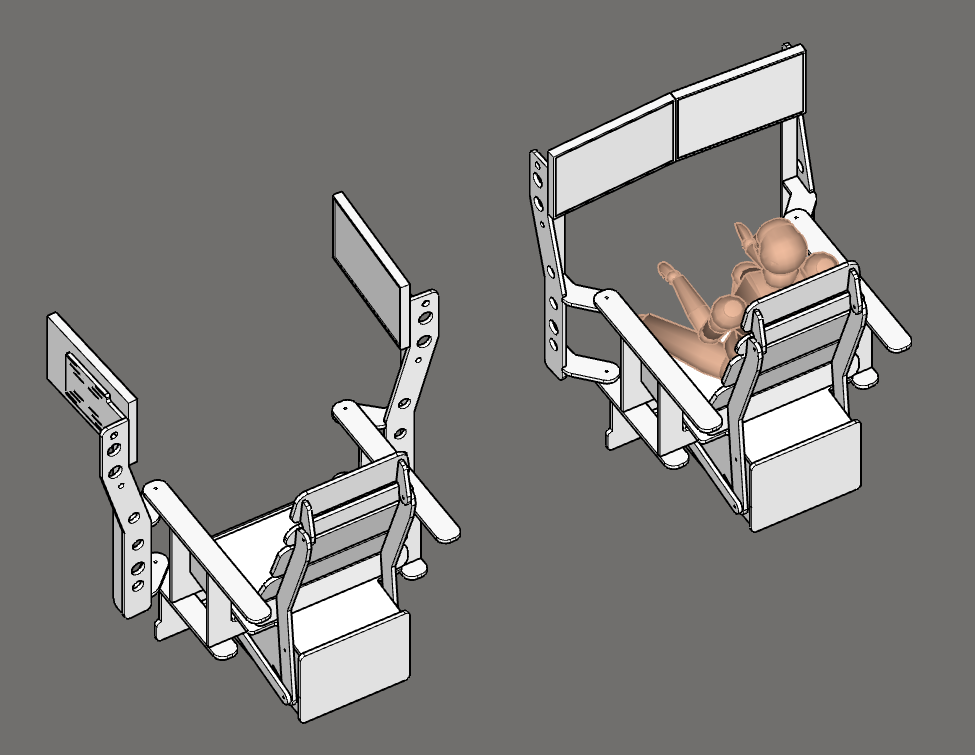
Having a cozy place to do you work is great for both your physical and emotional health. [Peter van der Walt] is taking the concept of a home “battlestation” to another level, with a reclining chair design that wraps dual monitors around you as you settle in for the work day.

It’s not too late. Make this weekend into your own mini hackathon and get those entries in by Monday morning. Ten finalists will each receive a $500 cash prize and be in the running for the final round beginning at the end of October. Ultimately, one entry will claim the $25,000 Hackaday Prize along with top prizes for four other finalists.

Begin your project on Hackaday.io today, and use the “Submit Project To” dropdown box in the left sidebar of your project page to enter it in the contest. Good luck!