Fail Of The Week: How I Killed The HiPot Tester

Have you ever wired up a piece of test equipment to a circuit or piece of equipment on your bench, only to have the dreaded magic smoke emerge when you apply power? [Steaky] did, and unfortunately for him the smoke was coming not from his circuit being tested but from a £2300 Clare H101 HiPot tester. His write-up details his search for the culprit, then looks at how the manufacturer might have protected the instrument.

[Steaky]’s employer uses the HiPot tester to check that adjacent circuits are adequately isolated from each other. A high voltage is put between the two circuits, and the leakage current between them is measured. A variety of tests are conducted on the same piece of equipment, and the task in hand was to produce a new version of a switch box with software control to swap between the different tests.

This particular instrument has a guard circuit, a pair of contacts that have to be closed before it will proceed. So the switch box incorporated a relay to close them, and wiring was made to connect to the guard socket. At first it was thought that the circuit might run at mains voltage, but when it was discovered to be only 5V the decision was made to use a 3.5mm jack on the switch box. Inadvertently this was left with its sleeve earthed, which had the effect of shorting out a DC to DC converter in the HiPot tester and releasing the smoke. Fortunately then the converter could be replaced and the machine brought back to life, but it left questions about the design of the internal circuit. What was in effect a logic level sense line was in fact connected to a low current power supply, and even the most rudimentary of protection circuitry could have saved the day.

We all stand warned to be vigilant for this kind of problem, and kudos to [Steaky] for both owning up to this particular fail and writing such a good analysis of it.

Our Fail Of The Week series has plenty to entertain the reader who is not of a nervous disposition. This isn’t the first fail to feature a suspect bit of connector wiring, not an unexpected short or even some magic smoke.

Parts Bin Bonanza Leads To Arduino FM Radio

Trolling eBay for parts can be bad for your wallet and your parts bin. Yes, it’s nice to be well stocked, but eventually you get to critical mass and things start to take on a life of their own.

This unconventional Arduino-based FM receiver is the result of one such inventory overflow, and even though it may take the long way around to listening to NPR, [Kevin Darrah]’s build has some great tips in it for other projects. Still in the mess-o-wires phase, the radio is centered around an ATmega328 talking to a TEA5767 FM radio module over I²C. Tuning is accomplished by a 10-turn vernier pot with an analog meter for frequency display. A 15-Watt amp drives a pair of speakers, but [Kevin] ran into some quality control issues with the amp and tuner modules that required a little extra soldering as a workaround. The longish video below offers a complete tutorial on the hardware and software and shows the radio in action.

We like the unconventional UI for this one, but a more traditional tuning method using the same guts is also possible, as this retro-radio refit shows.

Continue reading “Parts Bin Bonanza Leads To Arduino FM Radio”

How To Nail A Technical Presentation

Whether you’re an engineer, a maker, a hacker or a baker, at some point you’ll want to share your work with other people. Perhaps it’s a meeting at work to discuss process improvements, or a talk at a conference discussing some research you’ve done into hacking a new embedded platform. Or maybe you’ve developed a brand new cooking profile for rye breads that cuts energy usage in half. Whatever it is, there are techniques you can use to help you communicate effectively to a room full of people, and have fun doing it. Unlike some, I actually enjoy getting up in front of a crowd to present my work, so I’ve written this article to share with you some tips that can help you make a technical presentation that everyone will love — including you!

Editor’s Note: We planned the art for this article before the passing of Carrie Fisher. Leia certainly knew how to give a compelling technical presentation. We publish this in memory of a great actress.

Continue reading “How To Nail A Technical Presentation”

Pick-And-Place Machine For Candy

Every December and May the senior design projects from engineering schools start to roll in. Since the students aren’t yet encumbered with real-world detractors (like management) the projects are often exceptional, unique, and solve problems we never even thought we had. Such is the case with [Mark] and [Peter]’s senior design project: a pick and place machine that promises to solve all of life’s problems.

Of course we’ve seen pick-and-place machines before, but this one is different. Rather than identifying resistors and capacitors to set on a PCB, this machine is able to identify and sort candies. The robot — a version of the MeARM — has three degrees of freedom and a computer vision system to alert the arm as to what it’s picking up and where it should place it. A Raspberry Pi handles the computer vision and feeds data to a PIC32 which interfaces with the hardware.

One of the requirements for the senior design class was to keep the budget under $100, which they were able to accomplish using pre-built solutions wherever possible. Robot arms with dependable precision can’t even come close to that price restraint. But this project overcomes the lack of precision in the MeArm by using incremental correcting steps to reach proper alignment. This is covered in the video demo below.

Senior design classes are a great way to teach students how to integrate all of their knowledge into a final class, and the professors often include limits they might find in the real world (like the budget limit in this project). The requirement to thoroughly document the build process is also a lesson that more people could stand to learn. Senior design classes have attempted to solve a lot of life’s other problems, too; from autonomous vehicles to bartenders, there’s been a solution for almost every problem.

Continue reading “Pick-And-Place Machine For Candy”

Improving Raspberry Pi Disk Performance

Usually, you think of solid state storage as faster than a rotating hard drive. However, in the case of the Raspberry Pi, the solid state “disk drive” is a memory card that uses a serial interface. So while a 7200 RPM SATA drive might get speeds in excess of 100MB/s, the Pi’s performance is significantly less.

[Rusher] uses the Gluster distributed file system and Docker on his Raspberry Pi. He measured write performance to be a sluggish 1MB/s (and the root file system was clocking in at just over 40MB/s).

There are an endless number of settings you could tweak, but [Rusher] heuristically picked a few he thought would have an impact. After some experimentation, he managed 5MB/s on Gluster and increased the normal file system to 46 MB/s.

Continue reading “Improving Raspberry Pi Disk Performance”

Jukebox Gets Raspberry Pi Update, But It’s Not For Streaming

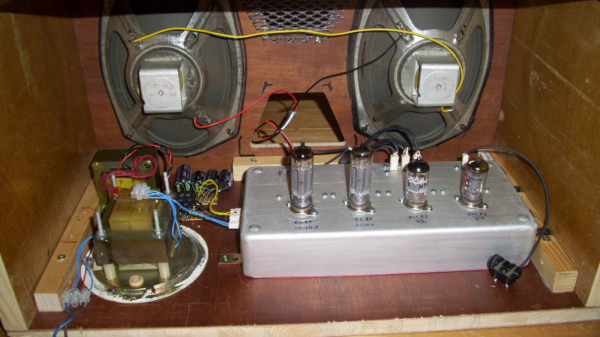
Here’s a retro-electronic rehab with a twist. Normally we’d expect a jukebox Raspberry Pi project to replace the obsolete electromechanical guts with streamed music, but an intact jukebox with a Raspberry Pi remote control is a nice change.

Old-time jukes like [revnhoj]’s 1954 AMI F120 are electromechanical marvels. Stocked with 60 45-rpm discs in a horizontal rack, an arm mounted on a track would retrieve the correct disc and place it on the turntable to play the selected song. The unit in the video below was the main jukebox, which supported “wall boxes” mounted at booths so patrons could select tunes without leaving their tables. [revnhoj] simulated a wall box with a Raspberry Pi connected to the original wall box interface through relays. The Pi serves up a GUI that can be accessed via a tablet, the correct contacts are tickled, and [revnhoj]’s collection of 45s is played through the original mechanism and amplifier, in all its “Sonoramic Sound” majesty. It’s a pretty neat hack that adds new functionality while being true to the original platform.

The chatter on the reddit thread where we spotted this hack was trending toward adding streaming audio, but we truly hope the juke stays intact and serving only vinyl. We’ve seen jukeboxes gutted before, and while it might make sense for some, we like the old school approach better.

Continue reading “Jukebox Gets Raspberry Pi Update, But It’s Not For Streaming”

33C3: Understanding Mobile Messaging And Its Security

If you had to explain why you use one mobile messaging service over another to your grandmother, would you be able to? Does she even care about forward secrecy or the difference between a private and public key is? Maybe she would if she understood the issues in relation to “normal” human experiences: holding secret discussions behind closed doors and sending letters wrapped in envelopes.

Or maybe your grandmother is the type who’d like to completely re-implement the messaging service herself, open source and verifiably secure. Whichever grandma you’ve got, she should watch [Roland Schilling] and [Frieder Steinmetz]’s talk where they give both a great introduction into what you might want out of a secure messaging system, and then review what they found while tearing apart Threema, a mobile messaging service that’s popular in Germany. Check out the slides (PDF). And if that’s not enough, they provided the code to back it up: an open workalike of the messaging service itself.

This talk makes a great introduction, by counterexample, to the way that other messaging applications work. The messaging service is always in the middle of a discussion, and whether they’re collecting metadata about you and your conversations to use for their own marketing purposes (“Hiya, Whatsapp!”) or not, it’s good to see how a counterexample could function.

The best quote from the talk? “Cryptography is rarely, if ever, the solution to a security problem. Cryptography is a translation mechanism, usually converting a communications security problem into a key management problem.” Any channel can be made secure if all parties have enough key material. The implementation details of getting those keys around, making sure that the right people have the right keys, and so on, are the details in which the devil lives. But these details matter, and as mobile messaging is a part of everyday life, it’s important that the workings are transparently presented to the users. This talk does a great job on the demystification front.