Learning Verilog For FPGAs: Hardware At Last!

Getting into FPGA design isn’t a monolithic experience. You have to figure out a toolchain, learn how to think in hardware during the design, and translate that into working Verliog. The end goal is getting your work onto an actual piece of hardware, and that’s what this post is all about.

In the previous pair of installments in this series, you built a simple Verilog demonstration consisting of an adder and a few flip flop-based circuits. The simulations work, so now it is time to put the design into a real FPGA and see if it works in the real world. The FPGA board we’ll use is the Lattice iCEstick, an inexpensive ($22) board that fits into a USB socket.

Like most vendors, Lattice lets you download free tools that will work with the iCEstick. I had planned to use them. I didn’t. If you don’t want to hear me rant about the tools, feel free to skip down to the next heading.

Continue reading “Learning Verilog For FPGAs: Hardware At Last!”

Ubuntu Core Supports Raspberry Pi 2 I/O

Although it isn’t official, Ubuntu Core–the tiny Internet of Things version of Ubuntu–now runs on the Raspberry Pi 2. There are prebuilt binaries as well as instructions for how to roll your own, if you prefer. You can even access GPIO

Ubuntu Core abandons the old-style Debian packages, in favor of Snap, a new version of the Ubuntu phone’s Click package manager. Snap offers transactional updates. The idea is that all of these “things” on the IoT need to be updated to patch security holes or fix other issues.

Continue reading “Ubuntu Core Supports Raspberry Pi 2 I/O”

Turning A Typewriter Into A Mechanical Keyboard

Is your keyboard too quiet? Is your Cherry MX Blue board not driving your coworkers crazy enough? If the machine gun fire of a buckling spring keyboard isn’t enough for you, there’s only one solution: [Russell]’s typewriter turned into a mechanical keyboard.

Converting typewriters into keyboards has been done for a very long time; teletypes, the first computer keyboards, were basically typewriters, and the 1970s saw a number of IBM Selectrics converted into a keyboard with serial output. Even in recent years, typewriters have been converted into keyboards with the help of some switches and an ATMega. [Russell]’s mechanical keyboard improves on all of these builds by making the electronic interface dead simple, and a project that can be done by anyone.

Instead of installing switches underneath every key or futzing about with the weird mechanics of a Selectric typewriter, [Russell] is only installing a touch-sensitive position sensor into the frame of the typewriter. When a key is pressed, it strikes a crossbar in the frame of the typewriter. With a single ADC chip and a Raspberry Pi, [Russell] can determine which key was pressed and use that information to output a character to a terminal.

It’s a very simple solution for an electrical interface to a mechanical device, and the project seems to work well enough. [Russell] is using his new keyboard with Vim, even, something you can check out in the video below.

Continue reading “Turning A Typewriter Into A Mechanical Keyboard”

Update: What You See Is What You Laser Cut

If there’s one thing about laser cutters that makes them a little difficult to use, it’s the fact that it’s hard for a person to interact with them one-on-one without a clunky computer in the middle of everything. Granted, that laser is a little dangerous, but it would be nice if there was a way to use a laser cutter without having to deal with a computer. Luckily, [Anirudh] and team have been working on solving this problem, creating a laser cutter that can interact directly with its user.

The laser cutter is tied to a visual system which watches for a number of cues. As we’ve featured before, this particular laser cutter can “see” pen strokes and will instruct the laser cutter to cut along the pen strokes (once all fingers are away from the cutting area, of course). The update to this system is that now, a user can import a drawing from a smartphone and manipulate it with a set of physical tokens that the camera can watch. One token changes the location of the cut, and the other changes the scale. This extends the functionality of the laser cutter from simply cutting at the location of pen strokes to being able to cut around any user-manipulated image without interacting directly with a computer. Be sure to check out the video after the break for a demonstration of how this works.

Continue reading “Update: What You See Is What You Laser Cut”

Microsoft Display Cover

E-Ink Display Moves On-Screen Controls Off-Screen

Tablet computers have come a long way, long way. It finally seems like they’ve found their niche in the market, and now maybe they can catch up to more traditional computers. The Microsoft Applied Sciences division came up with a cool prototype design for a new tablet, one with a secondary e-ink input display.

The tablet interface makes use of e-ink strip above the keyboard. While it might not seem like much, this frees up a bunch of screen real estate, allowing you to have various icons and shortcuts off screen. It makes a ton of sense for digital artists as they can draw on the screen, but also have their toolkit open right below them — almost like real painting/drawing.

One of the other great uses for something like this is a signature pad — with everything going digital, when is the last time you had to print, sign, and scan a document back to someone? They even developed a dedicated email app you can use solely on the e-ink screen, allowing you to maximize the use of your main screen for something like a video chat.

The demo is pretty cool, and we often wonder why there aren’t more phones with e-ink displays integrated into them — is this just the beginning?

Continue reading “E-Ink Display Moves On-Screen Controls Off-Screen”

Sphero Riding Strandbeest Is A Robot With An Exoskeleton

[Theo Jansen] makes awesome things called Strandbeests; wind-driven automatons that roam beaches and art galleries. It has long been one of our favorite mechanisms. Newer, but also a favorite is the Sphero smartphone controlled orb. The combination of the two is epic!

You may remember seeing Sphero used to create a tiny BB8 replica. Inside the orb is a tiny robot capable of rolling itself hamster-wheel-style in any direction. It’s a rather powerful bot and that makes Sphero fast. The high RPM is what makes this hack possible. Sphero spins rapidly while perched on some rollerblade wheels. Gearing converts this to the rolling motion of the Strandbeest.

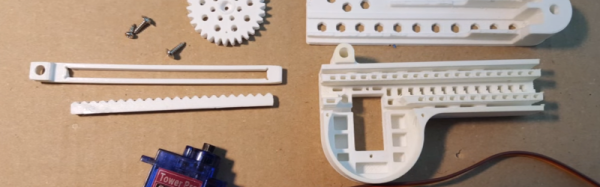
The original concept was posted a year ago but it was just now brought to our attention by [fhareide]  who is working on his own smaller Strandbeest driven by a Sphero. Since there are no assembly details on the original posting, you can follow along with [fhareide’s] documentation in order to complete your own build. So far [fhareide] imported the STL model into Autodesk Inventor, printed out one set of gears to insure the printer resolution could handle it, and assembled one set of legs.
We think of this as a kind of exoskeleton for a Sphero. We’ll keep an eye on this through the assembly, testing the drive mechanism and then the point where the whole thing becomes self-aware and either runs away to hide or terminates him.

Continue reading “Sphero Riding Strandbeest Is A Robot With An Exoskeleton”