Using The Nook As A Keyboard

[Andrew] has been pining for an Optimus Maximus – a keyboard with a small LCD screen in each key – for years. Like a lot of people, he love the idea of a completely configurable keyboard, but balked at the two thousand dollar price tag. Although it doesn’t have full color OLED screens behind each key, [Andrew]’s nook simple touch can be used as a keyboard just the same.

After rooting his new nook, [Andrew] had a very nice tablet computer, and the only Android device with an e-ink screen. Although[Andrew] never wrote an Android app before, he wanted to do a proof of concept build to see if a nook keyboard would actually work. The “keyboard app” is actually just a webpage hosted on his home server. When he presses a virtual key, JavaScript sends an ASCII value back to the server where it is decoded and sent to xte.

[Andrew] says his build works, but not very well. Opera mini doesn’t like the homebrew server he set up, and Cyrillic characters are a no go. Still, it works, and looks like an awesome application for an e-ink tablet with a proper Android app. Demo after the break.

Continue reading “Using The Nook As A Keyboard”

Storing Sketches In The Cloud

There’s a fine line between solving problems that don’t exist and solving problems that no one recognizes until a solution is found. The former shows up with housewares peddled on late-night infomercials, while the latter is summed up by [Henry Ford], “If I asked people what they wanted, they would have said faster horses.” [Dave]’s method of storing microcontroller code in the cloud definitely falls into the ‘useful’ category.

[Dave] first realized the problem when he was digging around the IDEO Toy Lab and came across an orphan project, a Barbie credit card swiper. [Dave] had no idea if the firmware for this project was saved on the server, or even if the current version was available. One solution to this problem could be burning a copy of the source onto the Flash or EEPROM on the board.

There’s a problem with this idea, though: storing the source in an Arduino’s memory takes space. Thinking laterally, [Dave] realized that editing source happens on a computer, computers are connected to the Internet, so why not keep the source “in the cloud?”

[Dave]’s solution is to host the source on GitHub, and tie every piece of code to a board’s unique USB serial number. This gives every Arduno a unique ID, allows for version control, and libraries of multiple files.

This very clever addition to the Arduino IDE is up on GitHub, ready to be added to any Arduino installation. Why the Arduino IDE doesn’t already have this feature is beyond us, but that’s what you get when you want a faster horse.

Analog Clock Display Uses A Nipkow Disk

Although [Serokoy] is not thrilled with the outcome of his Nipkow disk clock (translated), but we really enjoy it. It uses the Persistence of Vision concept to create a light display from a rotating disk.

We’ve come across a lot of rotating disk clocks. Several were based off of the platters of a hard drive, using a slit, or series of slits to make up the display. This Nipkow disk uses a similar technique but in a more general way. The series of holes arranged in a spiral pattern allows a grid of concentric rings to be used as pixels when the disk is spinning. The bottom portion of the disk is used as the display area. Each pixel is illuminated at just the right time by LEDs below in order to freeze that pixel in the viewer’s eye. The demo is a bit rough, and [Serokoy] mentions that the precision of the hole layout makes all the difference. He drilled these by hand in a CD which was spray painted matte black. Even though he used a computer to lay out and print a template, it took four tries to get a suitable disk.

[Thanks Svofski]

Color Changing Coaster Has A Built-in Drink Detector

[Robert] put together his own illuminated coasters that know when they hold a drink. They look fantastic, thanks to professionally produced PCBs and a layered, laser-cut acrylic case. They’re much like the pagers given to restaurant-goes who are waiting for tables, but this version is much fancier (and doesn’t include the vibrating/paging feature).

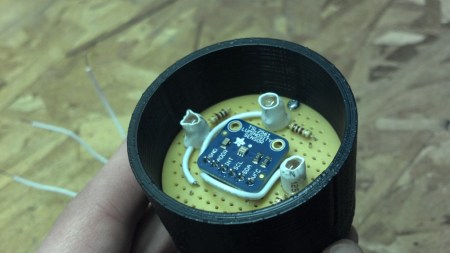
The RGB-LED board is a previous project which was developed using eight surface mount RGB LED modules around a circular board. It uses an ATmega168 paired with an MBI5168 constant-current LED sink driver. The coaster enclosure gave him room for a few more items, like the pair of AA batteries which work in conjunction with a boost converter to power the device. It also houses an IR reflectance sensor which is used to detect the presence of a drink on the coaster. This is important since an on-occupied coaster looks like it would be blindingly bright if there wasn’t a glass to diffuse the intensity of the LEDs.

He mentions that incandescent light bulbs mess with the IR reflectance sensor. But there must be some way to account for ambient conditions with the code, right?

Kid-friendly RFID Media Center Playlist Control

rfid-dreambox-control

While young children have the tiny hands and fingers that most hackers/tinkerers wish they possessed from time to time, their fine motor skills aren’t always up to par when it comes to operating complicated electronics. People are always looking for ways to make their home entertainment systems accessible to their kids, and [Humpadilly] is no exception. Much like some of the other hacks we’ve seen this week, he has devised a way for his little ones (1 and 2 years old) to control his Dreambox Media Player using RFID, which seems to be the go-to technology for this sort of thing.

His RFID remote consists of three major components aside from the media player itself. An Arduino runs the show, and is connected to both an Ethernet shield and a breakout board fitted with an ID-20 RFID reader module. The Ethernet shield allows the Arduino to talk to his Dreambox over a telnet connection, while the RFID reader does what you would expect.

The device is in its infancy at the moment, and while [Humpadilly] hasn’t published a ton of details about the actual RFID devices he is using to control the system, he says that more details and improvements are forthcoming. In the meantime, you can check out his code here.

Twiddling An LED Using The BeagleBone’s Embedded Linux

If you comfortable working with 8-bit microcontrollers, the thought of moving to a hardware platform running embedded Linux may be a bit daunting. After all, there’s a lot going on between you and the chips on a board like the BeagleBone seen above. But [Matt Richardson] shows how easy it can be to get at the pins on this device. He put together a primer on hardware control from the embedded shell.

You will remember that the BeagleBone is the newest generation of the BeagleBoard. The ARM processor and other goodies make it a powerful tool, and those already familiar with Linux will be able to get up and running in no time. Just connect the board to your network and SSH into it to get started. [Matt] outlines this setup process in the clip after the break. He then hits the reference manual to find the pinout of the female headers on either side of the board. Each available I/O pin is mapped to the /sys directory and can easily be controlled by echoing your commands to the appropriate files. But [Matt] went a step further than that, writing his own Python library that implements Arduino-style syntax like the digitalWrite() function.

This example should give you enough of a shove to start porting your own libraries over for use with the device. Don’t forget to document your projects and tip us off about them. Continue reading “Twiddling An LED Using The BeagleBone’s Embedded Linux”

RFID Playlists Plus A QR Code Concept

Here’s another audio playback hack that uses physical tokens to choose what you’re listening to. It uses Touchatag RFID hardware to control iTunes. The concept is very similar to the standalone Arduino jukebox we saw on Wednesday except this one interfaces with your computer and the tags select entire albums instead of just one song. A shell script processes the incoming tag ID from the reader, populates a playlist with all the tracks from the associated album, then executes an AppleScript to launch that playlist. Check out the short demo after the break.

But what really caught our eye is the QR-code reader concept which [Janis] hopes to implement at some point in the future. The computer side of things doesn’t need to be changed, but we love the challenge of putting together an FPGA-based camera to recognize and decode the QR image. Looks like a perfect use for that $10 camera module and it’s FPGA driver!

Continue reading “RFID Playlists Plus A QR Code Concept”