Toner Transfer Explained Step-by-step

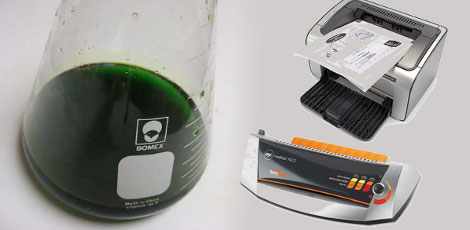
[Tanjent] send us a link to his tutorial on the toner transfer process for fabricating circuit boards. We’ve seen a lot of these in the past, but we liked how his is straight to the point while also sharing several tips and options along the way. Notably, he ”tints” the copper clad before trying to adhere the toner to it by swabbing on a bit of etchant. His reasoning for this is that the toner has more trouble sticking to the shiny copper. Just a bit of etchant will pit the surface and let the toner stick better.

He’s still using paper as a medium and not printing toner powder directly to the copper clad. His paper of choice is HP Brochure Paper while we use glossy pages from the union newspaper. But like us, he does use copper chloride as an etchant, which you can learn to make yourself. We’re still looking for a definitive solution for disposing of this chemical. We’ve been using the same batch for years and recently it’s turned cloudy with impurities. If you’ve got disposal tips let’s hear them in the comments section.
Hand Made Manipulator Arm

We’re pretty used to seeing CAD used in the design process for most things. It’s a bit of a shocker to come across a project this involve, and this well executed, that didn’t use CAD.

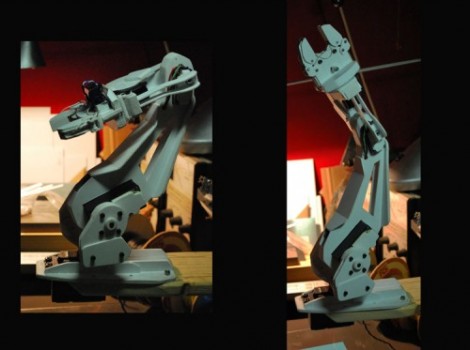
[Anton] spent 100 hours building this manipulator arm by hand. He made the parts by drawing them on styrene and cutting them out with scissors. He has started building version two with AutoCAD but from what we’ve seen in the video after the break, improvements on the original design will be minor. The speed and fluidity of the servos with added magnetic encoders makes for a graceful robotic dance; we’d love to be its chess partner. Continue reading “Hand Made Manipulator Arm” →

Peltier Cooler Based Cloud Chamber

[youtube=http://www.youtube.com/watch?v=eKfx4Rjf0BU&feature=player_embedded]

[Rich] shares with us his build of a Peltier cooler based cloud chamber. This nifty little tool allows him to see the paths that radioactive particles take through alcohol vapor. The system he has come up with is fairly cheap at roughly $100. He’s using Peltier coolers from computers and a cheap ATX power supply. You can see a more detailed instructable here.

[via Make]

DSLR Shoulder Holster With Follow Focus

[vimeo=http://vimeo.com/11435910]

[Erik] and [Jonathan Bergqvist] built this shoulder mount for a Canon 7D camera. It’s made from wood and it hooks over the top of the photographer’s shoulder with a handle for each hand. The left handle also controls the focus, using a similar method to the hardware store follow focus we looked at in January. Like it or not, you’ll love watching a master woodworker build this starting with un-milled logs. It’s all about having and knowing how to use the right tools.

[Thanks Juan]

Building Removable Epoxy Mounting Brackets

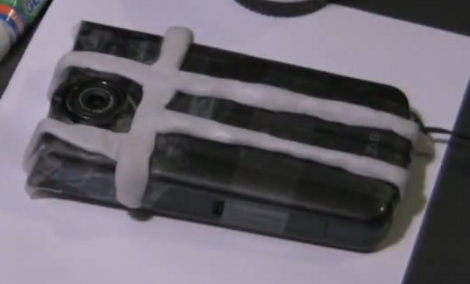
[Jykazu] wanted to use an external lens with his Kodak Zi8 but he didn’t want to alter the camera or glue something onto it. His solution was to build a bracket out of epoxy dough. He first covers the camera in scotch tape to protect the finish, then he kneads the dough to mix the two parts together, using it to form the bracket that you can see above. After curing, the bracket barely sticks to the smooth tape and can be gently removed. A lens cap with a hole drilled in it is glued to this bracket and works like a charm for connecting the lens. Check out his manufacturing method in the videos after the break.

This is a great method for many applications. Last year we saw a product called Sugru which seems to be made for this type of thing but [Jykazu’s] epoxy method is just as impressive.

Continue reading “Building Removable Epoxy Mounting Brackets” →

PC Side IM-ME Hacks


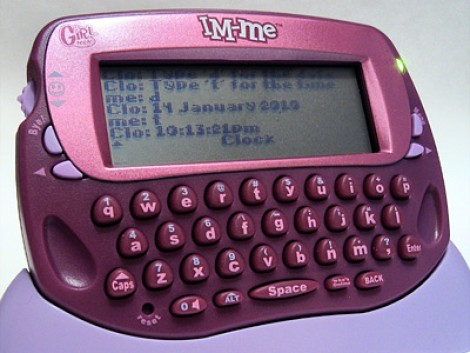
[Paul Klemstine] is working on some PC-side software hacks for the IM-ME. We’ve seen a lot of hardware hacks for this device, such as controlling the display, firmware flashing, and using it as a spectrum analyzer, but if you don’t want to alter the device right away you can try [Paul’s] collection of hacks. Working with the code developed by [Ben Ryves] there is support for using the IM-ME as a command prompt, to control Win amp, and as a wireless keyboard. Crack out your C# skills and develop the next feature for this inexpensive device.

Build Your Own Wikipedia Reader

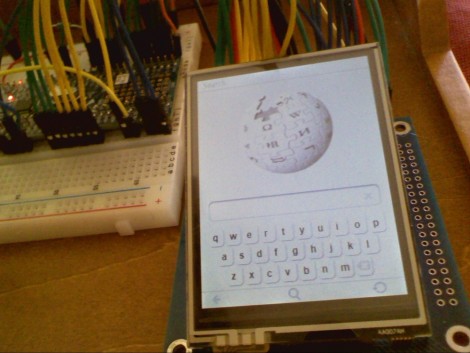
One part inexpensive uC, one part touch-screen, one part Internet knowledge-base all come together to make up this Wikipedia reader. It functions in a very similar way to commercial versions by parsing XML dumps from the popular website to an SD card for use on the device. This is not limited to Wikipedia, but could just as easily be an e-reader. [Rossum] developed the package using an NXP ARM Cortex M0 model LCP1114 microcontroller. They cost just a couple of bucks but pack a 50 MHz punch with 32 KB of program memory and 8 KB of SRAM. If the nanotouch and the AVR iPhone concept didn’t convince you that [Rossum] knows what he’s doing, the video after the break of this newest creation will seal the deal.

Continue reading “Build Your Own Wikipedia Reader” →