Mini Flickering Torch Effect Uses Neither Wires Nor Solder

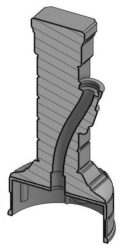
Cross section of pillar model.

[ROBAGON] makes miniature, 3D-printable gaming terrain and features like these stone pillars with flickering torch. His model isn’t free to download (though it’s under $2 at the time of writing), but the part that impressed us was his clever way of using electric tea lights to create a flickering torch effect without needing any soldering or wiring whatsoever.

His solution was to make the base of the pillar large enough to fit an electric tea light, which uses a flickering LED to simulate a candle flame. The molded plastic “flame” is removed from the tea light and placed in the torch sconce, while the tea light itself goes into the base. A short segment of clear acrylic rod is used as a light pipe, running from the tea light’s LED to the base of the torch.

It’s a simple, effective, and economical solution that doesn’t require running or soldering a single wire and you can see it work in the brief video embedded below. Now all that’s missing for those Dungeons & Dragons sessions is this custom calculator.

Continue reading “Mini Flickering Torch Effect Uses Neither Wires Nor Solder”

Raspberry Pi Breathes Life Into A Scale Model SEGA

Miniature game consoles are all the rage right now. Many of the big names in gaming are releasing their own official “mini” versions of their classic machines, but naturally we see plenty of DIY builds around these parts as well. Generally they’re enclosed in a 3D printed model of whatever system they’re looking to emulate, but as you might expect that involves a lot of sanding and painting to achieve a professional look.
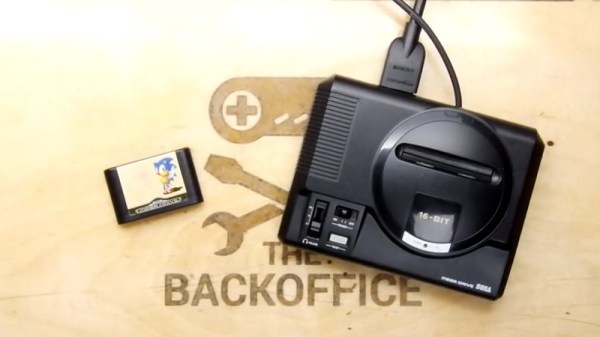
But for SEGA Genesis (or Mega Drive as it was known outside the US) fans, there’s a new option. A company by the name of Retro Electro Models has released a high-fidelity scale model of SEGA’s classic console, so naturally somebody hacked it to hold a Raspberry Pi. Wanting to do the scale detailing of the model justice, [Andrew Armstrong] went the extra mile to get the power button on the front of the console working, and even added support for swapping games via RFID tags.

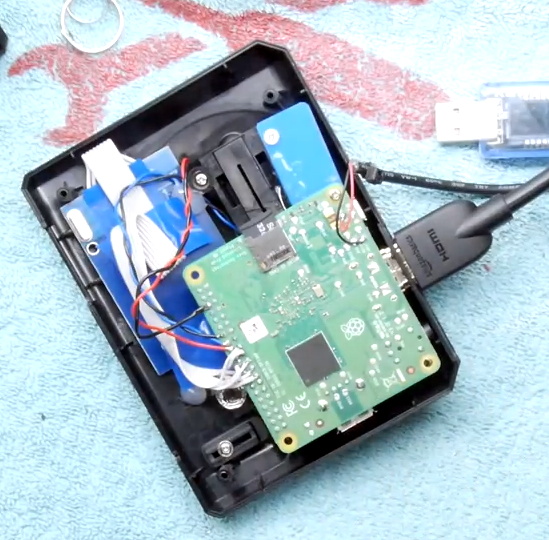
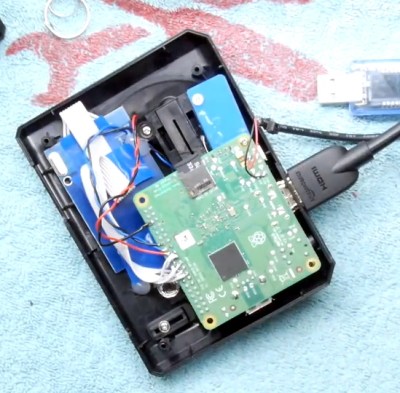
[Andrew] uses the Raspberry Pi 3 A+ which ended up being the perfect size to fit inside the model. Fitting the Pi Zero would have been even easier, but it lacks the horsepower of its bigger siblings. The RFID reader is connected to the Pi over SPI, and the reed switch used to detect when the power switch has been moved is wired directly to the GPIO pins. The system is powered by a USB cable soldered directly to Pi’s PCB and ran out a small hole in the back of the case.
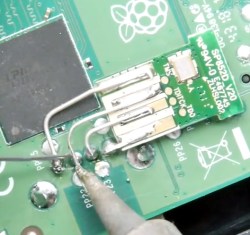
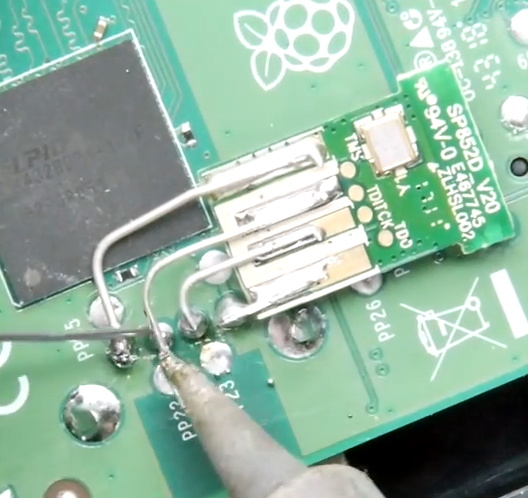
For input, [Andrew] is using a small wireless keyboard that includes a touch pad and gaming controls. Unfortunately, it has a proprietary receiver which had to be integrated into the system. In a particularly nice touch, he used snipped off component leads to “wire” the receiver’s PCB directly to the pins of the Pi’s USB port. Not only does it look cool, but provides a rigid enough connection that he didn’t even need to glue it down to keep it from rattling around inside the case. Definitely a tip to keep in the back of your mind.

The software side of this project is about what you’d expect for an emulation console, though with the added trickery of loading games based on their RFID tag. At this point [Andrew] only has a single “cartridge” for the system, so he simply drops the tags into the cartridge slot of the console to load up a new title. It doesn’t look like Retro Electro Models is selling loose cartridges (which makes sense, all things considered), so there might still be a job for your 3D printer yet if you want to have a library of scale cartridges to go with your console.

For those of you who were on Team Nintendo in the 1990’s, we’ve seen a similar build done with a 3D printed case. Of course, if even these consoles are a bit too recent for your tastes, you could build a miniature Vectrex instead.

Continue reading “Raspberry Pi Breathes Life Into A Scale Model SEGA”

Cortex M0 Becomes Platform-Game Platform

The Arduino Uno is an incredibly popular microcontroller platform. By virtue of being simple to understand, and having just enough processing power to be dangerous, it’s won fans the world over. In recent times, there have been efforts to replace it with something more powerful. The Arduino Zero is just one such device attempting to take the crown, and [Nicola Wrachien] decided to try game development on the platform.

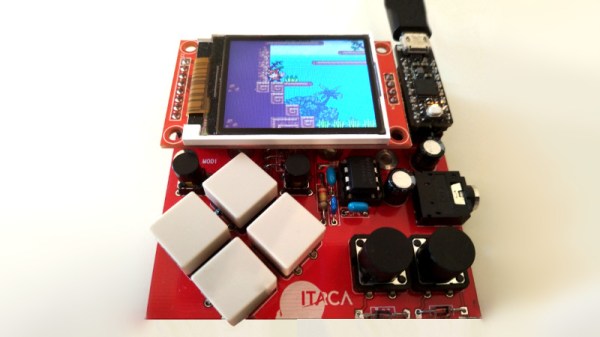
[Nicola] chose to use the uChip, which is a remix of the Arduino Zero into a smaller form factor. This was combined with a 160×128 TFT display and a handful of buttons for control. The uChip module, along with the TFT are fitted to [Nicola]’s custom PCB which ties everything together.

By overclocking the SPI port to 24 MHz, [Nicola] is able to run a basic 2D platformer in excess of 50 frames per second. The frame rate is capped at a round 40 fps to keep things smooth and stable, and the results are impressive. Gameplay is fluid and responsive, and the screen looks vibrant with 16 bits per pixel providing plenty of colors to play with.

We love to see game systems hewn out of raw microcontrollers and displays. [Nicola]’s work goes to show that with a little tinkering, significant performance improvements are yours for the taking. For similarly impressive DIY handheld hacks, check out Star Fox on the Arduboy. Video after the break.

Continue reading “Cortex M0 Becomes Platform-Game Platform”

Custom Calculator Rolls D20 So You Don’t Have To

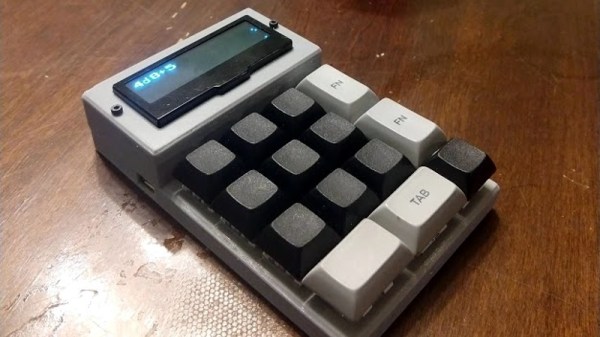
There are a number of sticking points that can keep new players away from complex tabletop games such as Dungeons & Dragons. Some people are intimidated by the math involved, and of course others just can’t find enough friends who are willing to sit down and play D&D with them in 2019. While this gadget created by [Caleb Everett] won’t help you get more open minded friends, it will take some of the mental gymnastics out of adding up dice rolls.

In its current form the device saves you from the hassle of not only having to roll various combinations of physical dice, but adding up all the faces after the fact as well. In the future [Caleb] plans on adding more advanced software features which will allow for tricks not possible with real dice, such as increasing the likelihood of rolling numbers which haven’t been seen in awhile. Now that the hardware is put together, he’s free to dig into the software side of things and really get creative.

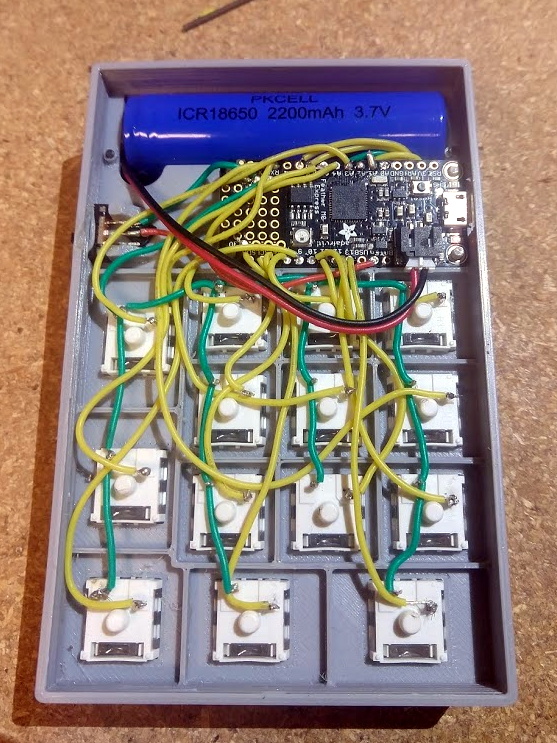
Inside the 3D printed case of his calculator there’s a Adafruit Feather M0 Express, a 128 x 32 OLED display, and a 2200 mAh lithium ion battery that lets him go mobile. The keys, which are Cherry MX clones, are wired directly to the digital pins of the Feather board as [Caleb] found that easier to wrap his head around than doing a matrix. This ended up working out as he had enough pins, but does stifle future expansion a bit.

Even if you aren’t into the sort of tabletop gaming which would benefit from an automatic dice roller and tabulator, we think [Caleb] has come up with a very neat form factor for similar pocket sized gadgets. It reminds us of the Handlink from Quantum Leap; before the prop department swapped it out for a jumble of gummy bears later on in the series, anyway. Since he’s shared the link to the OnShape project, you can even tweak the design a bit without having to suffer through modifying the STLs.

Many of the electronic dice we’ve seen in the past have tried to emulate the size and appearance of traditional dice, so it’s interesting to see this approach which goes in the opposite direction entirely. Critics might say that at some point you’d be better off just using a software application for your smartphone, but we’re not in the business of complaining when people produce interesting pieces of hardware.

Learn Digital Logic By Alien Abduction

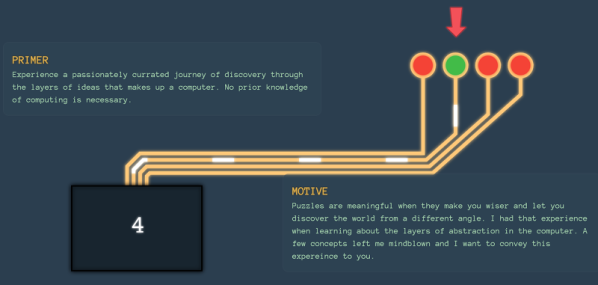
Some of the best educational material we’ve seen tells a story. There’s something more fun about reading a story than just absorbing a bunch of dry facts. That’s the idea behind Adventures in Logic Land. In the first episode, you are abducted by aliens trying to decide if humans are intelligent. To prove that, you have to work a series of logic puzzles.

The approach is a little unorthodox. You are shown a live logic simulation (spoiler: it is a NOR gate) and you have to fill in a truth table. The gates use alien symbols which contributes to the storyline but perhaps isn’t the best choice from an educational perspective. Besides, they already use red for zero and green for one which seems a little culturally-specific. The next test shows you how to build your own little simulations and run tests to see if they meet the alien’s criteria.

Continue reading “Learn Digital Logic By Alien Abduction”

ESP8266 Gets Its Game On With Open Source Engine

This is likely not to come as much of a shock to you, but the ESP8266 is pretty popular. At this point, we’re more surprised when a project that hits the tip line doesn’t utilize this incredibly cheap WiFi-enabled microcontroller. If you’re making a gadget that needs to connect to the Internet, there’s a good chance some member of the ESP family is going to be a good choice. But is it a one-trick MCU?

ESP Little Game Engine Logo

Well, judging by software frameworks like the “Little Game Engine” created by [Igor], it looks like the ESP is expanding its reach into offline projects as well. While it might not turn the ESP8266 into a next-gen gaming powerhouse, we’ve got to admit that the demos shown off so far are pretty impressive. When paired with a couple of buttons and a TFT display such as the ILI9341, the ESP could make for a particularly pocket-friendly game system.

The game engine that [Igor] has developed provides the programmer with a virtual screen resolution of 128×128, a background layer, and 32 sprites which offer built-in tricks like collision detection and rotation. All while running at a respectable 20 frames per second. This environment is ideal for the sort of 2D scrolling games that dominated the 8 and 16-bit era of gaming, and as seen in the video after the break, it can even pull off a fairly decent clone of “Flappy Bird”.

In addition, [Igor] created an online emulator and compiler which allows you to develop games using his engine right in your web browser. You can load up a selection of example programs and execute them to see what the engine is capable of, then try your hand at developing your own game before ever having to put the hardware together. Incidentally, the performance of this online development environment is fantastic; with even the fairly complex “Flappy Bird” example code compiling and starting in the emulator nearly instantaneously.

This isn’t the first handheld game we’ve seen powered by the ESP8266, but it would be fair to say this one is a generational leap over its predecessors. Of course, if you really want to start throwing around some pixels, you might want to make the leap to the ESP32; which is the heart of the incredibly awesome (and tiny) PocketSprite.

Continue reading “ESP8266 Gets Its Game On With Open Source Engine”

The Strangest Gameboy Emulator We’ve Seen Yet

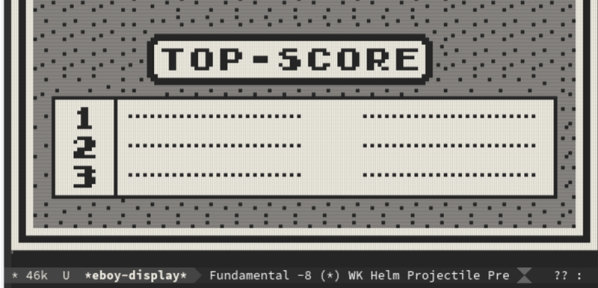
In the secret Hackaday bunker, we have some emacs users, some vi users, and some people who don’t really care. However, even the staunchest of our emacs supporters had to do a double take at [Vreeze’s] project that creates a GameBoy emulator using the venerable text editor. You can see [Alexei Nunez’s] reaction to the emulator in the video below.

The Eboy uses unicode characters to output the graphics. You can use emacs commands to load ROM images and use your keyboard to control the game.

Continue reading “The Strangest Gameboy Emulator We’ve Seen Yet”