Automating Mobile Games With A Robot Arm

My Singing Monsters is one of those mobile titles that has users play simple games to earn coins and gems in the usual way. [Anykey] found that his son was a fan of the game, but that sometimes it felt a little rigged. Thus, rather than waste time playing themselves, he set up a robot to do the job for them. (Super-boring video, embedded below.)

The player must complete a basic but time-consuming memory game. Upon winning, the player gets to choose a prize from 17 mystery cards. The top prize of 1,000 diamonds always seemed to be hidden under another card, leading to the aforementioned frustration.

In order to test if the game was rigged, [Anykey] set up a uArm Swift Pro to play the game, with the robot arm moving a small stylus over the iPad playing the game. The iPad’s video was piped to a PC via HDMI out, going into a Camlink capture card. A Python script using OpenCV was then created to play the game automatically, and log the results of prizes gained along the way. All the code is up on GitHub.

After over 100 attempts, the robot never managed to pick the right card to score 1,000 diamonds. Given that there are only 17 cards to choose from, one would expect the 1,000 diamond prize to come up several times in that many selections.

It seems then that the prize selection for completing the memory game may not actually be down to picking the right card. Instead, the prize given is selected by some other calculation entirely.

We love a robot playing games at Hackaday, even if it’s as simple as Tic-Tac-Toe. Video after the break.
Continue reading “Automating Mobile Games With A Robot Arm”

N-Gage Controller Uses All The Buttons

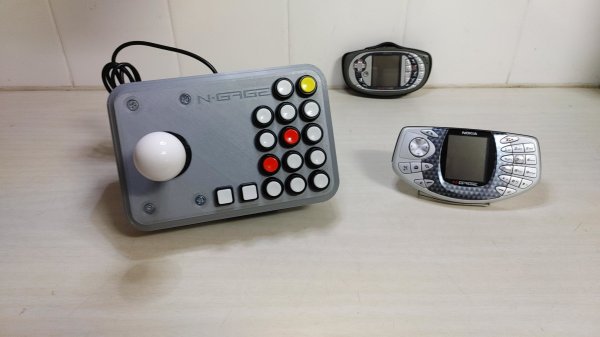
If there’s anything you can guarantee about a video game system, it’s that in 20 years after one suffers a commercial failure there will be a tiny yet rabid group of enthusiasts obsessed with that system. It’s true for the Virtual Boy, the Atari Jaguar, and of course, the Nokia N-Gage. For those not familiar, this was a quirky competitor of the Game Boy Advance that was also a cell phone. And for that reason it had more buttons than a four-player arcade cabinet, which has led to things like this custom controller.

Most N-Gage gaming these days takes place on emulators, this build is specifically built for the emulator experience. The original system had so many buttons that it’s difficult to get even a standard 102-key keyboard mapped comfortably to it, so something custom is almost necessary. [Lvaneede], the creator of this project, took some parts from an existing arcade cabinet he had and 3D printed the case in order to craft this custom controller. The buttons he chose are a little stiff for his liking, but it’s much better than using a keyboard.

In the video below, [Lvaneede] demonstrates it with a few of the N-Gage’s games. It seems to hold up pretty well. With backing from Sony and Sega, it’s a shame that these gaming platforms weren’t a bigger hit than they were, but there are plenty of people around with original hardware who are still patching and repairing them so they can still play some of these unique games.

Thanks to [Michael] for the tip!

Continue reading “N-Gage Controller Uses All The Buttons”

It’s Doom, This Time On A Bluetooth LE Dongle

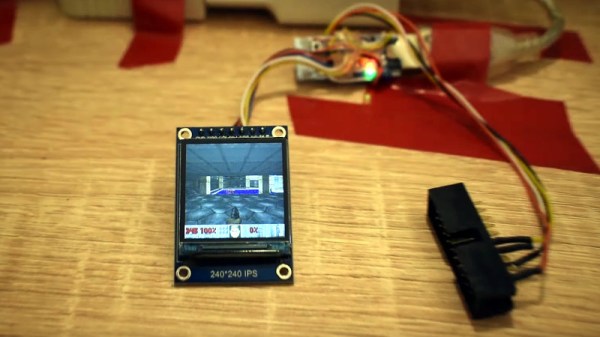
By now most readers should be used to the phenomenon of taking almost any microcontroller and coaxing it to run a port of the 1990s grand-daddy of all first-person shooters, id Software’s Doom. It’s been done on a wide array of devices, sometimes only having enough power for a demo mode but more often able to offer the full experience. Latest to the slipgate in this festival of pixelated gore is [Nicola Wrachien], who’s achieved the feat using an nRF52840-based USB Bluetooth LE dongle.

Full details can be found on his website, where the process of initial development using an Adafruit CLUE board is detailed. A 16MB FLASH chip is used for WAD storage, and an SPI colour display takes us straight to that cursed base on Phobos. The target board lacks enough I/O brought out for connection to screen and FLASH, so some trickery with 7400 logic is required to free up enough for the task. Controls are implemented via a wireless gamepad using an nRFS1822 board, complete with streamed audio to a PWM output.

The result can be seen in the video below the break, which shows a very playable game of both Doom and Doom 2 that would not have disgraced many machines of the era. This was prototyped on an Adafruit Clue board, and that could be the handheld console you’ve been looking for!

Continue reading “It’s Doom, This Time On A Bluetooth LE Dongle”

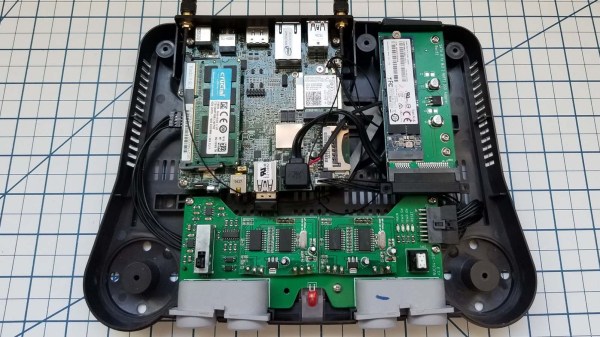
A Nintendo 64 console with modern hardware internals

N64 Mini PC Conversion Includes All The Trimmings

We’ve seen quite a few retro gaming consoles physically modded to house modern emulation hardware, but the NUC-64 by [RetroModder] stands out as one of the most impressive Nintendo 64 guttings that we’ve seen to date.

Observed from the front, the NUC-64 almost resembles a stock Nintendo console. The project’s name is printed across the vestigial cartridge slot, and two suspiciously modern wireless networking antennas can be seen poking out from the back. The console’s modifications are fully revealed when looking at it from the rear – gone is the power brick socket, which now houses the I/O for the replacement motherboard. A custom 3D printed I/O shield keeps everything looking neat and tidy.

Internally, the new hardware is no slouch. The Intel NUC is a small-form-factor PC, and this miniature battlestation sports an 1.6GHz Intel N3700 Pentium processor, 4GB of DDR3 RAM, WiFi/Bluetooth connectivity and an M.2 SSD. This hardware runs circles around the original Nintendo 64, and is more than capable of emulating games from that system.

Most total conversions would call it a day here, however [RetroModder] has taken it a step further by producing a custom PCB that neatly ties together the console’s front I/O. Most importantly, two Mayflash N64-to-USB converters means that your favorite 1990s games can be enjoyed with the original controllers. The original power LED and reset switch are present, as is the sliding power switch which retains its original purpose, thanks to a simple 555 circuit that sends the expected power-on and power-off signals to the motherboard with each slide of the power switch. Additionally, a system of 3D printed mounts and brackets keeps everything secure inside the case.

All the build details can be found here. The NUC-64 follows on from last month’s GamecubePC. The build quality and attention to detail makes this conversion rather special, and it’s clear that a lot of care and planning was taken to pull this off. Hopefully the original N64 hardware can be repurposed as well, perhaps as a new portable console?

Continue reading “N64 Mini PC Conversion Includes All The Trimmings”

Video Gaming Like It’s 1983: New Game Cartridges From Atari

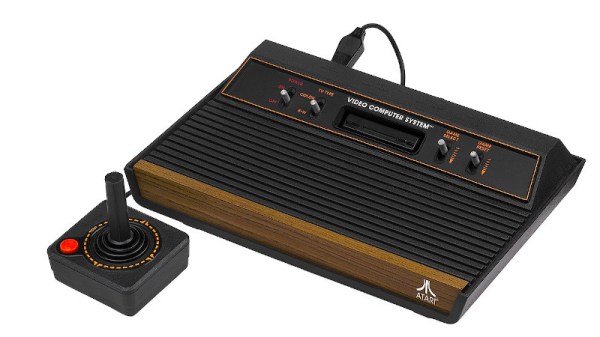
If you remember anything from 1983, it’s likely to be some of the year’s popular culture highlights, maybe Return of the Jedi, or Michael Jackson’s Thriller. For anyone connected with the video gaming industry though, it’s likely that year will stick in the mind for a completely different reason, as the year of the infamous Great Video Games Crash. Overcapacity in the console market coupled with a slew of low quality titles caused sales to crash and a number of companies to go out of business, and the console gaming world would only recover later in the decade with the arrival of the Japanese 8-bit consoles from Nintendo and Sega. You might expect Atari to shy away from such a painful period of their history, but instead they are embracing it as part of their 50th anniversary and launching three never-released titles on cartridges for their 8-bit 2600 console.

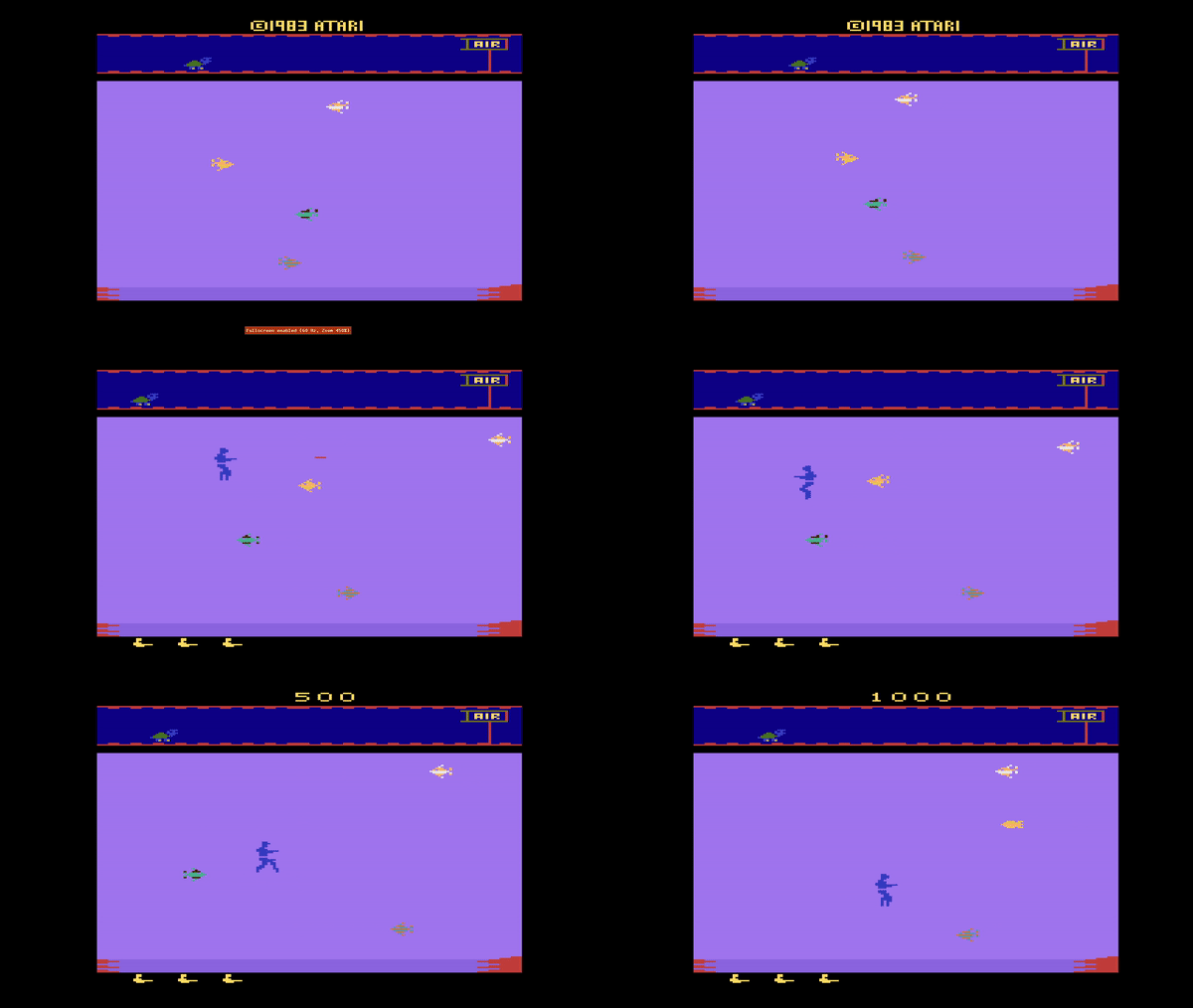
Game footage from Aquaventure.

The three games, Yars’ Return, Aquaventure, and Saboteur, are all unreleased titles from back in the day that never saw publication because of the crash, and are being released as limited edition specials through AtariXP, a new venture that the company says will offer “previously unreleased titles from Atari’s expansive library, rare-and-hard-to-find Atari IP physical media, and improved versions of classic games“. It’s fairly obviously an exercise in satisfying the collector’s market rather than one of video game publishing, but it will be interesting to see what emerges. In particular we hope someone will tear down one of these cartridges; will they find a set of old-school EPROMs inside or an EPROM emulator sporting a microcontroller and other 2020s trickery?

This is not of course the first time we’ve reported on collectable 2600 cartridges, but these ones haven’t spent 30 years in a landfill site.

Header image: Evan-Amos, Public domain.

Cramming A DS Inside A Gameboy

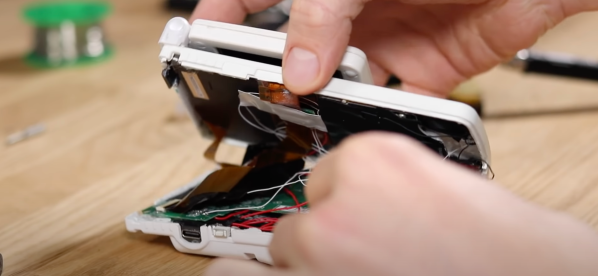
Many holiday recipes and console hacks share a common theme: cramming a thing inside another thing. Whether it’s turducken or a Nintendo DS inside a Gameboy, the result is always unexpected. The chassis for this mod is a humble Gameboy color with a Gameboy SP screen tackled on the top to serve as the secondary display. Unfortunately, this mod lost touch screen functionality, limiting some of the games you can play.

[TheRetroFuture] received the custom handheld from [GameboyCustom], which was somewhat damaged in shipping. The original screw mounts had to be removed and the case glued back together to fit the DS motherboard. So for [TheRetroFuture] to get inside to start troubleshooting involved a razor blade and patience. Testing various points and swapping components got [TheRetroFuture] closer to the root problems. The fix ended up being a few wires that came loose during shipping. Finally, after reseating a display connection and some careful soldering, it booted and started playing games.

Overall, it’s pretty impressive to see Mario Kart DS running on both screens on the tiny handheld. But you might be asking, why? Why shove one handheld inside another handheld? Sometimes it’s to gain new functionality like this Raspberry Pi inside a PSP body. Sometimes, it’s just because we can. Video after the break.

Continue reading “Cramming A DS Inside A Gameboy”

A robot that uses CV to detect villagers in Stardew Valley and display their gift preferences on a screen.

Stardew Valley Preferences Bot Is A Gift To The Player

It seems like most narrative games have some kind of drudgery built in. You know, some tedious and repetitious task that you absolutely must do if you want to succeed. In Stardew Valley, that thing is gift giving, which earns you friendship points just like in real life. More important than the giving itself is that each villager has preferences — things they love, like, and hate to receive as gifts. It’s a lot to remember, and most people don’t bother trying and just look it up in the wiki. Well, except for Abigail, who seems to like certain gemstones so much that she must be eating them. She’s hard to forget.

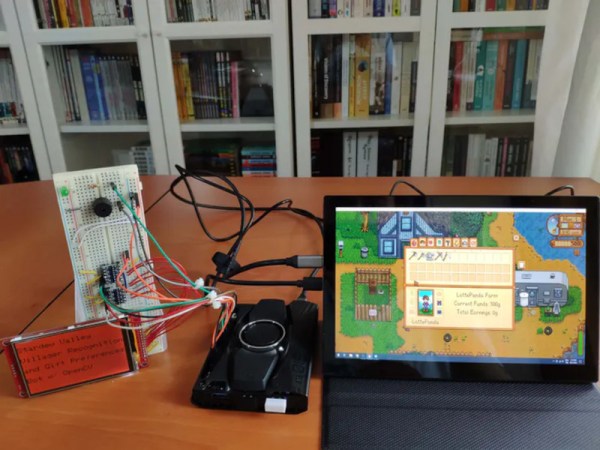
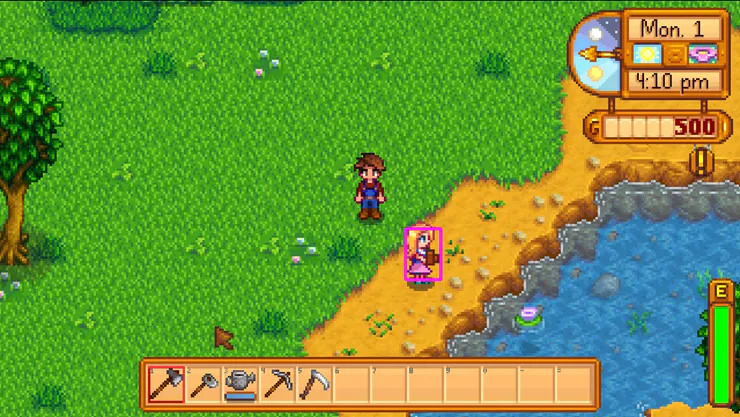
[kutluhan_aktar]’s villager gift preferences bot is a fun and fantastic use of OpenCV. This bot uses a LattePanda Alpha 864s, which is a single-board computer with an Arduino Leonardo built in. It works using template matching, which is basically a game of Where’s Waldo? for computers.

Given a screenshot of each villager in various positions, the LattePanda recognizes them among a given game scene, then does a lookup of their birthday and preferences which the Leonardo prints on a 3.5″ LCD screen. At the same time, it alerts the player with a buzz and big green LED. Be sure to check it out in action after the break.

In Animal Crossing, the drudgery amounts to pressing the A button while catching shooting stars. That’s not a huge problem for a Teensy.

Continue reading Stardew Valley Preferences Bot Is A Gift To The Player”