Mechanical Color Picker Types Hex Codes For You

Hex codes are a simple, unambiguous way to designate colors in digital media. However, going from a color in your head to a hex code can be difficult for the unpracticed. [Guy Dupont] built a little gadget by the name of the Dial Toner to do it for him (Nitter).

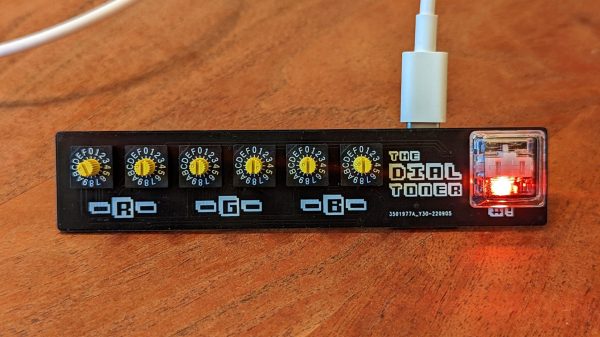
The Dial Toner has two dials for each color channel – Red, Green, and Blue. By turning the dials, one can choose a given color in the 8-bit RGB color space, and that color is then displayed on the device’s included RGB LED. Once selected, the button can be pressed to type the selected color’s hex code into a text box. The Dial Toner runs on a Xiao RP2040 microcontroller board, and is coded in CircuitPython.

[Guy] hopes to sell the Dial Toner on Etsy in future, and is even working on a CMYK version for print addicts. We’ve featured [Guy]’s work here before, too, in the form of his extended-play HitClips cartridges. Video after the break.

Continue reading “Mechanical Color Picker Types Hex Codes For You”
Banana Split Macropad Is Dessert For Your Desk

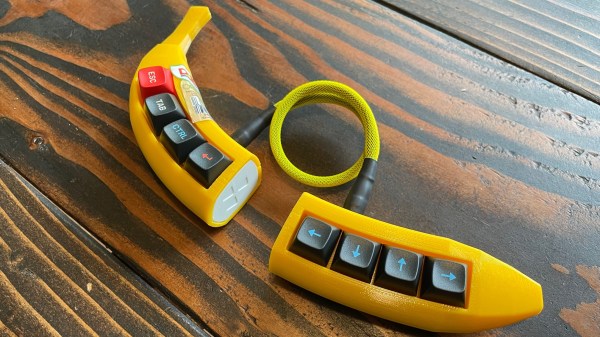
Once again, [Dan Bostian] is ahead of the curve when it comes to bringing bunches of banana puns to the table, but we think you’ll find this banana split macropad quite appealing nonetheless. Does this tasty thing look familiar? It ought to — we discovered, plucked, and uncovered the one-piece version last summer, and this time, [Dan] simply made our two-piece, wireless dreams come true.
Peel back the — oh, forget it. Inside, you’ll find a nice!nano running the show from the right-hand board using ZMK firmware, and a banana-shaped chalk outline on the left-hand silkscreen that represents how completely [Dan] killed it with this build. You can use any switches you want, as long as they’re Cherry MX-compatible in the shoe footprint department.
The PCBs are open source, of course, and so are the printed parts — it’s all there in the repo. As for the stickers, well, you’ll have to produce those yourself.
Illustrated Kristina with an IBM Model M keyboard floating between her hands.

Keebin’ With Kristina: The One With The Hexagonal Keyboard

Well, I didn’t mean to take the whole summer off from Keebin’, it just kind of happened that way. You’d think it would have been #13 that tripped me up, but we ain’t even there yet — this is only the twelfth edition. I kept thinking I should write one and it just wasn’t happening, until I got a tip from [s.ol bekic] about their stunning hexagonal keycaps and the journey toward making an open-source 12-key macropad featuring same.

But let’s back up a bit. Originally, [s.ol] designed a totally sick hybrid MIDI-and-typing keyboard from scratch, which you can see in this short video. It glows, it splits in half, and it snaps back together again quite satisfyingly. And you probably noticed the hexagonal keycaps that look like they might be printed or milled, or perhaps even printed and then milled.

In actuality, [s.ol] threw all the processes at this keycap project — milling, molding and casting, and 3D printing. None of them worked well enough to get much past the prototype stage, but in the end, [s.ol] joined forces with fkcaps.com to create and offer an injection-molded version that I’d really, really like to rock my fingertips around in. Good thing I can pick some up for cheap.

Of course, the real process was all the learning [s.ol] did along the way — both in the early days of making the hybrid keyboard, and after teaming up with fkcaps to make the keycaps and the accompanying macropad into real products. And that was after all the design work it took to get this newfangled honeycomb configuration right.

In case you’re wondering, these are meant for only Kailh chocs, but no matter the switch, the spacing is really important because of all the possible points of friction introduced by the design. Be sure to check out the keycap docs page, macropad docs page, and this gallery of keycaps and macropads.

Continue reading “Keebin’ With Kristina: The One With The Hexagonal Keyboard”

Why You’ve Never Heard About Nintendo’s U-Force

90’s kids think that the Power Glove was the coolest game peripheral of the epoch. We might have thought so too, until we heard about Don’t Touch: The Story of the U-Force from [The Gaming Historian].

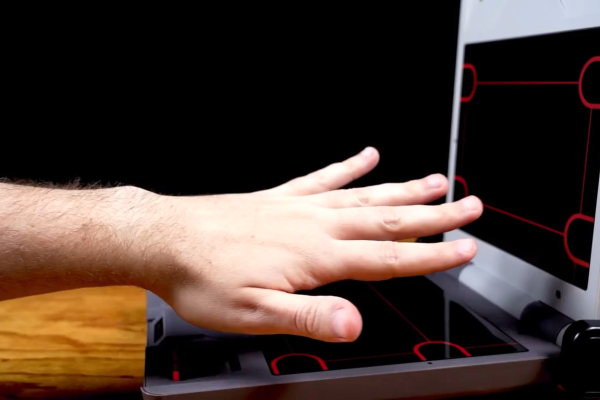
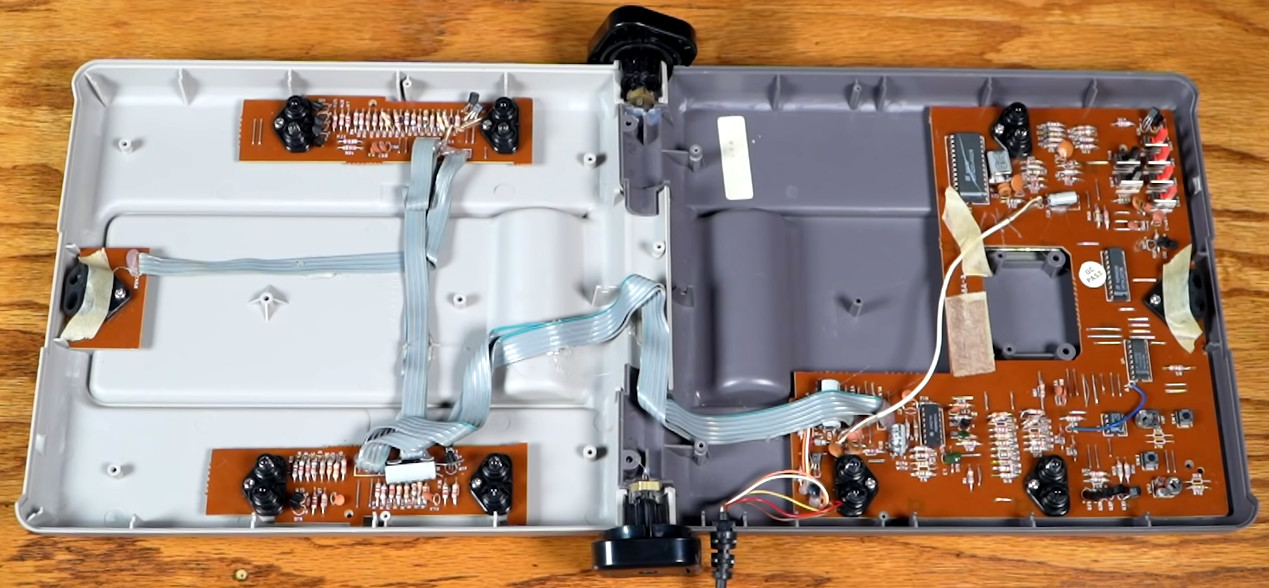
The device itself folded up like a laptop, and on the two surfaces had four IR LED/sensor pairs. All of these combined would localize your fist in space for playing Mike Tyson’s Punch Out, or would work with various other passive controller add-ons like a flight yoke for playing Top Gun. (One of the coolest bits is the flip-out IR reflectors triggered by the buttons in the yoke.)

All-in-all, the video’s take is that a number of factors doomed the U-Force to play second fiddle to the Power Glove. Battling Mattel’s marketing prowess is obvious, but other things like manufacturing problems due to bad hinges and inconsistent IR sensors delayed release and added cost. In the end, though, [Dave Capper], the U-Force’s inventor, puts it down simply to non-convincing gameplay. There were no blockbuster games that used it to its full potential.

At the time, the U-Force utilized more IR LEDs than any other consumer electronic device.

We think there’s interesting hacker potential in a simple interface like this. Perhaps its biggest Achilles heel outside of the lack of a killer application was the fact that it required calibration. We can imagine all sorts of awesome interactions, and we’re not afraid of a little tweaking. Or maybe we would update the sensors to something more modern, like those inexpensive time-of-flight distance units.

Thanks [Karl Koscher] for bringing this documentary to our attention in the comments about the very similarly interesting laser theremin project we featured last year. It’s definitely opened our eyes to an old interaction of the past that would seem no less magical today.

Continue reading “Why You’ve Never Heard About Nintendo’s U-Force”

GP2040: A Configurable Game Pad Firmware

[feralAI] and fellow GitHub contributors present for your viewing pleasure GP2040: an open source game pad firmware for RP2040-based hardware. The dual-core RP2040 is a good platform to use for gaming inputs, as there is plenty of CPU grunt to get sub-1 ms USB polling time, regardless of any other tasks the controller may be performing. Currently the firmware supports PC, Android, RPi, Nintendo Switch, PS3, PS4 (legacy mode), and the sweet MiSTer FPGA-based retro-gaming platform.

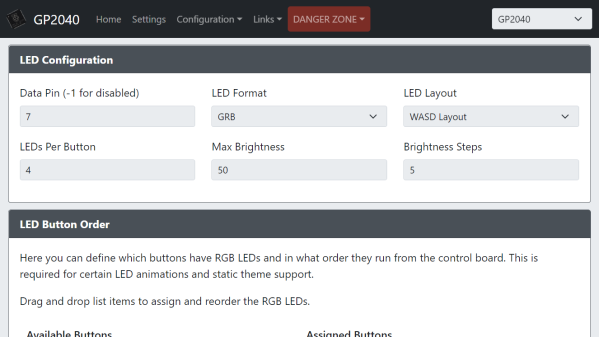
The firmware supports the older DirectInput API and the newer shiny (but rather restrictive) XInput API (no, it’s not the old X11 input extension with the same name) — as well as the usual controller features like SOCD cleaning, D-pad mapping, and RGB support for additional distractions. There is even support for those tiny OLED displays (SSD1306 and friends), although we can’t think of a use case for that at the moment. Configuration is particularly interesting, however, as it is based upon an embedded web application. This is where the pin mappings to your actual hardware are defined, as well as all that RGB bling, if you so desire.

Continue reading “GP2040: A Configurable Game Pad Firmware”

Pretty Pico Macropad Eases Transition Back To Office

[Thomas “Mel” Maillioux] is no stranger to the custom mechanical keyboard game — and faced with having to return to the office, they decided to whip up a sweet little macropad to both commemorate the occasion and make work a bit easier.

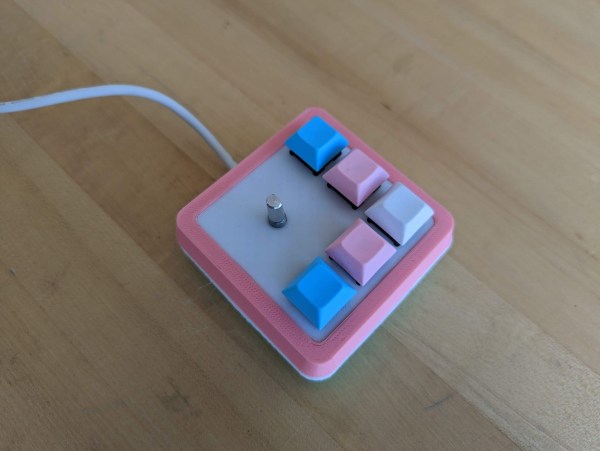
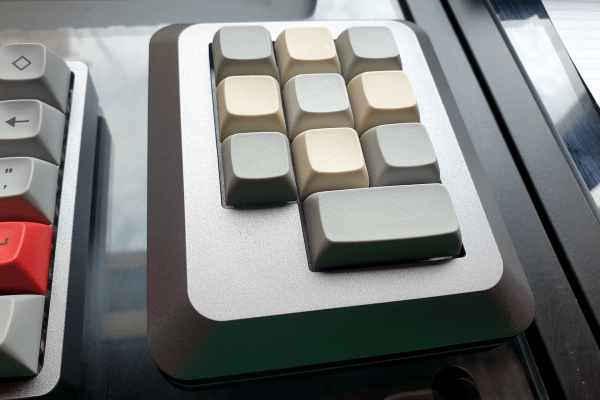
This cotton candy-colored block of beauty was designed to pay homage to [Mel]’s favorite joystick, the TRS-80 self-centering number with the single red, square button, and it looks fantastic. They started this journey by studying the key legends on their laptop to determine which macros might serve them best, based on which legends were the most worn.

Fortunately, all the macros they wanted to use — lock the workstation, save the current, active file, minimize/restore all windows, snap windows to the right or left, and volume control — are all macro’d already within Windows, so that made things rather easy.

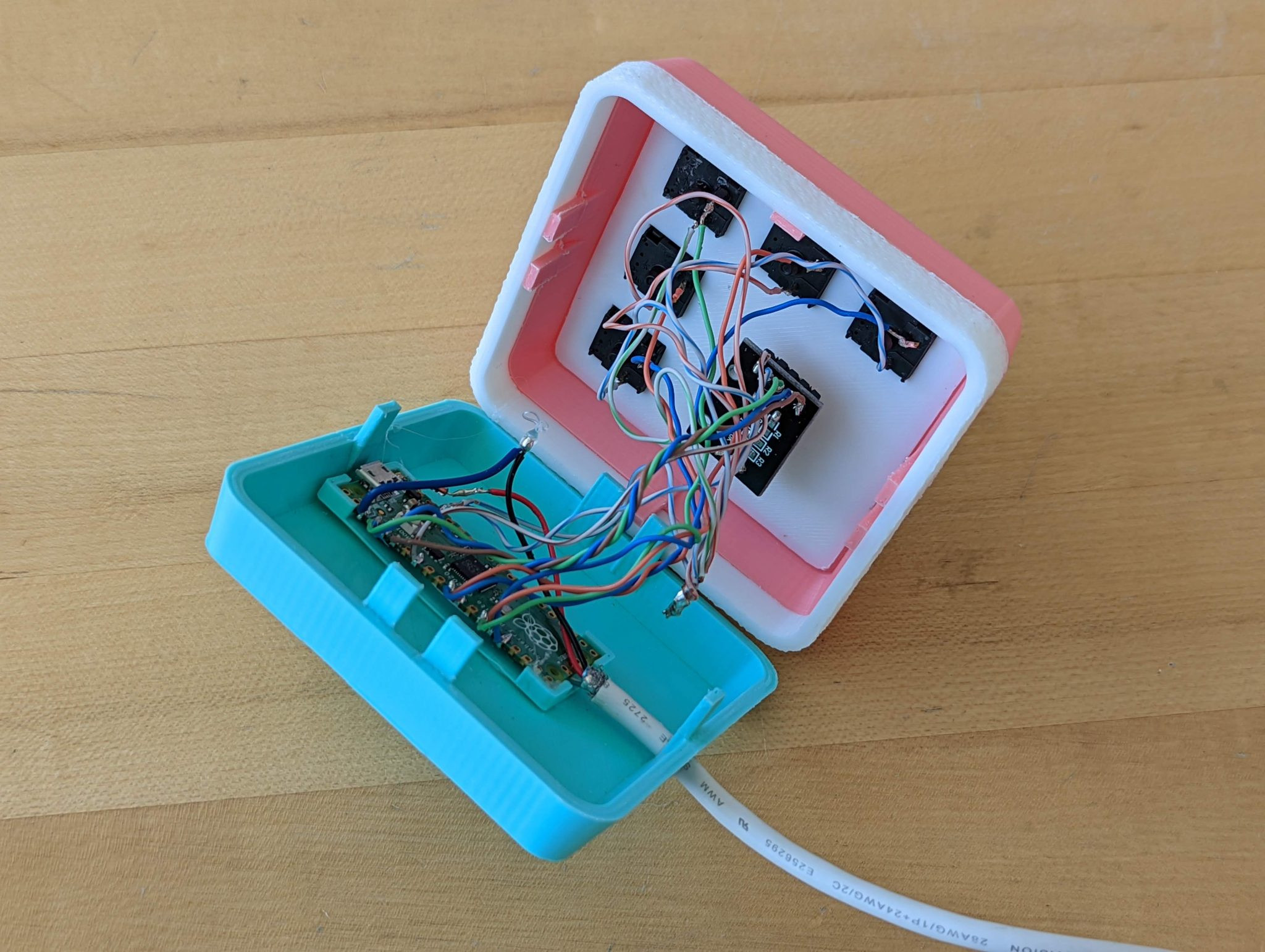
Hardware-wise, it doesn’t get much easier than a Raspberry Pi Pico, some mechanical switches, an old USB cable, and donor CAT5 pairs so it looks pretty inside and out. Plus, the handy rotary encoder volume knob will mute and un-mute when pressed. We think the snap-fit enclosure looks great, and it needs no supports to boot. If you want to make your own, be sure to check out the repo.

Okay, we lied: macro pad making does get easier, provided you have access to a 3D-printer.

Via MKKC Discord

Maiden Kansas City Keyboard Meetup Was A Clacking Good Time

Wow! I can’t believe it already came and went — but the first annual (semi-annual?) Kansas City Keyboard Meetup was, in my opinion, a rousing success. And I think organizer and Discord-nominated god among men [Ricardo] agrees with me. (He does; I checked before we left the venue.)

First of all, the attendance was off the charts, perhaps thanks in part to our announcement last week. We aim to get you the news sooner next time, in case you want to come in from surrounding states and municipalities. RSVPs sat around 20-something, and then shot up to 60 or so in the days leading up. Fortunately, there were enough tiny sandwiches, granola bars, and s t i c k e r s to go around. I already put mine on my keebin’ toolbox.

The Hive Was Buzzing

The event took place at Hive Co-Working thanks to [Nick], and overall, the space turned out to be a good layout. We were set up right inside the windows looking out to the street, and I like to think that we drew in a few passers-by, though I am probably more than a little bit biased. I wondered aloud on the way home how a sandwich board out on the sidewalk would have affected the influx of randos.

My husband pointed out that even though we were all the way downtown, this is Kansas City and not New York City, and most of the keyboard enthusiasts about town were already accounted for. Hmpf. I still say we should try a sandwich board next time. We could go meta and mention the tiny sandwiches inside. Don’t worry — there was plenty of sanitizer and napkins to go around, plus a box of gloves.

Continue reading “Maiden Kansas City Keyboard Meetup Was A Clacking Good Time”