People's Computer Company logo, drawn in a 1970's artistic style

Perusing The People’s Computing Company

If you are a certain age, you might recall the People’s Computing Company (PCC) from the 1970s. It was not really a company, but rather a folksy computer newsletter in the visual style of the times. In the first issue, published in October 1972, founders Dennis Allison, Bob Albrecht and George Firedrake explained their reasons for starting the newsletter:

Computers are mostly used against people instead of for people, used to control people instead of to free them; time to change all that — we need a … People’s Computer Company

The Computer History Museum (CHM) in Mountain View CA has a print collection of these issues donated by [Jim Warren], spanning its ten-year publication run (it changed name to Recreational Computing in 1979). Despite the museum being closed to the public these days over Covid concerns, CHM supporter [Bob Zeidman] has scanned all the issues and they are available at the CHM collections archive.

It’s really fun to browse through these old issues, and see the kinds of topics which were of interest back then. Many would still be of interest today, and many others have become obsolete by advances in technology (but are still fun to read if you have an interest in retro-computing). For example, in the first issue you can read about why you might use different lenses on your Bell & Howell film projector, a comparison of DEC and HP computers as used in educational settings, and how to save money on your teleprinter maintenance contracts and consumables like TTY paper, ribbons, and punched paper tape. If you have some time to kill, check out these archives and take yourself back to a time when desktop publishing meant literally typing and drawing freehand with metal styli on special stencils which were mounted on drums in your mimeograph machine one page at a time.

The PCC was an early supporter of copyright-free software, teaching computer programming, using computer games as a learning tool, and encouraging computer literacy for everyone. They did this not only via the newsletter, but educational books, an organization called ComputerTown USA! for teaching kids, and spin-off periodicals like DragonSmoke and Dr. Dobb’s Journal of Computer Calisthenics & Orthodontia (edited by [Jim Warren] mentioned above) which went on to become the popular computer magazine Dr. Dobb’s Journal which stayed in publication until 2014. We wrote a piece a few years ago about a software-defined radio project from the PCC back in 1975. Do you have any favorite old journal archives that you like to peruse from time to time?
 

Upgrade Board Adds GPIO Pins To Your Replica PDP-11

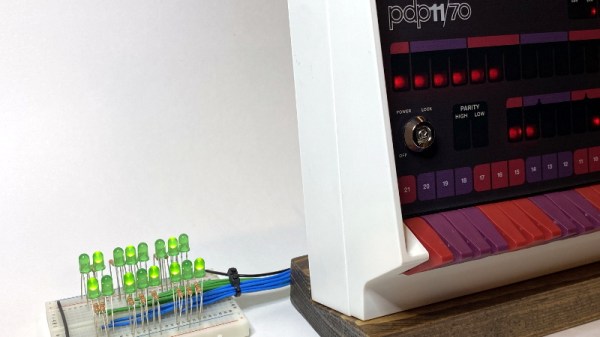
Like many Hackaday readers, [Steven Stallion] has had his eyes on the replica PDP-11 created by [Oscar Vermeulen] for some time now, and this summer he finally got the opportunity to build one himself. But while most owners might be content to just watch the Raspberry Pi based faux-retro computer blink away on a shelf, he wanted to explore putting the machine to more practical use. The end result is the PiDP-11 I/O Expander,  an add-on that lets the modern minicomputer interact with the world around it.

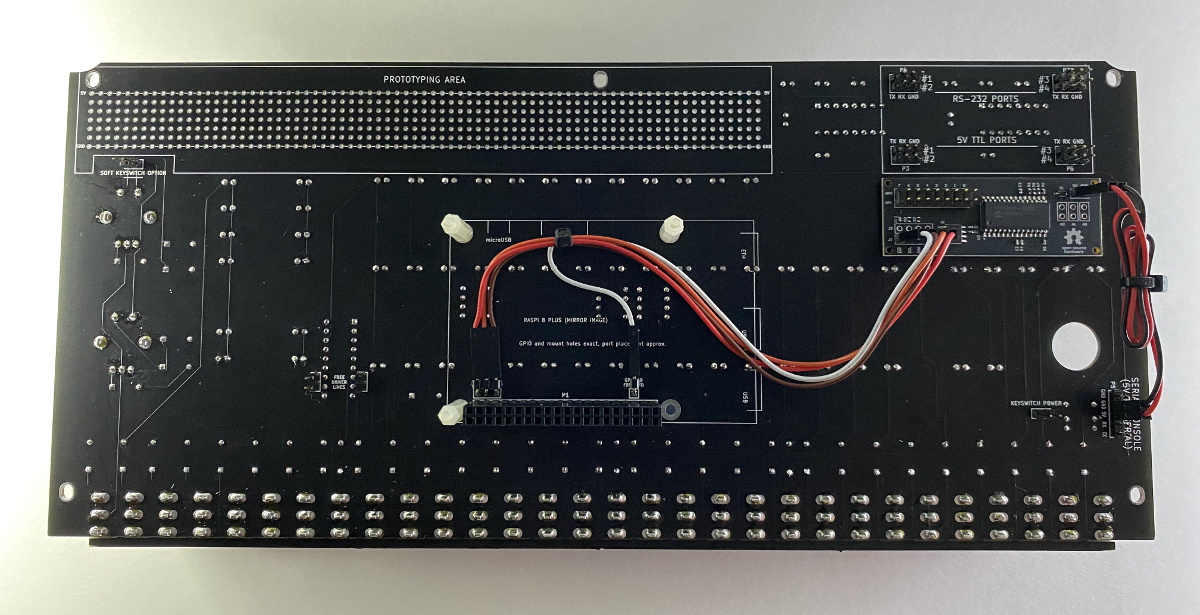
Developed after some discussion with [Oscar] himself, the Microchip MCP23016 based expander board fits neatly onto the PiDP-11 PCB, and [Steven] has made sure his installation guide meshes well with the replica’s documentation. The Pi’s I2C bus is actually broken out on the original PCB, so you just need to solder a header on and run some jumpers to where the expander is mounted. You’ll need to pull 5 V as well, and the installation guide has a few tips on convenient connection points.

The installed PiDP-11 I/O Expander

Each expander board gives you 16 GPIO pins which can be accessed over I2C, including support for interrupts which has been connected to GPIO 19 on the Raspberry Pi. [Steven] notes that you should be able to stack multiples of his expander up should you need even more free pins, though some fiddling with pull-up resistors and I2C addresses will likely be necessary.

The PCBs for the expander have been released under the two clause BSD license, so you’re free to spin up your own copies however you see fit. But if you’d like to save some time, [Steven] is offering assembled boards on Tindie.

Since [Oscar] first teased it at the 2015 Hackaday Supercon, we’ve been enamored with his fantastic PDP-11 replica. We’re always glad to see when somebody has picked up one of these wonderful kits, and doubly so when they’ve figured out a way to expand it in unexpected ways.

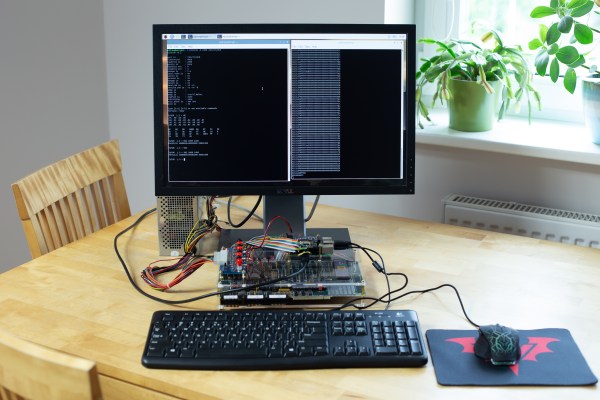
MC68k SBC with a monitor, keyboard and mouse

Motorola 68000 SBC Runs Again With A Raspberry Pi On Top

Single-board computers have been around a long time: today you might be using a Raspberry Pi, an Arduino, or an ESP32, but three decades ago you might find yourself programming a KIM-1, an Intel SDK-85, or a Motorola 68000 Educational Computer Board. These kind of boards were usually made by processor manufacturers to show off their latest chips and to train engineers who might use these chips in their designs.

[Adam Podstawczyński] found himself trying to operate one of these Motorola ECBs from 1981. This board contains a 68000 CPU (as used in several Macintoshes and Amigas), 32 kB of RAM, and a ROM program called TUTOR. Lacking any keyboard or monitor connections, the only way to communicate with this system is a pair of serial ports. [Adam] decided to make the board more accessible by adding a Raspberry Pi extended with an RS232 Hat. This add-on board comes with two serial ports supporting the +/- 12 V signal levels used in older equipment.

It took several hours of experimenting, debugging, and reading the extensive ECB documentation to set up a reliable connection; as it turns out, the serial ports can operate in different modes depending on the state of the handshake lines. When the Pi’s serial ports were finally set up in the right mode, the old computer started to respond to commands entered in the terminal window. The audio interface, meant for recording programs on tape, proved more difficult to operate reliably, possibly due to deteriorating capacitors. This was not a great issue, because the ECB’s second serial port could also be used to save and load programs directly into its memory.

With the serial connections working, [Adam] then turned to the aesthetics of his setup and decided to make a simple case out of laser-cut acrylic and metal spacers. Custom ribbon cables for the serial ports and an ATX break-out board for power connections completed the project, and the 40-year-old educational computer is now ready to educate its new owner on all the finer points of 68000 programming. In the video (embedded after the break) he shows the whole process of getting the ECB up and running.

[Adam] made a similarly clever setup with a Commodore 64 and an Arduino earlier. [Jeff Tranter] recreated a similar 68000 development board from scratch. And a few years ago we even featured our own custom-built 68k computer.

Continue reading “Motorola 68000 SBC Runs Again With A Raspberry Pi On Top”

CRISS CP/M Provides Modern Hardware For A Classic OS

Today you might choose run Windows, Linux, MacOS or some other OS on your computer. Back in the 1980s however, you generally had little choice: a certain home computer came with a certain OS, and that was it. If yours was based on a Z80 processor, chances are it ran CP/M. While differences in hardware often made direct data exchange difficult, CP/M provided at least a basic level of software compatibility between various Z80-based computers. Although eventually supplanted by MS-DOS (which initially aimed to be compatible with CP/M), enthusiasts kept the classic OS running on old hardware throughout the 90s and even beyond.

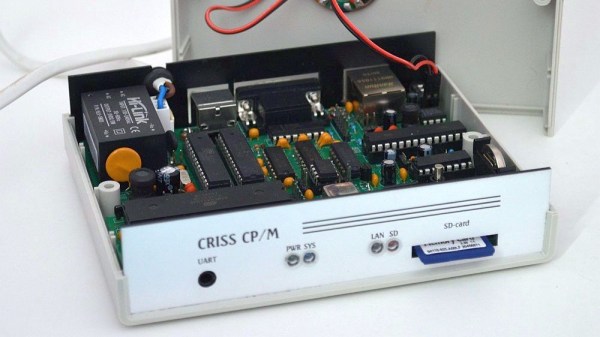
[Igor] decided to make a 21st-century CP/M machine by designing the CRISS, a single-board computer based mainly on AVR microcontrollers. The CPU is a 20 MHz ATMEGA1284P, which imitates a 4 MHz Z80 through machine-code emulation. A pair of ATMEGA328s run the peripheral controller and a VGA output, so the CRISS can be used with modern monitors. True to its heritage however, the image is monochrome green-on-black, looking instantly familiar to users of Kaypros, Osbornes and other contemporary CP/M machines.

Software is loaded through an SD card that holds floppy images. The CRISS can directly run programs written for the Kaypro II and Robotron 1715 computers, although other platforms can be supported as well with a software upgrade. [Igor] shows it running programs ranging from the Turbo Pascal compiler to games like Xonix and Tetris.

Housed in a neat little case, the CRISS can communicate with standard PS/2 keyboards and serial printers. Even an Ethernet port is provided for those willing to experiment with network connectivity (a rare feature in the 1980s).

We love seeing modern retro builds like this; similar projects we’ve covered before include the compact ZZ80MB and the huge Z20X. Others have used different ways of running CP/M on modern hardware, such as booting it directly on a Raspberry Pi or emulating an Altair on an ESP32.

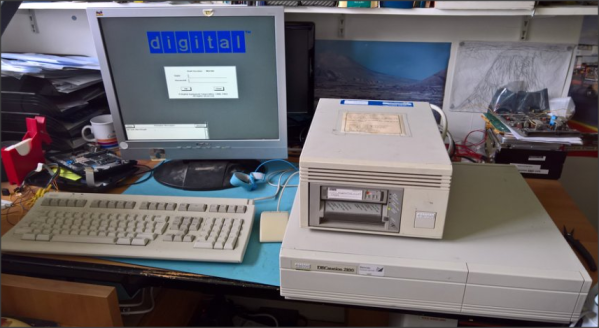
DEC microVAX with tape drive

Bake It To ReMake It: Cooking Old Magnetic Tape To Recover Data

Those of us old enough may remember the heyday of the text adventure game genre from the first time around. London-based Magnetic Scrolls was an early pioneering company producing titles for the first Amiga and Atari ST platforms. Fast-forward to 2017 and [Hugh Steers], the original co-founder and core developer for Magnetic Scrolls has formed an initiative to revive and re-release the original games on modern platforms. Since the 1980s-era DEC MicroVAX used originally for development is not particularly rare in retro computing circles, and media containing source code was found in someone’s loft space, reviving the games was not a tall order.

First, he needed to recover a copy of the original source code from the backup tapes. But there was a problem, it turns out that the decaying tapes used a unstable polyurethane-based binder to stick the oxide material (which is what stores the data) to the backing tape, and this binder can absorb water over the years.

Not much happens until you try to read the tape, then you trip over the so-called sticky-shed syndrome. Secondly you may find that a small amount of the oxide layer sheds from the tape, coating the read head, rollers and guides inside the complicated tape mechanism. This quickly results in it gumming up, and jamming, potentially chewing up the tape and destroying it permanently.

This was further exacerbated by the behaviour of the DEC TK50Z tape drive, which needed to shuttle the whole length of the tape as part of its normal operation.

A temporary solution was to bake the tape in an oven to drive out the moisture and reduce the stickiness enough to run it through the drive safely. Then only the oxide-shedding problem remained. The TK50Z drive was swapped for a TZ30 which shuttles the tape less, but also critically with a simple hack, would allow the heads to be cleaned with IPA between read passes. This was enough to keep the gumming up at bay and allow enough data to be read from the tapes to recover several games worth of code, ready for the re-releasing process.

The video after the break shows [Rob Jarratt] working through the process of the data recovery.

Continue reading “Bake It To ReMake It: Cooking Old Magnetic Tape To Recover Data”

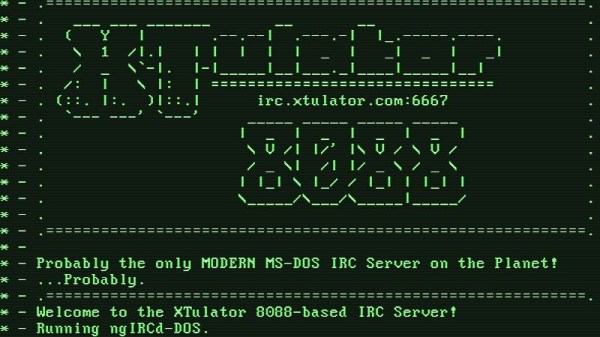
A computer green screen image of an IRC message of the day

IRC Server For MS-DOS

The recent flurry of projects based around Internet Relay Chat (IRC) should be a fair indication that the beloved protocol is not going anywhere. Now, thanks to [Mike Chambers], you can add to the IRC ecosystem by hosting your very own MS-DOS based IRC server.

This port of ngIRCd (Next Generation IRC Daemon) has already been spun up on 8088-based PCs running at just 4.77MHz, but you’ll still need at least 640KB of RAM. If your vintage IRC server takes off, you might want to think about dropping in an 10MHz V20 for a bit of a performance boost. Even so, it’s impressive that this server can get up on the 40-year-old IBM 5150, and should absolutely scream on an AT-class system.

The limitations of the 16-bit platform means that SSL and ZLIB are unsupported, and Mike has capped total connections at 50 in his port (however, this limitation can be adjusted by rebuilding from source, should you want to find out how far 640KB of RAM can take you). You’ll also need a few other things to get your server up and running, such as a packet driver for your network card and an mTCP configuration file.

Setting up your own IRC server is arguably a right rite of passage for most hackers and tinkerers, but getting this up and running on a decades-old beige box would make for a fun weekend project. [Mike] has all the juicy details on GitHub, and you can check out a test server running the latest build over at irc.xtulator.com.

Also, don’t forget to visit the #hackaday IRC channel over on irc.libera.chat.

[Thanks Sudos for the hot tip]

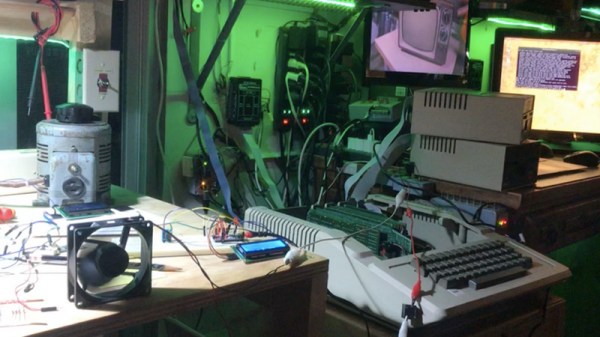
Apple II computer on a workbench

Simple Fan Controller Helps Apple II To Beat The Heat

In its day, the Apple II computer didn’t typically require active cooling. However, the increasing scarcity of replacement hardware convinced [Joshua Coleman] to come up with a more robust active cooling solution for his Apple II+, increasing the likelihood that it will keep on crunching numbers for decades to come.

Joshua mentions that he recorded temperatures inside his Apple II+ peaking at 110 Fahrenheit (over 43 Celsius). This isn’t totally unexpected for a fully-loaded Apple II system, and components were built to handle this – the original datasheet for the 6500 microprocessor family reveals that the CPU can handle temperatures as high as 158 Fahrenheit (70 Celsius). Unfortunately, we’re not dealing with brand new components anymore. Decades-old microprocessors don’t necessarily have the same thermal tolerance as they once did. All components will eventually wear out, and heat can certainly accelerate the aging process.

In the interests of maintaining his system, Joshua cobbled together an Arduino-based cooling system for his Apple II+. A temperature/humidity sensor continuously monitors the heat situation inside the case – when things get too toasty, a 12V fan powers up to draw fresh air over the logic board and expansion cards. A simple cooling curve reduces wear on the fan motor and relay.

This is hardly the first active cooling system for the Apple II line – in the 1980s, Kensington produced a popular (if not stupendously ugly) ‘System Saver’ accessory, an external bolt-on fan that kept things running cool. These were often deployed in schools and by power users looking for added reliability when maxing out the Apple II expansion slots, a configuration that could increase temperatures due to the extra power requirements and reduced airflow.

Continue reading “Simple Fan Controller Helps Apple II To Beat The Heat”