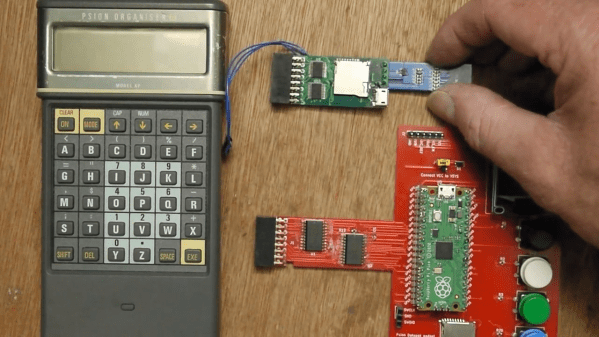
Psion Organiser with a Pico memory pack.

Proto-PDA Regains Its Memory With The Help Of A Raspberry Pi Pico

Remember the Psion Organiser? If you do, chances are you were an early adopter, as the 8-bit pocket computer had its heyday in the mid-1980s. Things have come a long way since then, of course, but just how far is illustrated nicely by the fact that a Raspberry Pi Pico can stand in for the Psion’s original memory packs.

Like many of the early attempts at putting a computer in your pocket, the Psion II had removable modules, which were dubbed “Datapaks”. The earliest versions of the Datapaks were little more than an EPROM chip on a small PCB, and the technical limitations of the day plus the quirky way of addressing the memory made it possible for [Amen] to mimic a Datapak using a modern microcontroller.

The first version was a breakout board that extended out of the Datapak slot significantly, with a Pico, OLED display, SD card slot, and a bunch of pushbuttons. That prototype proved that the Pico was indeed fast enough to fool the Psion into thinking a legit Datapak was plugged in. [Amen] later refined the design by making a board that stuffs everything into the Datapak slot, with the exception of the OLED which still dangles out where it can be seen. He puts the faux memory to the test in the video below.

It’s great to see groundbreaking tech of yesteryear like the Psion being taken care of and returned to use. We’ve seen others try before; here’s a hack that uses a Pi to connect a Psion Organiser to the internet through its RS-232 serial port.

Continue reading “Proto-PDA Regains Its Memory With The Help Of A Raspberry Pi Pico”
Interactive Musical Art Installation Mixes Vintage, Modern, Lasers, And…Bubbles? Bubbles.

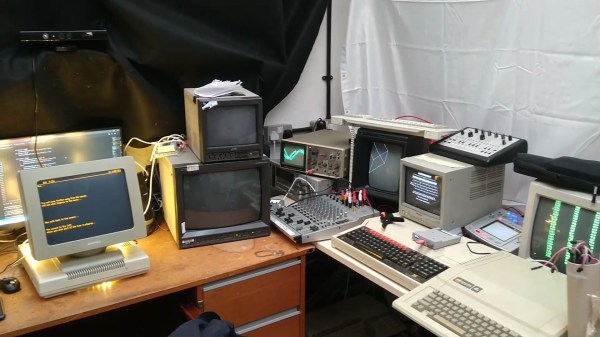
Acorn BBC Master. Apple IIe. Ampex 270 Terminal. Vectrex game console. You’d be hard pressed to find a more diverse hardware collection in the average hacker’s lab. When you add seven Raspberry Pi’s, five CRT monitors, an analog oscilloscope and an LED wall to the mix, one starts to wonder at the menagerie of current and retro hardware. What kind of connoisseur would have such a miscellaneous collection? That’s when you spot smoke and fog machines sitting next to an RGB Laser.

Finally, you learn that all of this disparate paraphernalia is networked together. It is then that you realize that you’re not just dealing with a multi-talented hacker- you’re dealing with a meticulous maestro who’s spent lockdown finishing a project he started nearly twenty years ago!

AUVERN comes alive in a show of light and sound whenever someone enters its view.

The machine is called AUVERN and it’s the product of the creative mind of [Owen]. Taking advantage of advances in technology (and copious amounts of free time), [Owen] laboriously put his collection of older rigs to work.

A Python script uses a Kinect sensor’s input to control a Mac Mini running Digital Audio Workstation software. The operator’s location, poses and movements are used to alter the music, lights, and multimedia experience as a whole. MIDI, Ethernet, and serial communications tie the hardware together through Raspberry Pi’s, vintage MIDI interfaces, and more. Watch the video below the break for the technical explanation, but don’t miss the videos on [Owen]’s website for a mesmerizing demonstration of AUVERN in full swing.

AUVERN makes use of the Vectrex32 upgrade which we have previously covered, and we are unavoidably reminded of another pandemic inspired bubble machine. Don’t forget to send us your hacks, projects, and creations through the Tip Line!

Continue reading “Interactive Musical Art Installation Mixes Vintage, Modern, Lasers, And…Bubbles? Bubbles.”

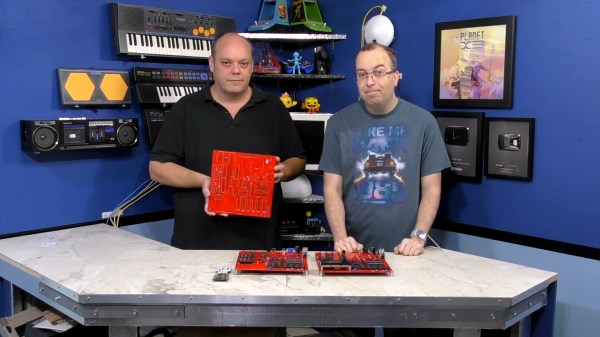
David Murray and Kevin Williams with an early X16 prototype

Commander X16: A Dreamy 8 Bit Computer Comes Closer To Reality

Imagine the ultimate homage to 1980s 8-bit home computers. It might  look like [David Murray] aka The 8-Bit Guy’s Commander X16.

As a core group of geeks, hackers, and developers age, we yearn for the computers of our youth. VIC-20s, Commodore Pets, 64s, 128s, Ataris, Apple IIes, and the list goes on and on. For many of us, our first hands on experience with a computer was with such a machine that is now called “retro”. Sadly, many of these relics are getting more expensive as demand increases and supplies dwindle. Working examples are harder to find, and even those can break down. Original monitors, peripherals, and accessories are also getting scarcer. This is all quite understandable when we consider that some of these classics are over 40 years old.

What was it that we loved about these old rigs that makes them so attractive? [David] decided to distil what makes a classic a classic, and then turn that list into a spec list for what he calls his “Dream Computer”. He found that things like a printed and spiral bound manual were a big part of the charm and utility of these early home computers. Booting directly to a prompt and being able to directly control the hardware was another highly desirable trait.

[David] also took the time to determine what people don’t like about these retro machines: Wacky keyboard layouts, composite video output, and glacially slow storage. Swapping multiple floppies to load a program or respooling a cassette tape is just as undesirable in 2021 as it was in 1981. Who knew?

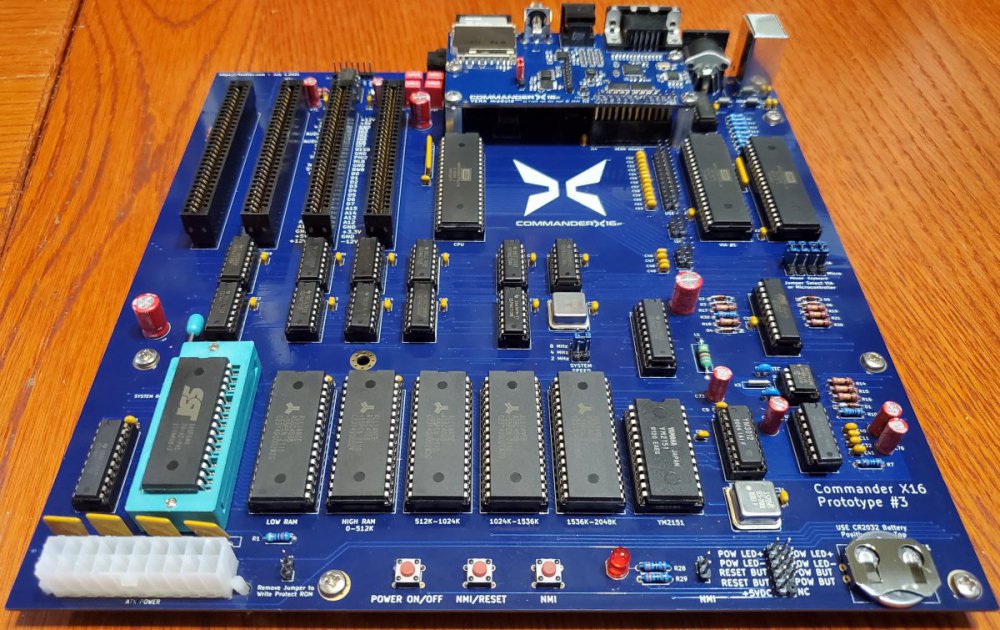
X16 Prototype #3
The X16’s’ prototyping is still in progress.

The result of [David]’s research is the Commander X16. Inspired by the VIC-20, it’s a fresh take on the retrocomputer that only uses parts that are currently available. You can see the first video in a series about the development of the X16 below the break. Be aware that a lot of progress has been made since the video came out in 2019, but it still provides an excellent starting point for learning about the project.

The X16’s specifications read like dream list made in the mid 80s: 256 color VGA, up to 2MB memory, an 8 MHz 6502, plenty of expansion ports, and even ports for SNES style controllers.  And what else will this dream machine include? You guessed it: A spiral bound manual!

It’s not possible to list all of the great features of the X16 in this space, so check out the Commander X16 FAQ for all the details. If this project makes your heart go pitter patter, you may be interested to know that they need help with software development! An emulator is available for development. The goal is to have a healthy software ecosystem in place when the X16 launches.

You may also enjoy reading about other 6502 retrocomputer reports such as this “Brain in a vat” 6502 computer, or a guided tour of the birthplace of the 6502 and the Commodore 64 with our very own Bil Herd.

Thank you to [Truth] for bringing us a report of this fine project via the Tip Line. Keep those tips coming!

Continue reading “Commander X16: A Dreamy 8 Bit Computer Comes Closer To Reality”

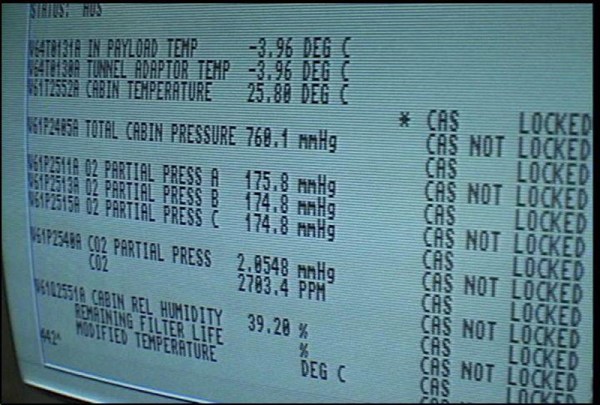
An Amiga computer at NASA

Retrotechtacular: Amiga Pips The PC For Mission-Critical Computing At NASA

In 1986, a group of NASA engineers faced a difficult choice in solving their data processing woes: continue tolerating the poor performance of PC architecture, or pony up the cash for exotic workstations. It turns out that the Commodore Amiga was an intriguing third choice, except for the fact that, paradoxically, it didn’t cost enough. Oh, and Apple wanted nothing to do with any of it.

Steeped in history, NASA’s Hangar AE is a hub for launch vehicle telemetry and other mission communications, primarily during prelaunch phases for launches at Cape Canaveral. Throughout the late 20th century, Hangar AE supported NASA launch vehicles in all shapes and sizes, from the Atlas-Centaur evolutions to the mighty Titan family. It even supported user data from the Space Shuttle program. Telemetry from these missions was processed at Hangar AE before being sent out to other NASA boffins, and even transmitted worldwide to other participating space agencies.

Coming down from decades of astronomical levels of funding, the 1980s was all about tightening the belt, and NASA needed budget solutions that didn’t skimp on mission safety. The Commodore Amiga turned out to be the right choice for processing launch vehicle telemetry. And so it was still, when cameras from the Amiga Atlanta group were granted permission to film inside Hangar AE.

Continue reading “Retrotechtacular: Amiga Pips The PC For Mission-Critical Computing At NASA”

The Faux-Vintage Becomes Vintage

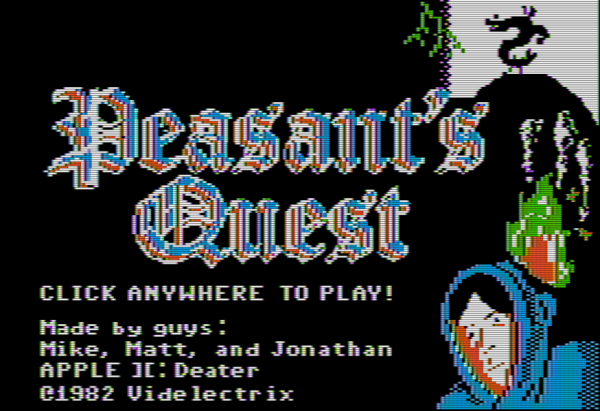
For those who might have missed it, there was a brief period in the mid-00s where gamers everywhere eschewed consoles and PCs in favor of simple Flash-based games to be played in a browser. Among these was the game Peasant’s Quest, created by the folks at Homestar Runner and modeled after video games from the 80s. [deater] was a fan of this game and wondered if it would actually be possible to play this retro-styled game on actual retro hardware.

For the experiment he decided on using an Apple II since this computer is featured as a prop rather often by the developers at Videlectrix. It turns out that with some determination it’s actually possible to run this game on the late 80s hardware with very little modifications. Squeezing the sprites into the required space was a challenge, as well as getting the sound tracks to play properly, but in the end the game runs within the hardware’s 280×192 resolution with 6 colors. There are also detailed notes on how the complicated graphics system on the Apple works for those willing to take a deep dive. There’s a lot going on here, but surprisingly few compromises needed to be made to get this to work.

The game itself is available on the project’s webpage for anyone who still has an Apple II kicking around, or for anyone who is willing to try it out in an emulator. Of course you could always play the original Flash version but that’s missing a certain charm that decades old retrocomputers have with games. We certainly aren’t seeing video game controllers like those built for the Apple II anymore, for example.

Continue reading “The Faux-Vintage Becomes Vintage”

Yo Dawg, We Heard You Like Retrocomputers

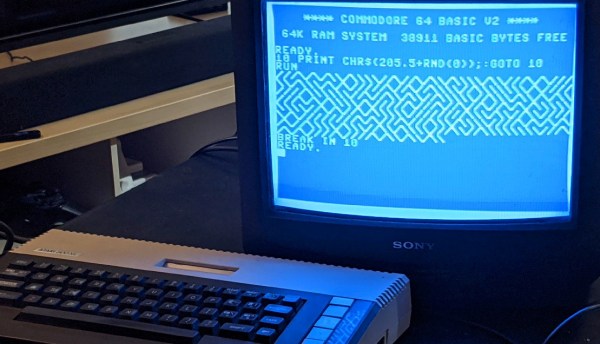
The idea of having software translation programs around to do things like emulate a Super Nintendo on your $3000 gaming computer or, more practically, run x86 software on a new M1 Mac, seems pretty modern since it is so prevalent in the computer world today. The idea of using software like this is in fact much older and easily traces back into the 80s during the era of Commodore and Atari personal computers. Their hardware was actually not too dissimilar, and with a little bit of patience and know-how it’s possible to compile the Commodore 64 kernel on an Atari, with some limitations.

This project comes to us from [unbibium] and was inspired by a recent video he saw where the original Apple computer was emulated on Commodore 64. He took it in a different direction for this build though. The first step was to reformat the C64 code so it would compile on the Atari, which was largely accomplished with a Python script and some manual tweaking. From there he started working on making sure the ROMs would actually run. The memory setups of these two machines are remarkably similar which made this slightly easier, but he needed a few workarounds for a few speed bumps. Finally the cursor and HMIs were configured, and once a few other things were straightened out he has a working system running C64 software on an 8-bit Atari.

Unsurprisingly, there are a few things that aren’t working. There’s no IO besides the keyboard and mouse, and saving and loading programs is not yet possible. However, [unbibium] has made all of his code available on his GitHub page if anyone wants to expand on his work and may also improve upon this project in future builds. If you’re looking for a much easier point-of-entry for emulating Commodore software in the modern era, though, there is a project available to run a C64 from a Raspberry Pi.

Thanks to [Cprossu] for the tip!

Audio Cassette Tape Data Retrospective

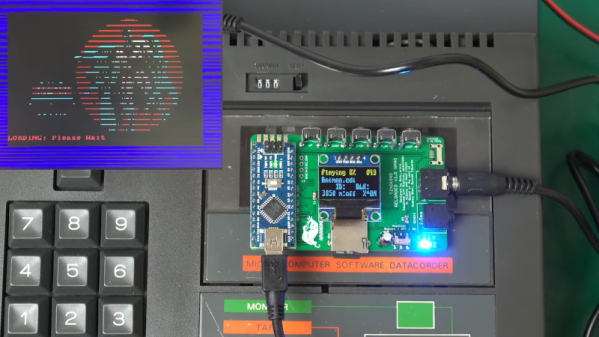
It has been a long time since we stored software and computer data on audiotape. But it used to be the de facto standard for hobby computers and [Noel] has a great video about the Amstrad’s system (embedded below) which was pretty typical and how the process could be sped up since today, you have perfect audio reproduction, especially compared to consumer-grade audiotape.

The cassette tapes suffered from several problems. The tape had an inherently low bandwidth, there was quite a bit of noise present from the analog circuitry and heads, and the transport speed wasn’t necessarily constant. However, you can easily digitally synthesize relatively noise-free sound at high fidelity and rock-solid frequency. So basically a microcontroller, like an Arduino, can look like an extremely high-quality tape drive.

Continue reading “Audio Cassette Tape Data Retrospective”