Retrotechtacular: Nellie The School Computer

When did computers arrive in schools? That should be an easy question to answer, probably in the years around 1980. Maybe your school had the Commodore Pet, the Apple II, or if you are British, the Acorn BBC Micro in that period, all 8-bit microcomputers running a BASIC interpreter. That’s certainly the case for the majority of schools, but not all of them. In early 1969 the BBC’s Tomorrow’s World visited a school with a computer, and in both technology and culture it was a world away from those schools a decade later that would have received those BBC Micros.

The school in question was The Forrest Grammar School, Winnersh, about 35 miles west of London, and the computer in question was a by-then-obsolete National Elliott 405 mainframe that had been donated four years earlier by the British arm of the food giant Nestlé. The school referred to it as “Nellie” — a concatenation of the two brand names. It seems to have been the preserve of the older pupils, but the film below still shows the concepts of its operation being taught at all levels. We get a brief look at some of their software too — no operating systems here, everything’s machine code on paper tape — as a teacher plays a reaction timer game and the computer wins at noughts and crosses (tic-tac-toe). One of them has even written a high-level language interpreter on which younger children solve maths problems. Of course, a 1950s mainframe with hundreds or thousands of tubes was never a particularly reliable machine, and we see them enacting their failure routine, before finally replacing a faulty delay line.

This is a fascinating watch on so many levels, not least because of its squeaky-clean portrayal of adolescent boys. This is what teenagers were supposed to be like, but by the late 1960s they must in reality have been anything but that away from the cameras. It’s a contrast with fifteen or twenty years later, the computer is seen as an extremely important learning opportunity in sharp opposition to how 8-bit computers in the 1980s came to be seen as a corrupting influence that would rot young minds.

Of course, these youngsters are not entirely representative of British youth in 1969, because as a grammar school the Forrest was part of the top tier of the selective education system prevalent at the time. There would certainly have been no computers of any sort in the local Secondary Modern school, and probably the BBC’s portrayal of the pupils would have been completely different had there been. In 1974 the Government abolished the grammar school system to create new one-size-fits-all comprehensive schools, one of which the Forrest school duly became. Following the vagaries of educational policy it is now an Academy, and there is probably not a room within it that does not contain a computer.

So what of Nellie? Because of the film there are plenty of online references to it in 1969, but we could only find one relating to its fate. It was finally broken up in 1971, with the only surviving component being a delay line. More than one Elliott machine survives in museum collections though, and your best chance in the UK of seeing one is probably at the National Museum Of Computing, in Bletchley.

Continue reading “Retrotechtacular: Nellie The School Computer”

Mining Bitcoin On The ESP32 For Fun, Definitely Not Profit

Bitcoin’s great, if you sold at the end of 2017. If you’re still holding, your opinion might be a little more sour. The cost to compete in the great hashing race continues to rise while cryptocurrency values remain underwhelming. While getting involved at the top end is prohibitively expensive, you can still have some fun with the basic concepts – as [Jake] did, by calculating Bitcoin hashes on the ESP32.

It’s a project that is very much done for fun, rather than profit. [Jake] notes that even maxing out both cores, it would take 31 billion years to mine one block at current difficulty levels. Regardless, the underlying maths is nothing too crazy. Double-hashing the right data with the SHA256 algorithm is all that’s required, a task that is well within the ESP32’s capabilities. There’s hardware acceleration available, too – though this is weirdly slower than doing it in software.

Overall, you’re not going to get rich hashing Bitcoin on a cheap microcontroller platform. You might just learn something useful, though. If this isn’t weird enough though, you could always try the same thing on a 1970s Xerox Alto. 


How To Interface Sega Controllers, And Make Them Wireless

The Sega Genesis, or Mega Drive as it was known outside North America, was a popular console for the simple fact that Sega did what Nintendidn’t. Anachronistic marketing jokes aside, it brought fast scrolling 16-bit games to a home console platform and won many fans over the years. You may find yourself wanting to interface with the old controller hardware, and in that case, [Jon Thysell] is here to help.

[Jon] has done the work required to understand the Sega controller interface, and has shared his work on Github. The interface is an interesting one, and varies depending on the exact console and controller hardware used. The original Master System, with its D-pad and two buttons, simply uses six pins for the six switches on the controller. The 3-button Genesis pad gets a little more advanced, before things get further complicated with the state-machine-esque 6-button pad setup.

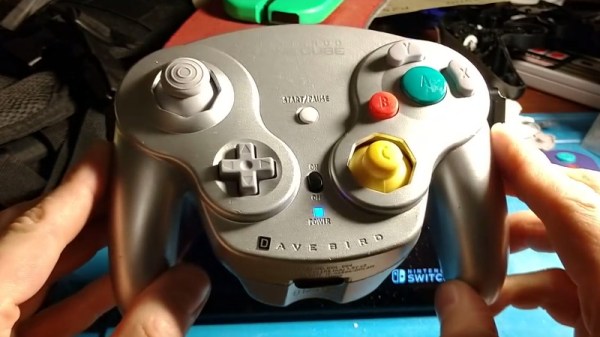
[Jon] helpfully breaks down the various interfaces, and makes it possible to interface them with Arduinos relatively easily. Sharing such work allows others to stand on the shoulders of giants and build their own projects. This nets us work such as [Danilo]’s wireless Genesis controller build. By combining the knowledge of the Sega protocol with a few off-the-shelf Arduinos and Bluetooth parts, it makes whipping up a wireless controller easy.

In this day and age, most console controllers can be readily interfaced with a PC with a variety of simple solutions – usually USB. You might feel like trying something harder though, for instance interfacing modern Nintendo controllers to a C64. Video after the break.

Continue reading “How To Interface Sega Controllers, And Make Them Wireless”

The MiniITX Retro System

There are hundreds of modern, retrocomputing projects out there that put ancient CPUs and chips in a modern context. The Neon816 from [Lenore] is perhaps one of the most impressive projects like this we’ve seen. It’s a classic system in a modern form factor, with modern video output, mashed together into a MiniITX motherboard.

The powerhouse of this computer is the Western Design Center W65C816 CPU. This is the second generation of the venerable 6502 CPU, the same chip found in everything from the Commodore 64 to the Apple II to the Nintendo Entertainment System. The 65816 is a 6502 at start-up until you flip a bit in a register, at which time the signalling on the address bus becomes much weirder. We’ve seen some single board computers based on the 65816 before and The 8-Bit Guy has a few ideas to build a computer around this CPU, but for the foreseeable future work on that will be trapped in development hell.

Of note, the Neon816 will feature DVI output (I guess technically you can just run the analog signals through the connector), a PS/2 Joystick input, two Atari / Sega joystick ports, MIDI in and out, a PC-style floppy disc connector, and a Commodore serial bus. It’s a hodge-podge of classic retrotainment, all in a single MiniITX motherboard.

The key other feature of the Neon816 is an FPGA, specifically a Lattice XP2 8000 LUT chip that is used for video and audio. This is combined with 1MB of main RAM (looks like a simple SRAM) and 128k of Flash storage for the ROM. There’s also an SD card in there for storage.

Right now, [Lenore] is populating the first prototype board, and we can’t wait to see some video generated with this impressive little system.

Home Brewing Rig Gets A Particle Upgrade

Home brewing is a pastime that can be as much an art or a science as you make it, depending on your predilections. [Brandon Satrom] is one who leans very much towards the science side. There’s plenty that can be done to monitor and control a brew, and [Brandon] is one of many who have built custom hardware to help get the best possible results. Now, that hardware was due for an upgrade.

[Brandon]’s original BrewBuddy system relied on the Particle Photon, a useful platform that was nonetheless getting on in years. With the launch of the new Particle Argon, [Brandon] set his sights on new features that were possible with the added horsepower available. Graphics were added to the LCD screen, and a piezo sensor to detect the start of the fermentation process. This is in addition to the original temperature monitoring and plotting features of the first build.

The upgrade from one microcontroller platform to another can be fraught with headaches, but in this case, only minor changes were needed. 3 lines of code were changed to account for different pin assignments, and the rest fell neatly into place. It’s a testament to the compatibility of the Particle platforms that this upgrade was so easy.

We’ve talked about the 3rd generation Particle boards before, and we expect to see them turning up in many more builds to come. Video after the break.

[Thanks to dcschelt for the tip!]

Continue reading “Home Brewing Rig Gets A Particle Upgrade”

Emulating An Altair 8800 On An Apple II

The Altair 8800 was, to its creators, a surprise hit. Despite looking nothing like what we would today consider to be a computer, it sold thousands of units almost immediately upon its launch, way back in 1975. A few years later, the Apple II burst onto the scene, and the home computer revolution began in earnest.

Emulating older machines on newer hardware has always been a thing, and [option8] has coded an Altair 8800 emulator for the Apple II. Of course, if you don’t have one lying around, you can run this emulator on an Apple II emulator right in your browser. Honestly, it’s emulators all the way down.

As far as emulators go, this is a particularly charming one, with the Altair’s front panel displayed in glorious color on the Apple’s 40 column screen. Replete with a full set of switches and blinking LEDs, it’s a tidy low-resolution replica of the real thing. Instructions to drive it are available, along with those for another similar emulator known as Apple80.

If that still hasn’t quenched your thirst, check out this Game Boy emulator that lives inside emacs.

ATtiny Gets A Tiny Software UART

Modern microcontroller platforms spoil us with their performance and expansive spec sheets. These days it’s not uncommon to be developing for a cheap micro that has a clock rate well in excess of 100MHz, with all manner of peripherals baked in. DACs, WiFi, you name it – it’s in there, with a bunch of libraries to boot. It wasn’t always this way, and sometimes you would even find yourself lacking hardware serial support. In these cases, the bitbanged software UART is your friend, and [MarcelMG] decided to document just how it’s done.

The amateur programmer’s first recourse may be to use delays to properly time the output data stream. This has the drawback of wasting processor cycles and doesn’t let the microcontroller do much else useful. Instead, [Marcel] discusses the proper way to do things, through the use of interrupt service routines and hardware timers.

[Marcel]’s implementation is for the ATtiny24A, though it should be easily portable to other AVR8 processors. Taking up just 2 bytes of RAM and 276 bytes of program space, it’s compact – which is key on resource-limited 8-bit devices. The code is available on Github if you fancy trying it out yourself.

It’s a technique that is more than familiar to the old hands, but useful to those new to the art. It can be particularly useful if you need to get data out of a legacy platform with limited options. As times change, it’s important to pass on the techniques of yesteryear to the new generation. Of course, if things are really tight, you can even do a half-duplex UART on a single pin.