Mechanical Keyboards Are Over, This Device Has Won

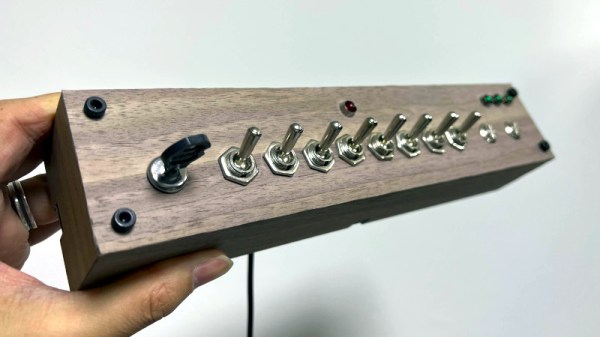
The desk of any self-respecting technology enthusiast in the 2020s is not complete without a special keyboard of some sort, be it a vintage IBM Model M, an esoteric layout or form factor, or just a standard keyboard made with clacky mechanical switches. But perhaps we’ve found the one esoteric keyboard to rule them all, in the form of [HIGEDARUMA]’s 8-bit keyboard. You can all go home now, the competition has been well and truly won by this input device with the simplest of premises; enter text by setting the ASCII value as binary on a row of toggle switches. No keyboard is more retro than the one you’d find on the earliest microcomputers!

Jokes aside, perhaps this keyboard may be just a little bit esoteric for many readers, but it’s nevertheless a well-executed project. Aside from the row of binary inputs there is a keypress button which sends whatever the value is to the computer, and a stock button that allows for multiple inputs to be stored and sent as one. If you pause for a moment and think how often you use Ctrl-C and Ctrl-V for example, this is an essential function. There’s more information on a Japanese website (Google Translate link), which reveals that under the hood it’s a Bluetooth device running on an ESP32.

We can imagine that with a bit of use it would be possible to memorize ASCII as binary pretty quickly, in fact we wouldn’t be at all surprised to find readers already possessing that skill. But somehow we can’t imagine it ever being a particularly fast text input device. Take a look for yourselves, it’s in the video below the break.

Continue reading “Mechanical Keyboards Are Over, This Device Has Won”
Odd Inputs And Peculiar Peripherals: The Morse Keyboard

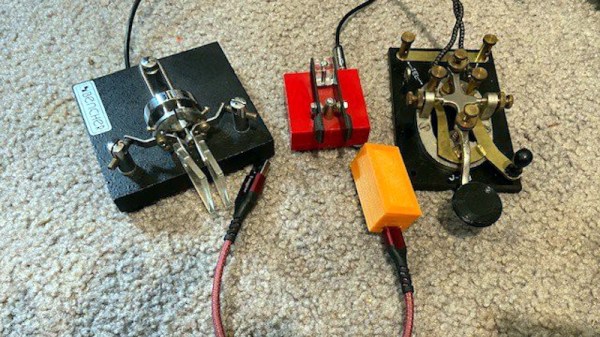
When it comes to rendering text input into an electronic form,the newest keyboards use USB for wired interfacing, while the oldest Morse keys use a single conductor. Shall the two ever meet? For [Matthew Sparks] the answer is yes, with his “The Gadget” Morse-to-USB HID interface which presents a Morse key to a computer as though it were a USB keyboard.

At its heart is a Seeduino Arduino clone, upon which the Morse key waggles a pin, and which through the extensive magic of software recognizes the keyed characters and converts them into USB key presses for the computer. It’s thus a surprisingly simple project, and the write-up spends far more time proselytizing the art of the carrier wave than it does on Arduino code.

Morse is simultaneously a manual art form, an efficient means of communicating through congested radio bands, and an anachronism, which probably explains its continued appeal in the radio amateur fraternity. We’re not sure how many keyboard warriors will switch to the single key with this project, but we can see that it might be a useful aid to learning as well as a pretty quick input method for the owner of an experienced fist.

Morse has featured in many projects here before, not least in this assistive Morse keyboard.

Odd Inputs And Peculiar Peripherals: Touch This Macro Pad

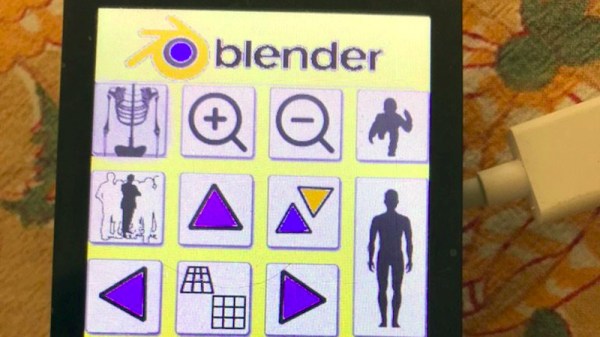
The need to provide custom controls for complex software packages has been satisfied in many ways, the most usual of which is to have a configurable keypad. It’s a challenge [Meir Michanie] has taken up in a slightly different way, by creating a custom touch-screen macro pad. Unlike the buttons, this allows entirely custom layouts with different shaped keys in any configuration.

At its heart is a versatile ESP32 touch screen development board of the type that can be found easily among the pages of your favorite online electronics mart. The Arduino IDE has been used to program the device, and configuration is as simple of providing it with a PNG of the desired layout, and a CSV file to define the buttons. The whole then connects via BLE where it’s presented to the host computer as a keyboard. The result is one of the coolest macro pads we’ve ever seen, with a limitless number of options.

With such a neat idea it’s perhaps no surprise among the numbers of macro pads that have made it to these pages there might be another take on the same idea.

2022 Hackaday Prize: Hack It Back And Make It Yours

The 2022 Hackaday Prize continues to hurtle along, with two of the five Challenges already in the rear-view mirror. While we’re naturally excited about every phase of this year’s contest, we’ve got particularly high hopes for what the community can do with this third Challenge: Hack it Back.

It’s a simple formula: find some outdated and disused piece of gear, spruce it up, and keep it out of the landfill. But extending the lifetime of consumer hardware is only one side of the coin, by upgrading and modifying something instead of buying an off-the-shelf replacement, you also turn the mundane into something unique and personal. But of course, we hardly have to explain the benefits to you fine folk — this is the sort of bespoke engineering we see on a nearly daily basis here at Hackaday. The difference now is that there’s cash prizes on the line.

Custom iPod, some Assembly Required

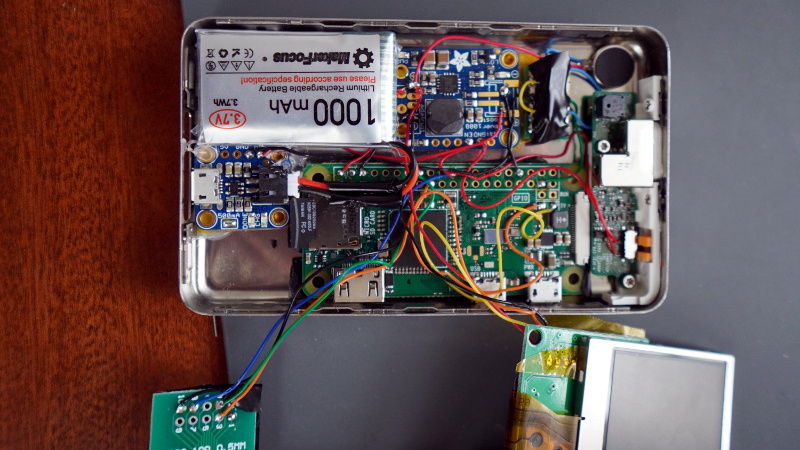
So if there’s an old iPod collecting dust in your desk, perhaps now is the time to replace its guts with some modern silicon and teach it a few new tricks. Sure a brand-new robotic vacuum might be nice, but you could save yourself some money by picking up a second-hand Roomba and tucking an ESP8266 onboard. Got a nice piece of test equipment that predates the handy data export functions we take for granted these days? You might need to use the nuclear option and skim the desired data right off the unit’s LCD controller. We could spend all day pulling examples from the archives, but you get the picture.

What’s that you say? You aren’t the type to be seduced by shiny new features? Happy to keep things local while others ship it all off to the cloud? You’ll get no complaints from us, and that’s why the Hack it Back Challenge also recognizes repairs that simply put a piece of gear back into service. But don’t be fooled, as fixing something can often be harder than rebuilding it from scratch.

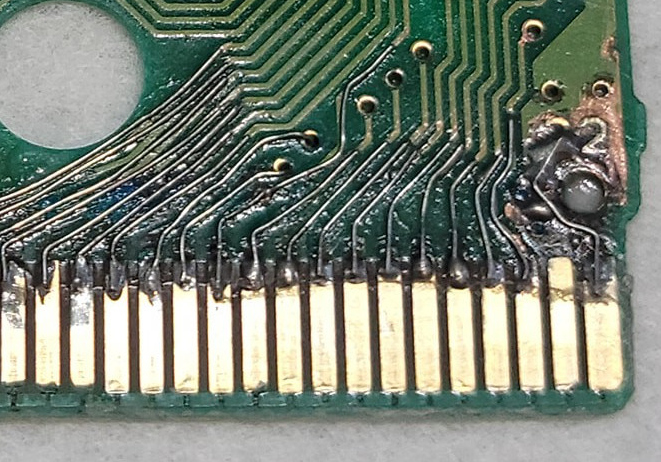
When you’ve got to crack out the x-ray machine to find all the damaged traces on a decades-old PCB, only to then tediously replace them all with microscopic bits of wire, you may find yourself wondering what you’ve done to anger the Keeper of the Magic Smoke. On the other hand, plenty a gadget has been disabled due to nothing more exotic than a single bad solder joint. In either event, there’s a certain sense of satisfaction when you can return a literal piece of history to working condition.

Ready to put your hardware-reviving skills on display? Just head over to Hackaday.io, make a new project page, and get hacking. But don’t wait too long, you’ve only got until July 24th to enter the Hack it Back Challenge and stake your claim on one of the ten $500 awards up for grabs.

Odd Inputs And Peculiar Peripherals: The Simplest Of Pi 400 Cyberdecks

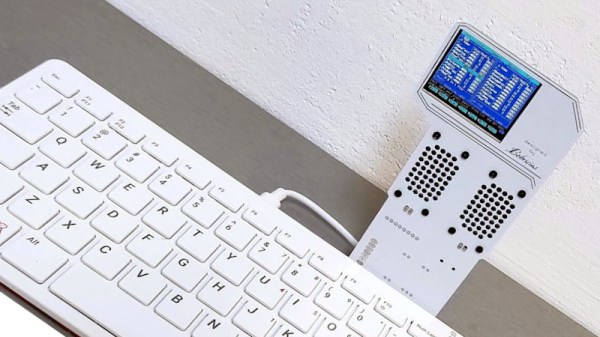
The trend for making cyberdecks has seen the Raspberry Pi emerge as a favourite for these home-made computer workstations, with the all-in-one Raspberry Pi 400 providing a particularly handy shortcut to integrating the computer and keyboard components. There’s still the question of the cyberdeck chassis and screen though, and it’s one that [bobricius] has answered in what may be the simplest manner possible, by means of a riser PCB from the expansion port holding a 320×240 SPI display.

If this is starting to look familiar, then you’d be right to recognise it as a slightly higher-quality version of those cheap LCD screens that have been available for the Pi for quite a few years. Alongside the screen is a pair of speakers, and the whole thing extends upwards from the back of the Pi 400. We’d question how much load can be taken by the expansion connector, but in practice it seems not to be taking too much.

The device in use can be seen in the video below the break. It’s definitely not the largest of displays, and when used as a desktop, it’s rather cramped, but it seems adequate for a terminal. It has the advantage over many cyberdecks that when the novelty has waned, it can be removed, and the Pi 400 used with a conventional display.

The Pi 400 has been with us for nearly a couple of years now, and perhaps hasn’t had the recognition it deserves. If you’ve never tried one, take a look at our review from when it came out.

Continue reading “Odd Inputs And Peculiar Peripherals: The Simplest Of Pi 400 Cyberdecks”

2022 Hackaday Prize: Reuse, Recycle, And Revamp All The Things

Where has the year gone? It’s already summer in the Northern Hemisphere, and the second Challenge of the 2022 Hackaday Prize ends this weekend, along with your chance at one of ten $500 prizes. If you thrive on last-minute challenges, consider the eleventh hour upon you. But don’t panic; there’s still a decent amount of time left to start a new project over on Hackaday.io and get it entered into the contest.

The second Challenge focuses on creating new ways of recycling materials. What does this look like? That’s a pretty broad topic, but it could be anything from a better method of chip harvesting to an inexpensive and/or low-energy process for shredding used plastic and forming it into millable blocks.

Don’t just think big on a commercial scale — imagine what people can do at home with the stuff in their recycle bin or their neighbor’s trash. If everyone had access to one of [Jerzeek]’s plastic scanners for identifying the type of plastic that mystery bucket or old watering can was made of, just think what could be done. As long as your project focuses on reusing, recycling, or revamping, we want to see it!

So far, we’ve seen a bunch of excellent projects, many of which are focused on recycling plastic. There’s the Pullstruder, which creates PET filament from plastic bottles, and a method for vacuum-forming HDPE plastic directly from milk jugs. There has to be more than one way to upcycle acrylic scraps into new sheets and jewelry, but the best one definitely involves a panini press and a car jack.

Recycling plastic is totally fantastic, but it’s not the only material available at the dump. You’ll probably have no trouble finding tires from which to make footstools and tables, and if you’re lucky, there’ll be an old phone that could be turned into an IoT assistant. If you want to take the circularity thing literally, dig up a printer and and old CD player and turn them into a mini pottery machine that uses cornstarch.

So basically, we have a bunch of awesome entries right now, but we don’t have yours! Remember: it doesn’t have to be a new project, just a new project page. Did you revolutionize recycling during lockdown? Make a new project and tell us about it! Just don’t forget to actually enter the thing by using the drop-down on the left before 7AM PDT on Sunday, June 12th. Need a time converting countdown thingy? We’ve got you.

After the recycle bin is empty, we’ll be moving on immediately to the Hack It Back challenge. This time, we’ll be asking you to teach old tech new tricks, or to bring a piece of gear back from the dead. Turn a blender into a Dremel-like tool, or give an old ‘scope a screen upgrade. You know what to do!

Show Us Your Odd Inputs And Peculiar Peripherals!

Just as the Jedi youngling would have to build their light saber, so is it a rite of passage for a true geek to build their own computer interfaces. And nothing makes a personal computer more personal than a custom keyboard, a bespoke mouse, an omnipotent macropad, a snazzy jog wheel, or a fancy flight yoke.

In this contest, we encourage you to make your strangest, fanciest, flashiest, or most custom computer peripherals, and share that work with all the rest of us. Wired or wireless, weird or wonderful, we want to see it. And Digi-Key is sponsoring this contest to offer three winners an online shopping spree for $150 each at their warehouse! More parts, more projects.

Make It Yours

Anyone can just go out an buy a keyboard, but if you want a custom ergonomic keyboard that’s exactly fit to your own two hands, you probably have to make one with your own two hands. And if you an engraved brass mouse, well, you’ve got some engraving to do — Logitech ain’t gonna make one for you. Maybe you only type in binary, or maybe you need a keyboard for some alien language that has 450 individual letters. Or maybe the tiniest keyboard ever? You’ve got this. Continue reading “Show Us Your Odd Inputs And Peculiar Peripherals!”