Hackaday Prize 2022: Saving The World, One Brew At A Time

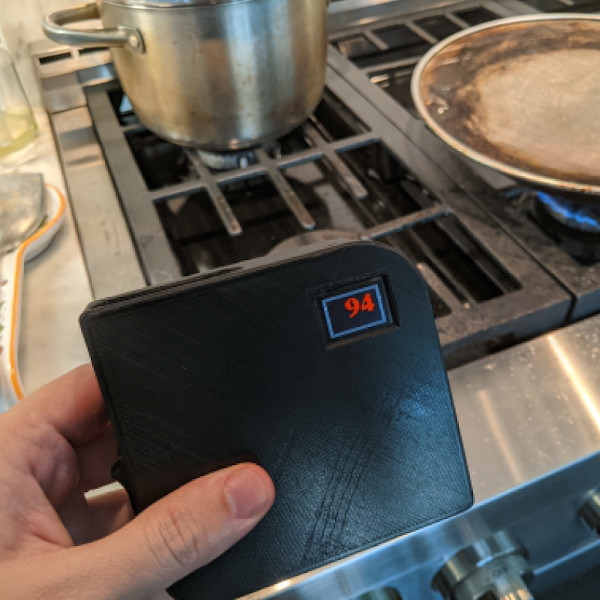
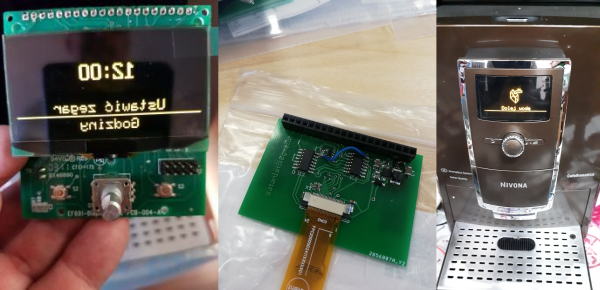
OK, so maybe [satanistik] is overreaching with his project title “Save the Coffee, Save the World” but keeping an otherwise working coffee machine out of the landfill by hacking around its broken display is nonetheless a worthy pursuit. The juice must flow!

The busted display used a SSD1303 controller OLED module, for which the SSD1305Z is an almost-compatible module. Almost. The one glitch is that the screen is filled in the opposite direction by default. Digging through the manuals, there is a screen-direction bit to set, and tracing out the communication with a logic analyzer, it’s set the wrong way with every screen refresh. If only he could flip that one bit while it’s in transit. Time to man-in-the-middle!

While we certainly would have put a microcontroller in the game, [satanistik] goes old-school. A two-IC logic solution can do exactly the same thing, trading wires for code. The final iteration of the converter board is correspondingly spartan, but it does its one job.

So if you’ve got a Nivona coffee machine with a bum display, or perhaps an Agilent U1273A multimeter, or any other piece of equipment that needs a hard-to-find SSD1303 controller, now you have a ready-made solution. But if not, and you find yourself looking for a display that you can’t find, let this serve as an example to you – with a little (fun) effort, you can hack it back.


2022 Hackaday Prize: Make Your World More Disaster Resistant, More Engaged

Following along with the 2022 Hackaday Prize theme on building a better world by doing what we all do best – hacking together solutions – the fourth round of the Prize focuses on making our local communities more resilient against and sensitive to severe weather and environmental disasters. Whether it’s an early warning system for wildfires or a distributed communication network that will keep working even when the cell phone service goes down, we’re challenging you to help make your world safer by reacting sooner and better. Get your project entered now!

Sensing

We love systems that help us monitor our environments, and not just for idle curiosity or citizen science. Sometimes it’s critical. We’ve seen monitors aimed at giving you a personal particulate air quality indicator, especially helpful for people with respiratory problems when downstream of a forest fire.

But even better is networking these together to generate an air quality map, or to log long-run trends over time and space. CanAirIO, for instance, has both a fixed and mobile unit that can help map out CO2 and particulate matter quality. Or maybe it’s not wildfires that invade your airspace, but rather pollution from car use. We’ve seen projects like that before too, and anything along these lines would make a great entry into this challenge round. Could you predict local air quality? Continue reading “2022 Hackaday Prize: Make Your World More Disaster Resistant, More Engaged”

Don’t Miss Your Last Chance To Enter The Hack It Back Challenge

While the 2022 Hackaday Prize as a whole winds its way through a good chunk of the year, each individual challenge that makes up the competition only sticks around for a limited time. As hard as it might be to believe, our time with theHack it Back challenge is nearly at a close, with just a few days left to enter your project before the July 24th deadline.

Each challenge in this year’s Hackaday Prize has been designed around the core themes of sustainability, resiliency, and circularity — and for the Hack it Back phase of the competition we asked hackers to essentially keep as much hardware out of the landfill as possible. That could mean making a simple fix that puts a piece of equipment back into service, or it might be a be complete rebuild of an older device to bring it up to modern standards. These are the kind of projects Hackaday was built on, so turning it into an official challenge this year made perfect sense. Continue reading “Don’t Miss Your Last Chance To Enter The Hack It Back Challenge”

Overwhelmed By Odd Inputs: The Contest Winners And More

The Odd Inputs and Peculiar Peripherals Contest wrapped up last week, and our judges have been hard at work sifting through their favorite projects. And this was no easy task – we had 75 entries and so many of them were cool in their own right that all we can say is go check them all out. Really.

But we had to pick winners, not the least because Digi-Key put up three $150 gift certificates. So without further ado, here are the top three projects and as many honorable mentions as you have fingers and toes – if you don’t count your thumbs.

The Prize Winners

Keybon should be a mainstream commercial product. It’s a macro keypad with an OLED screen per key. It talks to an application on your desktop that detects the program that you currently have focused, and adapts the keypress action and the OLED labels to match. It’s a super-slick 3D-printed design to boot. It’s the dream of the Optimus Maximus, but made both DIY and significantly more reasonable as a macro pad. It’s the coolest thing to have on your desk, and it’s a big winner!

On the ridiculous side of keyboards, meet the Cree-board. [Matt] says he got the idea of using beefy COB LEDs as keycaps from the bad pun in the name, but we love the effect when you press down on the otherwise blinding light – they’re so bright that they use your entire meaty finger as a diffuser. Plus, it really does look like a keypad of sunny-side up eggs. It’s wacky, unique, and what’s not to love about that in a macropad?

Finally, [Josh EJ] turned an exercise bike into a wireless gamepad, obliterating the choice between getting fit and getting high scores by enabling both at the same time. An ESP32-turned-Bluetooth-gamepad is the brains, and he documents in detail how he hooked up a homebrew cadence sensor, used the heart-rate pads as buttons, and even added some extra controls on top. Watching clips of him pedaling his heart out in order to push the virtual pedal to the metal in GRID Autosport, we only wish he were screaming “vroooom”. Continue reading “Overwhelmed By Odd Inputs: The Contest Winners And More”

2022 Hackaday Prize: Reuse, Recycle, Revamp Finalists

The 2022 Hackaday Prize is focused on taking care of the planet. The theme of our second challenge round, “Reduce, Recycle, Revamp” is all about tailoring your projects to make use of existing resources and keeping material out of the landfill rather than contributing to it. Our judges have scrutinized the entries and handed me the sealed envelope. All of these ten projects will receive $500 right now and are eligible for the Grand Prize of $50,000, to be announced in November.

We were looking for two broad types of recycling projects in this round, either projects that incorporate a significant recycled component in their build, or projects that facilitate recycling themselves, and frankly we got a good mix of both!
Continue reading “2022 Hackaday Prize: Reuse, Recycle, Revamp Finalists”

Odd Inputs And Peculiar Peripherals: RoenDi Smart Knob Thinks Outside The Box

When it comes to design decisions, we’re often advised to “think outside the box.” It’s generally good advice, if a bit abstract — it could really mean anything. But it appears that someone took it quite literally with this nifty little smart knob display and input device.

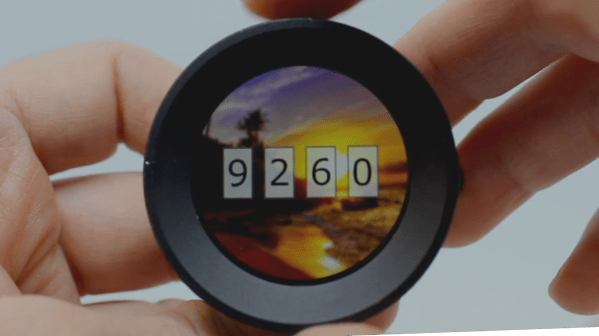
[Dimitar]’s inspiration for RoenDi — for “rotary encoder and display” — came from an unusual source: a car dashboard, and specifically, the multipurpose knobs that often crop up in a car’s climate control cluster. Designed for ease of use while driving while causing as little distraction as possible, such knobs often combine a rotary encoder with one or more indicators or buttons. RoenDi builds on that theme by putting a 1.7″ round LCD display in the middle of a ring attached to an Alps rotary encoder, allowing the knob to be customized for whatever you want it to represent. The backplane sports a powerful STM32 microcontroller with a lot of the GPIO pins broken out, so customization and interfacing are limited only by your imagination. The design is open source, so you can either build your own or support the project via Crowd Supply.

Unlike the haptic smart knob we’ve been seeing a bit about lately, which also features a round LCD at its center, RoenDi’s feedback is via the physical detents on the encoder. We think both devices are great, and they fill different niches in the novel input ecosystem.

Continue reading “Odd Inputs And Peculiar Peripherals: RoenDi Smart Knob Thinks Outside The Box”

A 3D-printed five-key chorded keyboard

Odd Inputs And Peculiar Peripherals: Chorded Keyset Recreates Engelbart’s Vision

Douglas Engelbart’s 1968 “Mother of all Demos” introduced the world to a whole range of technologies we take for granted today, the most prominent being his great invention, the computer mouse. However, the MOAD also showcased things like cut-and-paste text editing, a point-and-click interface, video conferencing, and even online collaboration à la Google Docs. One of the innovations shown that for some reason didn’t stand the test of time was the chorded keyboard: an input device with five keys that can be pressed simultaneously in different combinations, the same way you would play chords on a piano.

A 3D-printed five-key chorded keyboard
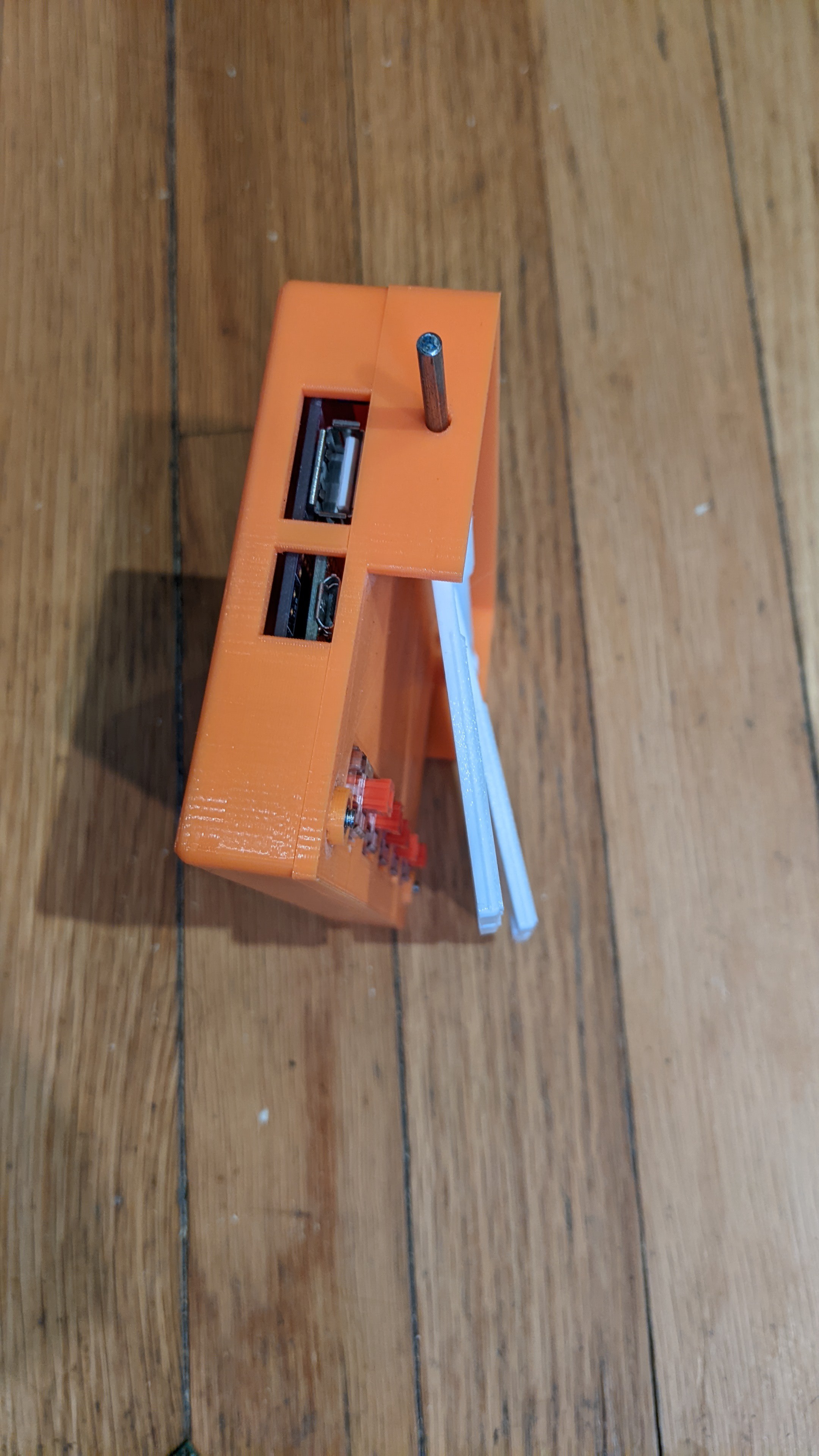
The Engelbart Keyset comes with both USB host and USB client ports

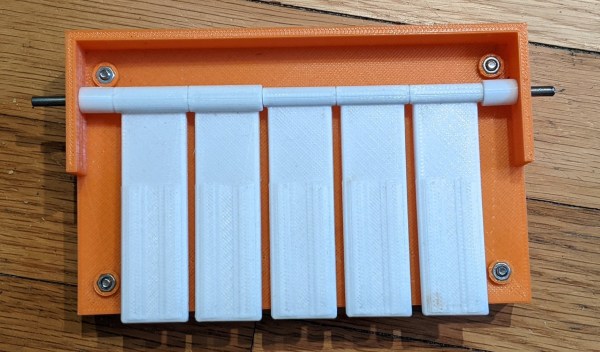
While a handful of attempts have been made over the years to bring new life to the “chorder”, it failed to achieve mainstream appeal and remains a curiosity to this day. That makes it a natural fit for the Odd Inputs and Peculiar Peripherals contest, as we can see in [Russ Nelson]’s submission called the Engelbart Keyset, which aims to create a modern 3D printed chorder that works exactly as Engelbart intended it.

It’s important to note that the chorded keyboard was not meant to be just an additional set of five keys. Instead, Engelbart showed the clever interplay between the chorder and the mouse: the five keys under his left hand and the three mouse buttons under his right could be combined to create a full 8-bit input device. [Russ]’s device therefore includes a USB host interface to connect a USB mouse as well as a USB client interface that presents itself as a combination mouse/keyboard device to the PC.

The brains of the device are formed by a Teensy 4.1, which reads out the codes sent by the mouse as well as the five keys on top. If one or more of those keys are pressed together with a mouse button, then a keyboard code is generated corresponding to Engelbart’s original keycode mapping. We’re wondering how practical this whole setup would be in real life; it looks like something you’d have to try hands-on to find out. Fortunately, all the schematics, code and STL files are available on the project page, so with just a bit of work you can have your own MOAD setup on your desk today.

We’ve featured a couple of chorded keyboards on these pages; the Pico Chord, the Chordie and the BAT spring to mind. If you’re looking for a recap of Engelbart’s stunning presentation, check out our piece on the Mother of all Demos, 50 years on.