AI Upscaling And The Future Of Content Delivery

The rumor mill has recently been buzzing about Nintendo’s plans to introduce a new version of their extremely popular Switch console in time for the holidays. A faster CPU, more RAM, and an improved OLED display are all pretty much a given, as you’d expect for a mid-generation refresh. Those upgraded specifications will almost certainly come with an inflated price tag as well, but given the incredible demand for the current Switch, a $50 or even $100 bump is unlikely to dissuade many prospective buyers.

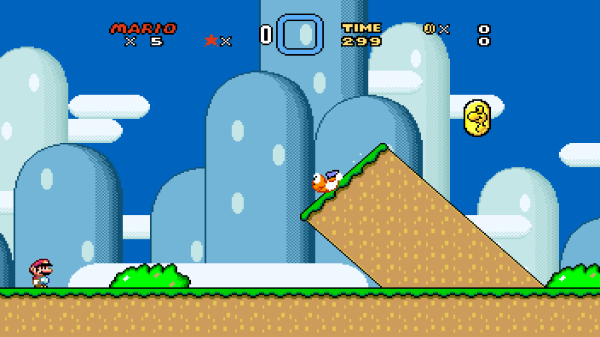
But according to a report from Bloomberg, the new Switch might have a bit more going on under the hood than you’d expect from the technologically conservative Nintendo. Their sources claim the new system will utilize an NVIDIA chipset capable of Deep Learning Super Sampling (DLSS), a feature which is currently only available on high-end GeForce RTX 20 and GeForce RTX 30 series GPUs. The technology, which has already been employed by several notable PC games over the last few years, uses machine learning to upscale rendered images in real-time. So rather than tasking the GPU with producing a native 4K image, the engine can render the game at a lower resolution and have DLSS make up the difference.

The current model Nintendo Switch

The implications of this technology, especially on computationally limited devices, is immense. For the Switch, which doubles as a battery powered handheld when removed from its dock, the use of DLSS could allow it to produce visuals similar to the far larger and more expensive Xbox and PlayStation systems it’s in competition with. If Nintendo and NVIDIA can prove DLSS to be viable on something as small as the Switch, we’ll likely see the technology come to future smartphones and tablets to make up for their relatively limited GPUs.

But why stop there? If artificial intelligence systems like DLSS can scale up a video game, it stands to reason the same techniques could be applied to other forms of content. Rather than saturating your Internet connection with a 16K video stream, will TVs of the future simply make the best of what they have using a machine learning algorithm trained on popular shows and movies?

Continue reading “AI Upscaling And The Future Of Content Delivery”

Super Mario Sunburn Mod on TV Pexels Ricardo Ortiz

Super Mario Sunburn Mod Shines Up A GameCube Favorite

Super Mario Sunshine always felt a little under-baked when it came to 3D Mario games. Whether it was wonky camera controls, aggravating coin quotas, or the inclusion of a sentient super-soaker the game didn’t quite fulfill fan expectations. Seeking to wash-away that reputation [Wade] created a mod to revitalize the oft disparaged GameCube game. Over two years in the making, Super Mario Sunburn breaks Super Mario Sunshine wide open with new levels, more coins, and the freedom of a modern open-world game. Collecting in-game shine collectibles no longer automatically warps Mario back to the island hub, but rather allows Mario to keep filling those pockets.

In order to apply the Sunburn mod patch, a clean rip of Super Mario Sunshine for Nintendo GameCube is needed. The easiest method of ripping GameCube discs is actually with a Nintendo Wii — provided it can run CleapRip via the Homebrew Channel. With a clean game image, the Sunburn patch can be applied on Windows by running Delta Patcher. From there a Sunburn-patched image can be enjoyed via emulator with the optional HD Texture pack, or even real Nintendo hardware. A comprehensive mod like this is surely deserving of some WaveBird time.

The arrival of [Wade]’s mod comes at a crucial time for many Mario fans. Late last year Nintendo released an underwhelming compilation of 3D Mario games called Super Mario 3D All-Stars. The release brought with it the lightest of touches and failed to provide a suitable modernization of Super Mario Sunshine. The company didn’t even allow players to play in 16:9 widescreen (unlike Sunburn). At the end of March Nintendo will cram Super Mario 3D All-Stars into “Bowser’s Vault” thereby removing it from store shelves. All the more reason to give Super Mario Sunburn a try. Continue reading “Super Mario Sunburn Mod Shines Up A GameCube Favorite”

Playstation 3 controller and console

Digital PlayStation 3 Purchases May Only Live As Long As Your PRAM Battery Without Sony Servers

Word of Sony shutting down PlayStation storefront servers for PS3 this summer spread like wildfire on the internet Monday. The discourse in comment sections were filled with anti-DRM rhetoric and renewed pledges of physical-only game collections, because without content servers to connect to, your digital PS3 purchases will eventually become unplayable. Even if legitimate purchases are installed to the console’s hard drive before Sony “flips the switch”, they may only live on as long as the internal clock stays in sync. Which is why this guide to replace a PS3 PRAM battery written by [Andrew] has renewed importance. After a battery replacement the internal clock needs to be reset and this requires validation from the PlayStation network (you know, the one that’s soon to be shut down).

Game preservationist group [Does it play?] drove home the impact of such a business decision by Sony on Twitter. The thread is quick to point out that even if users are quick to re-download all of their purchases to a PS3 system before the purported July 2nd deadline, those games will eventually become unplayable if the system clock becomes desynchronized. Replacing the PRAM battery and reconnecting to the PlayStation Network prior to Sony shuttering their servers should buy the user some more playtime. However, without any further changes to Sony’s licensing policy little else can be done physically to ensure those digital PS3 games will work in perpetuity.

Sony isn’t the only one to have drawn the ire of digital rights advocates in regards to terminating their online services. Nintendo shuttered the DSI-Shop in 2017 and Microsoft turned off access to the original Xbox LIVE servers in 2010. The big three console makers have all let their consumers down by removing the ability to reacquire purchases in some way, but the fact that so many PS3 exclusives were only ever available digitally just further exacerbates issues with digital rights. Dropping in a fresh coin-cell may not be the permanent solution everyone is looking for at the moment, but it couldn’t hurt to re-familiarize yourself with the Cell processor.

Continue reading “Digital PlayStation 3 Purchases May Only Live As Long As Your PRAM Battery Without Sony Servers”

An Entire Game Inside Of A Font

Where’s the last place you’d expect to be able to play a game on your computer? The word processing program? Image editor? How about your text editor? That’s right — you can fight your Fontemons in any program that makes use of fonts, because mad genius [Michael Mulet] has created a game that exists entirely within a single Open Type font file.

[Michael] has harnessed the power of ligatures to create a choose-your-own-adventure-style turn-based game that pokes fun at both Pokemon and various typeface names. You start by choosing between Papyromaniac, Verdanta, and Proggito and face off against enemies like Helvetikhan and Scourier.

This works because there are many ways to draw glyphs on a screen. [Michael] chose Type 2 Charstrings, which is a vector graphics format that Adobe created for PostScript. It can draw pixels with a series of move specifications that tell it to draw up, to the right, and then back down before closing off the pixel with an implicit operator that draws from the starting point to the ending point. [Michael] was able to create two shades of gray by drawing smaller versions of the pixels and making the image by combining white and black pixels.

If you just want to play the game, you can either download the .otf file or just try it out in the browser. You’re supposed to use ‘a’ and ‘b’ to make choices that advance the game, but we soon discovered that spamming other keys like ‘v’ and Enter will lead to strange places. If you play it straight, it takes about 20 minutes, but there are enough secrets built in to make it last five times as long. [Michael] was kind enough to create a tutorial for making font-based games, but if you just want to get going, the game engine is open source.

What other fun things can you do on that locked-down work computer? If it has Excel, you can use it to do animation or just kick back and watch a movie.

Planetary Escape (-Room In A Box)

The trick to a fun escape room is layers. For [doktorinjh]’s Spacecase, you start with an enigmatic aluminum briefcase and a NASA drawstring backpack. A gamemaster reads the intro speech to set the mood, and you’re ready to start your escape from the planet. The first layer is the backpack with puzzles you need to solve to get into the briefcase. In there, you discover a hidden compartment and enough sci-fi references to put goofy smiles on our faces. We love to see tools reused as they are in one early puzzle, you use a UV LED to reveal a hidden message, but that light also illuminates puzzle clues later.

All the tech in Spacecase makes it a wonder of mixed media. The physical layer has laser engraved wood featuring the font from the 1975 NASA logo, buttons, knobs, LEDs, toggle switches, and a servo. Beneath the visible faceplate is an RGB sensor, audio player, speaker, and at the center is an Arduino MEGA. We’d love to get our hands on Spacecase for a game, and we’re inspired to pull out all the stops and build games with our personal touches. Maybe something with a mousetrap.

This isn’t the first escape room hardware we’ve seen and [doktorinjh] similarly made a bomb diffusing defusing game.

Continue reading “Planetary Escape (-Room In A Box)”

Dreamcast Controller Adapter Even Works With Mice

PC gamers have the benefit of a broad ecosystem of peripherals built to serve their gaming pleasure. As a bonus, if there’s something out there that doesn’t work with the platform, someone is likely already selling an adapter for it. Console gamers aren’t so lucky, and the vast majority stick with the factory standard controller. [megavolt85] isn’t one of them however, and spun up a multi-adapter for the Sega Dreamcast.

The adapter lets the player use a huge variety of controllers with the Dreamcast. There’s support for both PS1 & PS2 controllers, including vibration support, as well as MegaDrive & Saturn pads, too. PS/2 mice and keyboards can be used as well, and up to 16 VMUs can be hooked up as well. The adapter uses the STM32F103C8T6 microcontroller, which runs at up to 72MHz, giving it plenty of grunt to emulate the Dreamcast’s Maple controller interface.

We’ve seen other hacks of the Dreamcast’s controller bus, too; this custom controller implements the interface on a Raspberry Pi Pico. If you’ve been cooking up your own glorious Dreamcast mods, be sure to drop us a line!