Retrotechtacular: Field Assembling Airplanes Like Wartime “Ikea”

Imagine it’s 1943, and you have to transport 1,000 P-47 fighter planes from your factory in the United States to the front lines in Europe, roughly 5,000 miles over the open ocean. Flying them isn’t an option, the P-47 has a maximum range of only 1,800 miles, and the technology for air-to-air refueling of fighter planes is still a few years off. The Essex class aircraft carriers in use at this time could carry P-47s in a pinch, but the plane isn’t designed for carrier use and realistically you wouldn’t be able to fit many on anyway. So what does that leave?

It turns out, the easiest way is to simply ship them as freight. But you can’t exactly wrap a fighter plane up in brown paper and stick a stamp on it; the planes would need to be specially prepared and packed for their journey across the Atlantic. To get the P-47 inside of a reasonably shaped shipping crate, the wings, propeller, and tail had to come off and be put into a separate crate. But as any reader of Hackaday knows, getting something apart is rarely the problem, it’s getting the thing back together that’s usually the tricky part.

So begins the 1943 film “Uncrating and Assembly of the P-47 Thunderbolt Airplane which has been digitally restored and uploaded to YouTube by [Zeno’s Warbirds]. In this fascinating 40 minute video produced by the “Army Air Forces School of Applied Tactics”, the viewer is shown how the two crates containing the P-47 are to be unpacked and assembled into a ready-to-fly airplane with nothing more than manpower and standard mechanic’s tools. No cranes, no welders, not even a hanger: just a well-designed aircraft and wartime ingenuity.

Continue reading “Retrotechtacular: Field Assembling Airplanes Like Wartime “Ikea””

Ask Hackaday: Preserving Electronic Devices

Conventional wisdom holds that we no longer make things to last for the long haul, and that we live in a disposable world. It’s understandable — after all, most of us have a cell phone in our pocket that’s no more than a year or two old, and it’s often cheaper to buy a new printer than replace the ink cartridges. But most of that disposability is driven by market forces, like new software that makes a device obsolete long before it breaks down, or the razor and blades model that makes you pay through the nose for ink. It turns out that most electronic devices are actually pretty well engineered, and as long as they’re not abused can still be operating decades down the road.

But what happens when you want to put an electromechanical device away and preserve it for a rainy day? What can you do to make sure the device will operate again a few years down the road? Are there steps one can take beyond the typical “keep it in a cool, dry place” advice? In short, how do you preserve electronic devices?

Continue reading “Ask Hackaday: Preserving Electronic Devices”

Jerri Nielsen: Surviving The Last Place On Earth

There may be no place on Earth less visited by humans than the South Pole. Despite a permanent research base with buildings clustered about the pole and active scientific programs, comparatively few people have made the arduous journey there. From October to February, up to 200 people may be stationed at the Amundsen-Scott South Pole Station for the Antarctic summer, and tourists checking an item off their bucket lists come and go. But by March, when the sun dips below the horizon for the next six months, almost everyone has cleared out, except for a couple of dozen “winter-overs” who settle in to maintain the station, carry on research, and survive the worst weather Mother Nature brews up anywhere on the planet.

To be a winter-over means accepting the fact that whatever happens, once that last plane leaves, you’re on your own for eight months. Such isolation and self-reliance require special people, and Dr. Jerri Nielsen was one who took the challenge. But as she and the other winter-overs watched the last plane leave the Pole in 1998 and prepared for the ritual first-night screening of John Carpenter’s The Thing, she had no way of knowing what she would have to do to survive the cancer that was even then growing inside her.

Continue reading “Jerri Nielsen: Surviving The Last Place On Earth”

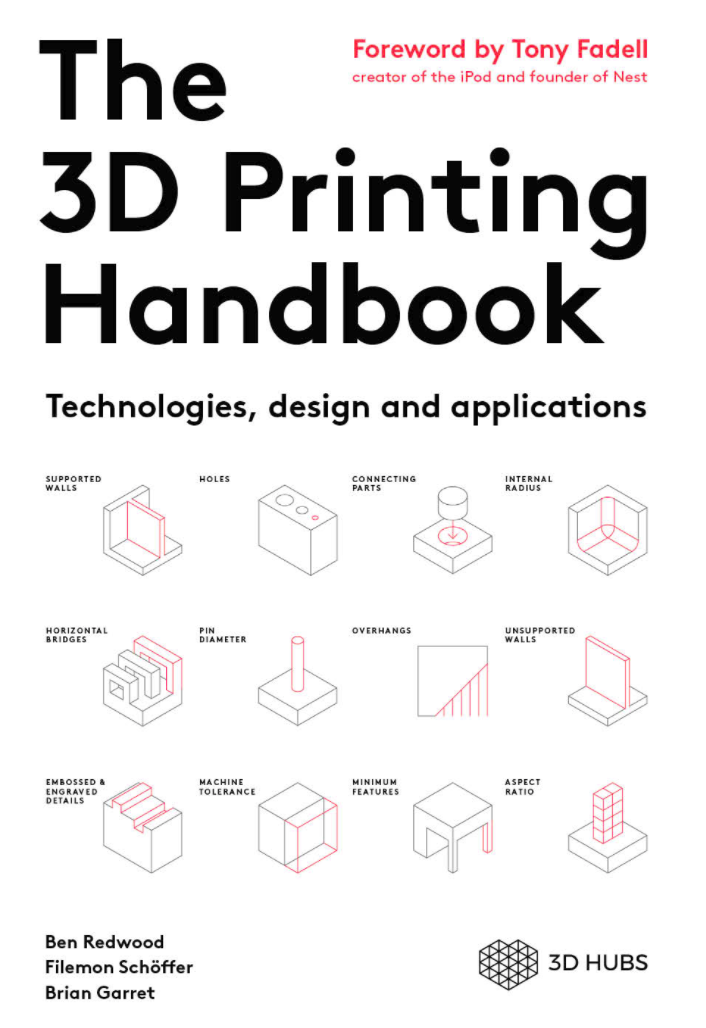
Books You Should Read: The 3D Printing Handbook

3D printing was invented in the 80s, twenty years passed, patents expired, and then several diverse uses for 3D printing technology were found. As such, the tips and techniques for 3D printing — especially filament-based printing — have been discussed and documented almost entirely on the Internet, mostly in chat rooms, forums, and YouTube videos. Everything you could ever want to know about 3D printing is available on the Internet, but that doesn’t mean you’ll be able to find it.

There have been dozens of books published as a guidebook to 3D printing over the years, and some of those are even in their second edition. Yes, despite the disappearance of 3D printers from the headlines of TechCrunch, and despite the massive public disillusionment of computer-controlled hot glue guns, there are still people that want to learn about 3D printers. There’s actually a market for 3D printing guidebooks, and people are buying them.

The latest such guidebook for 3D printing is The 3D Printing Handbook from 3D Hubs. 3D Hubs has been around for a while, and can best be described as, ‘3D Printing as a Service’. The usual use case for 3D Hubs is that someone would upload a 3D model to 3D Hubs, and get a quote from someone with a 3D printer. This quote could come from a professional 3D printing outfit with machines that cost more than a house to someone with a LulzBot or Prusa in their garage. 3D Hubs is going to be fantastic when people realize you can do CNC milling on the service as well.

This book was written by Ben Redwood, Filemon Schöffer, and Brian Garret, all employees of 3D Hubs. In one way or another, 3D Hubs has a hand in every conceivable type of 3D printing technology, and this book aims to be an introduction to the uses of these technologies, and a guidebook on how to use 3D printing technology the right way. There’s a question with this book: does it live up to expectations, and for that matter, can any book live up to the expectation of being a ‘guide to 3D printing?’

Continue reading “Books You Should Read: The 3D Printing Handbook”

Hackaday Links Column Banner

Hackaday Links: December 17, 2017

Where do you go if you want crazy old electronic crap? If you’re thinking a ham swap meet is the best place, think again. [Fran] got the opportunity to clean out the storage closet for the physics department at the University of Pennsylvania. Oh, man is there some cool stuff here. This room was filled to the brim with old databooks and development boards, and a sample kit for the unobtanium Nimo tube.

The Gigatron is a Hackaday Prize entry to build a multi-Megahertz computer with a color display out of TTL logic. Now, all this work is finally paying off. [Marcel] has turned the Gigatron into a kit. Save for the memories, this computer is pretty much entirely 74-series logic implemented on a gigantic board. Someone is writing a chess program for it. It’s huge, awesome, and the kits should cost under $200.

What’s cooler than BattleBots, and also isn’t Junkyard Wars? BattleBots, but in drone form. Drone Clash was originally announced in March, but now they’re moving it up to February to coincide with the TUS Expo. What could be better than flaming piles of lithium?

The Atari Lynx went down in history as the first portable console with a color LCD. There was a problem with the Lynx; the display was absolutely terrible. [RetroManCave] found someone selling an LCD upgrade kit for the Lynx, and the results are extremely impressive. The colors aren’t washed out, and since the backlight isn’t a fluorescent light bulb (yes, really), this Lynx should get a bit more run time for each set of batteries.

Like dead tree carcasses? You need to butcher some dead tree carcasses. The best way to do this is on a proper workbench, and [Paul Sellers] is working on a video series on how to make a workbench. He’s up to episode 3, where the legs are mortised. This is all done with hand tools, and the videos are far more interesting than you would think.

If you need some very small, very blinky wearables, here’s an option. This build is literally three parts — an LED matrix, an ATtiny2313, and a coin cell battery. Seems like this could be an entry for the Coin Cell Challenge we have going on right now.

Thermistors And 3D Printing

I always find it interesting that 3D printers — at least the kind most of us have — are mostly open-loop devices. You tell the head to move four millimeters in the X direction and you assume that the stepper motors will make it so. Because of the mechanics, you can calculate that four millimeters is so many steps and direct the motor to take them. If something prevents that amount of travel you get a failed print. But there is one part of the printer that is part of a closed loop. It is very tiny, very important, but you don’t hear a whole lot about it. The thermistor.

The hot end and the heated bed will both have a temperature sensor that the firmware uses to keep temperatures at least in the ballpark. Depending on the controller it might just do on-and-off “bang-bang” control or it might do something as sophisticated as PID control. But either way, you set the desired temperature and the controller uses feedback from the thermistor to try to keep it there.

If you print with high-temperature materials you might have a thermocouple in your hot end, but most machines use a thermistor. These are usually good to about 300 °C. What got me thinking about this was the installation of an E3D V6 clone hot end into my oldest printer which had a five-year-old hot end in it. I had accumulated a variety of clone parts and had no idea what kind of thermistor was in the heat block I was using.

Continue reading “Thermistors And 3D Printing”

Friday Hack Chat: Eagle One Year Later

Way back in June of 2016, Autodesk acquired Cadsoft, and with it EagleCAD, the popular PCB design software. There were plans for some features that should have been in Eagle two decades ago, and right now Autodesk is rolling out an impressive list of features that include UX improvements, integration with MCAD and Fusion360, and push and shove routing.

Six months into the new age of Eagle, Autodesk announced they would be changing their licensing models to a subscription service. Where you could pay less than $100 once and hold onto version 6.0 forever, now you’re required to pay $15 every month for your copy of Eagle. Yes, there’s still a free, educational version, but this change to a subscription model caused much consternation in the community when announced.

For this week’s Hack Chat, we’re going to be talking about Eagle, one year in. Our guest for this Hack Chat is Matt Berggren, director of Autodesk Circuits, hardware engineer, and technologist that has been working on bringing electronic design to everyone. We’ll be asking Matt all about Eagle, with questions including:

  • What new features are in the latest edition of Eagle?
  • What’s on the Eagle wishlist?
  • What technical challenges arise when designing new features?
  • Where can a beginner find resources for designing PCBs in Eagle?

Join the chat to hear about new features in Eagle, how things are holding up for Eagle under new ownership, and how exactly the new subscription model for Eagle is going. We’re looking for questions from the community, so if you have a question for Matt or the rest of the Eagle team, put it on the Hack Chat event page.

If you’re wondering about how Altium and KiCad are holding up, or have any questions about these PCB design tools, don’t worry: we’re going to have Hack Chats with these engineers in the new year.

join-hack-chat

Our Hack Chats are live community events on the Hackaday.io Hack Chat group messaging. This Hack Chat is going down on noon, PST, Friday, December 15th. Time Zones got you down? Here’s a handy count down timer!

Click that speech bubble to the left, and you’ll be taken directly to the Hack Chat group on Hackaday.io.

You don’t have to wait until Friday; join whenever you want and you can see what the community is talking about.