RGB LEDs: How To Master Gamma And Hue For Perfect Brightness

You would think that there’s nothing to know about RGB LEDs: just buy a (strip of) WS2812s with integrated 24-bit RGB drivers and start shuffling in your data. If you just want to make some shinies, and you don’t care about any sort of accurate color reproduction or consistent brightness, you’re all set.

But if you want to display video, encode data in colors, or just make some pretty art, you might want to think a little bit harder about those RGB values that you’re pushing down the wires. Any LED responds (almost) linearly to pulse-width modulation (PWM), putting out twice as much light when it’s on for twice as long, but the human eye is dramatically nonlinear. You might already know this from the one-LED case, but are you doing it right when you combine red, green, and blue?

It turns out that even getting a color-fade “right” is very tricky. Surprisingly, there’s been new science done on color perception in the last twenty years, even though both eyes and colors have been around approximately forever. In this shorty, I’ll work through just enough to get things 95% right: making yellows, magentas, and cyans about as bright as reds, greens, and blues. In the end, I’ll provide pointers to getting the last 5% right if you really want to geek out. If you’re ready to take your RGB blinkies to the next level, read on!

Continue reading “RGB LEDs: How To Master Gamma And Hue For Perfect Brightness”

Let’s Make Life A Little Better

Chances are you’ve spent a lot of time trying to think of the next great project to hit your workbench. We’ve all built up a set of tools, honed our skills, and set aside some time to toil away in the workshop. This is all for naught without a really great project idea. The best place to look for this idea is where it can make life a little better.

I’m talking about Assistive Technologies which directly benefit people. Using your time and talent to help make lives better is a noble pursuit and the topic of the 2016 Hackaday Prize challenge that began this morning.

Assistive Technology is a vast topic and there is a ton of low-hanging fruit waiting to be discovered. Included in the Assistive Technology ecosystem are prosthetics, mobility, diagnostics for chronic diseases, devices for the aging or elderly and their caregivers, and much more. You can have a big impact by working on your prototype device, either directly through making lives better and by inspiring others to build on your effort.

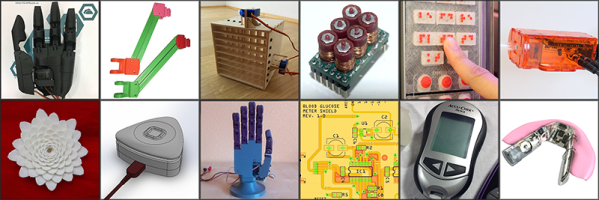
Need some proof that this is a big deal? The winners of the 2015 Hackaday Prize developed a 3D printed mechanism that links electric wheelchair control with eye movement trackers called Eyedrivomatic. This was spurred by a friend of theirs with ALS who was sometimes stuck in his room all day if he forgot to schedule a caregiver to take him to the community room. The project bridges the existing technologies already available to many people with ALS, providing greater independence in their lives. The OpenBionics Affordable Prosthetic Hands project developed a bionic hand with a clever whiffletree system to enable simpler finger movement. This engineering effort brings down the cost and complexity of producing a prosthetic hand and helps remove some of the barriers to getting prosthetics to those who need them.

The Is the Stove Off project adds peace of mind and promotes safe independence through an Internet connected indicator to ensure the kitchen stove hasn’t been left on and that it isn’t turned on at peculiar times. Pathfinder Haptic Navigation reimagines the tools available to the blind for navigating their world. It uses wrist-mounted ultrasonic sensors and vibration feedback, allowing the user to feel how close their hands are to objects. Hand Drive is another wheelchair add-on to make wheeling yourself around a bit easier by using a rowing motion that doesn’t depend as much on having a strong hand grip on the chair’s push ring.

Assistive TechnologiesIn most cases, great Assistive Technology is not rocket science. It’s clever recognition of a problem and careful application of a solution for it. Our community of hackers, designers, and engineers can make a big impact on many lives with this, and now is the time to do so.

Enter your Assistive Technology in the Hackaday Prize now and keep chipping away on those prototypes. We will look at the progress all of the entries starting on October 3rd, choosing 20 entries to win $1000 each and continue onto the finals. These finalists are eligible for the top prizes, which include $150,000 and a residency at the Supplyframe Design Lab, $25,000, two $10,000 prizes, and a $5,000 prize.

Ask Hackaday: Calling All 68k Experts

This is a tale of old CPUs, intensive SMD rework, and things that should work but don’t.

Released in 1994, Apple’s Powerbook 500 series of laptop computers were the top of the line. They had built-in Ethernet, a trackpad instead of a trackball, stereo sound, and a full-size keyboard. This was one of the first laptops that looked like a modern laptop.

The CPU inside these laptops — save for the high-end Japan-only Powerbook 550c — was the 68LC040. The ‘LC‘ designation inside the part name says this CPU doesn’t have a floating point unit. A few months ago, [quarterturn] was looking for a project and decided replacing the CPU would be a valuable learning experience. He pulled the CPU card from the laptop, got out some ChipQuick, and reworked a 180-pin QFP package. This did not go well. The replacement CPU was sourced from China, and even though the number lasered onto the new CPU read 68040 and not 68LC040, this laptop was still without a floating point unit. Still, it’s an impressive display of rework ability, and generated a factlet for the marginalia of the history of consumer electronics.

Faced with a laptop that was effectively unchanged after an immense amount of very, very fine soldering, [quarterturn] had two choices. He could put the Powerbook back in the parts bin, or he could source a 68040 CPU with an FPU. He chose the latter. The new chip is a Freescale MC68040FE33A. Assured by an NXP support rep this CPU did in fact have a floating point unit, [quarterturn] checked the Mac’s System Information. No FPU was listed. He installed NetBSD. There was no FPU installed. This is weird, shouldn’t happen, and now [quarterturn] is at the limits of knowledge concerning the Powerbook 500 architecture. Thus, Ask Hackaday: why doesn’t this FPU work?

Continue reading “Ask Hackaday: Calling All 68k Experts”

Hackaday Links: August 21, 2016

Are you in New York? What are you doing this week? Hackaday is having a party on Wednesday evening. come on out!

How about a pub in Cambridge? Hackaday and Tindie will be there too, on Wednesday evening. It’s a bring-a-hack, so bring a hack and enjoy the company of your fellow nerds. If this goes late enough we can have a trans-Atlantic Hackaday meetup.

Portable emulation machines are all the rage, and [Pierre] built one based on the Raspberry Pi Zero. It’s small, looks surprisingly comfortable to hold, and is apparently it’s fairly inexpensive to build your own.

For the last year or so, the Raspberry Pi Zero has existed. This came as a surprise to many who couldn’t buy a Raspberry Pi Zero. In other news, Ferraris don’t exist, and neither do Faberge egg omelets. Now, the Raspberry Pi shortage is officially over. They’re in stock everywhere, and we can finally stop listening to people who call the Pi Zero a marketing ploy.

No Starch Press is having another Humble Bundle. Pay what you want, and you get some coding books. They have Python, Haskell, and R, because no one should ever have to use SPSS.

[Reg] wrote in to tell us about something interesting he found while cruising eBay. The used and surplus market is awash in Siemens MC45/MC46 cellular modem modules. They’re a complete GSM ‘cellular modem engine’, with an AT command set, and cost about $10 each. Interfacing them with a board requires only two (strange) connectors, SIM and SD card sockets, and a few traces to through-hole pads. Anyone up for a challenge? A breakout board for this cellular modem could be very useful, should someone find a box full of these modules in a surplus shop.

On this page, about halfway down the page, is an LCD driver board. It turns a video signal into something a small, VGA resolution LCD will understand. This driver board is unique because it is completely hand-made. This is one of those small miracles of a soldering iron and copper clad board. If anyone out there is able to recognize these parts, I’d love for you to attempt an explanation in the comments.

A few weeks ago, the RTL8710 WiFi module showed up on the usual online marketplaces. Initially, we thought it was a competitor to the ever-popular ESP8266, offering a small microcontroller, WiFi, and a bunch of useful output pins. A module based on the RTL8710, the RTL-00, is much more than a competitor. It’s pinout compatible with the ESP8266. This module can be swapped into a project in place of the ESP-12, probably the most popular version of the ESP8266. This is genius, and opens the door to a lot of experimentation with the RTL8710.

Hacklet 121 – Tea Hacks

Last week on the Hacklet I covered coffee hacks. Not everyone likes coffee though. A good portion of the world’s population enjoys a nice cup of tea. Different cultures are rather particular with how they prepare their drink of choice. Americans tend to use teabags, while British, Chinese (and much of the rest of the globe) generally prefer loose tea leaves. Everyone has their own particular style, which has led to quite a few tea hacks. This week’s Hacklet is all about some of the best tea projects on Hackaday.io!

teapiWe start with [James P.] and Tea Pi. Tea Pi is designed to emulate commercial tea makers costing hundreds of dollars. The heart of the operation is a Raspberry Pi, making this one of the first Linux powered tea makers we’ve ever heard of. An Adafruit PowerSwitch Tail allows the Pi to control a standard tea kettle. The Pi monitors water temperature with a DS18B20 temperature sensor. A simple servo drops a tea basket into the water for brewing. When the time is up, the servo pulls the basket up and the tea is ready to serve. [James P] planned to add voice control to his tea creation. I’m betting that would be pretty easy with Amazon’s voice services for the Raspberry Pi.

eyeoteaNext up is [Tom] with Eye-O-Tea. With this project, even your cup of tea can join the Internet of Things. Eye-O-Tea essentially is a web connected coaster with temperature monitoring built right in. Temperature is measured with a Melexis MLX90615 IR thermometer. An Arduino Pro Mini reads the temperature and passes it on to an ESP8266 WiFi module. The entire device is powered by a LiPo battery, and neatly housed in a gutted cup warmer. On the cloud side, [Tom] used ThinkSpeak and freeboard.io to make an interface he can access with his cell phone. If his tea is too hot, Eye-O-Tea will let him know. It will also send him an SMS if he’s forgotten his cup and it’s going cold.

chaiNext we have [Adrian] and ChaiBot. Chaibot was created by [Adrian’s] son [Oliver] to combat a common problem. Both father and son would pour cups of tea, then get involved in a project. By the time they came back, they had ink. ChaiBot steeps the tea for a set amount of time, stirring every minute. The mechanics of the project came from an old CD-ROM drive. A PIC16F887 runs the show, ensuring the steep time is accurate, and activating the motor drive. When the tea is done, an ESP8266 sends a push notification to the user’s phone. The project is housed in a wooden case that fits perfectly on the kitchen counter.

inductFinally, we have [Siggi] with Camper Induction Cooker, a 2016 Hackaday Prize entry. [Siggi] needed hot liquids on the go, but he didn’t want to fool around with heating elements. An induction heater was the way to go. A Cypress PSOC micro controls the system. Metal travel style mugs can be used without modification. For ceramic or plastic mugs, a metal washer (hopefully coated with something food safe) acts as an immersion heater. The project is definitely a bit unwieldy at the moment, but I could see [Siggi’s] idea being incorporated into automotive cup holders. [Siggi] put his project on hold back in June. I hope seeing his work on the front page will get development moving again.

If you want to see more tea projects, check out our new tea projects list. See a project I might have missed? Don’t be shy, just drop me a message on Hackaday.io. That’s it for this week’s Hacklet, As always, see you next week. Same hack time, same hack channel, bringing you the best of Hackaday.io!

Books You Should Read: Basic Electronics

I learned some basic electronics in high school physics class: resistors, capacitors, Kirchhoff’s law and such, and added only what was required for projects as I did them. Then around 15 years ago I decided to read some books to flesh out what I knew and add to my body of knowledge. It turned out to be hard to find good ones.

The electronics section of my bookcase has a number of what I’d consider duds, but also some gems. Here are the gems. They may not be the electronics-Rosetta-Stone for every hacker, but they are the rock on which I built my church and well worth a spot in your own reading list.

Grob’s Basic Electronics

Grob's Basic Electronics 12th Edition
Grob’s Basic Electronics 12th Edition

Grob’s Basic Electronics by Mitchel E Schultz and Bernard Grob is a textbook, one that is easy to read yet very thorough. I bought mine from a used books store. The 1st Edition was published in 1959 and it’s currently on the 12th edition, published in 2015. Clearly this one has staying power.

I refer back to it frequently, most often to the chapters on resonance, induction and capacitance when working on LC circuits, like the ones in my crystal radios. There are also things in here that I couldn’t find anywhere else, including thoroughly exhaustive online searches. One such example is the correct definitions and formulas for the various magnetic units: ampere turns, field intensity, flux density…

I’d recommend it to a high school student or any adult who’s serious about knowing electronics well. I’d also recommend it to anyone who wants to reduce frustration when designing or debugging circuits.

You can find the table of contents here but briefly it has all the necessary introductory material on Ohm’s and Kirchhoff’s laws, parallel and series circuits, and so on but to give you an idea of how deep it goes it also has chapters on network theorems and complex numbers for AC circuits. Interestingly my 1977 4th edition has a chapter on vacuum tubes that’s gone in the current version and in its place is a plethora of new ones devoted to diodes, BJTs, FETs, thyristors and op-amps.

You can also do the practice problems and self-examination, just to make sure you understood it correctly. (I sometimes do them!) But also, being a textbook, the newest edition is expensive. However, a search for older but still recent editions on Amazon turns up some affordable used copies. Most of basic electronics hasn’t changed and my ancient edition is one of my more frequent go-to books. But it’s not the only gem I’ve found. Below are a few more.

Continue reading “Books You Should Read: Basic Electronics”

Asking The Security Question Of Home Automation

“Security” is the proverbial dead horse we all like to beat when it comes to technology. This is of course not unjust — we live in a technological society built with a mindset of “security last”. There’s always one reason or another proffered for this: companies need to fail fast and will handle security once a product proves viable, end users will have a harder time with setup and use if systems are secured or encrypted, and governments/law enforcement don’t want criminals hiding behind strongly secured systems.

This is an argument I don’t want to get bogged down in. For this discussion let’s all agree on this starting point for the conversation: any system that manages something of value needs some type of security and the question becomes how much security makes sense? As the title suggests, the technology du jour is home automation. When you do manage to connect your thermostat to your door locks, lights, window shades, refrigerator, and toilet, what type of security needs to be part of the plan?

Join me after the break for an overview of a few Home Automation security concerns. This article is the third in our series — the first asked What is Home Automation and the second discussed the Software Hangups we face.

These have all been inspired by the Automation challenge round of the Hackaday Prize. Document your own Automation project by Monday morning to enter. Twenty projects will win $1000 each, becoming finalists with a chance at the grand prize of $150,000. We’re also giving away Hackaday T-shirts to people who leave comments that help carry this discussion forward, so let us know what you think below.

Continue reading “Asking The Security Question Of Home Automation”