Two circuit boards connected with wires

Glow In The Dark Computer Memory Illuminates The Fundamentals

Computer memory has taken on many forms over the years, from mercury-based delay-line tubes to handwoven magnetic core. These days, volatile storage using semiconductors has become ubiquitous with computing, but what if there was a better way? [Michael Kohn] has been working on a new standard for computer memory that uses glow in the dark stickers.

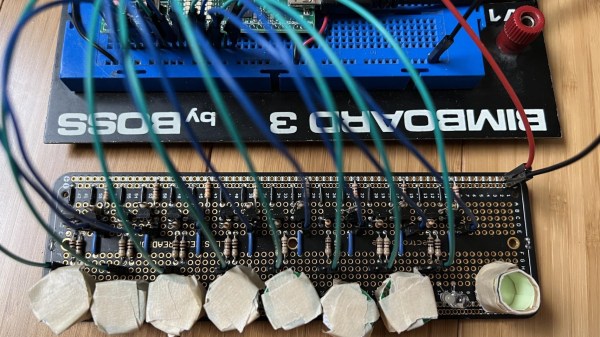
Clearly we jest, however we’re still mighty impressed by the demonstration. Eight delightful star-shaped phosphorescent stickers represent eight bits of memory, totaling one byte. The glow in the dark material is stuck to the inside of short cylinders, each of which contains a white LED and a phototransistor. The memory array is wired up to an iceFUN FPGA board, which is then connected via level shifters to a Western Design Center MENSCH single board computer.

Continue reading “Glow In The Dark Computer Memory Illuminates The Fundamentals”

Blood Pressure Cuff Hacked Into Water Level Sensor

We often write a post and then learn something new and cool from the comments. The same thing happened when [Andreas] posted a video about monitoring fluid levels. Commenters told him that the best fluid level sensor was a hacked blood pressure monitor. He didn’t know that, and we didn’t either, until we watched his video, below.

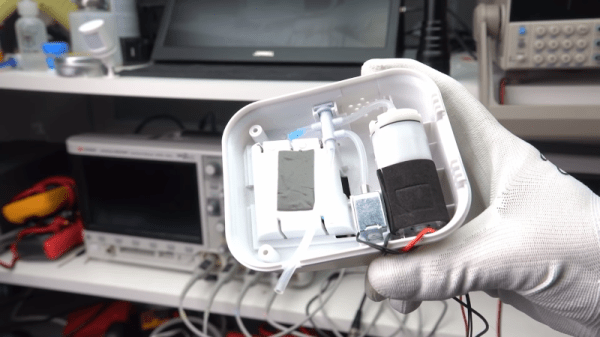
It is well-known that an air-tight tube in a tank that is closed at the top and open inside the tank will develop a pressure that corresponds to the liquid level in the tank. This is a common approach when you want the pressure sensor to be far away from the tank in, say, an enclosed building. So why use a blood pressure monitor? Because a common enhancement to the system is to use a pump to pressurize the measurement tube first so the system can tolerate small leaks. The blood pressure monitor has everything you need: a pump, a valve, and a pressure sensor.

Continue reading “Blood Pressure Cuff Hacked Into Water Level Sensor”

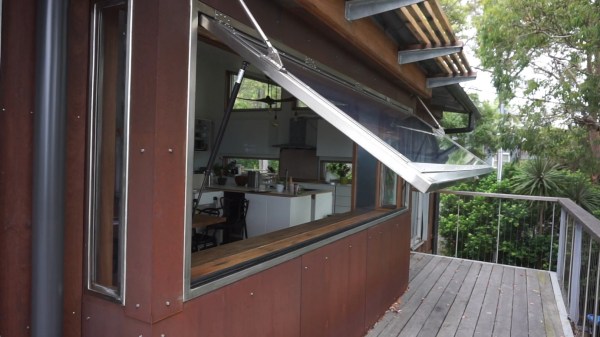
The end result - motorized window in a silver stainless steel frame, with the linear actuators and gas struts, shown from the outside half-open.

Swing Gate Motors Come To Help For Opening A Giant Servery Window

[Martin Roberts] wrote to us, telling us about a build that his company, [Ocean View Workshop], was tasked with. Creating a four meter wide window able to open vertically is no small feat, and it had to be custom-built because the local company building such windows wasn’t comfortable working with anything other than aluminum — insufficient for the window’s scale. With massive weight of the glass alone, structural requirements for supporting it, and the mechanical loads to be applied, some careful planning was in order.

To start with, this window had to be motorized, as an average person wouldn’t be capable of pulling it upwards. Not satisfied with the linear actuator choice available, they went to a hardware store and found some swing gate actuators that, in workshop tests, proved themselves to be more than capable of handling way over the weight required. In fact, they were capable of lifting [Martin] himself off the ground without much hassle.

Continue reading “Swing Gate Motors Come To Help For Opening A Giant Servery Window”

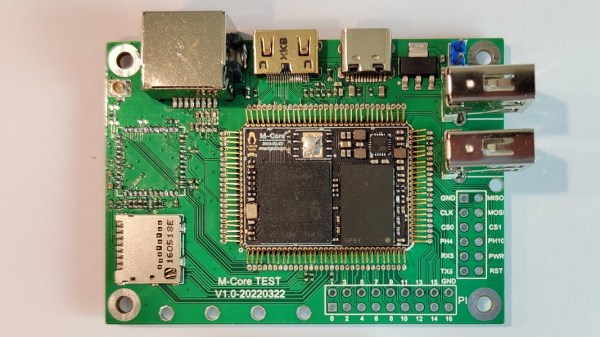
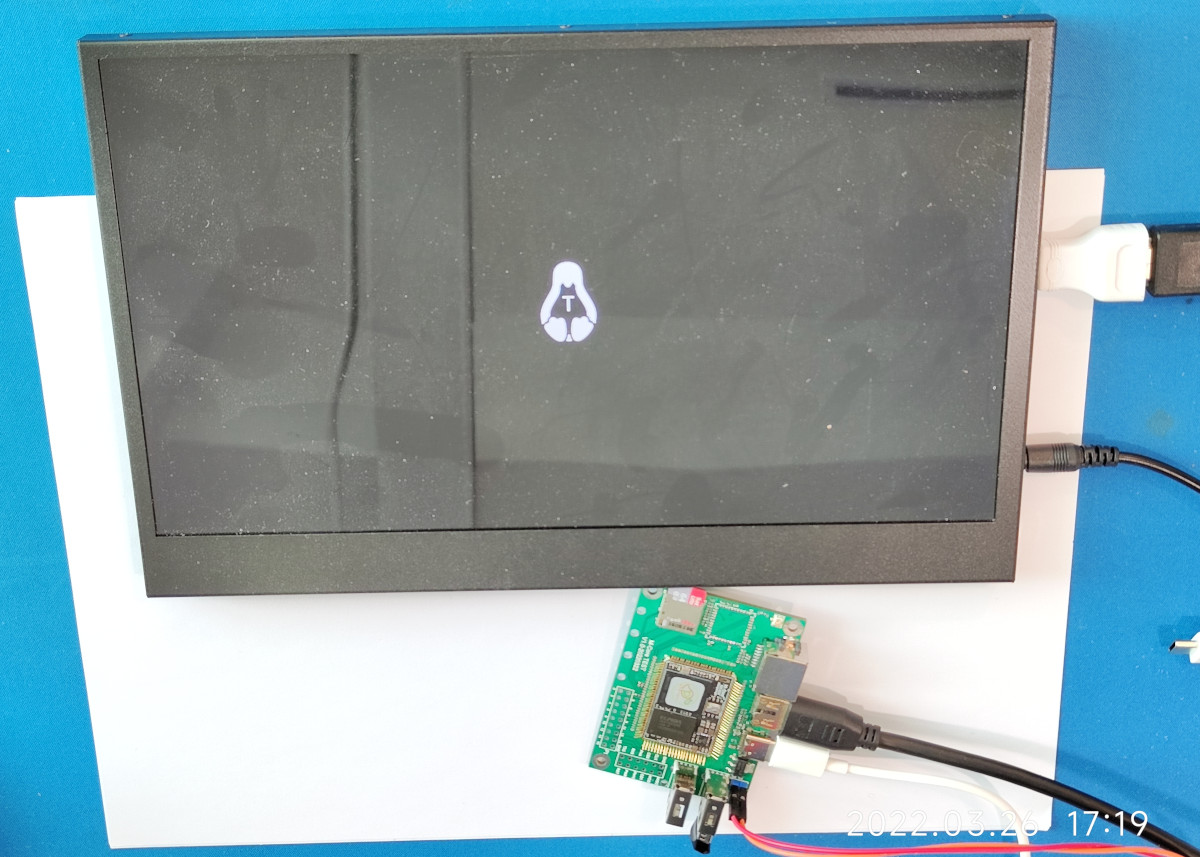
An M-Core module plugged into its devboard. Around it are Ethernet, HDMI, Type-C, two USB-A ports, one MicroSD card socket and one unpopulated footprint for a WiFi module

MangoPi To Bring A SD-Card-Sized Linux Module

Today’s Diminutive Device is a small castellated System-On-Module (Twitter link, nitter proxy) from [MangoPi] called M-Core, with a quad-core A53 CPU and 1 GB of RAM. As such, it’s very capable of running Linux, and even sports an HDMI output! Taking a closer look at the devboard picture, we can spot traces for three USB 2.0 ports, what seems to be two SDIO interfaces for MicroSD or WiFi cards, and an Ethernet MagJack with its termination network. This is a decent set of interfaces, rivaling what we’d expect out of a Pi Zero!

More importantly, this module is as small as an SD card itself – or as an OLED display that we hobbyists sprinkle onto our projects. Having power of Linux in such a small footprint is certainly something to behold! The back of the module is mostly flat, save for a few decoupling capacitors on the other side of the CPU – it seems, an Allwinner H616. On top of it, we can see the CPU itself, a small buck regulator and a DDR3 RAM chip, as well as tightly-packed passives. There’s even an unpopulated footprint for a DFN8 QSPI flash chip – with a lightweight enough OS build, you could perhaps dedicate your MicroSD card to storage only.
The devboard for uses the “FlexyPins”-like connectivity technique we’ve covered recently, and [MangoPi] say they bought those pins on TaoBao. We can’t help but be a bit amused at the thought of putting HDMI through such connections, but it seems to work well enough! Castellated modules like these are relatively easy to work with, so it shouldn’t be hard to literally pop this module out of the devboard and figuratively pop it onto your PCB. Next step is, reportedly, porting Armbian to this board, likely solving quite a few software support hurdles.

MangoPi have been posting updates on their Twitter page over the last few weeks, and, as it comes with the format, a lot of questions are left unanswered. Why does the devboard only show a single linear regulator of the kind we typically expect to deliver 1 A at most? Will we get higher-RAM versions? What’s the price going to look like? Will this module ever get to market? We can only hope, but if it does indeed, we are sure to see a few projects with these, whether it’s smart glasses, smart displays, phones, handhelds or malicious wall chargers. As usual, community makes or breaks an SBC, and we shall watch this one closely.

We thank [WifiCable] and [DjBiohazard] for sharing this with us!

ayan-sensor2notion-dashboard+raspberryPi

Know Which Way The Wind Blows, Whether Weather Boosts Your Mood

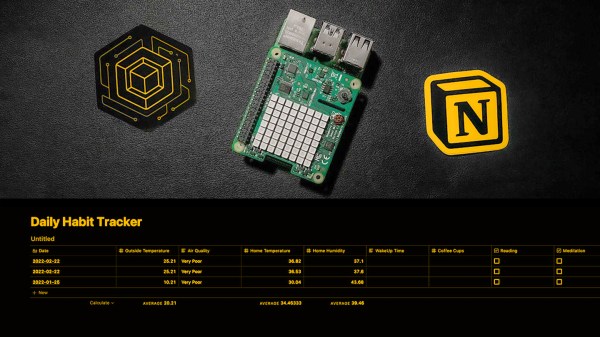
As a quantified-self experiment, [Ayan] has tracked several daily habits and moods for a couple of years and discovered some insights. Too much coffee is followed by anxiety while listening to music leads to feelings of motivation and happiness. There was a strong correlation in the data, but [Ayan] wondered if external factors like the weather and air quality also played a role.

To find out, [Ayan] extended the custom dashboard built in Notion.so with weather data and some local sensors. Working at Balena.io (yes, the makers of the ubiquitous Raspberry Pi SD card flashing tool, Etcher), [Ayan] turned to balenaCloud to translate the data from (you guessed it) a Raspberry Pi into the dashboard via Notion’s API beta. We think Notion holds a lot of promise for all sorts of web-based dashboards as a research notebook and organizational tool. Who knows where the API will lead any interested readers?

Check out the full tutorial where [Ayan] walks you through the hardware used and each step to connect the APIs that bring it all together. [Ayan] plans to add a coffee-maker integration to automate that data entry and would welcome help getting a manual trigger set up for the data integrations.

Now The V In RISC-V Stands For VRoom

Hundreds of variations of open-source CPUs written in an HDL seem to float around the internet these days (and that’s a great thing). Many are RISC-V, an open-source instruction set (ISA), and are small toy processors useful for learning and small tasks. However, if you’re [Paul Campbell], you go for a high-end super-scalar, out-of-order, speculative, 8 IPC monster of a RISC-V CPU known as VRoom!.

That might seem a bit like word soup to the uninitiated in the processor design world (which is admittedly relatively small) but what makes this different from VexRISC is the scale and complexity. Rather than executing one instruction at a time sequentially, it executes multiple instructions, completing them concurrently in whatever order it can handle. The VexRISC chip is a good 32-bit modular design that can run Linux. It pulls a solid 1.57 DMIPS/MHz with everything turned on. The VRoom already clocks in at mighty 6.5 DMIPS/MHz, with more performance gains. It peaks at 8 instructions every clock cycle with a dual register file and a clever committing system to keep up.

VRoom is written in System Verilog to leverage Verilator (a handy linting and simulation framework), and while there is some C that generates different files, we’d wager it is pretty run-of-the-mill compared to a TypeScript based project. VRoom currently boots Linux thanks to an AWS-FPGA instance (a Xilinx VU9P Ultrascale), though it has to be trimmed to fit. [Paul] has big plans working his way up to a server-class chip with lots of cores and a huge cache.

It’s all on GitHub under a GPLv3 license; go check it out! [Paul] also has a talk with lots of great details. If you’re interested in getting into RISC-V but a server-class isn’t your speed, we heard Espressif is starting to use RISC-V cores in their ever-popular ESP series.

Run Your Own Server For Fun (and Zero Profit)

It seems there’s a service for everything, but sometimes you simply learn more by doing it yourself. If you haven’t enjoyed the somewhat anachronistic pleasures of running your own server and hosting your own darn website, well, today you’re in luck!

Yes, we’re going to take an old computer of some sort and turn it into a web server for hosting all of your projects at home. You could just as easily use a Raspberry Pi –even a Zero W would work — or really anything that’ll run Linux, but be aware that not all computing platforms are created equally as we’ll discuss shortly.

Yes, we’re going to roll our own in this article series. There are a lot of moving parts, so we’re going to have to cover a lot of material. Don’t worry- it’s not incredibly complicated. And you don’t have to do things the way we say. There’s flexibility at every turn, and you’re encouraged to forge your own path. That’s part of the fun!

Note: For the sake of space we’re going to skip over some of the most basic details such as installing Linux and focus on those that have the greatest impact on the project. This article gives a high level overview of what it takes to host your project website at home. It intentionally glosses over the deeper details and makes some necessary assumptions.

Continue reading “Run Your Own Server For Fun (and Zero Profit)”