Controlling Real World Objects From Your Lucid Dream For $15

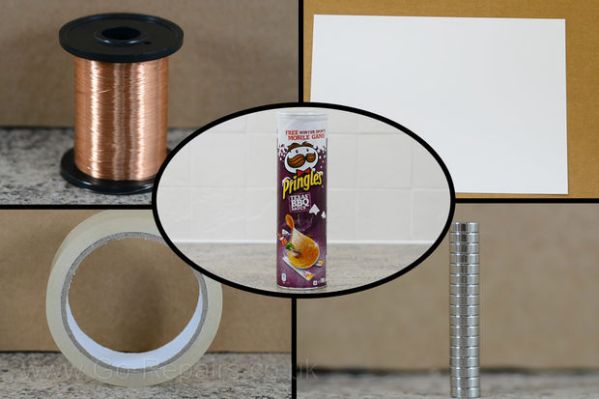
[Kyle Fredericks] tipped us about his first electronics project, a cheap and smart sleep mask that uses a vibration sensor to detect rapid eye movements.

As some of you may know, REM sleep is the part where you dream the most vividly and actively. If some external stimulation (sound, movement) is sent to you at this moment, it may help you take control of your dream by becoming aware of it. If not, your brain will create dream scenarios that incorporate this stimulus.

The interesting part of the concept is that the vibration sensor calibrates itself at the stage 2 sleep, when no eye movement occurs. This later allows a very accurate detection of the REM sleep stage, triggering a shelf stereo. Secondary buttons are even included in the mask sides.

[Kyle Fredericks] went to great lengths to document every step of the project, making it a perfect first step to learn electronics for beginners out there.

Electric Skillet Reflow Soldering Guide

skillet-reflow-tutorial

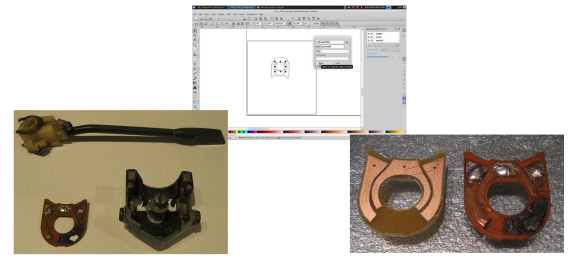
It’s no secret that we’re bizarrely drawn to macro videos showing solder paste during the reflow process. This electric skillet reflow guide provides the fix we’ve been jonesin’ for while including some helpful tips for first-timers and veterans alike. Not sure what we’re talking about? Look at the grey paste at the top of this image. As it heats up it’s drawn under each component as seen in the lower half of the image.

This particular guide is aimed at one-off assembly so a solder paste stencil is not used (we learned a lot about those earlier in the month). It instead uses the painstaking toothpick application technique. It takes time but the upside is that once you get the hang of it you’ll apply the perfect amount of solder each time. After placing all of the components [Count Spicy] carefully transfers the board to an electric skillet, covers it with the glass lid (so he can see what’s going on), and sets the temperature just above the solder’s specified melting point.

Since the skillet is cheap and easy to find you really just have to order the solder paste to get into this type of assembly. Our only gripe is that you can’t really follow a temperature profile with this rig. For that you need to move up to some PID controlled hardware.

Continue reading “Electric Skillet Reflow Soldering Guide”

Adafruit Launches Educational Show Aimed At Kids

adafruit-kids-show

Adafruit Industries just posted the first episode in a new educational series aimed at teaching kids about electronics. The episode is entitled “A is for Ampere” and teaches the basic theory behind electrical current. The subject seems like a common one for A-to-Z themed electrical tutorials. [Jeri Ellsworth] did a similar episode but hers is aimed more at the electronics hobby crowd.

[Limor] and gang (that’s [Collin Cunningham] dressed up as [Andre-Marie Ampere]) seem to be all-in on this project. The episode features ADABOT, the blue puppet which takes on the role of the student in this episode. After demonstrating a mains circuit breaker tripping the episode goes on to discuss electron flow and how current is measured.

We’re all about this type of educational opportunity. The age group at which this series is targeted have never known a day without touchscreens, they should know at least something about how those devices actually work.

Continue reading “Adafruit Launches Educational Show Aimed At Kids”

How-to: Turn On A Light Bulb

header

All too often, the commentors here on Hackaday display some parsimony in their engineering prowess. If someone uses a Raspberry Pi to blink a few LEDs, someone will invariably chime in that an ARM microcontroller would do just as well. Switching a relay on and off belies the capabilities of a 32-bit Cortex microcontroller when a simpler 8-bit build would certainly suffice. Of course this can always be reduced to a 555 circuit and further still to conditioned pigeons tapping a key in response to either food or opiates. I’d like to take this opportunity to present a tutorial. Not just any tutorial, but the actual foundation of everything we love here at Hackaday: blinky, glowey things.

You can check out the rest of this tutorial after the break.

Continue reading “How-to: Turn On A Light Bulb”

Learn Shift Registers Without Involving A Microcontroller

This is a truly hands-on approach to learning. [Kevin Darrah] ditched the microcontroller and is using push buttons to learn about 595 shift registers. The test rig uses two of the serial-in, parallel-out chips. These are cascading which means that as data from the first chip overflows it feeds the input of the second. The parts are commonly used to drive LEDs, or reduce the number of pins needed to drive peripherals like this character LCD.

The five push-buttons give you a chance to intuitively learn how the chip logic works. The blank button is also commonly called Output Enable (OE). Driving it high shuts off the outputs of the chips but doesn’t clear the data. That task is performed by the clear button which is driven low to set all of the shift register memory to zero. The other three buttons set the logic level, shift it into the chip using the clock signal, and push the stored values to the outputs using the latch.

To get a visual approximation of what’s happening inside of these chips you should check out the shift register tutorial linked to in this post.

Continue reading “Learn Shift Registers Without Involving A Microcontroller”

Learn A Little Assembly Language For The 6502 Processor

6502-assembly-tutorial

Evern wanted to write your own Atari 2600 games? This won’t get you quite that far, but it will teach you the very basics. It’s an assembly tutorial for the 6502 processor. The nice thing is that you need nothing more than your browser to participate thanks to the embedded JavaScript emulator which acts as assembler, machine, and debugger in one.

The 6502 was in a lot of early equipment. In addition to the previously mentioned Atari they can be found in the Commodore 64, Apple II, and the original NES. You can even find folks building their own computers around the chip these days (most notable to us is the Veronica project). The guide starts off slowly, providing a working program and challenging the reader to play with to code in order to alter the outcomes. It moves on to an overview of registers and instructions, operators and branching, and culminates in the creation of a simple game.

[Thanks Mathilda]

RPi Video With Pygame

Adafruit has a new tutorial on creating video with an RPi and pygame. The goal is to create custom user interfaces on low cost hardware, powered by the easy to use pygame library. The tutorial walks through getting your RPi set up to run pygame, creating a basic pygame script that controls the framebuffer, and drawing an oscilloscope display on the screen.

This tutorial uses Adafruit’s WebIDE as a development environment. This is an excellent solution for working on video display, since you can develop the code on a networked computer and view the shell while running your graphical application. This is very useful for debugging, since you can just print information to your WebIDE console.

There’s a lot of potential for this setup. It would be ideal for creating any kiosk application. Maybe an announcement display, interactive kiosk, or even a programmable logic controller type user interface? What else could you build with a RPi attached to a LCD touchscreen?

Check out a video of Adafruit’s display in action after the break.

Continue reading “RPi Video With Pygame”