Peristaltic Pump Moves Fluids Uphill Both Ways

Here’s a skill we should all probably have for after the apocalypse—the ability to build a cheap peristaltic pump that can transport highly viscous fluids, chunky fluids, or just plain water from point A to point B with no priming necessary. That’s exactly what [Jack Ruby] has done with some fairly common items.

He started with a springform cake pan from a thrift store, the kind where the bottom drops out like that centripetal force ride at the carnival. He’s using 2″ casters from Harbor Freight mounted to a block of wood. The casters go round and squeeze fluid through the hose, which is a nice length of heat-resistant silicone from a local homebrew shop. He’s currently using a drill to run the pump, but intends to attach a motor in the future.

[Jack]’s write-up is very thorough and amusing. Stick around to see the pump in action as well as a complete tour. You can also pump colored goo if you’re out of beer materials.

Continue reading “Peristaltic Pump Moves Fluids Uphill Both Ways”

3D Printering: Making A Thing In Blender, Part I

printering

In case you weren’t aware, having a 3D printer is nothing like owning a real-life Star Trek replicator. For one, replicators are usually found on Federation starships and not hype trains. Secondly, the details of how replicated objects are designed in the 24th century is an issue completely left unexplored by TNG, and DS9, and only a minor plot point in a few Voyager episodes. Of the most likely possibilities, though, it appears replicated objects are either initially created by ‘scanning’ them with a teleporter, or commanding the ship’s computer to conjure something out of the hologrid.

No, with your own 3D printer, if you want a unique object you actually have to design it yourself. Without a holodeck. Using your hands to move a mouse and keyboard. Savages.

This series of ‘Making a Thing’ tutorials aims to fix that. With this post, we’re taking a look at Blender, an amazing 3D modeling and animation package.

Because we still haven’t figured out the best way to combine multiple blog posts together as a single resource − we’re working on that, though − here’s the links to the previous “Making a Thing” posts:

This list is sure to grow thanks to your suggestions on what 3D modeling software to feature, but for now let’s make a thing in Blender.

Continue reading “3D Printering: Making A Thing In Blender, Part I”

Internet-Enabling A Lamp With The Raspberry Pi

lampcontrol

[Jack] sent in his writeup for internet enabling a home lamp. While we will certainly have some comments saying this is too simple, it does a great job of breaking things down to the basics. For those that aren’t confident in their electronic skills, this is an easy hack to a commercial device that greatly expands it’s capabilities. [Jack] started with a cheap wireless outlet controller. By opening the remote and wiring each switch to a 2N222A transistor, you can very easily control the remote from the GPIO pins on the Raspberry Pi. In [Jack’s] case, he set up a web page using Flask that allows quick on/off control.

Of course, this method can be used in any number of instances where you have a wireless controller, from small lamps to garage doors. Given it’s simplicity, anyone can do it with even basic skills. If you’re a beginner who’s been itching to do some home automation, follow [Jack’s] writeup and check an item off your todo list!

Hidden Reed Switches For DIY Home Security

01-Before

[Rhys] wanted to secure his home against burglars, but didn’t want to go the normal route of using those bulky plastic magnet and reed switch deals. So he sourced some glass reed switches and made his own completely hidden security system.

By using small glass reed switches [Rhys] was able to mount them flush to the wood paneling just above the window frames. To do this he drilled and then chiseled two slots for the reed switches to go in, with the wires routed into the house. A bit of bondo or drywall filler and some paint later and they are completely invisible! To finish it off he glued small neodymium magnets to the top of the window frame which close the switches. It’s a very clean build and quite inexpensive to do — the possibilities for wiring up your entire home like this are quite tempting!

He’s got the switches installed already… why not couple it all to a complete home security setup? We shared a project last year that does just that!

DIY Pringles Can Speaker

Looking for a fun weekend project? How about making your own speaker from scratch using some very basic materials?

[Go Repairs] makes a bunch of how-to videos for Instructables in a style very reminiscent of the classic Art Attack from the 90’s — very clear, concise and he’s even got the accent!

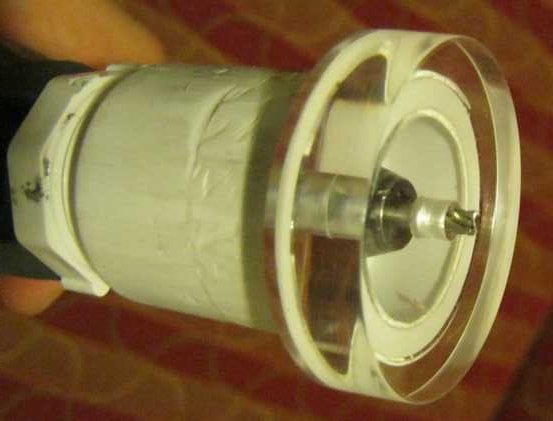
The project requires only what you see in the photo above. The lid forms a simple plastic cone of the speaker, the magnets are the core, and using some paper, tape, and enamelled wire a very basic voice coil is constructed. Don’t expect amazing sound quality out of it, but it certainly looks like a fun project for junior hackers as it requires no fancy tools or equipment!

Stick around after the break to watch the video — does it remind you of Art Attack also?

Continue reading “DIY Pringles Can Speaker”

Recreate A PCB With A Scanner And Inkscape

turnsig

[John] has managed to replace a broken turn signal PCB by scanning it and converting to Gerber format. [John] purchased a Triumph Spitfire with toggle switch wired up for turn signal control. The “official” replacement part worked better than the toggle switch, but it didn’t cancel after turning. He was able to get the original switch, only to find it had a hole completely burned through the phenolic board. This isn’t completely surprising, as Triumph used a Lucas Industries electrical system. As anyone who has owned a car with a Lucas “prince of darkness” electrical system will tell you, Lucas systems were not known for quality. A quick Google search brings up plenty of pages attesting to this.

Phenolic resin/paper was a common early PCB material.  The FR-4 fiberglass boards most commonly used today could be considered descendants of FR-1 and FR-2 phenolic. (The FR in this case stands for Fiber Reinforced). The standardization worked in [John’s] favor, as his burned board was 31 mils thick, which is still a standard PCB thickness. Re-creating an odd sized board such as this isn’t a hard job. It would however mean spending quite a bit of time with a ruler and a caliper. Rather than spend all that time measuring and re-drawing, [John] scanned his PCB on a flatbed scanner. He used graph paper as a background to verify the image wasn’t being stretched or skewed.

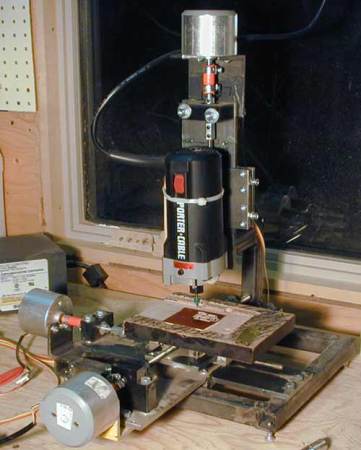
[John] brought his scan into inkscape, and traced both the outline and copper areas. The outline and copper had to be exported as two separate files, so he added corner marks outside the board outline as fiducials.  He then used pstoedit to convert inkscape’s eps output files to gEDA pcb format. The two files were rejoined in gEDA. From there [John] exported a Gerber, and ran it on his home PCB milling machine.  The results look good. [John] plans to make another revision of the board from a professional PCB house with vias to hold the copper to the substrate.

Peltier Joule Thief Power Supply

[Steven] manages to power an LED for 15 minutes using hot and cold water as a battery. He does this using the thermoelectric effect also known as the Seebeck effect, Peltier effect or Thomson effect. This isn’t particularly new; in fact there are commercial products that you can use to charge a cell phone using a small campfire or internal burner that works on the same principle.

What is interesting about [Steven’s] device is that he uses a salvaged Peltier device not meant for generating electricity, coupled with a home built joule thief circuit. In the video he describes how the joule thief functions and powers the LED using the small voltage generated by the Peltier device. The energy for the thermoelectric effect is conducted from a hot water bath through aluminum plates, through the positive and negative sides of the Peltier device, through more aluminum plates and finally into a cold water bath. As the heat energy transfers through the Peltier device a small electric current is generated and flows in two small wires coming out the side of the device.  The energy generated by the Peltier device is stored in the joule thief and periodically dumped at a voltage high enough to forward bias the LED “on” for a brief moment. Technically the LED is flashing but at a frequency too high for our eyes to see. As the hot water bath cools, the LED goes from very bright, to dim, to off in about 15 minutes.

Not a very practical power supply but still quite the parlor trick. He wraps up the tutorial specifying that a TEG thermoelectric generator would be a much better choice for generating power and can handle much higher temperatures. You can watch the video after the break.

Continue reading “Peltier Joule Thief Power Supply”