You probably don’t think about it much, but your PC probably has a TPM or Trusted Platform Module. Windows 11 requires one, and most often, it stores keys to validate your boot process. Most people use it for that, and nothing else. However, it is, in reality, a perfectly good hardware token. It can store secret data in a way that is very difficult to hack. Even you can’t export your own secrets from the TPM. [Remy] shows us how to store your SSH keys right on your TPM device.
Linux Hacks617 Articles
USB, Abstracted
Modern technology builds on abstractions. Most application programmers today don’t know what a non-maskable interrupt is, nor should they have to. Even fewer understand register coloring or reservation stations for instruction scheduling, and fewer still can explain the physics behind the transistors in the CPU. Sometimes tech starts out where you need to know everything (programming a bare-metal microprocessor, for example) and then evolves to abstraction. That’s where [WerWolv] wants to get you for writing USB code using the recent post USB for Software Developers.
Many USB tutorials assume you want to know about the intricacies of protocol negotiation, information about the hardware layer, and that you are willing to write a Linux kernel module to provide a driver. But thanks to abstraction, none of this has been absolutely necessary for many use cases for a long time.
While the post focuses on Linux, there is libusb for Windows. We presume the same principles would apply, more or less.
Intel 486 Support Likely To Be Removed In Linux 7.1
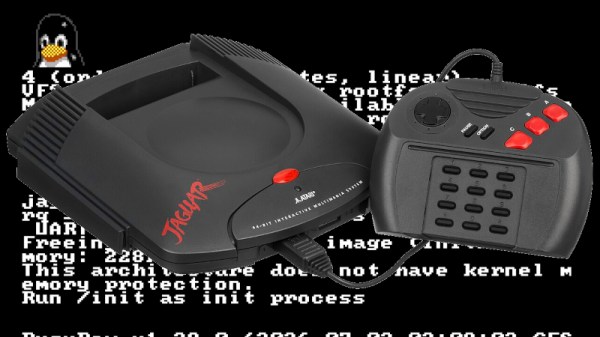
Although everyone’s favorite Linux overlord [Linus Torvalds] has been musing on dropping Intel 486 support for a while now, it would seem that this time now has finally come. In a Linux patch submitted by [Ingo Molnar] the first concrete step is taken by removing support for i486 in the build system. With this patch now accepted into the ‘tip’ branch, this means that no i486-compatible image can be built any more as it works its way into the release branches, starting with kernel 7.1.
No mainstream Linux distribution currently supports the 486 CPU, so the impact should be minimal, and there has been plenty of warning. We covered the topic back in 2022 when [Linus] first floated the idea, as well as in 2025 when more mutterings from the side of [Linus] were heard, but no exact date was offered until now.
It remains to be seen whether 2026 is really the year when Linux says farewell to the Intel 486 after doing so for the Intel 386 back in 2012. We cannot really imagine that there’s a lot of interest in running modern Linux kernels on CPUs that are probably older than the average Hackaday reader, but we could be mistaken.
Meanwhile, we got people modding Windows XP to be able to run on the Intel 486, opening the prospect that modern Windows might make it onto these systems instead of Linux in the ultimate twist of irony.
How Small Can A Linux Executable Be?
With ever increasing sizes of various programs (video games being notorious for this), the question of size optimization comes up more and more often. [Nathan Otterness] shows us how it’s done by minifying a Linux “Hello, World!” program to the extreme.
A naive attempt at a minimal hello world in C might land you somewhere about 12-15Kb, but [Nathan] can do much better. He starts by writing everything in assembly, using Linux system calls. This initial version without optimization is 383 bytes. The first major thing to go is the section headers; they are not needed to actually run the program. Now he’s down to 173 bytes. And this is without any shenanigans!

The first shenanigans are extreme code size optimizations: by selecting instructions carefully (and in a way a C compiler never would), he shaves another 16 bytes off. But the real shenanigans begin when he starts looking for spaces in the ELF header that he can clobber while the program is still accepted by Linux: now he can move his already tiny x86_64 code into these “vacant” spaces in the ELF and program headers for a final tiny ELF file weighing in at just 120 bytes.
P.S.: We know it is possible to make this smaller, but leave this as an exercise to the viewer.
Using FireWire On A Raspberry Pi Before Linux Drops Support
Once the premium option for data transfers and remote control for high-end audiovisual and other devices, FireWire (IEEE 1394) has been dying a slow death ever since Apple and Sony switched over to USB. Recently Apple correspondingly dropped support for it in MacOS 26, and Linux will follow in 2029. The bright side of this when you’re someone like [Jeff Geerling] is that this means three more years of Linux support for one’s FireWire gear, including on the Raspberry Pi with prosumer gear from 1999.
If you’re not concerned about running the latest and greatest – and supported – software, then using an old or modern Mac or PC is of course an option, but with Linux support still available [Jeff] really wanted to get it working on Linux. Particularly on a Raspberry Pi in order to stay on brand.
Adding a FireWire port to a Raspberry Pi SBC is easy enough with an RPi 5 board as you can put a Mini PCIe HAT on it into which you slot a mini PCIe to Firewire adapter. At this point lspci shows the new device, but to use it you need to recompile the Linux kernel with Firewire support. On the Raspberry Pi you then also need to enable it in the device tree overlay, as shown in the article.
Continue reading “Using FireWire On A Raspberry Pi Before Linux Drops Support”
The Most Secure, Modern Computer Might Be A Mac
The Linux world is currently seeing an explosion in new users, thanks in large part to Microsoft turning its Windows operating system into the most intrusive piece of spyware in modern computing. For those who value privacy and security, Linux has long been the safe haven where there’s reasonable certainty that the operating system itself isn’t harvesting user data or otherwise snooping where it shouldn’t be. Yet even after solving the OS problem, a deeper issue remains: the hardware itself. Since around 2008, virtually every Intel and AMD processor has included coprocessors running closed-source code known as the Intel Management Engine (IME) or AMD Platform Security Processor (PSP).

These components operate entirely outside the user’s and operating system’s control. They are given privileged access to memory, storage, and networking and can retain that access even when the CPU is not running, creating systemic vulnerabilities that cannot be fully mitigated by software alone. One practical approach to minimizing exposure to opaque management subsystems like the IME or PSP is to use platforms that do not use x86 hardware in the first place. Perhaps surprisingly, the ARM-based Apple M1 and M2 computers offer a compelling option, providing a more constrained and clearly defined trust model for Linux users who prioritize privacy and security.
Before getting into why Apple Silicon can be appealing for those with this concern, we first need to address the elephant in the room: Apple’s proprietary, closed-source operating system. Luckily, the Asahi Linux project has done most of the heavy lifting for those with certain Apple Silicon machines who want to go more open-source. In fact, Asahi is one of the easiest Linux installs to perform today even when compared to beginner-friendly distributions like Mint or Fedora, provided you are using fully supported M1 or M2 machines rather than attempting an install on newer, less-supported models. The installer runs as a script within macOS, eliminating the need to image a USB stick. Once the script is executed, the user simply follows the prompts, restarts the computer, and boots into the new Linux environment. Privacy-conscious users may also want to take a few optional steps, such as verifying the Asahi checksum and encrypting the installation with LUKS but these steps are not too challenging for experienced users. Continue reading “The Most Secure, Modern Computer Might Be A Mac”
Linux Fu: UPNP A Port Mapping Odyssey
If you’ve ever run a game server or used BitTorrent, you probably know that life is easier if your router supports UPnP (Universal Plug and Play). This is a fairly old tech — created by a standards group in 1999 — that allows a program to open an incoming port into your home network. Of course, most routers let you do this manually, but outside of the Hackaday universe, most people don’t know how to log into their routers, much less how to configure an open UDP port.
I recently found myself using a temporary setup where I could not access the router directly, but I needed some open ports. That got me thinking: if a program can open a port using UPnP, why can’t I? Turns out, of course, you can. Maybe.
Caveats
The first thing, of course, is that you need your firewall open, but that’s true no matter how you open up the router. If the firewall is in the router, then you are at the mercy of the router firmware to realize that if UPnP opens something up, it needs to open the firewall, too.