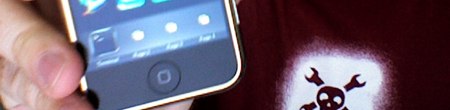
IPhone 3.0 Tethering Is Easy

Did you upgrade your iPhone to 3.0 yet? 9 to 5 Mac has posted a very good reason to upgrade: enabling tethering is almost stupidly simple. Just run a simple command and then go through a restore procedure. All thats left is to sit back and enjoy your other new features you could find on a four year old Nokia.

[Related: ultrasn0w announced]

[via @waxpancake]

Dell Vostro A90 Hackintosh

dell_vostro_a90

A friend recently commissioned us to install OSX on a netbook. We advised him to purchase the Dell Vostro A90. It’s essentially a rebadged Dell Mini 9, a model that has been discontinued, but is well suited for OSX. It’s only available with a 1.6GHz Atom processor, 1GB RAM, and 16GB SSD. Depending on what deals are available, it’s $250-$300. We also had him purchase a 2GB stick of RAM which is the upper limit supported by the BIOS. Continue reading “Dell Vostro A90 Hackintosh”

IPod Spinning Vinyl

[vimeo 4353898]

Here’s a quick demo that FAT’s [Theo Watson] put together. It uses the iPod’s accelerometer to measure how fast it’s spinning and plays the sound file accordingly. This only works on the iPod touch 2nd gen because of its curved case. He says scratching is coming next, but currently the app doesn’t know which direction it’s spinning since it’s measuring outward force. This project was done in response to [vanderlin]’s AR scratching that used fiducials on records.

Hacking The MagSafe

magsafe
This is a simple hack that could come in handy one day. [Mooner] wanted to use a Kensington universal power supply with his Macbook Pro, but found the adapters and peripherals involved “hideous”. His solution was to wire directly to the Kensington power supply. It’s pretty simple really, only a couple resistors are needed. It’s nice to have someone else do the research for you sometimes. While his final picture does look neat and tidy, we just don’t know how much of an improvement he’s made to the aesthetics. What do you think?

IPhone 3.0 Adds Custom Protocol Support For Addons

iphone301

In middle of all the adding features that should have been available day-one, Apple announced something really interesting for the hardware hacking community. The new iPhone 3.0 OS will support application communication over bluetooth or through the dock connector using standard or custom protocols. From Engadget’s coverage:

10:19AM “They talk over the dock, and wirelessly over Bluetooth. Things like playing and pausing music, getting artwork — or you can build your own custom protocols.”
10:19AM “Now here’s a class that we think will be really interesting — medical devices.” Scott’s showing off a blood pressure reader that interfaces with the iPhone — wild.
10:18AM “Here’s an example — an FM transmitter. With 3.0, the dev can build a custom app that pairs up with it, and automatically finds the right station and tunes it in.”
10:18AM “With 3.0, we’re going to enable accessory developers to build custom apps that talk directly to that hardware.”

No solid connection specification has been published yet. We’re excited about the prospect of developing our own accessory hardware, but we wonder what sort of hoops you’ll have to jump through. Apple doesn’t have the best track record when it comes to approvals. Just this week they denied MSA Remote client App Store entry; it’s a multitouch client that uses the standard TUIO protocol. Prepare for similar roadblocks in the future.

[via adafruit]

Apple Logo Secondary Monitor

macbook

MacMod member [EdsJunk] has modified the Apple logo on his MacBook to act as a second video display (cache). There’s a video embedded below showing it playing Quicktime videos and the iTunes visualizer. Unfortunately there aren’t any details of the hardware used. From the display settings, it looks to have a resolution of at least 640×480. We hope to see more details soon.

Continue reading “Apple Logo Secondary Monitor”