Interactive ESP8266 Development With PunyForth

Forth is one of those interesting languages that has a cult-like following. If you’ve never looked into it, its strength is that it is dead simple to put on most CPUs, yet it is very powerful and productive. There are two main principles that make this possible. First, parsing is easy because any sequence of non-space characters makes up a legitimate Forth word. So while words like “double” and “solve” are legal Forth words, so is “#$#” if that’s what you want to define.

The other thing that makes Forth both simple and powerful is that it is stack-based. If you are used to a slide rule or an HP calculator, it is very natural to think of “5+2*3” as “5 2 3 * +” but it is also very simple for the computer to interpret.

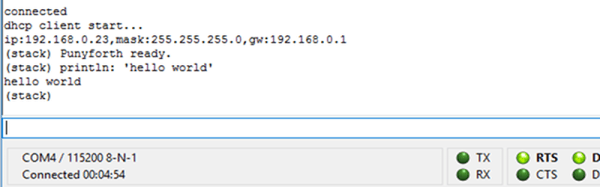
[Zeroflag] created PunyForth–a Forth-like language for the ESP8266. You can also run PunyForth for cross development purposes on Linux (including the Raspberry Pi). The system isn’t quite proper Forth, but it is close enough that if you know Forth, you’ll have no trouble.

Continue reading “Interactive ESP8266 Development With PunyForth”

80-PIC32 Cluster Does Fractals

One way to get around limitations in computing resources is to throw more computers at the problem. That’s why even cheap consumer-grade computers and phones have multiple cores in them. In supercomputing, it is common to have lots of processors with sophisticated sharing mechanisms.

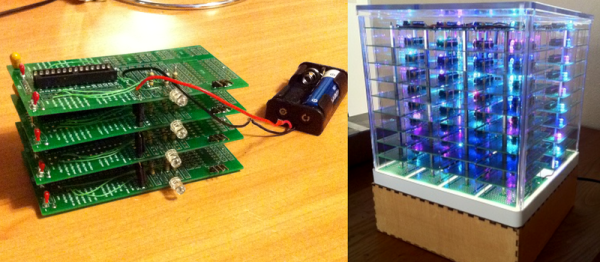
[Henk Verbeek] decided to take 80 inexpensive PIC32 chips and build his own cluster programmed in — of all things — BASIC. The devices talk to each other via I2C. His example application plots fractals on another PIC32-based computer that has a VGA output. You can see a video of the device in action, below.

Continue reading “80-PIC32 Cluster Does Fractals”

Portable Apple II On An AVR

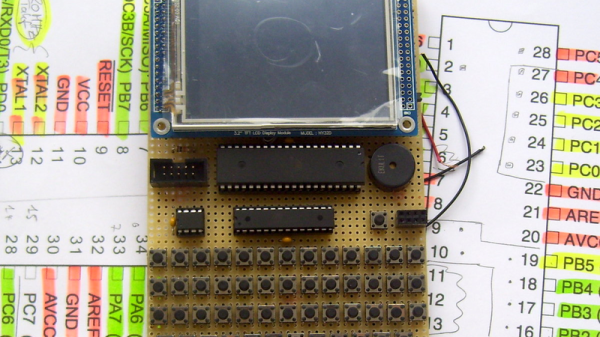
The Apple II was one of the first home computers. Designed by Steve “Woz” Wozniak, it used the MOS technologies 6502 processor, an 8-bit processor running at about 1 MHz. [Maxstaunch] wrote his bachelor thesis about emulating the 6502 in software on an AVR1284 and came up with a handheld prototype Apple II with screen and keyboard.

pic_15
Prototype on veroboard

Originally, [maxstrauch] wanted to build an NES, which uses the same 6502 processor, but he calculated the NES’s Picture Processing Unit would be too complicated for the AVR, so he started on emulating the Apple II instead. It’s not quite there – it can only reference 12K of memory instead of the 64K on the original, so hi-res graphic mode, and therefore, many games, won’t work, but lo-res mode works as well as BASIC (both Integer BASIC and Applesoft BASIC.)

[Maxstrauch] details the 6502 in his thesis and, in a separate document, he gives an overview of the project. A third document has the schematic he used to build his emulator. His thesis goes into great detail about the 6502 and how he maps it to the AVR microcontroller. The build itself is pretty impressive, too. Done on veroboard, the build has a display, keyboard and a small speaker as well as a micro SD card for reading and storing data. For more 6502 projects, check out the Dis-Integrated 6502 and also, this guide to building a homebrew 6502.

Continue reading “Portable Apple II On An AVR”

Anti-Entropy Machine Satiates M&M OCD

College engineering projects are great, because they afford budding engineers the opportunity to build interesting things without the need for financial motivation. Usually, some basic requirements are established, but students are free to get creative and build something that appeals to them personally. For our readers, mechatronics courses are ripe for these kinds of projects, as the field combines electrical engineering, mechanical engineering, and programming.

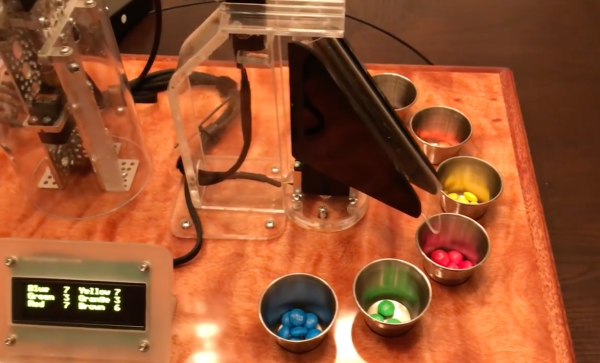
[Ethan Crane] is in just such a course, and had a final project due with only one real requirement: it had to use a PICAXE. Obviously, this gave [Ethan] quite a bit of freedom to build something unique, and what he came up with is an “Anti-Entropy Machine” designed to sort M&M candies by color. The electronics are as simple as [Ethan] could make them (a good philosophy for an engineering student to adhere to). There is an IR sensor to determine if a candy is in the hopper, an RGB sensor to determine its color, and servos to position the delivery chute based on color and operate the hopper.

Continue reading “Anti-Entropy Machine Satiates M&M OCD”

All I Want For Christmas Is A 4-Factor Biometric Lock Box

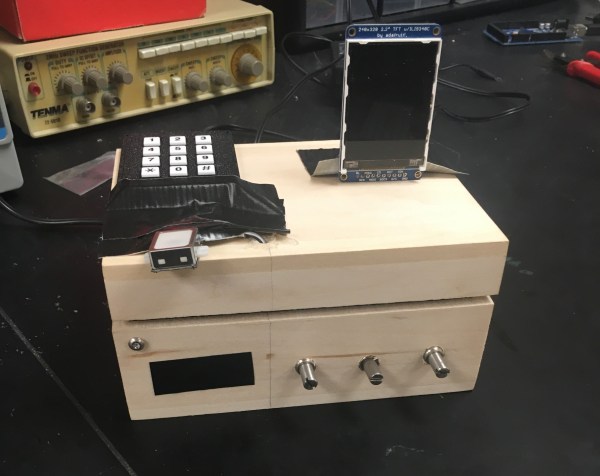
It’s the most wonderful time of the year! No, we’re not talking about the holiday season, although that certainly has its merits. What we mean is that it’s time for the final projects from [Bruce Land]’s ECE4760 class. With the giving spirit and their mothers in mind, [Adarsh], [Timon], and [Cameron] made a programmable lock box with four-factor authentication. That’s three factors more secure than your average Las Vegas hotel room safe, and with a display to boot.

Getting into this box starts with a four-digit code on a number pad. If it’s incorrect, the display will say so. Put in the right code and the system will wait four seconds for the next step, which involves three potentiometers. These are tuned to the correct value with a leeway of +/- 30. After another four-second wait, it’s on to the piezo-based knock detector, which listens for the right pattern. Finally, a fingerprint scanner makes sure that anyone who wants into this box had better plan ahead.

This project is based on Microchip’s PIC32-based Microstick II, which [Professor Land] starting teaching in 2015. It also uses an Arduino Uno to handle the fingerprint scanner. The team has marketability in mind for this project, and in the video after the break, they walk through the factory settings and user customization.

We have seen many ways to secure a lock box. How about a laser-cut combination safe or a box with a matching NFC ring?

Continue reading “All I Want For Christmas Is A 4-Factor Biometric Lock Box”

Modular Tap-Dancing Robot Can Shuffle Ball Change

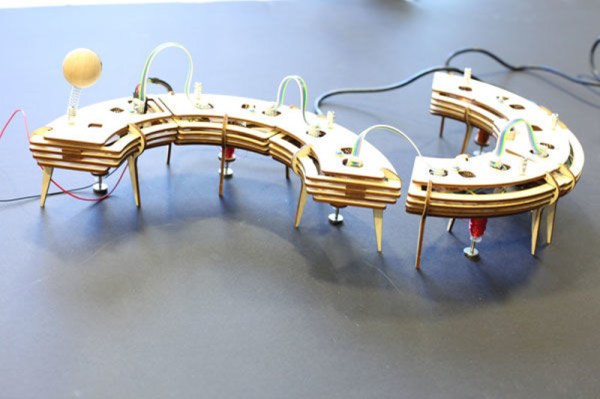
Electromechanical solenoids are pretty cool devices. Move some current through an electromagnet and you can push a load around or pull it. If you’re MIT student [Lining Yao], you can use them to dance. [Lining] built TapBot, a re-configurable set of tap-dancing robots that are both modular and modern. She even rolled her own solenoids.

The one with the eye stalk is the bridge, and it’s connected to a computer over FTDI. The other nodes attach to the bridge and each other with small magnets that are designed to flip around freely to make the connections. These links are just physical, though. The nodes must also be connected with ribbon cables.

Each of the nodes is controlled by an ATtiny45 and has a MOSFET to drive the solenoid at 8-12 V. [Lining] snapped a small coin magnet to the end of each solenoid slug to provide a bigger surface area that acts like a tap shoe. TapBot can be programmed with one of several pre-built tap patterns, and these can be combined to make new sequences. The curtain goes up after the break.

There are other ways to make things dance, like muscle wire. Check out this whiteboard pen that uses nitinol to dance to Duke Nukem.

Continue reading “Modular Tap-Dancing Robot Can Shuffle Ball Change”

Christmas Lights Done The Hard Way

It’s that time of the year again when you gotta start worrying if you’ve been naughty enough to not receive any gifts. Hopefully, Blinky Lights will appease St. Nick. Grab a strip of RGB LEDs, hook them up to an Arduino and a Power supply, slap on some code, and Bob’s your Uncle. But if you want to retain your hacker cred, you best do it the hard way. Which is what [roddersblog] did while building his Christmas Starburst LED Stars this year — and bonus points for being early to the party.
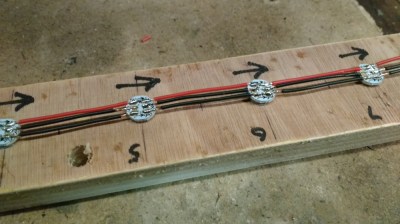
christmas-lights-the-hard-wayFor starters, he got panels (as in PCB panels) of WS2812 boards from eBay. The advantage is it lets you choose your own pitch and strand length. The flip side is, you need to de-panel each board, mount it in a jig, and then solder three lengths of hook up wire to each LED. He planned for an eight sided star with ten LED’s each. And he built three of them. So the wiring was, substantial, to say the least. And he had to deal with silicone sealant that refused to cure and harden. But nothing that some grit and determination couldn’t fix.

For control, he choose the PIC16F1509 microcontroller. This family has a feature that PIC calls the “Configurable Logic Cell” and this Application Note describes how to use CLC to interface the PIC to a WS2811. He noticed processing delays due to C code overheads that caused him some grief. After some experimentation, he re-wrote the entire program in assembly which produced satisfactory results. You can check out his code on the GitHub repository.

Also well worth a look, he’s got a few tricks up his sleeve to improve the quality of his home-brew PCB’s. He’s built his own UV exposure unit with timer, which is an interesting project in itself. The layout is designed in Eagle, with a flood fill to minimize the amount of copper required to be etched away. He takes a laser print of the layout, applies vegetable oil to the paper to make it more translucent to UV, and doubles up the prints to get a nice contrast.

Once the sensitized board has been exposed in the UV unit, he uses a weak but fresh and warm solution of Sodium Hydroxide as a developer to remove the unexposed UV photo-resist. To etch the board, he uses standard Feric Chloride solution, which is kept warm using an aquarium heater, while an aquarium air-pump is used to agitate the solution. He also describes how he fabricates double sided boards using the same technique. The end result is quite satisfying – check out the video after the break.

Continue reading “Christmas Lights Done The Hard Way”