ESP8266 In Commercial Products

The hobbyist electronics market is still tiny, and even though random companies are coming out with some very interesting hardware, these parts and components aren’t exactly meant for us. The ESP8266 WiFi module is a slight deviation from this trend, with hundreds of different ESP dev boards floating around, and weirdos buying them by the bag.

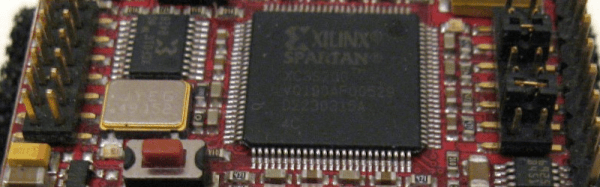
[4ndreas] finally found the ESP8266 in a product; it’s not a very noteworthy observation until you realize how much work has gone into the development of open source toolchains for the ESP.

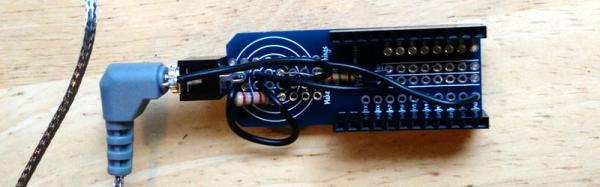
[4ndreas] found an RGB LED strip on Ali Express that could be controlled by WiFi. Inside, he found everyone’s favorite WiFi module, and by shorting two pins, he started up the controller in bootloader mode.

Because of the massive amount of open source development surrounding the ESP8266, there are a host of tools that can be used to program this cheap LED controller. [4ndreas] took a swing at writing his own firmware for the controller and came up with this project.

It’s not a killer project, but it does demonstrate the power of open source toolchains for cheap WiFi modules. This is only the first product found with an ESP8266 inside, but there are undoubtedly others out there just waiting to be taken apart and controlled in more advanced ways.

Continue reading “ESP8266 In Commercial Products”

Hackaday Prize Entry: Lighting The Way For Walkers

Chances are, you probably know someone who uses a walker to assist in their mobility. Ever wonder about how they could be made better? When [Alan McFarland] noticed his friend using his iPhone as a light to walk down a hallway — with only one hand on his walker — he realized something could easily be done to make the walker more functional. His own light bar.

Sure you could get a flashlight, zip tie it to the walker, or maybe a bike light with a dedicated mount — but [Alan] wanted it to be a bit more elegant; and functional. With this in mind, he attached an LED light strip to the lower frame of the walker to help illuminate the path ahead. A button is wired up to the handle for easy access, and he’s even using a PIC12F1501 microcontroller to give it some logic — it’ll turn off by itself, fading out, giving the person a chance to sit down before the lights go out.

The thing we like about this project is he programmed it using the PICBASIC PRO compiler — the same compiler that [Alan] himself used nearly 20 years ago programming the Borg suits and spacesuit lighting on Star Trek: First Contact — how’s that for a random trivia fact!

The 2015 Hackaday Prize is sponsored by:

Microcontroller Adjustment Of A DC To DC Converter

[Hugatry] wanted to replace the adjustment pot on an LM2596 buck converter with a microprocessor-controlled voltage. The regulator IC uses a divider to generate a 1.25V reference from the output. The pot is part of a divider circuit that sets the output voltage. For example, if the divider is 10:1, the controller will keep the output at 1.25V and, therefore, the output voltage will be 12.5V.

[Hugatry’s] strategy was to use a filtered PWM signal from a microcontroller to offset the 1.25V signal. By adding a small voltage to the control point, the output voltage would not need to rise as high as before to maintain the 1.25V reference. For example, adding 0.25V to the reference input would only require 1V, which corresponds to a 10V output.

The video has a nice view of a scope showing the relationship between the PWM duty cycle and the output voltage. Although he didn’t mention it, it struck us that since PWM is proportional to the supply voltage, the voltage on the microcontroller and PWM output stage probably needs to be fixed. That implies you couldn’t use the buck converter to directly power the microcontroller itself. Then again, what kind of microcontroller needs to adjust its own power supply?

Continue reading “Microcontroller Adjustment Of A DC To DC Converter”

Hackaday Prize Entry: The 70s Called. They Want This Calculator

For those of us who grew up during TI’s calculator revolution, the concept of reverse polish notation (RPN) might be foreign. For other more worldly calculator users, however, the HP calculator was ubiquitous. Hewlett-Packard peaked (at least as far as calculators are concerned) decades ago and the market has remained dominated by TI since. Lucky for those few holdouts there is now a new microcode emulator of these classic calculators.

Called the NP25 (for Nonpariel Physical), the calculator fully emulates the HP-21, HP-25C and HP-33C. It’s a standalone microcode emulator, which means that these calculators work exactly as well as the original HP calculators of the 70s did. The new calculators, however, are powered by a low power MSP430G2553 processor and presumably uses many, many fewer batteries than the original did. It has an LED display to cut power costs as well, and was built with the goal of being buildable by the average electronics hobbyist.

Even if you didn’t grow up in the 70s with one of these in your desk drawer, it’d still be a great project and would help even the most avid TI user appreciate the fact that you don’t have to use RPN to input data into calculators anymore. Not that there’s anything wrong with that. This isn’t the only calculator we’ve featured here, either, so be sure to check out another free and open calculator for other calculator-based ideas.

Continue reading “Hackaday Prize Entry: The 70s Called. They Want This Calculator”

Reflow Solder Your Micro SD To Ensure It Doesnt Go Anywhere

SD cards are great inexpensive storage for your embedded project. Using SPI,  they only take a few wires to hook up, and every micro-controller has a FAT file system interface to drop in your project. Problem with SD cards are the connectors.

Usually connectors cost more than the brains of your project,  and the friction fit, spring loaded contacts are not ideal for temperature swings, humidity and high vibration applications. Wouldn’t it be nice if you could just solder the thing down, especially if you know you are never going to remove it?

[Timothée] decided to try and succeeded in reflow soldering a Micro SD card direct to a breakout board. While starting as a what if experiment, the PCB was laid out in Ki-Cad and sent off to a fab. Once returned the Micro SD was fluxed, tinned and fluxed again, then reflowed using an IR setup.

The end result is a handy breakout board where you never have to worry about someone swiping the card to jam in their camera, and is ready for any breadboard project.

Embed With Elliot: The Volatile Keyword

Last time on Embed with Elliot we covered the static keyword, which you can use while declaring a variable or function to increase the duration of the variable without enlarging the scope as you would with a global variable. This piqued the curiosity of a couple of our readers, and we thought we’d run over another (sometimes misunderstood) variable declaration option, namely the volatile keyword.

On its face, volatile is very simple. You use it to tell the compiler that the declared variable can change without notice, and this changes the way that the compiler optimizes with respect to this variable. In big-computer programming, you almost never end up using volatile in C. But in the embedded world, we end up using volatile in one trivial and two very important circumstances, so it’s worth taking a look.

Continue reading “Embed With Elliot: The Volatile Keyword”

Getting Started With ARM Using Mbed

Even though the Arduino was hardly the first 8 bit microcontroller board to support a bootloader and the C/C++ language, it quickly became the de facto standard for hobby-level microcontrollers as well as a common choice for one-off or prototype projects. I’m sure there are a lot of reasons why this occurred, but in my mind there were three major reasons: price, availability of lots of library and sample code, and the existence of a simplified GUI IDE that you could install in a few minutes. The build process is simple, too, even though if you ever have to actually figure it out, it is quite ugly. For most people, it works, and that makes it not ugly.

I like the ATMega chips. In fact, I had boards based around the ATMega8 and a bootloader way before there was an Arduino. However, they are fairly small parts. It is true that the Arduino infrastructure has grown to support more ATMega chips, many with more memory and I/O and clock speeds. However, 32-bit processors are getting inexpensive enough that for all but the simplest or highest volume projects, you should be thinking about using 32-bit.

If you’ve tried to go that route before, you’ve probably been daunted by the price, especially the price of development tools. Your alternative is to roll your own tool chain which is very doable (and there are some nice scripts out there that will help you). You also need to worry about libraries and how to integrate them. Not to mention, many of the advanced processors require a lot of setup to get, say, an A/D converter turned on. Most processors keep things they aren’t using turned off, and each pin requires setup to select the 4 or 5 things shared on that pin.

All of this has been a barrier to entry. The vendors have all figured this out, though, and many have tried to build tools aimed at breaking up the Arduino market ranging from inexpensive development boards to code-generating wizards, to full blown IDEs. I want to tell you (and show you, in the video below) how you can make the jump from 8-bit to 32-bit much easier than you might think.

Continue reading “Getting Started With ARM Using Mbed”