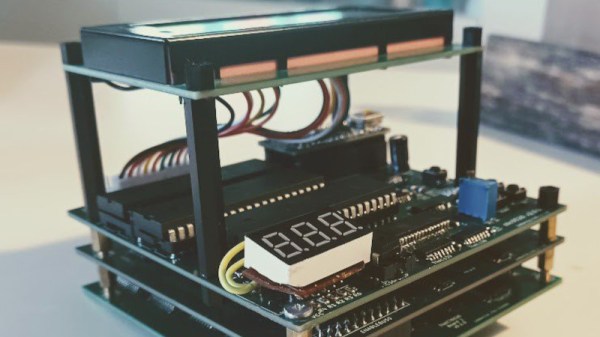
It’s always pleasing to see a project we covered in its early stages reach maturity, so were very happy to bring you an update on [Daniel Molina]’s 74HCT6526. It’s a long-running effort to produce in 74 logic a faithful replica of the MOS Technologies CIA, the integrated I/O and timer chip found in so many of the 1980s Commodore machines. When we first covered it there was only one PCB, now the project has grown to a stack of three, with the remaining functions intended to fit on two more boards.
It was very common at the time for chips such as the CIA to integrate a set of common 8-bit peripherals onto one piece of silicon, both in general purpose with almost all functions of the original now implemented. hips and in more manufacturer specific parts such as this one. A project like this one is valuable because it provides a dive into the now less-common world of interfacing directly to a microprocessor data and address line. It’s unlikely that many Commodore 64s will end up with this stack of boards inside them, but it’s not impossible the design may help a few old machines when put on an FPGA.
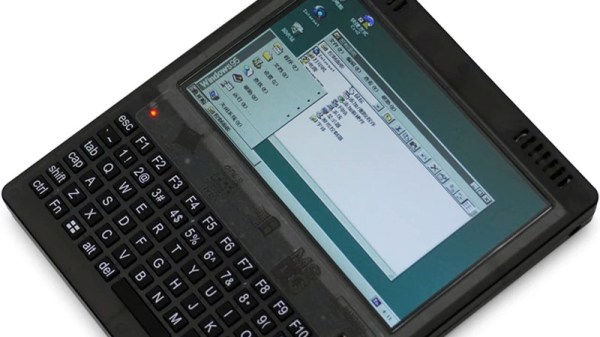
It’s not likely that we’ll talk about a new PC here at Hackaday because where’s the news in yet another commodity computer? But today along comes not one but two new PCs courtesy of the ever bounteous hall of wonders at AliExpress, that are unusual enough to take a look at. If you have around $250 to spare, you can have a brand new, made in 2023, 80386sx plamtop PC capable of running Windows 95, or an 8088 laptop for DOS. Just what on earth is going on?
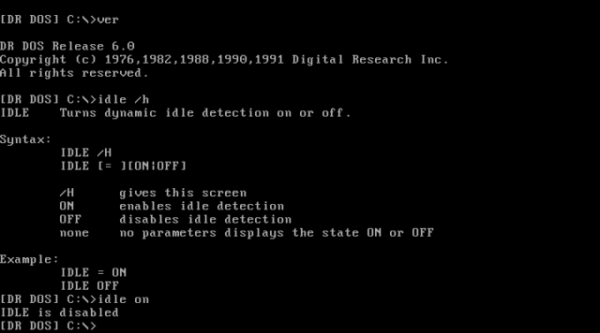
Modern processors come with all kinds of power management features, which you don’t typically notice as a user until you start a heavy program and hear the CPU fan spin up. Back in the early 1990s however, power management was largely unheard of, meaning that a CPU with nothing to do would run through an idle loop that dissipated about as much power as a real computing task. [Michal Necasek] noticed this while experimenting with DR-DOS 6.0 in a virtual machine – his laptop fan would start running on full blast whenever he opened the VM. His search for a solution to this annoyance led him down a fascinating journey into the intricacies of DOS power management.
As it turned out, DR-DOS 6.0 does have functionality built in for putting the CPU in power saving mode when it’s idle. This feature is not complete, however: Digital Research required each computer manufacturer to develop an IDLE driver customized to their specific hardware platform in order to enable power management. Sadly, no manufacturer ever bothered to do so, leaving [Michal] with no option other than writing a driver himself. While there was some documentation available, it didn’t include any example code or sufficient detail to write a driver from scratch.
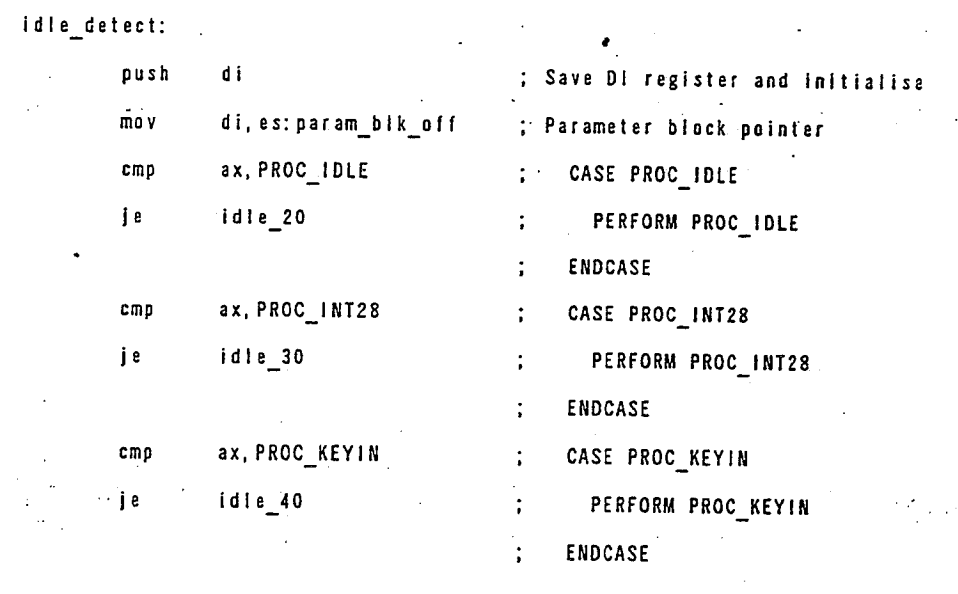
What it did include was a reference to U.S. Patent No. 5,355,501. Normally this sort of information is of interest only to those planning to sell a competing system, but this specific patent happens to include dozens of pages of well-documented but poorly-scanned x86 assembly code, including source code for a basic IDLE86.SYS driver. As [Michal] wasn’t looking forward to chasing bugs caused by OCR errors, he simply copied the source code by hand, then ran it through an assembler. The end result was a working IDLE driver, which is now available for download from his website.
[Michal]’s blog post also includes lots of details on early power saving implementations, including all the DOS interrupt calls involved in the process. Patents might seem boring in contrast, but they sometimes contain surprising amounts of usable information. You might find enough details to reverse-engineer a wireless protocol, or even to help track down an obscure instrument’s original designer.
Wordstar was the word processor that helped sell the personal computer. At one time, it was ubiquitous, and many authors had a hard time giving it up. Some, like George R. R. Martin, apparently are still refusing to give it up. But most of us have moved on. Thanks to an open-source clone, WordTsar, you may not have to. This is a modern interpretation of our old friend.
Programmers that write were especially fond of WordStar since it had a non-document mode and was often the best text editor you had available for writing code. Being able to do your documentation without switching brain gears is useful, too. Touch typists love the efficiency of easy control of things without resorting to cursor keys or a mouse — the same thing vi and emacs fans enjoy but in a different way.
The software runs on multiple platforms and has some new features. Installation on Linux is easy because it is packaged in an AppImage file. Of course, you can also fire up your best CP/M machine, replica, or emulation and run the real WordStar, but — honestly — WordTsar seems more practical if you wanted to go back to using this kind of wordprocessor or editor for everyday use.
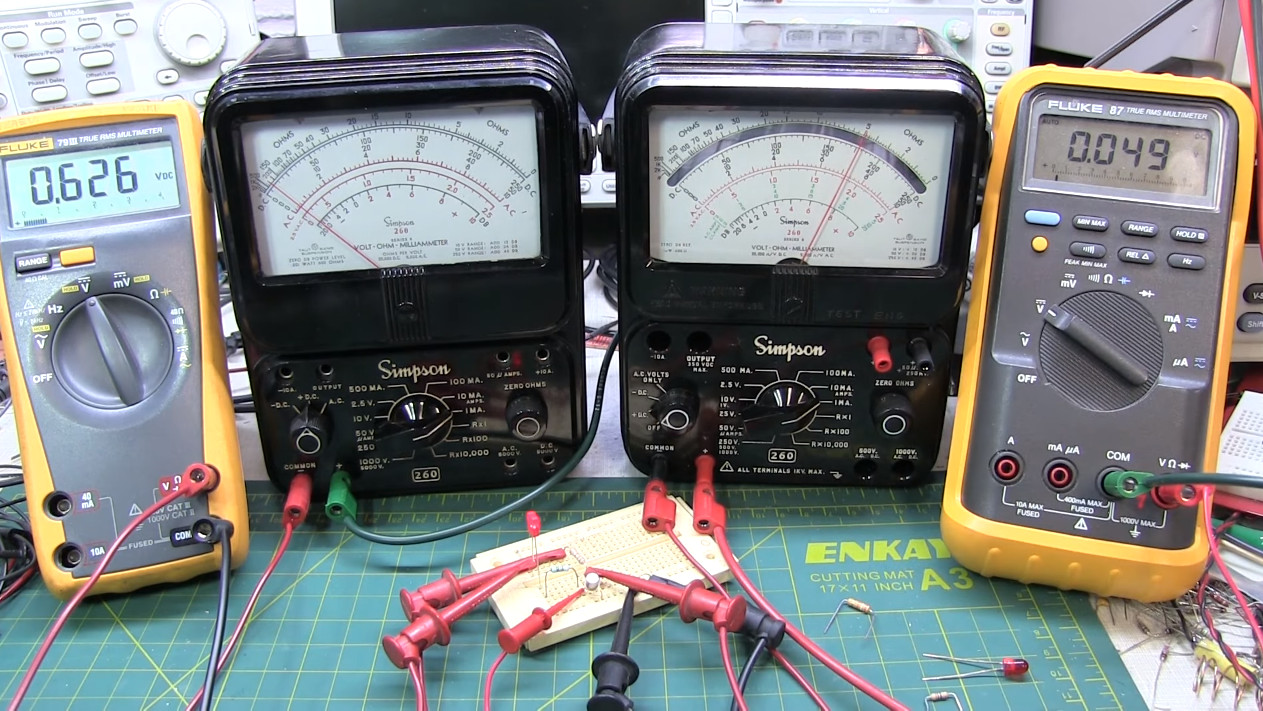
If you’re one of the more than 180,000 subscribers to [Alan Wolke]’s YouTube channel W2AEW, you’ll know he’s a lover of old test gear and ham radio hardware. You may have followed one of his tutorials, or referenced his work while repairing or upgrading your own equipment. But when we got a chance to talk to him one-on-one during Vintage Computer Festival East 2023, we were treated to a more personal look at the man himself.
Like many of us, [Alan] says he got his start with electronics at a young age simply by taking things apart and trying to put them back together again. From there he got a job in a TV repair shop during high school, where he was able to hone his natural curiosity into a marketable skill. His career took him through several of tech companies, but he ultimately ended up in an engineering role at Tektronix, a position he’s held for nearly 20 years.
Despite continuing to stay on the cutting edge, it’s no surprise that he still has a certain attraction to the technology from his youth. But it’s more than simple nostalgia — he points out that vintage hardware is generally easier to service than modern gear. As many of his own videos show, there was something of a technological “sweet spot” around the mid-20th century to the 1980s or so; where you could expect to not only have schematics available, but the design and construction of hardware was such that you could still reason your way through it using basic troubleshooting principles.
As for being a ham, [Alan] thinks it’s a great way for get an even deeper understanding of technology. He says that if you’re interested in learning how electronics work, repairing and upgrading old radio hardware is a great way to flex your mental muscles. But at the same time, being a ham isn’t limited to dusting off war-surplus radios that were built before you were born. There’s plenty of ways to mix in modern technology, from digital modes to receiving signals from satellites using a software-defined radio.
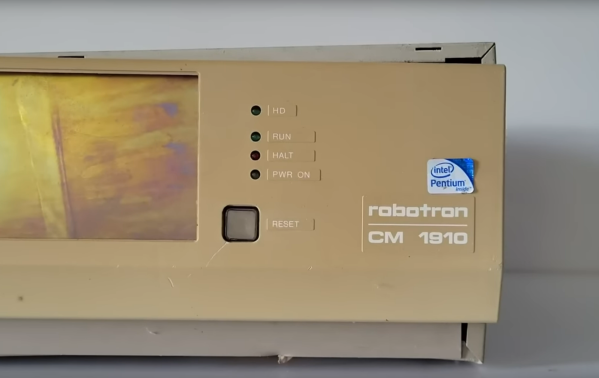
There are plenty of bizarre computers around from the 70s through the 90s before the world somewhat standardized around various duopolies of hardware vendors and operating systems. Commodore, Atari, and even Apple had some bizarre machines from this era but for our money, the most unusual systems come out of the Eastern Bloc. We’ve featured plenty of these before, and the latest is a Robotron CM1910 which comes to us from [Chernobyl Family] via YouTube.
Built in East Germany behind the wall, the Robotron factories had easier access to Soviet than western parts, but the latter were also available when necessary. Hence it’s built on an Intel 8086 processor, which seems common enough for the era, but after opening the case some non-standard construction becomes apparent.
The first is a densely-packed array of circuit boards and wiring, far beyond what a western PC might have included in this time. This also partially explains its massive 25 kg weight. It does include a hard drive, two floppy disk drives, a large dedicated graphics card, and a modem which all contribute as well. The overall design philosophy of the machine was a headscratcher too, which would have involved near-complete dismantling of the machine to access or repair some of the parts, as well as some hidden peripheral and drive controllers in questionable locations.
From the looks of it, we doubt this computer will see any uptime anytime soon, although they did at least restore the keyboard. With all of the chips accessible on PCBs, it might be possible to get this machine up and running again although it would take a massive effort thanks to its non-standard design and construction, and might also require help from builds like this to replace or emulate some of the hardware.
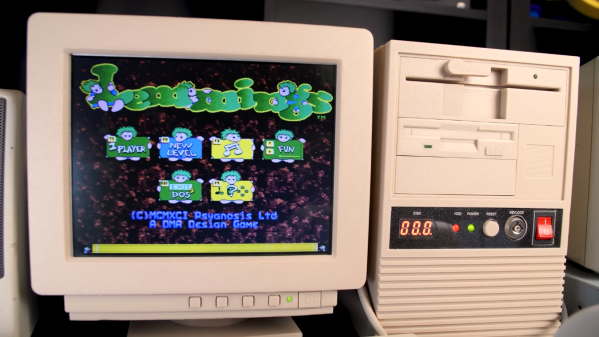
Emulators are easy and convenient, but for some retrocomputing enthusiasts nothing comes close to running classic software on actual era-appropriate hardware. This can become a problem, though, for those into vintage PC gaming: old PCs and their monitors are notoriously large and heavy, meaning that even a modest collection will quickly fill up a decent family home. There is a solution however, as [The Eric Experiment] demonstrates in his latest video. He designed and built a 3D-printed mini PC that runs on an actual 486 processor.
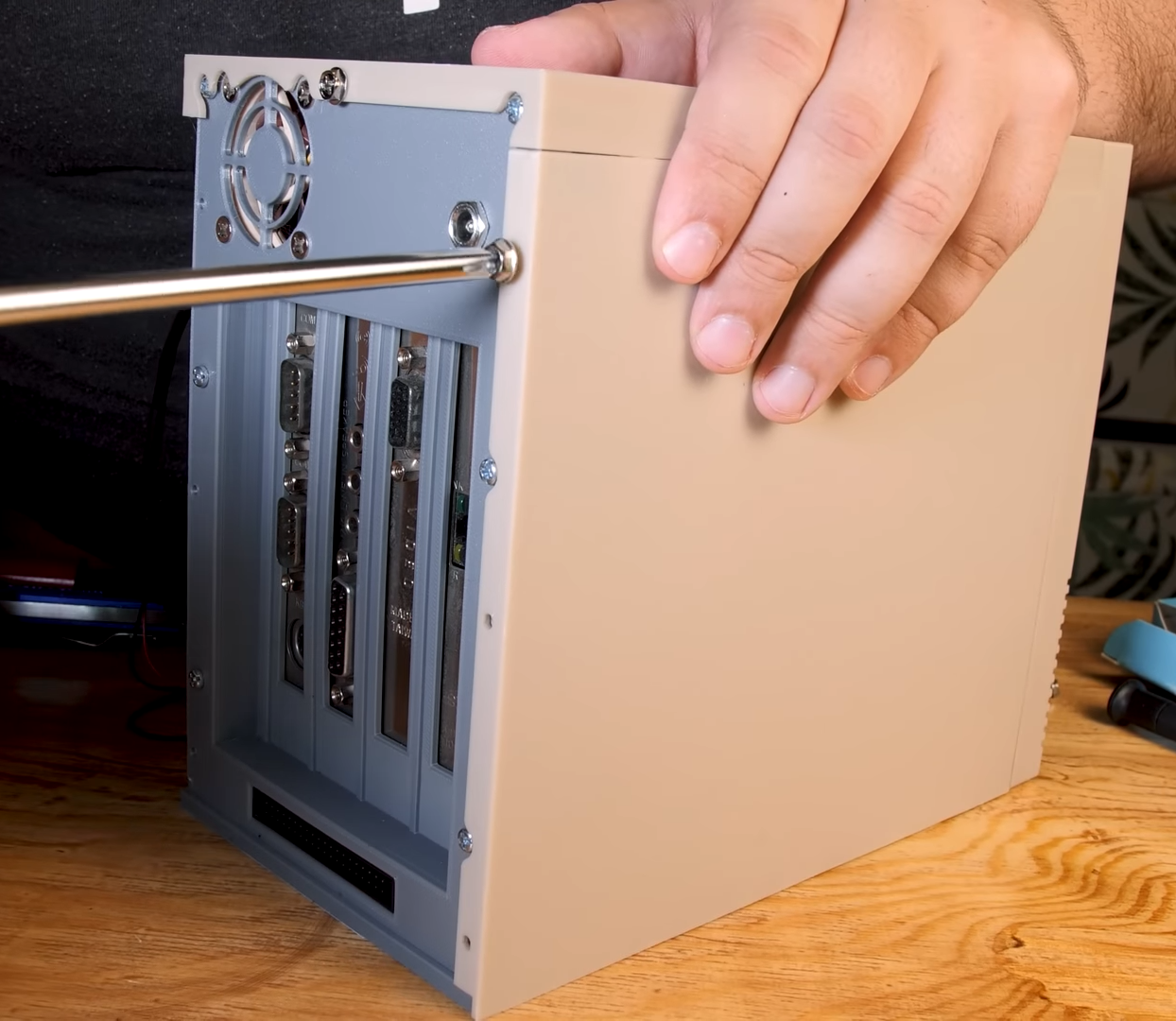
An ordinary desktop motherboard would have required a rather large case to begin with, so [Eric] started his project by buying an old industrial PC board. Such a device has the processor and all main motherboard components sitting on an ISA card, which then connects to other ISA cards through a backplane. This way, a complete system with expansion cards can be made way more compact than even the sleekest desktop PCs of the time. An SD-card-to-IDE converter makes for an extremely slim hard drive replacement, while a Gotek floppy emulator allows the system to boot as if there’s actually a floppy drive present.
Even the side panels slide in exactly like they do on real PC cases.
All of this is pretty neat to begin with, but by far the most impressive parts of the Tiny 486 project are the enclosures that [Eric] designed for the PC and its accompanying monitor. Both were modelled off real-world examples and are accurate down to the smallest details: the tilting stand that clips onto the base of the monitor for instance, or the moving latch on the faux 5.25″ floppy drive. That latch operates a cleverly hidden door that reveals the USB connector for the floppy emulator. The compulsory seven-segment LED display on the mini tower’s front panel now finally serves a useful purpose – indicating which floppy image is currently active.
Sporting an Intel 486-DX4 100 MHz processor, 32 MB of RAM, a Tseng ET4000 video card and an ESS Audiodrive for sound, the tiny 486 can run DOS or Windows 95, although performance in the latter is a bit limited due to the lack of a local-bus video card. It’s perfectly fine for most DOS games though, and a lot more practical than a full-sized desktop PC.