Altaid 8800 Puts A Front Panel In Your Pocket

It’s safe to say that the Altair 8800 is one of the most iconic, and important, computers ever created. The kit-built machine is widely regarded as the first commercially successful personal computer, and as such, intact specimens are bona fide historical artifacts when and if they ever come up on the second-hand market. Accordingly there’s a cottage industry out there dedicated to making affordable replicas, which more often than not, leverage modern hardware to emulate the original hardware.

But that’s not what the Altaid 8800 is. For one thing, it looks nothing like the original Altair. More to the point however, it’s not using modern components to emulate an Intel 8080 computer…it actually is an Intel 8080 computer — complete with fully functional front panel for manually entering in programs. It just happens to be small enough to fit into an Altoids tin, hence the name.

Creator [Lee Hart] didn’t just stop at building a miniature 8080 machine, either. He’s also gone through the trouble of producing a sixteen page faux-vintage magazine to describe the project and its operation. Normally we’d call such a document a “manual”, but somehow in this case that seems to downplay the incredible effort and attention to detail that went into it.

Schematics and firmware are available should you wish to build your own version of the Altaid 8800, but we think the prices for the bare PCBs and complete kits that [Lee] is offering are more than fair for what you get. In fact, if you’ve always wanted to play around with front panel programming and the associated blinkenlights, this might be one of the most affordable options available. Though to be clear, you can also hook the Altaid up to your computer with a USB-to-serial cable if you’re not up to punching in programs on those tiny buttons.

You might think this is one of the most creative and unique retrocomputing projects we’ve ever seen, and you’d be right…if it wasn’t for [Lee]’s own Z80 Membership Card. In some ways the precursor to the Altaid 8800, this diminutive triumph also fits in an Altoids tin and features its own era appropriate magazine-style documentation. We’re detecting something of a theme with these projects…but we certainly aren’t complaining.

Reviving A 1974 Sinclair Scientific Calculator

When a treasure of retrotechnology fails to work, the natural next step is to have a go at repairing it. [Adam Wilson] found himself in this position when he acquired a 1974 Sinclair Cambridge Scientific calculator, and his progress with the device makes for an interesting read.

First up is something of value to all old Sinclair enthusiasts, he’s found a solution to the original battery connectors being prone to failure. A couple of parts stocked by RS can be used as replacements, which should save quite a lot of Sinclairs with crusty connectors.

Saving the connectors should have fixed the calculator, but only served to reveal that it had an electronic fault. Some detective work traced this to the power supply, which is a small switching circuit. The 1974 chip and associated coil had both failed, which rather drew the project to a halt. A second repair-or-spares Cambridge Scientific was sourced, and by good luck it happened to have a working PCB. So [Adam] got a working calculator, and we hope he’ll succumb to the temptation to shoehorn in a PSU from 2022 to get the other one working.

Anyone curious about this slightly unusual calculator should take a look at our teardown of one.

Web Emulator For The Kenbak-1 Computer (If You’ve Heard Of It)

Ever heard of the KENBAK-1? Recognized as the first personal computer, created by John Blankenbaker and sold in 1971 in comparatively small numbers, it’s now a piece of history. But don’t let that stop you if you are curious, because of course there is an emulator on the web.

If the machine looks a bit strange, that’s because early computers of this type did not have the kind of controls (or displays) most people would recognize today. Inputs were buttons and switches, and outputs were lights showing binary values of register contents. The machine could store and run programs, and those programs were entered in pure machine code (no compiler, in other words) by setting individual bit values via the switches. In fact, the KENBAK-1’s invention preceded that of the microprocessor.

The KENBAK was the first electronic, commercially available computer that was not a kit and available to the general population, but the story of how it came to be is interesting. Back in 2016 we covered how that story was shared by John Blankenbaker himself at Vintage Computer Festival East.

APPLE2IDIOT Expansion Card Lets Your Apple II (Sort Of) Access The Internet

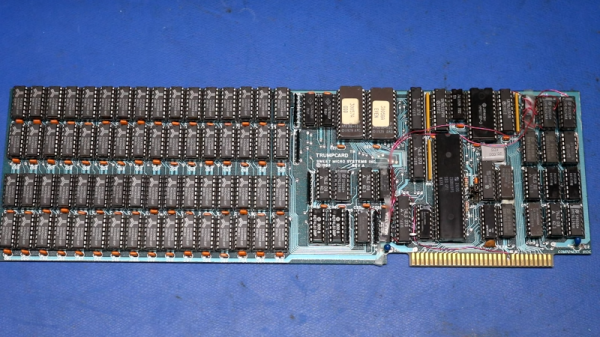
[Nathanial Hendler]’s Apple2Idiot expansion card for the Apple II family of computers is a nifty mix of modern and vintage, and provides a clever means of allowing the host computer to (indirectly) access the internet over WiFi while keeping things simple from the host computer’s perspective.

The PCB has plenty of space on which to silkscreen reference data. Click to enlarge.

It does this by embedding an ESP32 module and a dual-port RAM chip onto an expansion card. The Apple2Idiot, when installed into a host machine, presents as a memory location which the host machine can access. The ESP32 then takes care of all the WiFi communications and tasks requiring internet access, and the host computer directs these tasks (and reads their output) via PEEK and POKE commands.

This means that there are two pieces of software for any given task: one running on the ESP32 doing the actual work, and one running on the Apple II that communicates with the ESP32 on the card by reading and writing to memory. It’s a simple system, and one that [Nathanial] thinks works quite well for specific tasks.

Example programs include things like scanning and selecting a WiFi network, fetching weather data, and sending a message to Slack. Making new applications does mean having to write software on two ends, but the simplicity of the system also means flexibility, because anything the ESP32 does can have its complexity abstracted away by the time its data is presented to the host machine. Not that the Apple II is incapable of dealing with the modern internet more directly; we’ve seen a basic Apple II web server written in BASIC.

A (Nearly All) New Commodore 64

The Commodore 64 remains one of the most influential of the 8-bit home computers four decades after its launch, so not surprisingly there is a huge enthusiast community surrounding it. With so many produced over the years it was available one might think that there would be no shortage of surviving specimens, but sadly time and component failure have taken their toll and the classic micro is not always the most reliable kid on the block. Thus a cottage industry has sprung up supplying C64 parts, leading [The Retro Shack] to have a go at making a new one entirely from scratch.

As you can see in the video below the break it’s not quite an entirely new ’64, as parts including some of the custom silicon come from failed boards. The PCB is a modern recreation of the original and the SID sound chip is an ARMsid though, and most of the parts come from a handy bagged-up kit that makes assembling the BoM much easier. Instead of the big silver box of the original RF modulator is a modern composite board, and there are a few issues with minor connector part differences.

Assembly is simply a very long through-hole soldering process, and once he’d completed it there was the expected refusal to work. We’ve all been there, and eventually he traced it to an incorrectly fitted chip. If you think you’ve seen a few brand new C64s here before you’d be correct, one of them even used LEGO for those elusive keycaps.

Continue reading “A (Nearly All) New Commodore 64”

A vacuum tube computer next to a part of its schematic

This Colossal Vacuum Tube Computer Plays A Mean Game Of Pong

It doesn’t happen often that we report on new vacuum tube based computer designs. Today however, we’re pleased to introduce to you the Fast Reliable Electronic Digital Dot Computer, or Fred.Computer for short. It’s the brainchild of [Mike] who also brought us ENA, which we featured earlier.

Fred is a new design that reuses the parts that made up ENA. It has an 8-bit CPU, 16 bytes of RAM, 256 bytes of NVRAM, and runs at a clock speed of 11.3 kHz. With its 560 tubes drawing a total supply current of about 200 A it also provides a fair bit of heating to [Mike]’s study. The main logic is implemented through NOR gates, built from 6N3P dual-triode tubes sourced from Eastern Europe. These NOR gates are combined into more complex structures like latches, registers and even a complete ALU. A total of sixteen machine code instructions can be used to write programs; clever design allows Fred to perform 16, 32 or even 64-bit calculations with its 8-bit ALU.

A PCB with many reed relays
Need some RAM? There’s sixteen bytes right here.

An interesting addition is a new RAM design based on reed relays. [Mike] realised that relays are actually very similar to digital transmission gates and can therefore be used to make a simple static RAM cell. If you thought relays were too slow for RAM cells, think again: these reed relays can toggle at a mind-boggling 700 Hz, making them more than fast enough for Fred.

The main I/O device is a console that contains several pushbuttons as well as a 12 x 8 LED display. All of this makes Fred a fully-functional general-purpose computer that’s even capable of playing Pong (video, embedded below). [Mike]’s website is full of interesting detail on all aspects of vacuum tube computer design, and makes delightful reading for anyone tempted by the idea of building their own.

Can’t get enough of vacuum tube computers? Have a look at this 1-bit MC14500 implementation, marvel at this modern interpretation of an adding machine, or find out how IBM designed its logic in the 1950s.

Continue reading “This Colossal Vacuum Tube Computer Plays A Mean Game Of Pong”

Vintage Computer Festival East Raises The Bar Again

When I arrived at the InfoAge Science and History Museum for this year’s Vintage Computer Festival East, I fully expected it to be a reduced event compared to last year. After all, how could it not? Due to the schedule getting shifted around by COVID, show runner Jeffrey Brace and his team had just six months to put together an event that usually gets planned over the course of an entire year. With such a truncated preparation time, they more than deserved a little slack.

But as anyone who attended VCF East 2022 can attest, they didn’t need it. Not only did the event meet the high expectations set by last year’s Festival, it managed to exceed them. There were more workshops, more talks, more vendors, more consignment rooms, more live streams, more…well, everything. This year’s program even got a splash of glossy color compared to the grayscale handout attendees received in October. It was, by any metric you care to use, better than ever.

It does however leave me in somewhat on an unenviable position. As we’ve learned during the pandemic, a virtual representation of an event as extensive as VCF can give you a taste of what’s offered, but all the nuance is lost. Looking at pictures of somebody’s passion project can’t compare to actually meeting the person and seeing that glint of pride in their eye as they walk you through all the details.

So bear that in mind through this rundown of some of the projects that caught my eye. This isn’t  a “best of” list, and the Festival is certainly not a competition. But each attendee will invariably come away with their own handful of favorite memories, so I’ll document mine here. If you’d like to make your own memories, I’d strongly suggest making the trek out to the Jersey Shore come April 2023 for the next Vintage Computer Festival East.

Continue reading “Vintage Computer Festival East Raises The Bar Again”