There’s A Computer In This Hard Drive

Throughout the history of personal computers, there are some unique form factors. The 3com Audrey was sold as a computing appliance, meant to sit on a kitchen counter, to display recipes or something. For some reason, Macs were cubes once, and it actually wasn’t a bad machine. At one point, you were supposed to put a monitor on top of your computer.

A few years ago, [glitch] read about an interesting system from the early 80s. The SIIG S286 was designed by the same people that made SCSI cards and external hard drives, and it shows: this is a complete 286-based system stuffed into what was probably an external enclosure for a 5 1/4 drive at some point. After finding one of these bad boys on an auction site a few months ago, he finally got it working. It’s weird, but it can get on a network, and you can read Hackaday with it.

The entire computer is stuffed into a case that’s about 5″ wide, 4″ tall, and 10″ long. There’s a motherboard with built-in VGA, ‘game port’, and a printer port. There’s a riser card for real 16-bit ISA cards, two serial ports, and a connector for a hard disk and floppy drive. Basically, it’s an entire 286 system wrapped up in a tiny box.

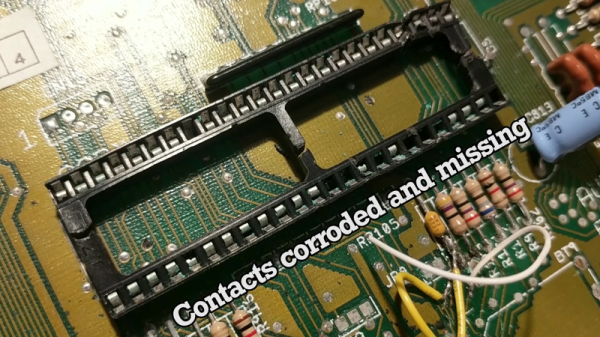
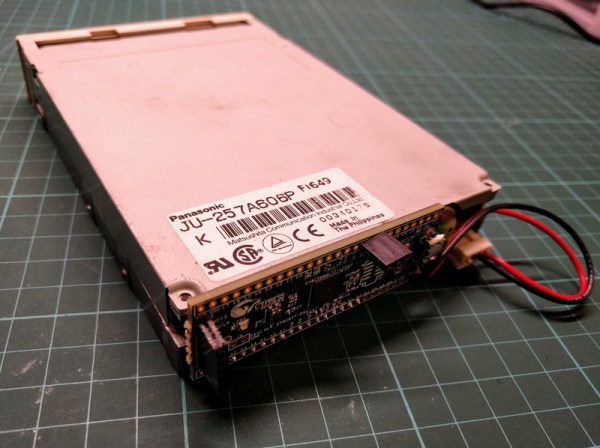
After acquiring this machine, [glitch] took it apart and found the usual damage. The CMOS battery leaked, but not too bad. This was replaced with a hermetically sealed lithium thionyl chloride battery. These are non-rechargable, but a quick swipe of the soldering iron disable the motherboard’s charging circuitry. The hard drive was replaced with a 128 MB Flash module, and an Ethernet card was installed.

With that, [glitch] has a complete system that can connect to the Internet. Of course, getting on the Internet with a 286 is a challenge, but we have a Hackaday Retro Edition for just the occasion. The browser is Arache, with the mTCP package. That’s about as low as you can go in Intel-land, and excellent proof that the computer will work for another 35 years or so.

How Etak Paved The Way To Personal Navigation

Our recent “Retrotechtacular” feature on an early 1970s dead-reckoning car navigation system stirred a memory of another pre-GPS solution for the question that had vexed the motoring public on road trips into unfamiliar areas for decades: “Where the heck are we?” In an age when the tattered remains of long-outdated paper roadmaps were often the best navigational aid a driver had, the dream of an in-dash scrolling map seemed like something Q would build for James Bond to destroy.

And yet, in the mid-1980s, just such a device was designed and made available to the public. Dubbed Etak, the system was simultaneously far ahead of its time and doomed to failure by the constellation of global positioning satellites being assembled overhead as it was being rolled out. Given the constraints it was operating under, Etak worked very well, and even managed to introduce some of the features of modern GPS that we take for granted, such as searching for services and businesses. Here’s a little bit about how the system came to be and how it worked.

Continue reading “How Etak Paved The Way To Personal Navigation”

ESP8266 Home Computer Hides Unexpected Gems

With a BASIC interpreter and free run throughout their hardware, home computers like the ZX Spectrum and Commodore 64 used to be a pervasive way to light that hacker fire. With the advent of cheap single board computers like the Raspberry Pi, devices purpose built to emulate these classic systems have become fairly commonplace. [uli] built a device in this vein called the BASIC Engine which is driven by a microcontroller and a handful of hardware peripherals. Like other examples it can be attached to a keyboard, programmed in a BASIC, play video and sound, etc. But digging into the BASIC Engine reveals that it’s similarity to other devices is only skin deep.

The current version of the BASIC Engine (“rev2”) lives in a Raspberry Pi 3 case for convenience. It has RCA connectors for NTSC or PAL video output and mono audio, plus a bank of headers to tap into GPIOs, connectors for a keyboard, and more. [uli] wanted to aim for extreme low cost so a relatively beefy board like a Raspberry Pi didn’t fit the bill, and we expect it was an enjoyable challenge. Instead its interpreter runs atop an ESP8266 but with the networking stack removed. [uli] was disheartened by how bloated even a “Hello world” program was and ripped it out, discovering that hidden beneath was a very powerful and disproportionately inexpensive general purpose microcontroller. The video is driven by a VS23S010, sold as a 1 Mbit parallel SRAM with a neat trick; it also includes a composite video controller!

The real treat here is [uli]’s history writeup of how the BASIC Engine came to be. We’d recommend brewing a cup of coffee and sitting down for a full read-through. The first version was inspired by the PlayPower project, which was repurposing clones of Nintendo’s Famicom (NES to Americans) game console to make low cost home computers, complete with keyboard and gamepad input. [uli] started out by building a custom cartridge for a particular Famicom clone that ran a BASIC interpreter but after showing it to disinterested adults the project was left fallow. Years later, [uli] was encouraged to pick up the project again, leading down a twisted rabbit hole to where we are today.

If you want to build a BASIC Engine for yourself, Gerbers and build instructions are available on the pages linked above.

Thanks for the tip [antibyte]!

VCF East XIII: Another Day In Retro Paradise

While the weather alternated between mist and monsoon for most of it, the thirteenth annual Vintage Computer Festival East was still a huge success. People came from all over the country, and indeed the world, to show off computers and equipment that was easily older than many of those in attendance. From 1980’s robots to recreations of the very first machines to ever carry the name “computer” as we understand it today, there were a dizzying array of fascinating exhibits to see for those who made the pilgrimage to the InfoAge Science Center in Wall, New Jersey. The people who own and maintain these technological touchstones were in many cases were just as interesting as the hardware they brought to show off; walking encyclopedias of knowledge about the particular piece of vintage gear that they’ve so lovingly shepherded into the modern day.

Through it all, save for a brief intermission to get chili dogs from the nearest WindMill, Hackaday was there. We got up close and personal with [Brian Stuart]’s impressive ENIAC emulator, listened to some ethereal chiptunes courtesy of [Bill Degnan]’s MITS Altair 8800, saw relics from the days when the “app store” needed stamps from [Allan Bushman]’s impressive colleciton, and got inspired by the [Alexander Pierson]’s somewhat more modern take on the classic kit computers of the 1970’s.

But those were’t the only things on display at the Vintage Computer Festival, not by a long shot. There were over 100 individual exhibits this year at VCF, and that doesn’t even include the workshops, classes, tours, or the daily keynote presentations. To say you get your money’s worth on the ticket is something of an understatement.

It’s fair to say that there’s no real substitute for seeing a show like this in person. But in addition to the aforementioned articles, a rundown (in no particular order) of some of the interesting exhibits and attractions from this year’s VCF is a decent consolation prize. If this piques your interest, we’d invite you to keep an eye out for the next Vintage Computer Festival. We’ll be there.

Continue reading “VCF East XIII: Another Day In Retro Paradise”

Refurbishing A DEC 340 Monitor

Back in the “good old days” movie theaters ran serials. Every week you’d pay some pocket change and see what happened to Buck Rogers, Superman, or Tex Granger that week. Each episode would, of course, end in a cliffhanger. [Keith Hayes] has started his own serial about restoring a DEC 340 monitor found in a scrap yard in Australia. The 340 — not a VT340 — looks like it could appear in one of those serials, with its huge cabinets and round radar-like display. [Keith] describes the restoration as “his big project of the year” and we are anxious to see how the cliffhangers resolve.

He’s been lucky, and he’s been unlucky. The lucky part is that he has the cabinet with the CRT and the deflection yoke. Those would be very difficult to replace. The unlucky part is that one entire cabinet of electronics is missing.

Continue reading “Refurbishing A DEC 340 Monitor”

Raytheon’s Analog Read-Only Memory Is Tube-Based

There are many ways of storing data in a computer’s memory, and not all of them allow the computer to write to it. For older equipment, this was often a physical limitation to the hardware itself. It’s easier and cheaper for some memory to be read-only, but if you go back really far you reach a time before even ROMs were widespread. One fascinating memory scheme is this example using a vacuum tube that stores the characters needed for a display.

[eric] over at TubeTime recently came across a Raytheon monoscope from days of yore and started figuring out how it works. The device is essentially a character display in an oscilloscope-like CRT package, but the way that it displays the characters is an interesting walk through history. The monoscope has two circuits, one which selects the character and the other determines the position on the screen. Each circuit is fed a delightfully analog sine wave, which allows the device to create essentially a scanning pattern on the screen for refreshing the display.

[eric] goes into a lot of detail on how this c.1967 device works, and it’s interesting to see how engineers were able to get working memory with their relatively limited toolset. One of the nice things about working in the analog world, though, is that it’s relatively easy to figure out how things work and start using them for all kinds of other purposes, like old analog UHF TV tuners.

VCF East 2018: Cactus, Retro Because It Wants To Be

Among the rows of digital dinosaurs, one blinking front panel stood out. It certainly looked the part of a retro computer; with banks of blinking LEDs and multicolored paddle switches. But upon closer inspection, the laser cut wooden front panel betrays the fact that this machine is an impostor. It may have the appearance of a machine from the heady days where home computers looked like they could have doubled as a prop on the bridge of Kirk’s Enterprise, but it’s actually a product of much more modern provenance.

It’s called the Cactus, a love letter to the homebrew microcomputers of the 1970’s, designed and built by somebody at least 20 years too young to have experienced them the first time around. Alexander Pierson created the Cactus not because he had fond memories of putting together an Altair 8800 in 1975, but because he’s fascinated with the retro computer experience: the look of the front panel, the satisfying clunk of era-appropriate switches, and the idea that the computer’s inner workings aren’t an abstract black box but rather something you can interact with and study. Judging by all the attention the Cactus got at VCF East XIII, he’s not the only one.

Let’s take a look at everything Alexander poured into this retrocomputer build.

Continue reading “VCF East 2018: Cactus, Retro Because It Wants To Be”