LoRa Mesh Network With Off-the-Shelf Hardware

An ideal application for mesh networking is off-grid communication; when there’s no cellular reception and WiFi won’t reach, wide-area technologies like LoRa can be used to create ad hoc wireless networks. Whether you’re enjoying the outdoors with friends or conducting a rescue operation, a cheap and small gadget that will allow you to create such a network and communicate over it would be a very welcome addition to your pack.

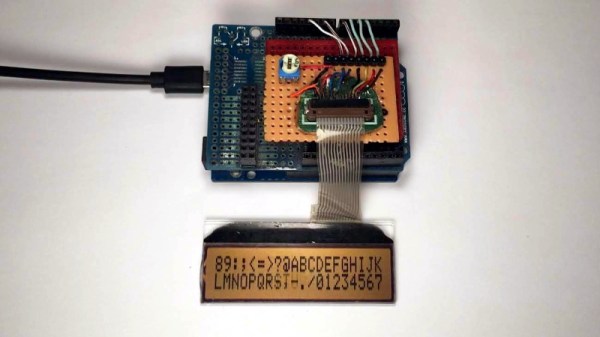
That’s exactly the goal of the Meshtastic project, which aims to take off-the-shelf ESP32 LoRa development boards and turn them into affordable mesh network communicators. All you need to do is buy one of the supported boards, install the firmware, and starting meshing. An Android application that will allow you to use the mesh network to send basic text messages is now available as an alpha release, and eventually you’ll be able to run Signal over the LoRa link.

Navigating to another node in the network.

Developer [Kevin Hester] tells us that these are still the very early days, and there’s plenty of work yet to be done. In fact, he’s actively looking to bring a few like-minded individuals onto the project. So if you have experience with the ESP32 or mobile application development, and conducting private communications over long-range wireless networks sounds like your kind of party, this might be your lucky day.

From a user’s perspective, this project is extremely approachable. You don’t need to put any custom hardware together, outside of perhaps 3D printing a case for your particular board. The first time around you’ll need to flash the firmware with esptool.py, but after that, [Kevin] says future updates can be handled by the smartphone application.

Incidentally, the primary difference between the two boards is that the larger and more expensive one includes GPS. The mesh networking side of things will work with either board, but if everyone in your group has the GPS-equipped version, each user will be able to see the position of everyone else in the network.

This isn’t the first time we’ve seen LoRa used to establish off-grid communications, and it surely won’t be the last. The technology is perfect for getting devices talking where there isn’t any existing infrastructure, and we’re excited to see more examples of how it can be used in this capacity.

Multiple 3D Printers, And One Pi To Rule Them All

If you’ve got a desktop 3D printer, there’s an excellent chance you’ve heard of OctoPrint. This web front-end, usually running on a Raspberry Pi, allows you to monitor and control the printer over the network from any device that has a browser. But what if you’ve got two printers? Or 20? The logistics of each printer getting its own Pi can get uncomfortable in a hurry, which is why [Jay Doscher] has been working on a way to simplify things.

Leveraging the boosted processing power of the Raspberry Pi 4 and some good old fashioned Linux trickery, [Jay] is now controlling multiple printers from a single device. The trick is to run multiple instances of the OctoPrint backend and assign them to virtual network interfaces so they don’t interfere with each other. This takes some custom systemd unit files to get up and running on Raspbian, which he’s been kind enough to include them in the write-up.

But getting multiple copies of OctoPrint running on the Pi is only half the battle. There still needs to be a way to sort out which printer is which. Under normal circumstances, the printers would be assigned random virtual serial ports when the Pi booted. To prevent any confusion, [Jay] explains how you can use custom udev rules to make sure that each printer gets its own unique device node. Even if you aren’t trying to wrangle multiple 3D printers, this is a useful trick should you find yourself struggling to keep track of your USB gadgets.

If you’re wondering why [Jay] needs to have so many 3D printers going at the same time, we hear they’ve been keeping rather busy running off parts for commissioned copies of his popular projects. Something to consider the next time you’re wondering if there’s a way to make a happy buck out of this little hobby of ours, folks.

3D Printable Nameplates From Your Web Browser

It’s an unwritten rule that all proper pieces of shop equipment need a nameplate. Otherwise, how are you going to know what name to use when you curse it under your breath? In the old days these would have been made out of something fancy such as brass, but for the modern hacker that doesn’t stand on tradition, you can now easily outfit all your gear with custom 3D printed nameplates using this online tool.

Granted, it wouldn’t be very difficult to throw one of these together in whatever CAD package you happen to have access to. But with the tool [Tobias Weber] has developed, you don’t have to. Simply pick the font, the shape of the border, and fill in a few variables to fine tune things such as padding and base thickness.

Finally, enter your text and marvel at the real-time 3D preview that’s rendered thanks to the magic of modern web technologies. In seconds, you’ll have an STL file that’s ready for the warm liquid goo phase.

The huge collection of fonts are a particularly nice touch, ranging from delicate scripts to military style stencils. Depending on your CAD software, getting arbitrary fonts imported and extruded into a three dimensional shape can be tricky for new players. If we do have one complaint though, it’s that there doesn’t seem to be a clear indicator of how big the nameplate is going to be when exported. First time around, it spit out an STL that would have been 300 mm long if we hadn’t scaled it down in the slicer.

This project is very reminiscent of another web-based tool we featured recently. That one allowed you to make 3D printed QR codes which would whatever entomb in plastic whatever data your cold hacker heart desired.

Continue reading “3D Printable Nameplates From Your Web Browser”

Software Defined Everything With Mike Ossmann And Kate Temkin

Software defined radio has become a staple of the RF tinkerer, but it’s likely that very few of us have ever taken their software defined toolchain outside the bounds of radio. It’s an area explored by Mike Ossmann and Kate Temkin in their newly published Supercon talk as they use GNU Radio to do some things that you might find unexpected.

For most people, a software defined radio is a device. An RTL-SDR dongle perhaps, or the HackRF that a popular multi-tool for working in the radio frequency realm. But as they explain, the SDR hardware can be considered merely as the analogue front end, being just the minimal analogue circuitry coupled with a digitiser. The real software-defined part comes — as you might expect — in the software

Kate and Mike introduce GNU Radio Companion — the graphical UI for GNU Radio — as their tool of choice and praise it’s use as a general purpose digital signal processing system whether or not that includes radio. Taking their own Great Scott Gadgets GreatFET One USB hackers toolkit peripheral as an input device they demonstrate this by analysing the output from a light sensor. Instantly they can analyse the mains frequency in a frequency-domain plot, and the pulse frequency of the LEDs. But their bag of tricks goes much deeper, exploring multiple “atypical use cases” that unlock a whole new world through creative digital signal processing (DSP).

Continue reading “Software Defined Everything With Mike Ossmann And Kate Temkin”

Counter-Strike Gets The RGB LED Treatment

Inspired by the over-the-top stage lighting and pyrotechnics used during e-sport events, [Hans Peter] set out to develop a scaled-down version (minus the flames) for his personal Counter-Strike: Global Offensive sessions. It might seem like pulling something like this off would involve hacking the game engine, but as it turns out, Valve was kind enough to implement a game state API that made it relatively easy.

According to the documentation, the CS:GO client can be configured to send out state information to a HTTP server at regular intervals. It even provided example code for implementing a simple state server in Node.js, which [Hans] adapted for this project by adding some conditional statements that analyze the status of the current game.

These functions fire off serial commands to the attached Arduino, which in turn controls the WS2812B LEDs. The Arduino code takes the information provided by the HTTP server and breaks that down into various lighting routines for different conditions such as wins and losses. But things really kick into gear when a bomb is active.

[Hans] wanted to synchronize the flashing LEDs with the beeping sound the bomb makes in the game, but the API doesn’t provide granular enough data. So he recorded the audio of the bomb arming sequence, used Audacity to precisely time the beeps, and implemented the sequence in his Arduino code. In the video after the break you can see that the synchronization isn’t perfect, but it’s certainly close enough to get the point across in the heat of battle.

With the special place that Counter-Strike occupies in the hearts of hackers and gamers alike, it’s little surprise people are still finding unique ways to experience the game.

Continue reading “Counter-Strike Gets The RGB LED Treatment”

C#, The Language For All Platforms – Now Including Windows 3.11 And DOS

The Microsoft .NET framework has been with us in one form or another since the millennium, and though it has remained largely the preserve of the Microsoft universe, it has found its way since then through a variety of implementations to other platforms including MacOS and GNU/Linux. In Microsoft terms though its history goes back only as far as Windows 98, earlier MS operating systems remain off-limits.

Just a glimmer of .NET in DOS and Windows 3.11 comes courtesy of [Michal Strehovský], who has successfully compiled .net C# code for both Windows 3.11 and DOS. An in-depth explanation comes courtesy of [Scott Hanselman], and it involves some tricks spanning the decades since the early 1990s. The .NET Core compiler’s object files can be fed into the linker that shipped with an ancient version of Microsoft’s C++ compiler, which when used with Microsoft’s Win32s compatibility layer that brought some of Windos NT’s APIs to the 16-bit OS, allows C# from 2020 to run as though it were 1992 again. Meanwhile the DOS version uses .NET Core’s ability to produce self-contained executables along with some very significant tricks to pare down the size of the finished program from many megabytes to an eventual DOS-suitable 27k. Remember the apocryphal Bill Gates quote, that “640k should be enough for anyone“, that refers to the maximum memory available to DOS without extra memory-extending tricks.

Neither piece of software is especially useful, and we can’t see a rush of C# coders to these new platforms. But we applaud him for his ingenuity, and getting old hardware to do new tricks is right up our alley. It’s certainly dredged up a few memories from back in the day for us. Meanwhile we’ve featured .NET in a few projects over the years, most recently on an FPGA.

Generate 3D Printable QR Codes With This Web Tool

Since most people are carrying a camera-equipped computer in their pockets these days, QR codes can be a great way to easily share short snippets of information. You can put one on your business card so people can quickly access your contact information, or on your living room wall with your network’s SSID and encryption key. The design of QR codes also make them well suited to 3D printing, and thanks to a new web-based tool, you can generate your own custom STL in seconds.

Created by [Felix Stein], the website provides an easy to use interface for the many options possible with QR codes. Obviously you have full control over the actual content of the code, be it a simple URL or a something more specific like a pre-formatted SMS message. But you can also tweak physical parameters like size and thickness.

Once you’re happy with the 3D preview, you can have the website generate an STL for either single or multi-extrusion printers. For those of us who are puttering along with single extruder machines, you’ll need to swap the filament color at the appropriate layer manually. With so many variables involved, you’ll also need figure out which layer the swap should happen on your own.

Incidentally, this is an excellent example of where STL leaves something to be desired. When using a format like 3MF, color and material information could be baked right into the model. Once opened in a sufficiently modern slicer, all the tricky bits would automatically sorted out. Or at least, that’s what Prusa Research is hoping for.