Breadboarding Console Has The Power

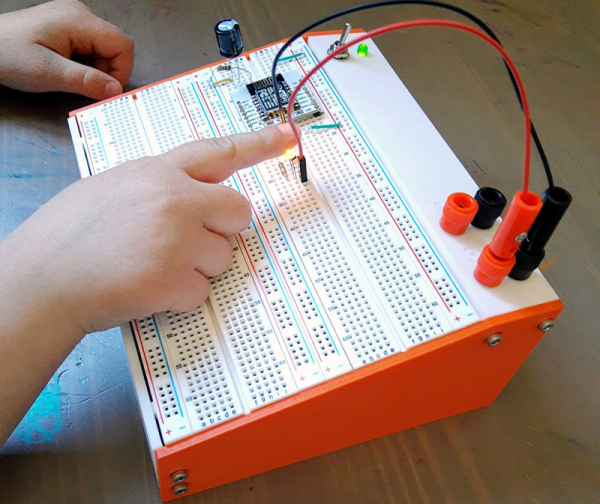
It is hard to remember how expensive an electronic hobby used to be. It wasn’t long ago, for example, that a solderless breadboard was reasonably expensive and was likely to have some sort of baseboard. The nicer ones even had a power supply or some simple test instruments. While you can still buy that sort of thing today, the low cost of bare breadboards have made them much more common. [Sebastian] decided to use his 3D printer to give those cheap breadboards a nice home.

The design looks great, and frankly isn’t much of a technical triumph, but it is useful and clean looking. The build uses some banana jacks, a switch, an LED, a 9V battery, and a common small power supply module. Of course, you also need a few breadboards.

Continue reading “Breadboarding Console Has The Power”

Simple Plasma Cutter Collision Detection System

Machine tools often have powerful drive motors, allowing them to work quickly and accurately to get the job done fast. However, this can cause major damage if the tool head collides with an unexpected object. To protect against such occurances, [Xnaron] developed a simple system to shut down his plasma cutter in the event of a crash.

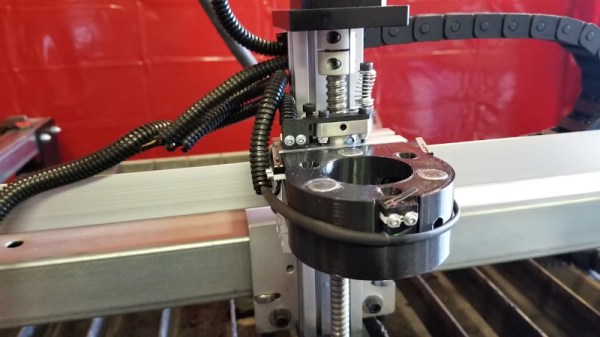
The system consists of a 3D printed collar that fits around the plasma cutting torch. The collar has two mating parts, which are held together with three magnets and three ball bearings to act as a key, maintaining the correct orientation. Three limit switches are then fitted, held closed by the two mating halves. When the torch collides with an object, this causes the magnetic coupling to seperate, triggering one or more of the limit switches, and shutting down the machine safely.

Video of an unplanned collision shows the device working well. It’s a neat solution that could probably be adapted to other types of machine tool that don’t experience high lateral forces. Of course, if you don’t yet have a plasma cutter, you can always make your own. Video after the break.

Continue reading “Simple Plasma Cutter Collision Detection System”

Pine Made Phones, Laptops, And Now… Soldering Irons?

The TS100 smart soldering iron may have some new competition. Pine — the people best known for Linux-based phones and laptops — though the world needed another smart soldering iron so they announced the Pinecil — Sort of a knock off of the TS100. It looks like a TS100 and uses the same tips. But it does have some important differences.

It used to be a soldering iron was a pretty simple affair. Plug in one end; don’t touch the other end. But, eventually, things got more complicated and you wanted some way to make it hotter or cooler. Then you wanted the exact temperature with a PID controller. However, until recently, you didn’t care how much processing power your soldering iron had. The TS100 changed that. The smart and portable iron was a game-changer and people not only used it for soldering, but also wrote software to make it do other things. One difference is that the device has a RISC-V CPU. Reportedly, it also has better ergonomics and a USB C connector that allows for UART, I2C, SPI, and USB connections. It also has a very friendly price tag of $24.99.

Continue reading “Pine Made Phones, Laptops, And Now… Soldering Irons?”

Hand Depanelizer Gets Pneumatic Upgrade

In high volume production, smaller PCBs are often “panelized” so that multiple copies can be shuffled through assembly as a single piece. Each board is attached to the panel with a few strategically placed tabs, not unlike the sprues in a plastic model kit. If you only have to separate a few boards you can simply cut them with a hand nipper, but when you’re doing hundreds or thousands of boards, it quickly becomes impractical.

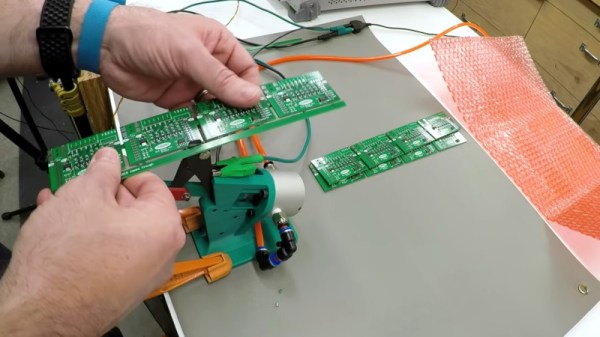
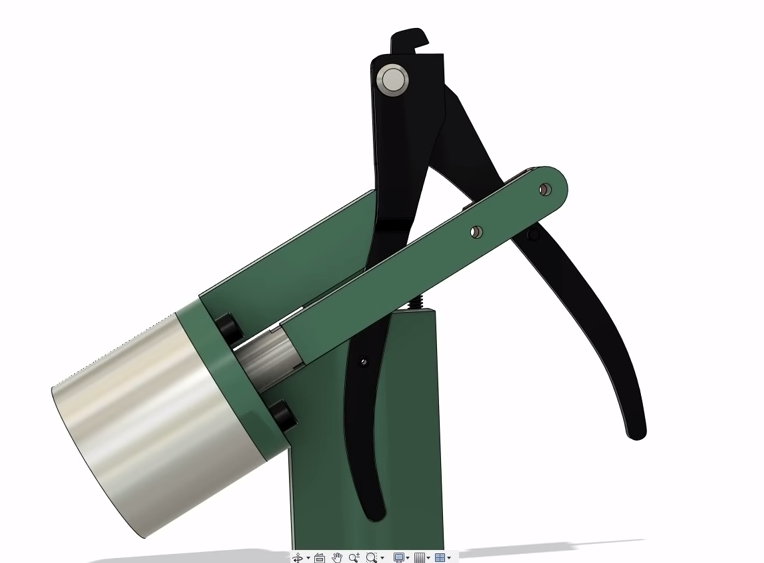
Which is where [Clough42] found himself recently. Looking to improve the situation without breaking the bank, he decided to automate his trusty hand-held depanelizer tool. The basic idea was to build an actuator that could stand in for his own hand when operating the tool. He already had a pneumatic cylinder that he could power the device with, he just needed to design it.

In the video below, he walks the viewer though his CAD design process for this project. His first step, which is one that’s often overlooked by new players, is creating digital representations of the hardware he’s using. This allows him to quickly design 3D printed parts that have the proper dimensions and clearances to interface with his real-world components. Remember: it’s a lot easier to adapt your 3D model to the components on hand than the other way around.

With the appropriate valves, hoses, and a foot pedal attached to the pneumatic cylinder, he’s able to operate the cutter completely hands-free. He still has to manually move the panel around, but at least it saves him from the repetitive squeezing motion.

With a tool like this and a custom testing jig, you’ll be producing PCBs like the pros in no time.

Continue reading “Hand Depanelizer Gets Pneumatic Upgrade”

Upgrading The RAM In A 25 Year Old Oscilloscope

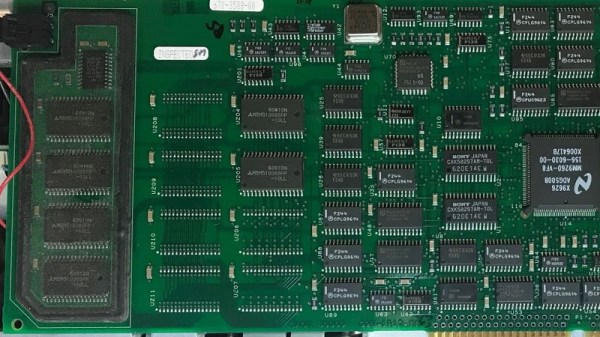
From reading his extensive write-ups on the subject, there’s one thing we know for sure: [Tom Verbeure] loves his Tektronix TDS 420A oscilloscope. While it might be older than some of the people reading this, it’s still an impressive piece of hardware with more than enough bells and whistles to keep the average hacker occupied. Especially if you’re willing to perform some hardware modifications.

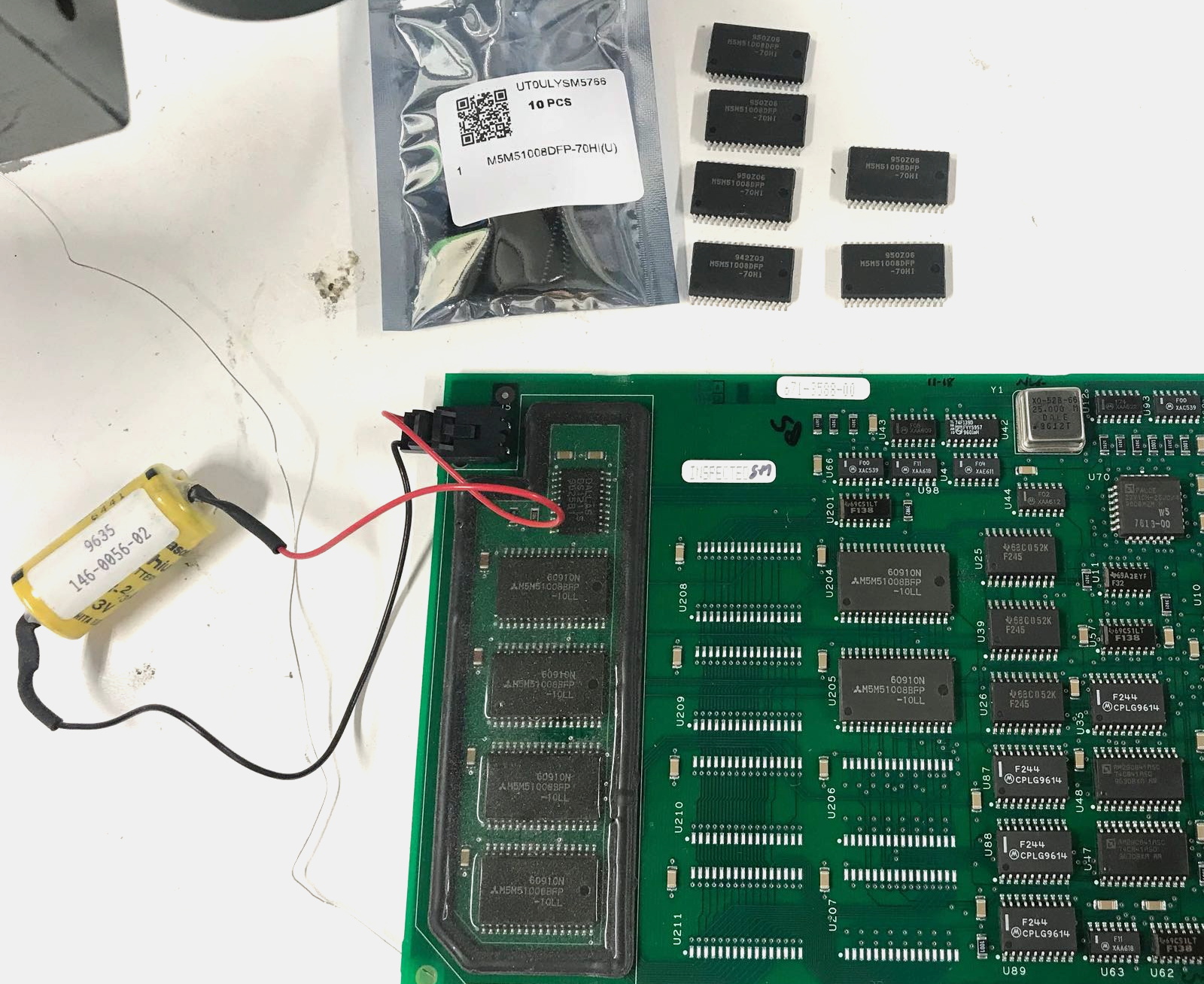
Note the battery to retain calibration data.

[Tom] already knew how to tickle the scope into unlocking software features, a process not unlike what we’ve seen done on more modern scopes. But there’s only so far you can get by toggling software flags.

Some of the more advanced features that are turned off in the firmware actually need additional hardware to function. Simply bumping the sample points to 120,000 in software wasn’t enough, the scope actually needs the memory to hold them in.

Now logically, if there’s a software option to increase the number of samples, there must be a hardware upgrade that goes along with it. Sure enough, [Tom] found there were 6 open spots next to the scope’s existing M5M51008 static RAM ICs.

As luck would have it the chips are still available, albeit from a different manufacturer and a bit faster than the original parts. Digikey wouldn’t sell fewer than 100 of them, but UTSource was happy to sell him 10. In this case, the parts were cheaper than the shipping cost. Installation was about as straightforward as it gets, though [Tom] does note that he had to keep the board powered up during the operation or else the scope would have lost its calibration data.

Squeezing more features out of modern scopes like the Rigol DS2072A just takes a USB cable and some software. Sometimes it’s only a matter of tapping in a code. But we certainly appreciate [Tom] putting in a little extra effort to get the most out of this classic piece of hardware.

Reverse Engineering Teaches An Old Scope New Tricks

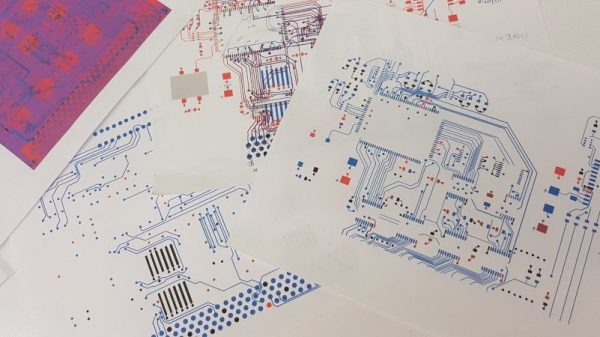
[PMercier] clearly loves his old Tektronix TDS3014 scope, which did however lack essentially modern connectivity such as an Ethernet port for control and a USB port for a convenient way to capture screenshots. So he decided to do some in-depth reverse engineering and design his own expansion card for it. The scope already has an expansion port and an expansion card, but given this model was first released in 1998, purchasing an OEM part was not going to be an option.

They don’t make ’em like they used to. Test equipment is today is built to last a decade — but usually lives on much longer. This is certainly true for the previous generations of kit. It’s no surprise that for most of us, hand-me-downs from universities, shrewd eBay purchasing, and even fruitful dumpster dives are a very viable way to attain useful and relevant test equipment. Now, while these acquisitions are more than adequate for the needs of a hobbyist lab, they are admittedly outdated and more to the point, inaccessible from a connectivity and communication standpoint. A modern lab has a very high degree of automated data acquisition and control over ethernet. Capturing screen dumps on a USB is a standard feature. These modern luxuries don’t exist on aging equipment conceived in the age of floppy disks and GPIB.

Continue reading “Reverse Engineering Teaches An Old Scope New Tricks”

Touch Screen Reflow Oven Pulls Out All The Stops

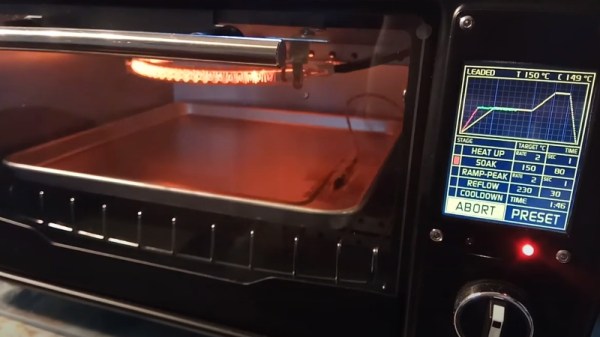
We’ve seen plenty of simple reflow ovens, and there’s an excellent chance that some of the people reading these words have even thrown their own together. A minimal example isn’t much more than a old toaster oven, a Solid State Relay (SSR), a thermocouple, and a microcontroller to get them all talking. But if you’re like [Mangy_Dog] and willing to put in a bit more effort, the final result can be a capable piece of equipment that will be the envy of the hackerspace.
This build started as most do, with a search for a used toaster oven. But in the end he actually found a German model cheap enough that he could buy it new without going over budget for the project. Though he soon found out why: when it arrived, the so-called “pizza oven” was far smaller than he’d imagined. Luckily, it ended up being the perfect size for PCBs.

Unfortunately, the heating elements weren’t quite where he wanted them. Even after wrapping the heating chamber with ceramic insulation, a feature that was likely left off the original oven to cut costs, he says the temperature would only rise about 1 degree per second. So he added an additional halogen heating element at the top of the oven which pushed that rate up to 6 degrees per second.

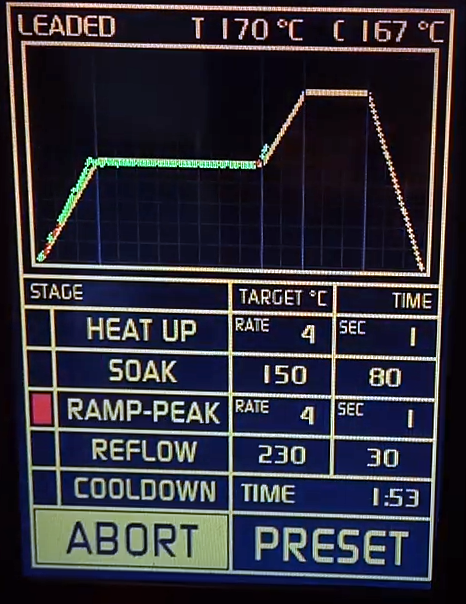
Control is provided by an Arduino Pro Mini and a touch screen display with some very slick graphics. There’s the expected thermocouple to detect the current temperature, but while the earlier versions of the electronics used the aforementioned SSR to control the heating elements, [Mangy_Dog] eventually replaced it with a dimmer module rated for 4000 watts. After coming up with a circuit that allowed him to control the dimmer with the Arduino, this module gave for much finer control over the chamber temperature. Plus it apparently kept all the lights in his house from flickering when the elements kicked in at 100%, which was a nice bonus.

This isn’t the first time we’ve seen somebody shoehorn an LCD into an off-the-shelf toaster oven, but it’s certainly one of the most polished examples to ever come our way. When even commercially available units need some hacking to reach feature parity with DIY versions, building your own reflow oven still seems like the way to go in 2020.

Continue reading “Touch Screen Reflow Oven Pulls Out All The Stops”