Designing A Printable Cyclone Dust Separator For 99.95% Efficiency

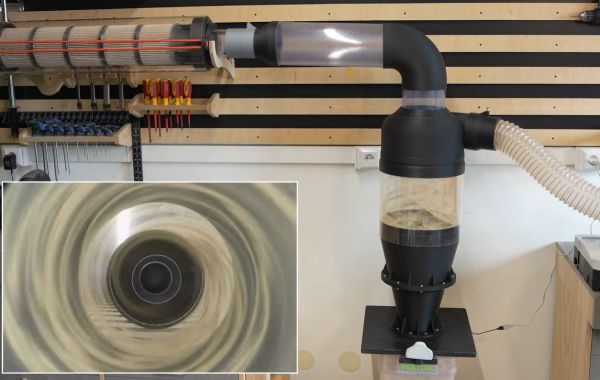
Filtering sawdust out of an airflow is easy until you try to do it with cyclone separation, but the obvious appeal here is of course not spending a fortune on filters. Over the years we have thus seen a lot of DIY takes on this concept alongside commercial offerings. Recently [Ruud] of the [Capturing Dust] YouTube channel gave it a fresh shake with a claimed 99.95% filtering efficiency that outperforms a commercial solution.

As a starting point the commercial and very succinctly named Oneida Air Super Dust Deputy Cyclone Separator was used, which retails for about $179 and claims a 99.9% filtrating rate of fine dust and debris. Based on its design a 3D model was created and printed with an FDM printer.

Initially only about a 98% rate was measured, but after some investigation this appeared to be due to the incoming and exciting airflows interfering. One tweak later to add some separation between the flows and a lot of testing of different configurations a final design was settled on that would seem to be rather quite efficient compared to the commercial option.

Continue reading “Designing A Printable Cyclone Dust Separator For 99.95% Efficiency”

Win95-Tracker-CYD Is A Cheap Yellow Mod Tracker With I2S

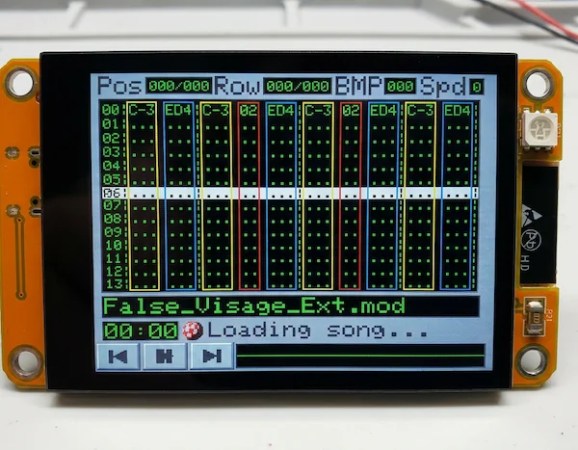
The Cheap Yellow Display is a great little module to start a project with, but it wouldn’t necessarily be our first choice for an audio device. That’s because the PWM on the ESP32 isn’t exactly going to put out hi-fi, and the I2C pins needed for the I2S audio protocol aren’t broken out on the CYD board. That didn’t stop [ivans805] AKA [Ill-Town-5623]– he wanted a mod tracker, he had a CYD board, and necessity is the mother of invention.

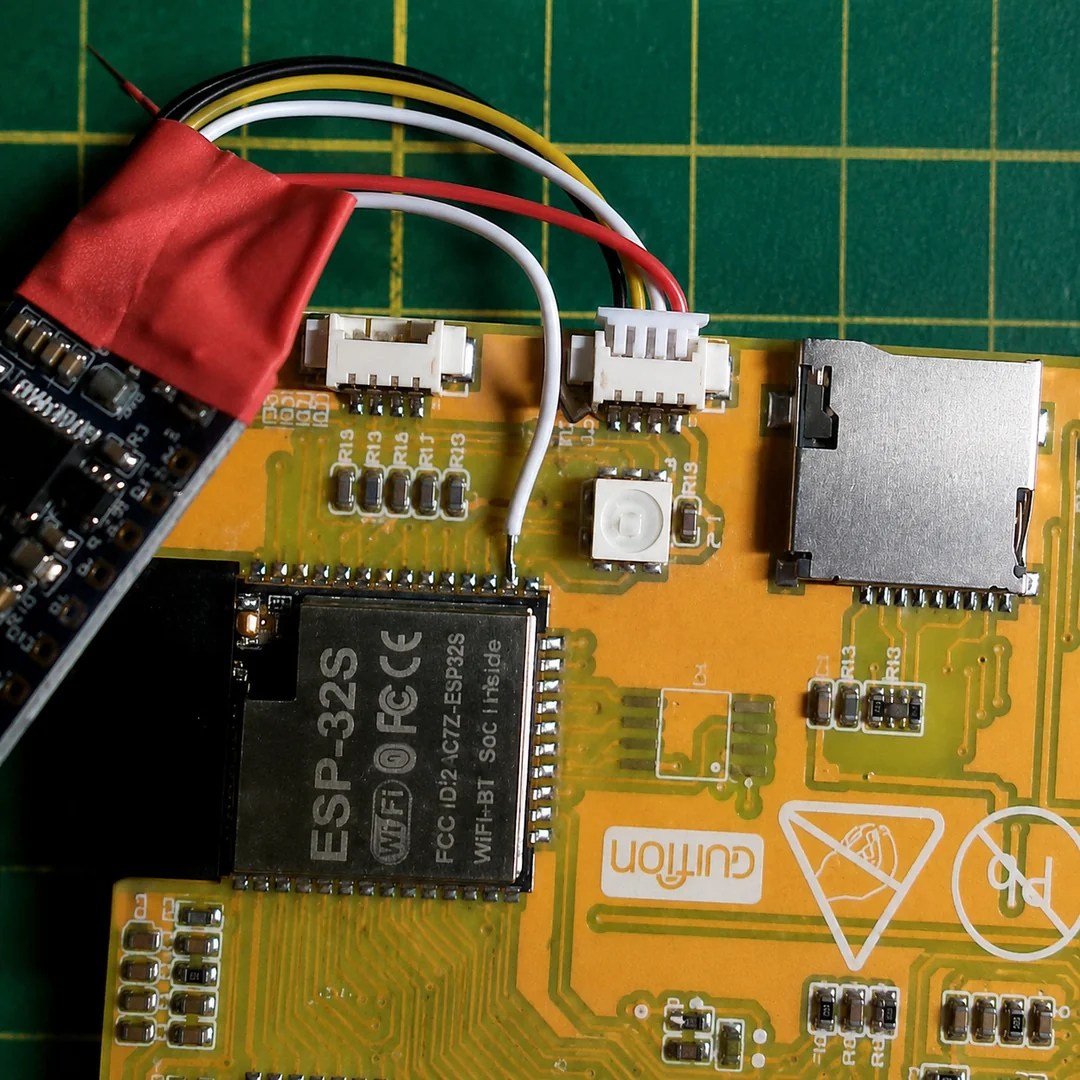
It isn’t exactly a ground-breaking hack: he’s just tossed a bodge wire to the pin he needs on the ESP32, and run it to the I2S sound module. Still, in this era of endless modules it’s nice to see someone hacking what they have rather than running to AliExpress or somewhere else for a part that has everything the project needs built in.

The bodge wire is how you know it’s a hack.

What really caught our eye when we saw this project on the ESP32 subreddit was the aesthetics. It might be called “Win95-Tracker-CYD” but that interface just screams “Amiga” to us– look at that Boing Ball! Given where MOD files come from, that’s perfect. The UI was made with Lopaka.app, which we haven’t seen before but appears to be a sort of WYSIWYG editor for embedded device interfaces.

While you don’t need an ESP32 to play mod files– the diminutive CH32 can manage the task— there’s no arguing the CYD could make a nice little player. If you actually wanted to push its limits, you might try a 3D engine instead,

Retro Weather Display Acts Like It’s Windows 95

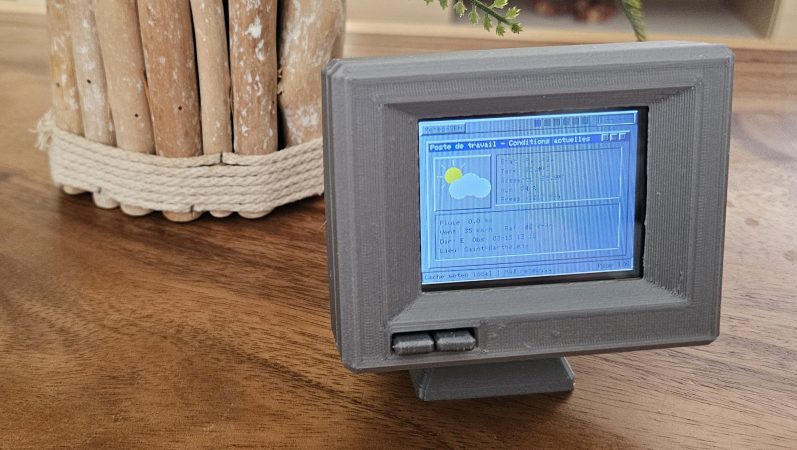
Sometimes you really need to know what the weather is doing, but you don’t want to look at your phone. For times like those, this neat weather display from [Jordan] might come in handy with its throwback retro vibe.

The build is based around the ESP32-2432S028—also known as the CYD, or Cheap Yellow Display, for the integrated 320 x 240 LCD screen. [Jordan] took this all-in-one device and wrapped it in an attractive 3D-printed housing in the shape of an old-school CRT monitor, just… teenier. A special lever mechanism was built in to the enclosure to allow front panel controls to activate the tactile buttons on the CYD board. The ESP32 is programmed to check Open-Meteo feeds for forecasts and current weather data, while also querying a webcam feed and satellite and radar JPEGs from available weather services. These are then displayed on screen in a way that largely resembles the Windows 95 UI design language, with pages for current conditions, future forecasts, wind speeds, and the like.

We’ve seen some fun weather displays over the years, from graphing types to the purely beautiful. If you’ve found a fun way to display the weather (or change it) don’t hesitate to notify the tipsline. Particularly in the latter case.

Retrotechtacular: Bleeding-Edge Memory Devices Of 1959

Although digital computers are – much like their human computer counterparts – about performing calculations, another crucial element is that of memory. After all, you need to fetch values from somewhere and store them afterwards. Sometimes values need to be stored for long periods of time, making memory one of the most important elements, yet also one of the most difficult ones. Back in the 1950s the storage options were especially limited, with a 1959 Bell Labs film reel that [Connections Museum] digitized running through the bleeding edge of 1950s storage technology.

After running through the basics of binary representation and the difference between sequential and random access methods, we’re first taking a look at punch cards, which can be read at a blistering 200 cards/minute, before moving onto punched tape, which comes in a variety of shapes to fit different applications.

Electromechanical storage in the form of relays are popular in e.g. telephone exchanges, as they’re very fast. These use two-out-of-five code to represent the phone numbers and corresponding five relay packs, allowing the crossbar switch to be properly configured.

Continue reading “Retrotechtacular: Bleeding-Edge Memory Devices Of 1959”

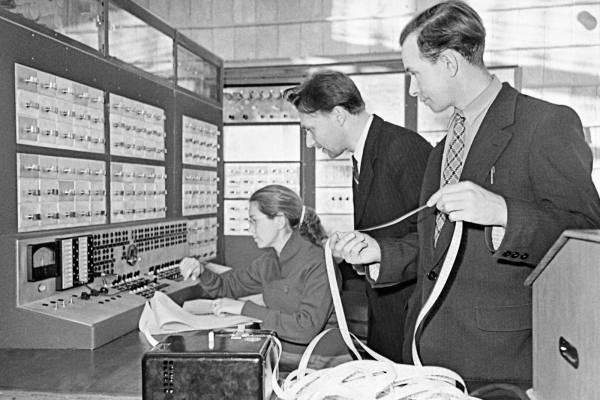
Scientific staff members working on the computing machine Setun

The Setun Was A Ternary Computer From The USSR In 1958

[Codeolences] tells us about the FORBIDDEN Soviet Computer That Defied Binary Logic. The Setun, the world’s first ternary computer, was developed at Moscow State University in 1958. Its troubled and short-lived history is covered in the video. The machine itself uses “trits” (ternary digits) instead of “bits” (binary digits).

When your digits have three discrete values there are a multiplicity of ways of assigning meaning to each state, and the Setun uses a system known as balanced ternary where each digit can be either -1, 0, or 1 and otherwise uses a place-value system in the normal way.

An interesting factoid that comes up in the video is that base-3 (also known as radix-3) is the maximally efficient way to represent numbers because three is the closest integer to the natural growth constant, the base of the natural logarithm, e, which is approximately 2.718 ≈ 3.

If you’re interested to know more about ternary computing check out There Are 10 Kinds Of Computers In The World and Building The First Ternary Microprocessor.

Continue reading “The Setun Was A Ternary Computer From The USSR In 1958”

Watch A Recording Lathe From 1958 Cut A Lacquer Master Record

Most of us are familiar with vinyl LPs, and even with the way in which they are made by stamping a hot puck of polyvinyl chloride (PVC) into a record. But [Technostalgism] takes us all the way back to the beginning, giving us a first-hand look at how a lacquer master is cut by a specialized recording lathe.

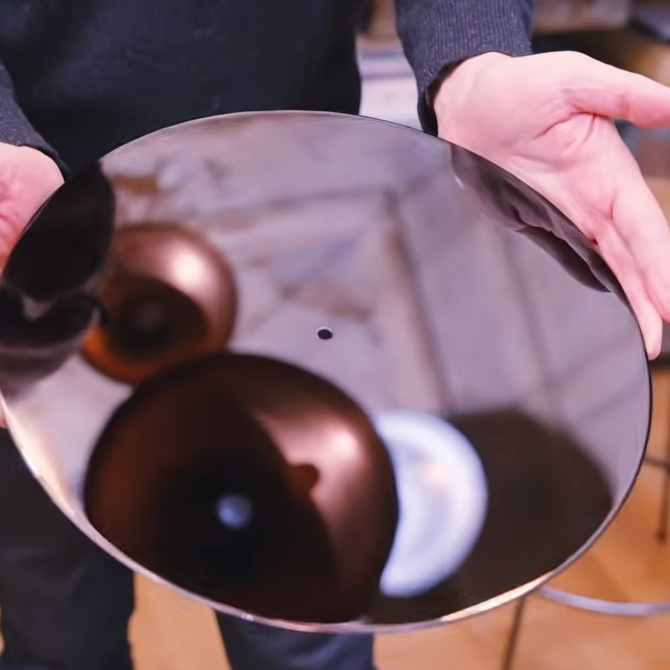
An uncut lacquer master is an aluminum base coated with a flawless layer of lacquer. It smells like fresh, drying paint.

Cutting a lacquer master is the intricate process by which lacquer disks, used as the masters for vinyl records, are created. These glossy black masters — still made by a company in Japan — are precision aluminum discs coated with a special lacquer to create a surface that resembles not-quite-cured nail polish and, reportedly, smells like fresh paint.

The cutting process itself remains largely unchanged over the decades, although the whole supporting setup is a bit more modernized than it would have been some seventy years ago. In the video (embedded below), we get a whole tour of the setup and watch a Neumann AM32B Master Stereo Disk Recording Lathe from 1958 cut the single unbroken groove that makes up the side of a record.

The actual cutting tool is a stylus whose movement combines the left and right channels and is heated to achieve the smoothest cuts possible. The result is something that impresses the heck out of [Technostalgism] with its cleanliness, clarity, and quality. Less obvious is the work that goes into arranging the whole thing. Every detail, every band between tracks, is the result of careful planning.

It’s very clear that not only is special equipment needed to cut a disk, but doing so effectively is a display of serious craftsmanship, experience, and skill. If you’re inclined to agree and are hungry for more details, then be sure to check out this DIY record-cutting lathe.
Continue reading “Watch A Recording Lathe From 1958 Cut A Lacquer Master Record”

Windows 95, With Just A Floppy Drive

It’s something of a shock to be reminded that Microsoft’s Windows 95 is now 30 years old — but the PC operating system that brought 32-bit computing to the masses and left behind a graphical interface legacy which persists to this day, is now old enough that many in the community have never actually seen it. The original requirements were a 386 or better, 4 megabytes of memory, and a hard drive. [Robert’s Retro] is exploding one of those requirements, creating a full Windows 95 install using only a floppy drive.

As you might imagine, even if you had one of the super-rare 2.88 megabyte drives, such a feat would require a few tricks. In this case the biggest trick is the FlashPath, a curious 1990s peripheral that allows a SmartMedia card to be used in a floppy drive. With a special DOS driver it allows what is in effect a 32 megabyte floppy disk, but even that’s not enough for ’95. In come a couple of further tricks, installing Windows 95 to a compressed DriveSpace volume which is copied to the FlashPath, and copying the Drivespace volume to a RAM drive and mounting it, on boot. It needs a conventional floppy to boot before swapping to the FlashPath and it seems the copying process is extremely slow, but we’d expect Windows 95 from RAM to be very quick indeed.

There have been other minimalist Windows 95s over the years, but what makes this one unusual is that it’s a full install. Five years ago at the OS’s quarter century we took a look at it with 2020 eyes, and tried gauge its effect on modern desktops.

Continue reading “Windows 95, With Just A Floppy Drive”