Scientific research is a messy business. The road to learning new things and making discoveries is paved with hard labor, tough thinking, and plenty of dead ends. It’s a time-consuming, expensive endeavor, and for every success, there are thousands upon thousands of failures.
It’s a process so inefficient, you would think someone would have automated it already. The concept of the self-driving laboratory aims to do exactly that, and could revolutionize materials research in particular.
We always love when people take the trouble to show information in new, creative ways — after all, there’s a reason that r/dataisbeautiful exists. But we were particularly taken by this version of the periodic table of the elements, distorted to represent the relative abundance on Earth of the 90 elements that make up almost everything. The table is also color-coded to indicate basically how fast we’re using each element relative to its abundance. The chart also indicates which elements are “conflict resources,” basically stuff people fight over, and which elements go into making smartphones. That last bit we thought was incomplete; we’d have sworn at least some boron would be somewhere in a phone. Still, it’s an interesting way to look at the elements, and reminds us of another way to enumerate the elements.
It’s wildfire season in the western part of North America again, and while this year hasn’t been anywhere near as bad as last year — so far — there’s still a lot of activity in our neck of the woods. And wouldn’t you know it, some people seem to feel like a wildfire is a perfect time to put up a drone. It hardly seems necessary to say that this is A Really Bad Idea™, but for some reason, people still keep doing it. Don’t misunderstand — we absolutely get how cool it is to see firefighting aircraft do their thing. The skill these pilots show as they maneuver their planes, which are sometimes as large as passenger jets, within a hundred meters of the treetops is breathtaking. But operating a drone in the same airspace is just stupid. Not only is it likely to get you in trouble with the law, but there’s a fair chance that the people whose property and lives are being saved by these heroic pilots won’t look kindly on your antics.
What do SQL injection attacks have in common with the nuances of GPT-3 prompting? More than one might think, it turns out.
Many security exploits hinge on getting user-supplied data incorrectly treated as instruction. With that in mind, read on to see [Simon Willison] explain how GPT-3 — a natural-language AI — can be made to act incorrectly via what he’s calling prompt injection attacks.
This all started with a fascinating tweet from [Riley Goodside] demonstrating the ability to exploit GPT-3 prompts with malicious instructions that order the model to behave differently than one would expect.
[Vuong Nguyen] clearly knows his way around artificial intelligence accelerator hardware, creating ztachip: an open source implementation of an accelerator platform for AI and traditional image processing workloads. Ztachip (pronounced “zeta-chip”) contains an array of custom processors, and is not tied to one particular architecture. Ztachip implements a new tensor programming paradigm that [Vuong] has created, which can accelerate TensorFlow tasks, but is not limited to that. In fact it can process TensorFlow in parallel with non-AI tasks, as the video below shows.
A RISC-V core, based on the VexRiscV design, is used as the host processor handling the distribution of the application. VexRiscV itself is quite interesting. Written in SpinalHDL (a Scala variant), it’s super configurable, producing a Verilog core, ready to drop into the design.
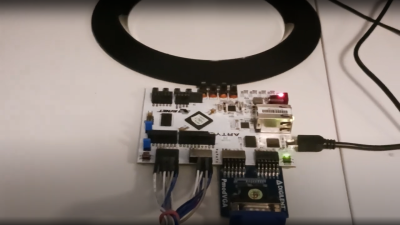
A Digilent Arty-A7, Arducam and a VGA PMOD is all you need
From a hardware design perspective the RISC-V core hooks up to an AXI crossbar, with all the AXI-lite busses muxed as is usual for the AMBA AXI ecosystem. The Ztachip core as well as a DDR3 controller are also connected, together with a camera interface and VGA video.
Other than providing an FPGA-specific DDR3 controller and AXI crossbar IP, the rest of the design is generic RTL. This is good news. The demo below deploys onto an Artix-7 based Digilent (Arty-A7) with a VGA PMOD module, but little else needed. Pre-build Xilinx IP is provided, but targeting a different FPGA shouldn’t be a huge task for the experienced FPGA ninja.
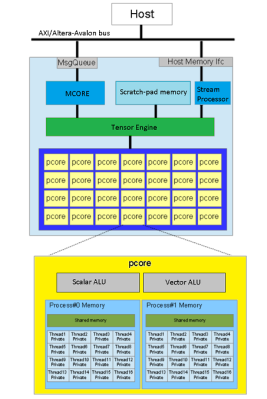
Ztachip top level architecture
The magic happens in the Ztachip core, which is mostly an array of Pcores. Each Pcore has both vector and scalar processing capability, making it super flexible. The Tensor Engine (internally this is the ‘dataplane processor’) is in charge here, sending instructions from the RISC-V core into the Pcore array together with image data, as well as streaming video data out. That camera is only a 0.3 MP Arducam, and the video is VGA resolution, but give it a bigger FPGA and those limits could be raised.
This domain-specific approach uses a highly modified C-like language (with a custom compiler) to describe the application that is to be distributed across the accelerator array. We couldn’t find any documentation on this, but there are a few example algorithms.
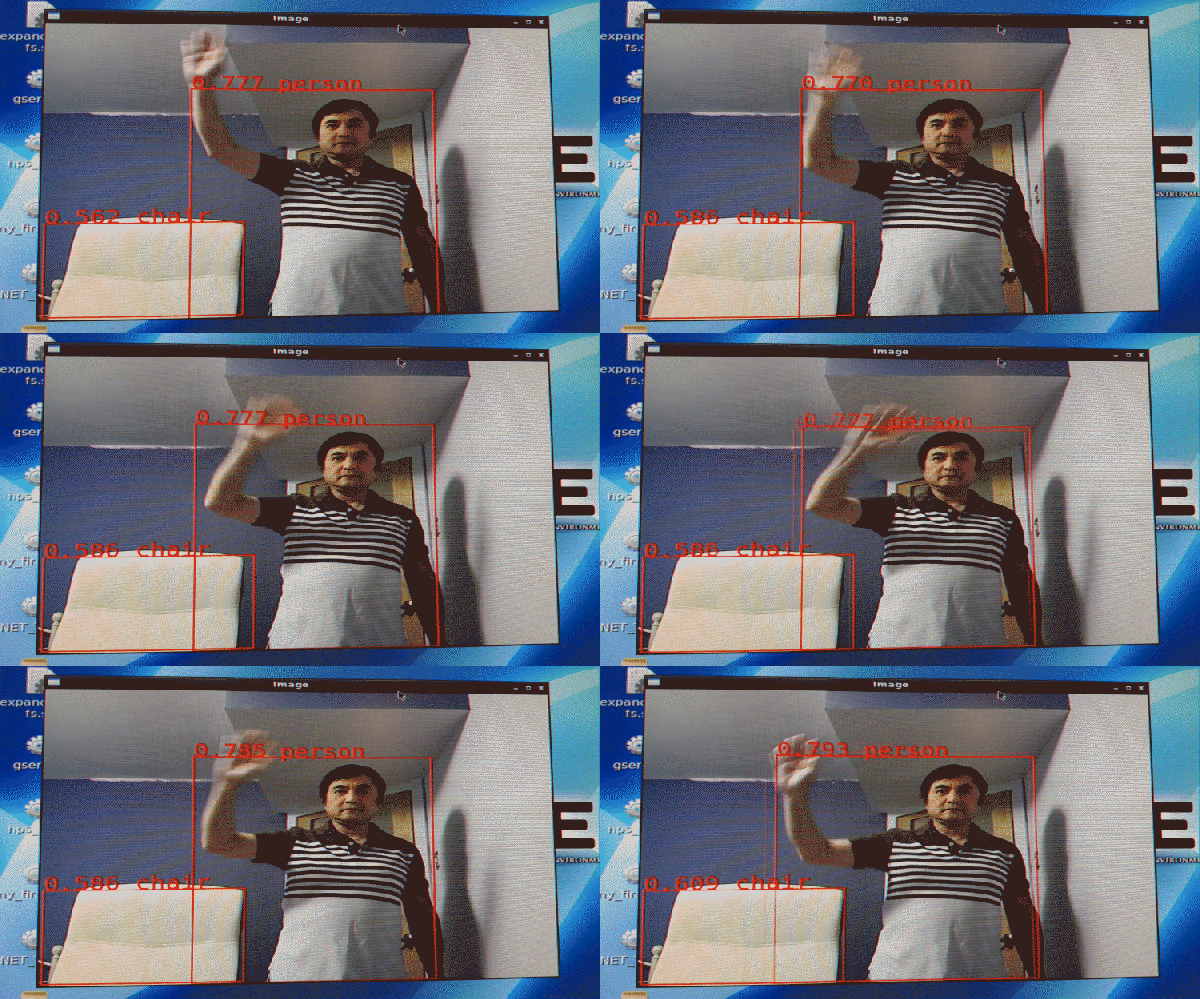
The demo video shows a real-time mix of four algorithms running in parallel; one object classification (Google’s Tensorflow mobilenet-ssd, a pre-trained AI model) canny edge detection, a Harris corner detection, and Optical flow which gives it a predator-like motion vision.
[Vuong] reckons, efficiency wise it is 5.5x more computationally efficient than a Jetson Nano and 37x more than Google’s TPU edge. These are bold claims, to say the least, but who are we to argue with a clearly incredibly talented engineer?
[Max Woolf] sometimes struggles to create ideal headlines for his blog posts, and decided to apply his experience with machine learning to the problem. He asked: could an AI be trained to optimize his blog titles? It is a fascinating application of natural language processing, and [Max] explains all about what it does and how it works.
The machine learning framework [Max] uses is GPT-3, a language model that works with natural-seeming human language that is capable of being tweaked in different ways. [Max] uses OpenAI’s GPT-3 API (which, by the way, is much easier to experiment with than one might think) and here is the basic workflow for his title optimizer:
The optimizer takes as input a blog post title to optimize.
OpenAI’s pre-trained GPT-3 engine is used to generate six alternate titles.
For each of those alternate titles, a fine-tuned version of GPT-3 is consulted to judge how “good” they are based on custom training data. (“Good” in this context means “similar to titles of successful submissions on Hacker News“, but more on that in a moment.)
What’s this? News about robot dogs comes out, and there’s no video of the bots busting a move on the dance floor? Nope — it looks like quadruped robots are finally going to work for real as “ground drones” are being deployed to patrol Cape Canaveral. Rather than the familiar and friendly Boston Dynamics “Big Dog” robot, the US Space Force went with Ghost Robotics Vision 60 Q-UGVs, or “quadruped unmanned ground vehicles.” The bots share the same basic layout as Big Dog but have a decidedly more robust appearance, and are somehow more sinister. The dogs are IP67-rated for all-weather use, and will be deployed for “damage assessments and patrols,” whatever that means. Although since this is the same dog that has had a gun mounted to it, we’d be careful not to stray too far from the tours at Kennedy Space Center.
Testing any kind of project in the real world is expensive. You have to haul people and equipment around, which costs money, and if you break anything, you have to pay for that too! Simulation tends to come first. Making mistakes in a simulation is much cheaper, and the lessons learned can later be verified in the real world. If you want to learn to fly a quadcopter, the best thing to do is get some time behind the sticks of a simulator before you even purchase anything with physical whirly blades.
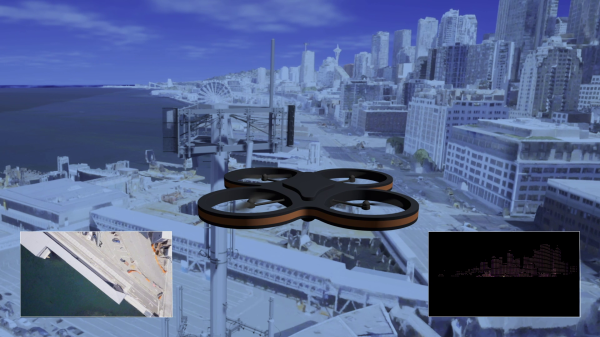
Oddly enough, the same goes for AI. Microsoft built a simulation product to aid the development of artificial intelligence systems for drones by the name of Project AirSim. It aims to provide a comprehensive environment for the testing of drone AI systems, making development faster, cheaper, and more practical.