Atari 2600 In A Game Cartridge

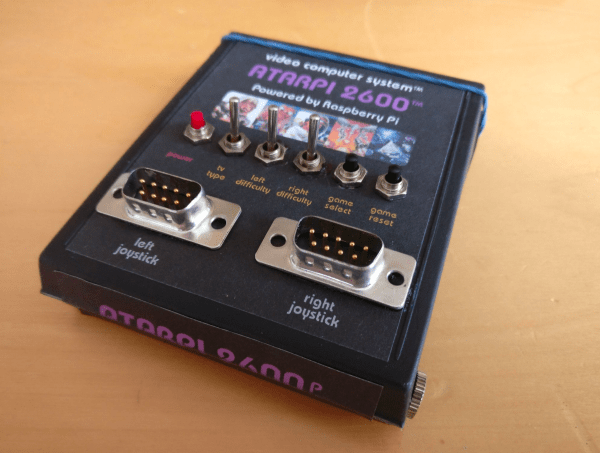
[PJ Evans] had a ruined game cartridge lying around, just waiting for a project. As Activision’s F-14 Tomcat game for the Atari 2600 console, it seemed ripe for use as a project enclosure of some sort. When he came across a couple of 9-pin D-sub joystick ports, he had an idea. He realized his Rasperry Pi Zero could fit inside the cartridge. Add a power button, TV color selector, difficulty switch, as well as select and reset buttons, and you have an emulator.

[PJ]’s Pi Zero had more than enough GPIO pins to accommodate all of those buttons and switches plus a bunch more for the joysticks. Why not put the emulator inside a game cartridge? In terms of software [PJ] looked into Adafruit’s Retro Gaming with Raspberry Pi resource, which has tons of suggestions for setting up game emulators. He decided on the RetroPie operating system to help him map out all of the pins, with Stella doing the actual Atari 2600 emulation.

Thanks, @seb_ly]!

Game Boy Mod Uses Raspberry Pi Compute Module 3

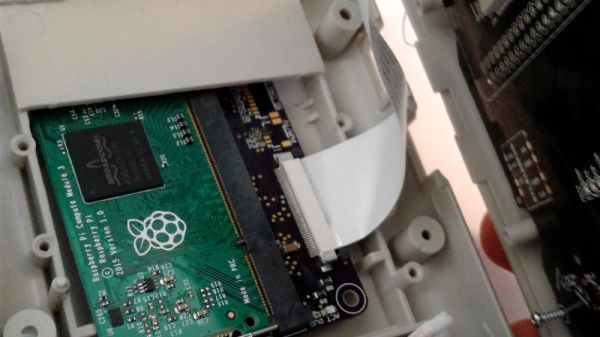
[inches] wanted the power of a Raspberry Pi 3 in a form factor closer to the Pi Zero for a Game Boy mod. This led him to design a custom PCB to interface with one of the less popular items in the Raspberry Pi line: the Compute Module 3. A hardware comparison between the three platforms is available here.

After correcting some minor issues, it booted correctly on the first try. The final result is slightly larger than a Raspberry Pi Zero, but significantly smaller than the Raspberry Pi 3, and fits perfectly inside the Game Boy for a clean build.

The Raspberry Pi Zero remains difficult to source in some parts of the world and can cost nearly as much as the more powerful CM3 (e.g. in Southeast Asia). If you’re comfortable making a breakout board and benefit from the added computing power, it’s a reasonable option when it needs to be small.

Worth noting is that the Raspberry Pi Foundation does sell an open-source development kit for the CM3 that has been used in some projects, but the retail cost is relatively high compared to a Raspberry Pi 3. Smaller but less feature-rich breakout boards like the one by [inches] make the CM3 more accessible.

Thanks to [Lou Hannoe] for the tip.

FPGA Emulates NES Cart; Prototype So Cyberpunk

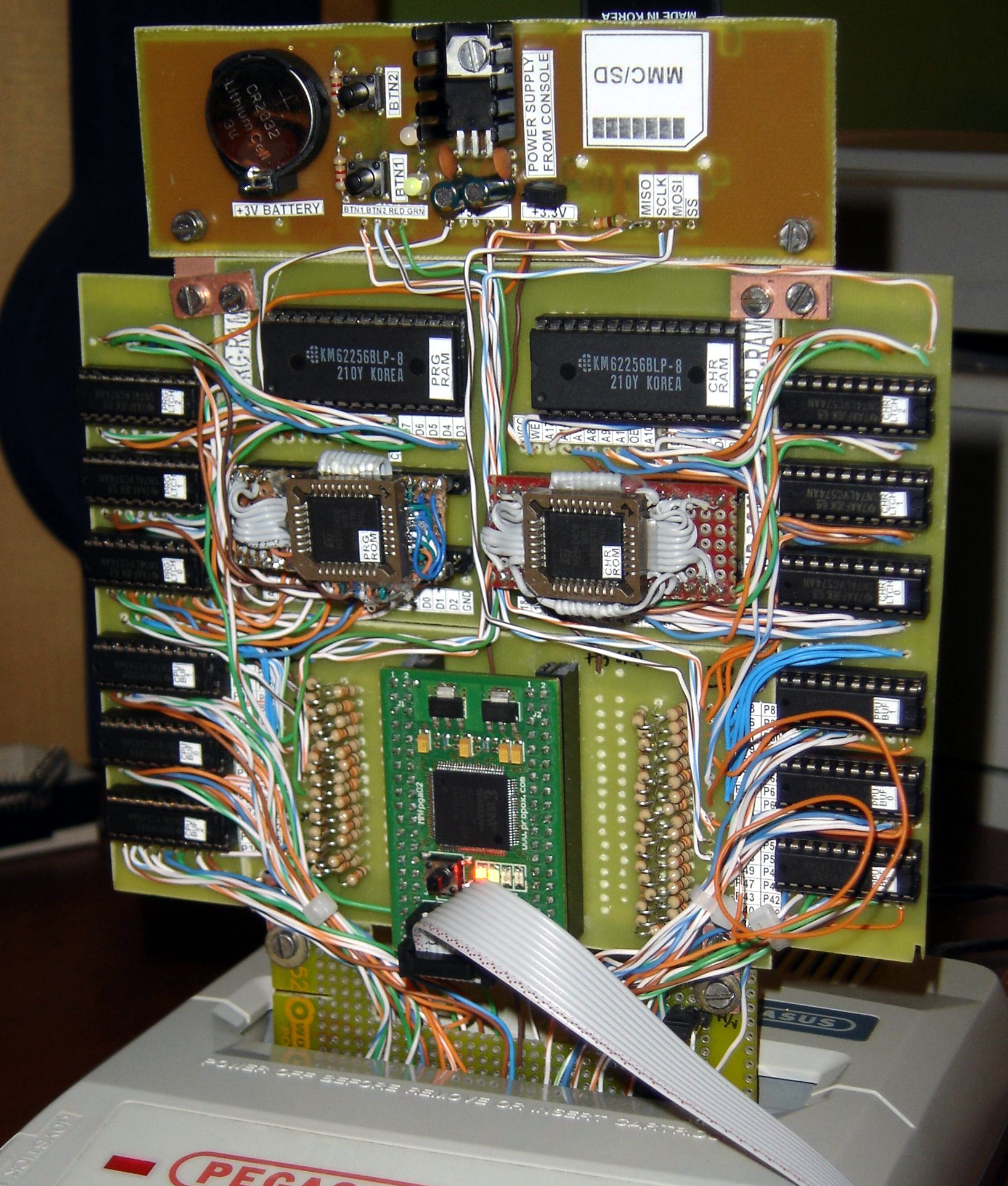
By now, most of us have had some experience getting ROMs from classic video games to run on new hardware. Whether that’s just on a personal computer with the keyboard as a controller, or if it’s a more refined RetrioPie in a custom-built cabinet, it has become relatively mainstream. What isn’t mainstream, however, is building custom hardware that can run classic video games on the original console (translated). The finished project looks amazing, but the prototype blows us away with it’s beauty and complexity.

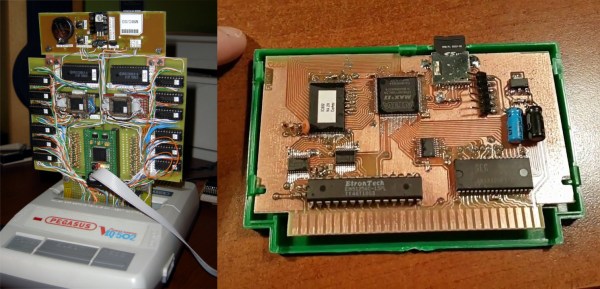
[phanick]’s project is a cartridge that is able to run games on the Polish Famicon clone called the Pegasus. The games are stored on an SD card but rather than run in an emulator, an FPGA loads the ROMs and presents the data through the normal edge-connector in the cartridge slot of the console. The game is played from the retro hardware itself. It takes a few seconds to load in each ROM, but after that the Pegasus can’t tell any difference between this and an original cartridge.

The original prototype shown here was built back in 2012. Since then it’s been through a few iterations that have reduced the size. PCBs were designed and built in-house, and the latest revision also includes a 3D-printed case that is closer to the size of the original Famicon cartridges.

Even if you don’t have an interest in classic video games or emulation, the video below is worth checking out. (Be sure to turn on the subtitles if you don’t speak Polish.) [phanick] has put in a huge amount of time getting all of the details exactly right, and the level of polish shows in the final product. In fact, we’ve featured him before for building his own Famicom clone.

Continue reading “FPGA Emulates NES Cart; Prototype So Cyberpunk”

CP/M 8266

Hands up if you’ve ever used a machine running CP/M. That’s likely these days to only produce an answer from owners of retrocomputers. What was once one of the premier microcomputer operating systems is now an esoteric OS, a piece of abandonware released as open source by the successor company of its developer.

In the 1970s you’d have seen CP/M on a high-end office wordprocessor, and in the 1980s some of the better-specified home computers could run it. And now? Aside from those retrocomputers, how about running CP/M on an ESP8266? From multi-thousand-dollar business system to two-dollar module in four decades, that’s technological progress.

[Matseng] has CP/M 2.2 running in a Z80 emulator on an ESP8266. It gives CP/M 64K of RAM, a generous collection of fifteen 250K floppy drives, and a serial port for communication. Unfortunately it doesn’t have space for the ESP’s party piece: wireless networking, but he’s working on that one too. If you don’t mind only 36K of RAM and one less floppy, that is. All the code can be found on a GitHub repository, so if you fancy a 1970s business desktop computer the size of a postage stamp, you can have a go too.

There’s something gloriously barmy about running a 1970s OS on a two-dollar microcontroller, but if you have to ask why then maybe you just don’t understand. You don’t have to have an ESP8266 though, if you want you can run a bare-metal CP/M on a Raspberry Pi.

A Multicore ZX Spectrum

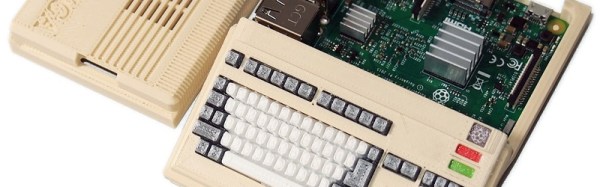
From the blog of [telmomoya] we found his latest project: a hardware based multicore solution for a ZX Spectrum Emulator. It’s not the first time we feature one of his builds, last year we was working on a ARM Dual-Core Commodore C64. Luckily for Speccy fans, it seems a ZX Spectrum project was just unavoidable.

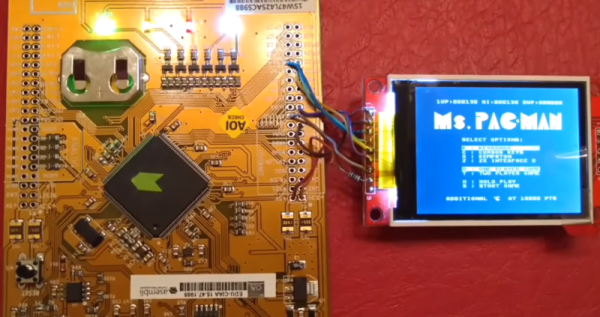
At its heart is the EduCIAA NXP Board, a Dual Core (M4 & M0) 32-bit microcontroller, based on the NXP LPC4337. It’s an Argentinan-designed microcontroller board, born from an Argentinian academic and industry joint venture. [telmomoya] took advantage of  the multicore architecture by running the ZX Spectrum emulator on M4 core and generating the VGA signals with M0 core. This guarantees that the VGA generation, which is rather time-sensitive, remains isolated from emulation and any task running on other core. The VGA sync is via polling and using DMA GPIO the RGB signals can be up to 256 colors. To store the 48 kb VGA frames one AHB32 and one AHB16 memory IC are used.

On the software side, [telmomoya] adopted Aspectrum, a ZX Spectrum Emulator fully written in C, modified to his needs. Overall, the project faced many challenges and issues, like COLOR VGA generation (with GPIO DMA), TFT SPI low fps, Inter Process Communications and bus sharing.

Can you try to name all the games in the demonstration video?

Continue reading “A Multicore ZX Spectrum”

Fixing Bugs In A 37 Year Old Apple II Game

Emulators are a great way to reminisce about games and software from yesteryear. [Jorj Bauer] found himself doing just that back in 2002, when they decided to boot up Three Mile Island for the Apple II. It played well enough, but for some reason, crashed instantly if you happened to press the ‘7’ key. This was a problem — the game takes hours to play, and ‘7’ is the key for saving and restoring your progress. In 2002, [Jorj] was content to put up with this. But finally, enough was enough – [Jorj] set out to fix the bug in Three Mile Island once and for all.

The project is written up in three parts — the history of how [Jorj] came to play Three Mile Island and learn about Apple IIs in the first place, the problem with the game, and finally the approach to finding a solution. After first discovering the problem, [Jorj] searched online to see if it was just a bad disk image causing the problem. But every copy they found was the same. There was nothing left for it to be but problem in the binary.

Continue reading “Fixing Bugs In A 37 Year Old Apple II Game”

Anti-Emulation Tricks On GBA-Ported NES Games

Emulation is a difficult thing to do, particularly when you’re trying to emulate a complex platform like a game console, with little to no public documentation available. Often, you’ll have to figure things out by brute force and dumb luck, and from time to time everything will come unstuck when a random piece of software throws up an edge case that brings everything screeching to a halt.

The Classic NES series was a handful of Nintendo Entertainment System games ported to the Game Boy Advance in the early 2000s. What makes them unique is a series of deliberately obtuse programming decisions that make them operate very differently from other titles. These tricks utilize advanced knowledge of the way the Game Boy Advance hardware operates and appear to have been used to make the games difficult to copy or emulate.

The games use a variety of techniques to confuse and bamboozle — from “mirrored memory” techniques that exploit addressing anomalies, to putting executable code in video RAM and writing to the audio buffers in unusual manners.

Even more confusingly, these techniques only appear to have been used in the Classic NES series of games, and not other Game Boy Advance titles. It’s not obvious why Nintendo went to special effort to protect these ports over other titles; perhaps the techniques used were for other reasons than just an attempt at copy protection. Speculate amongst yourselves in the comments.

This isn’t the first time we’ve discussed emulation of Nintendo systems — check out this effort to reverse engineer the Sony Pocketstation.

[Thanks to [[[Codifies]]] for sending this in!]