Emulating ARM On An 8-pin AVR

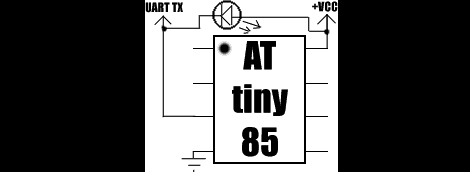
Falling on the heels of some fabulous ‘lets see what we can emulate on an AVR’ builds we’ve seen, [Dimitri] emulated an ARM Cortex-M0 on an 8-pin ATtiny85.

The emulator is written entirely in AVR assembly. Unfortunately, the instruction set of ATtinys don’t have a multiply instruction, so that had to emulated in a separate piece of code. Even with this addition, the emulator is very small; the core is just over 1300 instructions and small enough to fit on the Flash of the very small ‘tiny85.

Unlike the ATMega running Linux we saw last month, [Dimitri] won’t be doing anything crazy like making the tiniest and worst Linux computer ever. The Cortex-M0 doesn’t have a MMU, so Linux is out of the question. [Dimitri] could go with μCLinux, with the addition of a I2C EEPROM and RAM, but don’t expect a speed demon for an emulated ARM running at 200kHz.

[Dimitri] put all the code up on his webpage, and the installation is just running ‘make.’  It looks easy enough to get up and running very quickly, so we’re sure some bored hardware guru will come up with something interesting to do with this code.

Funtendo Connects All Your Nintendo Controllers To A PC

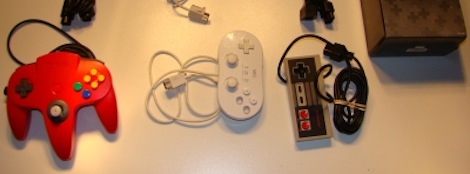
For those of us who can’t be bothered to dig out or N64 whenever we want to play Ocarina of Time or our NES whenever we get the urge to play Battletoads, emulators are a godsend. There is a problem, though. A keyboard doesn’t provide the right experience as a the classic NES ‘brick’ or the N64 tritopus controllers. Enter the Funtendo, a breakout box that converts all your well-loved controllers to USB.

The Funtendo uses the Gadget Gangster Propeller Platform with a terminal block module. Putting together the electronics is fairly easy; just strip the ends of the controllers and screw them down to the terminal blocks. N64, NES and Wii Classic Controllers are supported by the Funtendo. Going for the Classic Controller over a Super Nintendo controller reduces the complexity of the build. The Classic Controller can play SNES games and uses an I2C bus, making it easier to wire.

For interfacing the controllers to the computer, the Parallax Propeller Tool, Parallax serial terminal, and PPJoy convert button mashing into readable buttons for the emulator. The build may take more time than pulling an NES out of the attic, but even with a large project box it takes up much less space.

Check out the demo of the Funtendo after the break.

Continue reading “Funtendo Connects All Your Nintendo Controllers To A PC”

SNES Gamepad Coversion To USB

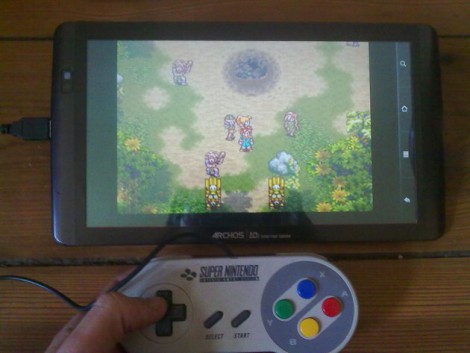
[Kekszumquadrat] wanted to use a classic controller to play emulator games on his Android tablet so he set out to convert an SNES gamepad to connect via USB. He found an old USB keyboard at a yard sale for about 3 Euros. He knew that the emulator he prefers has the option of remapping all the inputs to keyboard keys which means a USB keyboard has all of the electronics he would need to pull this off.

Once he had separated the keyboard circuitry from the case [Kekszumquadrat] plugged it into his Linux box and used Xev to establish how the keyboard matrix is set up. Xev is a common package that opens up an active window on the X desktop. When run from command line, any events that happen to the window will be echoed along with verbose data about that event. When it comes to keypresses, you’ll get the keycode you need. He simply shorted columns and rows until he found the desired mapping, then it was on to soldering.

The SNES controllers are very simple devices. As we’ve seen with previous projects, they use a serial-to-parallel shift register to gather button data and send it to the console. [Kekszumquadrat] simply soldered between button traces and keyboard matrix contacts. Once he finished, the keyboard parts were tucked inside of the controller case and he’s left with a USB controller that appears to be unaltered.

Update: Bluetooth Super Nintendo Controller For Android

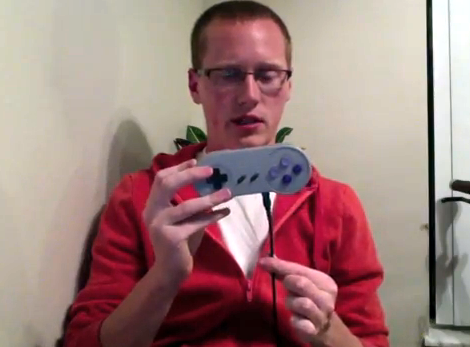
[Rich’s] newest version of a Bluetooth connected Super Nintendo controller takes what was already good and makes it better. We looked at the original version back in May, which is built into a knockoff controller  — [Rich] mentions that he got a lot of flack for defacing retro equipment and wants to set the record straight. The most notable difference between the two controllers is that the batteries are now housed inside the case. He switched over to an 850 mAh Lithium Ion battery, which takes much less room than the four AA batteries did. There is an integrated charger which connects via a mini USB jack as seen in the image above. Bother versions of the controller can be used to play emulators without rooting your Android device.

Unfortunately you won’t get to look inside the case. What we can tell you is that the build no longer uses a BlueSMiRF board , opting for a less expensive Bluetooth solution. We also know that the build is still Arduino compatible, sporting an ATmega328 chip running the bootloader. The lack of detail is because [Rich] is working to market the controller with a limited-quantity preorder. Check out his video presentation of the new version after the break.

Continue reading “Update: Bluetooth Super Nintendo Controller For Android”

Portable Gets A Proper Home In An Arcade Controller

[Luke] wanted an arcade-style controller that he could use for some gaming at home. He decided to use a portable game emulator as a base and then added his own joystick and buttons along with a custom case.

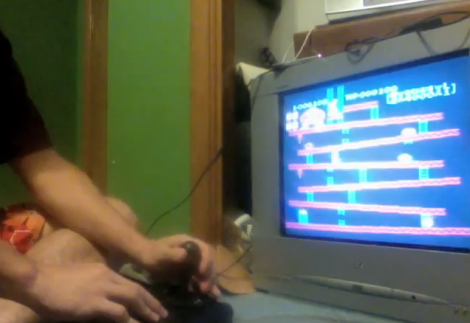
The donor hardware is a Dingo A320. It’s a nice little handheld with a 2.8″ screen, and plenty of potential to emulate games like Donkey Kong seen above, or to play homebrew. It’s even been the target of some RAM upgrades we looked in on in the past. The best part for [Luke’s] project is that it includes a video out port.

In the clip after the break you can see that [Luke] now has a compact controller with a huge arcade joystick, four buttons on the top surface, and the rest of the controls all around the edges of the enclosure. The video out option is selected in the menu system, so he preserved the original LCD for use during configuration.

Continue reading “Portable Gets A Proper Home In An Arcade Controller”

Retrode Gets An Upgrade

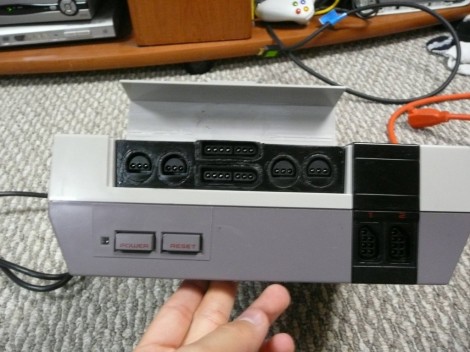
We’ve been following the Retrode since it was an obscure video on YouTube that we swore was an elaborate hoax. Now, [Matthias] tell us it’s getting its third major upgrade, and it is really starting to resemble a commercial project. The video features the new prototype case for the Retrode II, which has been 3d printed. The fact that such advanced protyping facilities are availavble to the common hacker is just incredible.  The new Retrode II will have ports built in so SEGA and SNES controllers can be plugged in. Since its launch the community has been collaborating to build plug-in boards allowing people to play Virtual Boy, Atari 2600, GBx, Turbografix-16, Neo Geo Pocket, and even N-64 cartridges directly from the cartridge on their computers. Very Cool.

Continue reading “Retrode Gets An Upgrade”

Classic Game Emulation On The Dockstar

[Hunter Davis] is playing games like Contra, Monkey Island, and Quake 3 by running them on a Seagate Dockstar. We were shocked after seeing how well these run in the video after the break. [Hunter], who used the ZipIt for game emulation in the past, added a couple of hardware peripherals to get everything running. For sound he picked up an inexpensive USB sound card which was no problem to get up and running. Next he picked up a USB to DVI adapter and fired up the Linux USB DisplayLink driver. With the peripherals running he loaded up Fluxbox and the rest was history. Not bad for a small network storage adapter. Continue reading “Classic Game Emulation On The Dockstar”